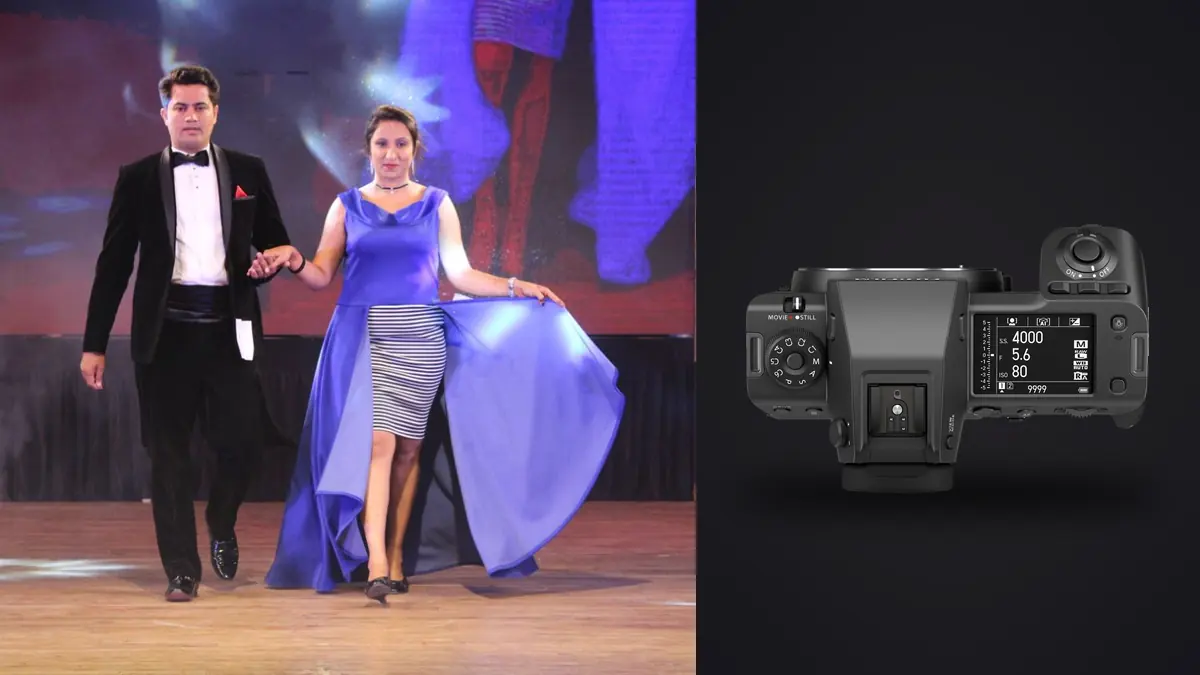
A lookbook booking is not a portrait session with better lighting. It is a production line. You're moving through eight, ten, sometimes fourteen looks in a single day, each one needing a handful of clean, on-brand frames that a client can drop straight into an ecommerce grid, a lookbook PDF, and a paid social crop without reshooting. The camera you bring has to survive that pace without becoming the bottleneck itself. Picture three seasonal lookbook jobs on the Fujifilm GFX100 II, after years of doing this kind of work on full-frame bodies: the switch would change more about the day than you might expect, some of it good, some of it a genuine tax on the workflow that nobody mentions in the spec sheet.
This isn't a lab review. It's what actually happens when you put a 102-megapixel medium format body in front of a rack of garments, a model who needs to hit fourteen looks before lunch, and a client standing behind the tether monitor asking to see "the one where she's not blinking."
Why Medium Format Earns Its Keep on a Lookbook Day
The case for the GFX100 II on lookbook work isn't really about ultimate image quality, most clients viewing a lookbook on a phone or a website will never notice the difference between 45MP and 102MP. The case is about crop economics. A single frame at 102MP gives you enough real estate to deliver a full-body ecommerce shot, a tight square Instagram crop, and a cropped-in detail shot of the garment's stitching or hardware, all from one exposure, without upsampling and without asking the model to hold a pose three separate times for three separate framings. On a day where you're contracted to deliver forty final images across six aspect ratios, that flexibility saves real time on set. There's a dynamic range argument too, and it's the one that actually shows up in the retouching queue. Fashion lookbook work almost always mixes a key light with a fill or a bounce, sometimes daylight through a studio window on top of strobe. The GFX100 II's sensor holds highlight detail in white and pastel garments (which blow out embarrassingly easily on smaller sensors under hard strobe) with noticeably more room to pull back before you see banding. I shoot base ISO 80 whenever the strobe power allows it, and even underexposing slightly to protect a bridal-white dress, I can recover shadow detail on the model's face without the mud you'd get pushing a crop-sensor or even most full-frame files that far.
Building the Kit: Bodies, Lenses, and What Actually Gets Used
I bring one GFX100 II as primary and, when the budget allows, a rented GFX100S as backup rather than a second GFX100 II, because the backup body only needs to save the day if the primary fails, not match its burst rate. That's a cost call worth making explicitly with your producer before the job, not after a body goes down mid-shoot.
On lenses, three cover ninety percent of a lookbook day:
GF 110mm f/2 for the hero shots
This is the lens the client's art director will point at and say "more like that one." Wide open it gives a falloff that reads as expensive without going so shallow that garment detail across the body gets lost. I stop down to f/2.8 or f/3.2 for most full-length looks so the whole outfit, front to back, stays acceptably sharp, and only open to f/2 for tight three-quarter beauty shots where the background needs to disappear.
GF 80mm f/1.7 for movement and coverage
Faster to focus than the 110mm in my experience, and the extra half-stop plus wider field of view is useful when the model is walking or turning and you need a bit more margin to keep her in frame without cropping tight against the garment's edges. This is my main burst lens.
GF 32-64mm f/4 for group looks and environment
Any time the brief calls for two models together, or a wider environmental shot that shows the studio set or a location backdrop, the zoom earns its keep. It's slower to work with, the f/4 constant aperture means you're leaning harder on strobe power, but the flexibility beats swapping primes mid-look.
You won't often reach for the GF 250mm or the wider primes on lookbook days. Lookbook work happens close, in a controlled space, and long glass mostly just adds weight to the bag.
Dialing In Settings for Skin, Fabric, and Studio Strobes
Base ISO 80 is the starting point on nearly every setup, since it's where the sensor's dynamic range peaks and where fabric texture (linen weave, sequins, anything with fine repeating detail) renders cleanest before any sharpening happens in post. I only push ISO when a location shoot forces me to balance ambient light with a smaller strobe kit than the space really needs. Shutter speed sits at 1/125s for strobe sync as a default, occasionally dropping to 1/60s if I want a hint of ambient window light to blend into the strobe exposure for a softer, more editorial look. The GFX100 II's mechanical shutter caps out lower than most full-frame sports bodies, which matters if you're chasing fast movement, hair flips, jumping shots, fabric caught mid-motion. For those looks I switch to continuous burst at the camera's electronic shutter rate and shoot a run of six to ten frames per motion, banking on getting one where the expression and the garment drape both land. That habit alone is what turns a lookbook take from a few hundred frames into several thousand by the end of the day. Autofocus tracking on the GFX100 II is a real improvement over the original GFX100 and the GFX100S, eye-detect holds up reasonably well even at f/2 with a model turning her head through a pose, though it's still not as aggressive as what you'd get from a dedicated sports or event body. Keep a wide-area AF zone locked to face and eye priority for the whole day rather than switching between single-point and zone, one less thing to think about while a stylist is adjusting a hem between frames.
GFX100 II Against the Bodies You'd Actually Be Choosing Between
Most photographers weighing this camera for lookbook work aren't comparing it against other medium format options in a vacuum, they're weighing it against sticking with a high-resolution full-frame body they may already own, or stepping down to the cheaper GFX100S. Here's how the numbers actually play out for the kind of day described above.
| Spec (matters for lookbook work) | Fujifilm GFX100 II | Fujifilm GFX100S | Sony A7R V |
|---|---|---|---|
| Resolution | 102MP | 102MP | 61MP |
| Compressed RAW file size (typical) | ~110-125MB | ~110-125MB | ~60-70MB |
| Continuous shooting (usable burst) | Up to 8fps (electronic, with grip) | 5fps | 10fps (mechanical) |
| In-body stabilization | 8 stops (rated) | 6 stops (rated) | 8 stops (rated) |
| Card slots | Dual CFexpress Type B | 1x CFexpress + 1x SD | 1x CFexpress + 1x SD |
| Approx. body-only price (2026) | $7,499 | $5,999 | $3,899 |
What that table doesn't capture is the workflow tax. The GFX100 II costs more, produces roughly double the file size of the A7R V, and shoots slower, but for lookbook work specifically, the crop flexibility from 102MP and the color rendering on skin and fabric tend to outweigh burst speed, since you're rarely chasing fast action the way you would on a runway or an event floor. If your lookbook bookings lean heavily on movement, jumping shots, fabric caught mid-flip, the A7R V's faster mechanical shutter and smaller files are a legitimate argument for staying full-frame. If the work is mostly controlled studio poses with the occasional walk-and-turn, the GFX100 II's resolution pays for itself in fewer reshoots for crop variations.
The Real Bottleneck: What Happens After You Call "Wrap"
Here's the part that doesn't show up in camera reviews. A ten-look lookbook day, shot the way described above with bursts on any motion, easily generates 3,000 to 5,000 frames. At roughly 115MB per compressed RAW, that's somewhere between 340GB and 575GB of data by the time you wrap, all of it needing to be backed up, culled, and handed to a retoucher within a turnaround the client agreed to before the shoot even started. Culling that volume by eye, zooming into every frame in a burst to check which one has the sharpest eyes and no motion blur on the fabric, is where a lot of lookbook production days quietly lose their evening. This is the point to stop doing it manually. Run the day's cards through imagic before anything goes to the retoucher. It scores focus and sharpness locally on the machine, no upload, which matters more than it sounds like on a job where the client has the collection under embargo until launch, and clusters each burst of near-identical frames (the six-to-ten shot run from a walk-and-turn, say) so you're choosing between three or four genuinely distinct options instead of scrolling through forty frames that are all the same pose with a different eyelash position.
The other piece that's specific to lookbook work rather than general culling: once you've picked a final set from one look, you've usually set the tone, color balance, and crop ratio for the whole shoot. imagic's apply_my_style feature, which trains on edits you've already made rather than pulling a generic preset, lets me carry that exact look across the remaining looks in the set without redoing the color work by hand on every image, useful when a ten-look shoot needs to read as one consistent lookbook rather than ten disconnected sessions. It's not a substitute for a retoucher's eye on the hero shots, but it closes the gap between "shoot wrapped" and "retoucher can start" by a lot, and it does it without the RAW files ever leaving the laptop, which the client's legal team appreciates more than almost anything else in the pipeline. If you haven't looked at how AI-assisted culling actually scores frames under the hood, it's worth understanding before you trust it on a paid job, see how AI photo culling works for the mechanics.
Delivering Crops That Actually Match the Brief
Because the GFX100 II's files carry so much resolution, I shoot slightly looser than I would on a full-frame body, leaving margin on all four sides specifically so the ecommerce team can pull a tight product crop, the social team can pull a square, and the print catalog can pull whatever bleed their layout needs, all from the same capture. That only works if focus is genuinely sharp across the frame though, a soft corner that's invisible in a full-frame delivery becomes obvious the moment someone crops in on it for a detail shot. It's another reason I don't skip the focus-scoring pass before handoff, a frame that looks fine at a glance can fail once someone crops to 60% of it for a hero banner. On color, I shoot a color checker under the first look's lighting setup and again any time the lighting changes meaningfully through the day (moving from strobe-only to a mixed daylight setup, for instance), then build the base grade in Capture One tethered during the shoot rather than guessing at white balance after the fact. Getting this right at capture saves the retoucher from fighting inconsistent skin tones across ten different looks shot over eight hours as the light in the studio inevitably drifts.
Budgeting: Rent, Buy, or Share the Body Across Jobs
At $7,499 body-only, the GFX100 II isn't a casual purchase for most working photographers, and for anyone doing fewer than roughly six to eight medium-format bookings a year, renting for $150 to $220 a day from a local house is the more sensible math against the cost of ownership, insurance, and the lens ecosystem you'd need to build around it. Owning one makes sense when lookbook and catalog work makes up close to half of annual bookings, since the crop flexibility directly reduces the number of reshoots clients ask for on final crops, which is the number that actually justifies the purchase, not the resolution spec on its own. If you're renting, budget an extra hour on day one to actually shoot test frames and dial in your strobe power for the sensor's base ISO before the model and stylist arrive, GFX bodies meter and expose noticeably differently from full-frame gear you might be used to, and you don't want to be guessing exposure compensation on the client's clock. The rest of the turnaround, once the shoot itself is wrapped, comes down to workflow habits more than gear; 10 tips for a faster photo workflow covers several that pair well with a heavy-resolution body like this one.
Frequently Asked Questions
Is 102 megapixels actually necessary for a lookbook that's mostly viewed on phones and websites?
Not for final display resolution, no. The value is almost entirely in crop flexibility, being able to deliver full-length, tight-crop, and detail shots from one exposure, and in how much room the files give a retoucher before quality visibly degrades. If your lookbook deliverables are a fixed single crop ratio with no detail shots, the resolution advantage shrinks considerably.
Can the GFX100 II keep up with a model who's moving between poses quickly?
Reasonably well with the eye-tracking autofocus on, but it's not built for the burst speed of a dedicated action camera. For fast movement, hair flips, jumps, fabric mid-motion, I lean on short bursts at the electronic shutter's top speed rather than trying to track continuous motion the way you would with a mirrorless body built for sports.
How much storage should I actually plan for on a shoot day?
For a ten-look day with bursts on movement shots, plan for 400 to 600GB comfortably, more if the brief includes a lot of walking or jumping looks. I carry a minimum of two 1TB CFexpress cards plus a portable SSD for the on-site backup, and I don't format a card until the day's files are confirmed copied in two places.
Does shooting medium format change how I should approach culling and delivery timelines?
Yes, mostly because of volume and file size rather than anything about the format itself. A 4,000-frame, 450GB day takes meaningfully longer to review by hand than the same shoot on a smaller-file body, which is why I run the take through automated sharpness and duplicate scoring before a retoucher ever opens a folder. It's worth building that step into your quoted turnaround time rather than discovering the bottleneck the night before delivery.