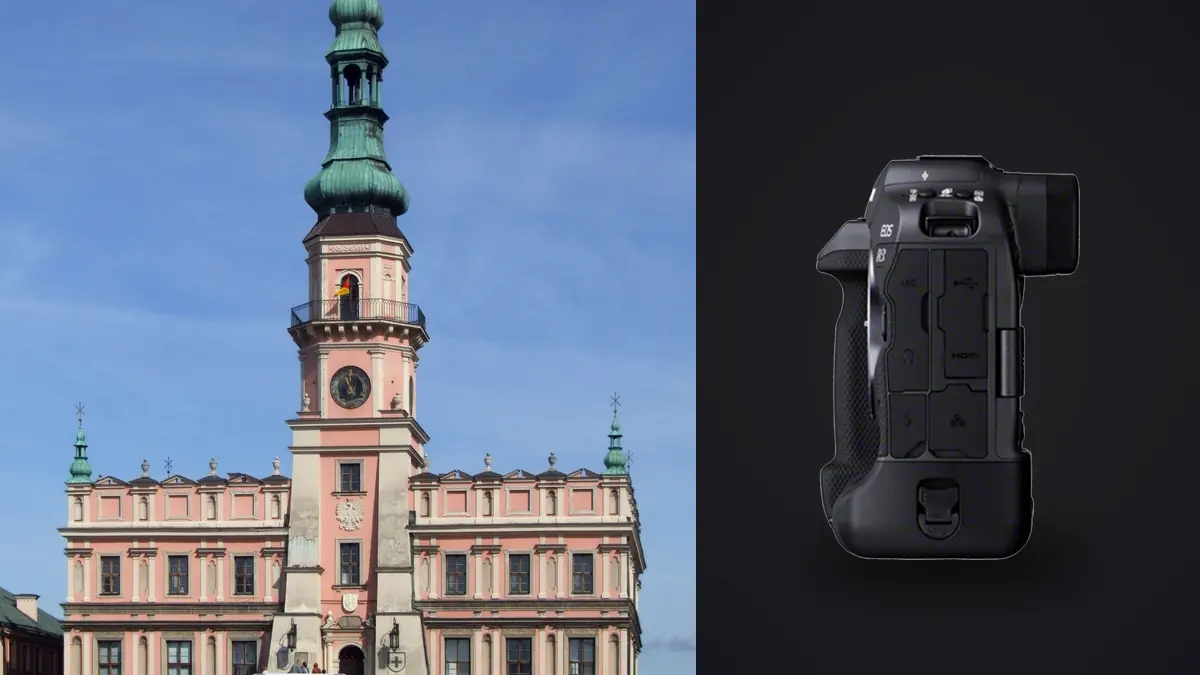
Nobody at Canon designed the EOS R3 with architecture in mind. It's a 30fps, eye-control-AF, stacked-sensor sports and photojournalism body built to track a football through a scrum or lock focus on a sprinter's eye at the finish line. So when an interior photographer shows up to a listing shoot with one slung over their shoulder, the usual reaction from other photographers on site is a raised eyebrow. I've had that reaction pointed at me more than once. The short version of why I still bring it: dynamic range, weather sealing, and a body that doesn't flinch after twelve hours of bracket sequences in a house with no HVAC running in August.
Why this camera shows up on interior jobs at all
Architectural and interior work rewards a very different skill set than sports. You want resolution for large prints, native tilt-shift glass to keep verticals straight, and a body that's quiet and unobtrusive while a client walks through their own kitchen. On paper the R3 fights you on two of those three. It's 24.1 megapixels, which is low for a camera in this price bracket in 2026, and Canon has never released a native RF tilt-shift lens, so you're adapting older EF glass regardless of which R-series body you pick.
What the R3 does bring is a sensor readout fast enough that rolling shutter simply isn't a variable you think about, even shooting fully silent in a room lit by mixed LED and daylight that would show banding on a slower rolling-shutter chip. For interiors that means you can leave the mechanical shutter off entirely during a client walkthrough. Nobody hears a click while you're working around them in their own home, which matters more than people expect until they've had a homeowner ask them to stop "clicking so much" mid-session.
The resolution argument, honestly
I won't pretend 24 megapixels is a strength here. If you're delivering files for a print campaign, a lobby-sized wall mural, or anything that gets cropped hard in post for a magazine spread, you want more pixels than this body gives you. For real estate listings, MLS galleries, Airbnb-style rental photography, and most architecture firm portfolio work, 24MP is genuinely enough. Web galleries top out around 2,000-3,000 pixels on the long edge anyway, and even a full double-page magazine spread at 300dpi only needs about 20 megapixels of actual resolved detail.
Where the resolution gap actually bites is in post. Tilt-shift work involves a fair amount of digital shift correction and cropping even when you've nailed the lens movement in camera, and starting from 24MP instead of 45MP eats into your margin for that faster than people assume. If your workflow leans hard on correcting verticals digitally rather than optically, budget for that loss up front rather than discovering it during a client revision request.
Dynamic range and the window problem
Every interior shooter's real enemy is the window. A room lit for a comfortable interior exposure will blow the exterior view straight to white, and a room exposed to hold detail outside the glass turns everything indoors into a cave. The traditional fix is bracketing and blending, and this is where the R3's sensor earns its keep more than most people expect from a camera marketed on frame rate.
Base ISO dynamic range on the R3 lands a bit behind the R5 and R5 II in independent lab testing, largely because the stacked, dual-gain-tap design that enables 30fps readout trades away a fraction of low-ISO headroom compared to a sensor tuned purely for stills. In practice that gap is smaller than the spec sheets suggest. A five or seven shot bracket at one-stop intervals recovers shadow detail in a dim hallway and highlight detail through a west-facing window with room to spare, and the files hold up to aggressive shadow lifts in Lightroom without the sensor noise creeping in the way it did on older 1D-series bodies I used to shoot with. If you're used to shooting a single raw and relying on the sensor's native latitude, budget for brackets here rather than assuming you can get away with one frame per angle the way you might on a body with a wider single-exposure range.
Lenses: the tilt-shift workaround everyone eventually does
This is the part that surprises photographers moving over from Nikon or Sony as much as it surprises Canon shooters new to architecture. There is still no native RF-mount tilt-shift lens. If you want perspective control on an R3, you're reaching for the EF TS-E lineup (the 17mm f/4L, the 24mm f/3.5L II, or the 90mm f/2.8L Macro depending on the room) and running it through Canon's EF-EOS R mount adapter.
The good news is that the adapter passes electronic aperture control cleanly, so you're not stopping down with a mechanical ring the way old-school adapted glass sometimes forces you to. The bad news is you're adding real weight and length to an already substantial body, and manual shift and tilt movements on a viewfinder-only workflow take practice if you've never used them. For most interior work I actually reach for the RF 15-35mm f/2.8 or the RF 14-35mm f/4 first and only bring out the tilt-shift glass for exterior architecture shots where converging verticals are unforgivable, like a hero shot of a building facade. For tight interior rooms, a wide rectilinear zoom shot level with a bit of headroom for a vertical crop gets you most of the way there with far less setup time.
How the R3 actually compares for this kind of work
I get asked constantly whether it's worth buying an R3 specifically for interiors versus just getting an R5 II or looking outside Canon entirely. Here's how the bodies I'd actually consider for this work stack up on the things that matter for architecture and interiors specifically, not the sports-camera specs that dominate most review coverage.
| Spec | Canon EOS R3 | Canon EOS R5 II | Canon EOS R5 | Nikon Z8 |
|---|---|---|---|---|
| Resolution | 24.1MP | 45MP | 45MP | 45.7MP |
| Native shift/tilt lens support | None (adapt EF TS-E) | None (adapt EF TS-E) | None (adapt EF TS-E) | None (adapt via FTZ) |
| Base ISO dynamic range | Good, slightly behind R5-series | Excellent | Excellent | Excellent |
| IBIS rating | Up to 8 stops | Up to 8.5 stops | Up to 8 stops | Up to 6 stops |
| Card slots | CFexpress B + SD UHS-II | CFexpress B + SD UHS-II | CFexpress B + SD UHS-II | CFexpress B + SD UHS-II |
| Body weight (body only) | ~1,015g | ~746g | ~738g | ~910g |
| Weather sealing | 1-series grade | R5-grade | R5-grade | Robust, not 1-series grade |
Read that table honestly and the R5 II is the more sensible purchase for anyone starting from zero and dedicating a body specifically to architecture. Higher resolution, lighter to carry up a ladder or into a crawlspace, and a dynamic range edge you'll actually use on a bright window day. The case for the R3 is almost always a secondhand or already-owned-it case: if you're already shooting sports or events on an R3 and want one body that also covers interiors without buying a second system, it does the job well enough that you stop feeling like you are compromising after the first few shoots.
Handling in real rooms, not on a spec sheet
The integrated vertical grip that makes the R3 fast to shoot one-handed at a sideline is dead weight in a stairwell. At just over a kilogram body-only, and closer to 1.3kg with a battery and a decent wide zoom mounted, it's noticeably more tiring to hold overhead for a top-down kitchen shot or crouch with for a low, wide living room angle across a full day of a multi-room listing. I've started leaning on a tripod far more with this body than I ever did with a lighter R6-class camera, which slows down a shoot that's supposed to be fast.
Where the size pays for itself is exteriors. Shooting a facade at golden hour in light drizzle, or standing in a half-finished construction site with drywall dust in the air, is where the 1-series-grade weather sealing stops being a marketing line and starts being the reason your camera survives the day. I've had this body get genuinely wet on an exterior shoot and kept working without a second thought, something I wouldn't risk with a lighter, less sealed body.
The fully articulating rear screen is a genuine win for interior work specifically. Low-angle shots from floor level in an empty room, or high shots from a stepladder over a dining table, are far easier to compose with a screen that swings out and tilts than with the fixed or single-axis screens on some rival bodies. It sounds minor until you've spent a shoot day physically lying on hardwood floors to check a horizon line through a fixed viewfinder.
What actually happens after the shoot
A single interior listing shoot with brackets for every window and a couple of focus-stacked close shots of finishes easily produces six hundred to a thousand raw files by the time you've covered ten or twelve rooms plus exteriors. Sorting that by hand, room by room, bracket by bracket, is the part of this job nobody enjoys and the part that actually eats the hours you thought you saved by shooting fast.
This is where I've leaned on AI-assisted culling rather than scrolling through a folder manually. I run the day's take through imagic before I touch Lightroom. Its duplicate and burst clustering groups each bracket sequence together automatically, which matters a lot on a shoot like this because a five-shot HDR bracket and a five-shot focus-stack look identical to a human skimming thumbnails at 1x speed but need to be handled completely differently downstream. The local sharpness scoring is what I actually trust it for on tilt-shift frames specifically, since a lens with shift applied can look sharp centrally but soft in a corner that only shows up once you're at 100% crop, and having that flagged before I start editing saves a genuinely embarrassing delivery mistake.
Because it runs entirely on the machine with no upload step, that also matters for unreleased listings and private renovations where an owner hasn't announced a sale yet. There is no need to wonder whether raw files of someone's unlisted home are sitting on a server somewhere overnight. And once I've settled on a look for a given property type (bright, neutral-white for modern builds versus warmer tones for older character homes) the apply_my_style preset trained on my own past edits gets a full room set to a consistent starting point in a fraction of the time a from-scratch edit takes, which is the difference between finishing a listing edit same-day or pushing it to tomorrow. If you're trying to shave time out of the back half of a shoot day generally, that's worth reading up on separately in our workflow speed guide, most of which applies whether you're shooting sports, weddings, or empty rooms.
Frequently Asked Questions
Is 24 megapixels actually a problem for real estate and interior photography?
For MLS listings, rental platforms, and most web galleries, no. Those outputs rarely need more than a few thousand pixels on the long edge. It becomes a real constraint if you're delivering for large-format print, doing heavy digital perspective correction that eats into your crop margin, or shooting for a client who wants to crop tight on finishes and materials in post.
Can you get proper perspective control on the R3 without a native tilt-shift lens?
Yes, by adapting Canon's EF TS-E lenses through the EF-EOS R adapter, which preserves electronic aperture control. It adds bulk and a manual learning curve, and for most interior rooms a wide rectilinear zoom shot level with the floor gets you close enough that many photographers only bring the tilt-shift out for exterior facade shots.
Is the R3 durable enough for construction site and exterior architecture work?
The 1-series-grade weather sealing is genuinely more robust than what you get on the R5 line, and it's noticeable on sites with dust, drizzle, or temperature swings. The tradeoff is weight: it's a heavier body to carry through a full shoot day than most dedicated architecture shooters are used to.
Should I buy an R3 specifically to start shooting architecture and interiors?
Probably not as a first purchase for that purpose alone. If you're building a system from zero for this kind of work, the resolution and weight advantages of something like the R5 II outweigh what the R3 offers. The R3 makes sense mainly if you already own one for sports or events and want it to double as your interior body rather than buying a second dedicated system.