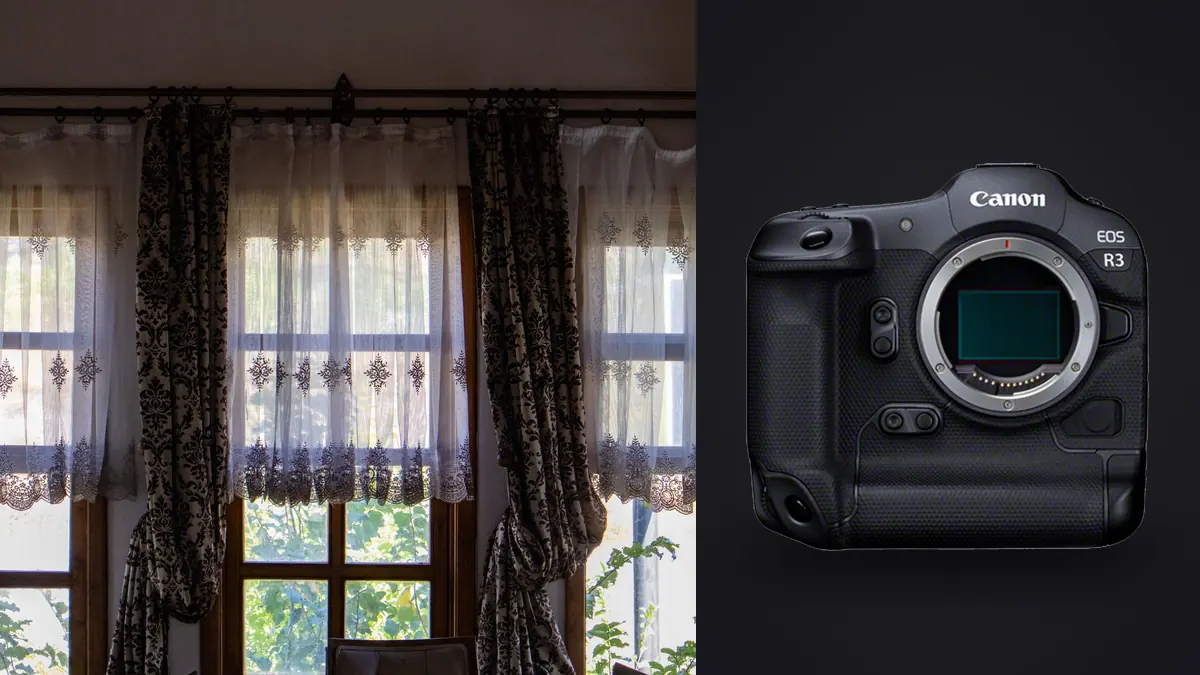
The Canon EOS R3 is built to respond quickly, but a boudoir edit should not be rushed. CR3 files from an intimate session carry expression, body language, private surroundings, and consent limits that no focus score can fully represent. The strongest process narrows technical alternatives without exposing or mislabeling images and leaves a clear record of what the subject approved.
This RAW Workflow organizes capture into permission-aware sets, secures card copies, separates technical and emotional culling, builds consistent skin color, and controls retouching and delivery versions. It treats the original CR3 as evidence that remains untouched while approvals and edits evolve around it.
Create permission boundaries that survive the shoot
Record wardrobe limits, pose exclusions, who may attend, acceptable proofing method, portfolio permission, and retention period before capture. Use plain language and allow consent to be narrowed during the session. Permission for private delivery does not imply permission for a website, competition, training set, or social post.
Assign a neutral session code and define file states such as restricted source, eligible for proof, client selected, delivery approved, portfolio approved, and prohibited from sharing. Keep identity and contact details in a protected project record rather than embedding them in filenames that may appear in export dialogs or transfer logs.
When a boundary changes, create a visible or written sequence marker and update the record. A pose approved early may no longer feel acceptable after review, and that decision should propagate to proofs, backups, retouching handoffs, and portfolio folders.
Capture CR3 sets with stable visual references
Use CR3 to preserve white balance and tonal latitude. Establish a manual or fixed white balance for each lighting setup and capture a neutral reference when useful. Auto white balance can drift as dark bedding, pale fabric, or a warm practical lamp occupies more of the frame, complicating comparison between otherwise identical poses.
Build sequences around one direction at a time. Start with a safe frame, refine hands and garment position, then capture a short movement phrase. Stop after the gesture changes. A continuous burst can create hundreds of tiny expression differences that exhaust both editor and client without improving choice.
Inspect highlights on skin, white textiles, reflective trim, and mirrors. The histogram for the room may look conservative while a small forehead or shoulder highlight clips. Stabilization supports hand-held framing, but shutter speed still needs to account for breathing, hair, fingers, and fabric.
Verify copies before opening the private review
Copy each card into a card-specific source folder, check the expected count and representative CR3 files, then make a second verified copy on separate protected storage. Keep used cards apart from empty cards. Do not format them until the backup and retention plan allows it.
Create access-controlled folders for originals, internal review, proofs, retouching, approved masters, delivery, and any separately approved portfolio material. Disable automatic synchronization that is outside the client agreement. Encrypt devices and backups where appropriate, while recognizing that encryption does not fix weak account sharing.
Preserve original filenames through initial verification. If working names are added, maintain a mapping back to the camera source. A neutral project code, setup code, and sequence number provide traceability without exposing the subject in a public filename.
Use a layered cull instead of one keeper flag
First identify frames that are technically credible: intended focus, recoverable exposure, deliberate motion, and no accidental obstruction. Next compare pose, expression, hands, garment lines, and background. Then apply proof eligibility and consent. A single star rating cannot safely encode all three decisions.
imagic supports CR3 and can analyze sharpness, exposure, closed eyes, composition, and near-duplicate groups locally. Reject decisions change status and do not delete originals. Use those signals to build comparison groups, not to infer whether a portrait is flattering or permitted.
Closed eyes may be intentional, and the frame with the most direct gaze may not be the client's preferred image. Review near-duplicates side by side at face and full-frame scales. Keep a manageable proof set with genuine variation rather than several nearly identical files that transfer the entire culling burden to the client.
Diagnose focus without overvaluing pixel detail
Magnify the intended eye and nearby facial plane to determine focus placement. Then inspect hands and key garment detail if they are part of the picture. A file can be sharp in one place but fail the pose because the nearer hand dominates out of focus. The composition and final dimensions determine what is acceptable.
Separate focus error from subject motion. If a stationary object on the same plane is crisp while the face moves directionally, shutter timing is implicated. If texture behind the eye is sharp, autofocus placement is more likely. Record the failure type so future setup changes address the cause instead of applying indiscriminate sharpening.
If automated analysis conflicts with visible evidence, check score freshness. A reselect operation only changes selection quantity using existing scores. It cannot update an older verdict; stale CR3 files need the specific reanalysis workflow.
Build skin color from light, not from a preset name
Begin with camera profile, lens correction, white balance, exposure, and highlight protection. Match frames within one lighting setup before comparing the whole session. Window light, bounced flash, and warm lamps can each support the intended mood, but their baselines should not be synchronized blindly.
Judge skin on a controlled display and compare several areas without treating natural variation as an error. Correct broad color casts before local work. Heavy clarity can emphasize pores and fabric edges, while strong noise reduction can erase fine hair and create waxy transitions. Evaluate texture at the final output size.
imagic can store non-destructive adjustments and can apply a photographer's learned style only when a profile has been trained from that photographer's edited work. It is not a universal portrait preset. Review every result for lighting, skin, fabric, and background, and do not assume an absent style profile.
Control the retouch and client-proof stages
Make a retouching brief for each approved filename. Distinguish temporary distractions from permanent features and state what must not be changed. Do not remove scars, tattoos, body shape, or garment details by assumption. The person photographed should control sensitive appearance decisions.
imagic is not a layered retouching application and does not provide generative fill, although Plus and Max include a Heal / Remove brush with clone. Export an appropriate high-quality derivative for work in a dedicated tool, keep the retouched master linked to the CR3 source, and preserve a natural version when the agreement requires it.
Generate proof JPEGs only from proof-eligible files. Use neutral names, agreed dimensions, and an appropriate watermark if requested. Inspect the proof directory against the manifest before transfer. Temporary previews, operating-system thumbnails, and application caches should also be included in the privacy cleanup plan.
Approve, export, and archive each state separately
Record client choices at filename level, including separate permission for portfolio use. Build final delivery from the approved master list rather than a general rating. Export JPEG or TIFF to a confirmed directory, then inspect crop, orientation, profile, dimensions, metadata, and file count.
The desktop application overview explains local processing, and related topics are collected under AI and Technology. Local work limits upload exposure, but transfers, backups, caches, and collaborators remain part of the security model.
Apply the agreed retention policy to CR3 originals, rejects, proofs, retouched masters, deliveries, backups, and external handoffs. Preserve consent records for as long as the corresponding images are retained. If deletion is promised, verify the relevant copies rather than assuming that removing the working folder completed the task.
Review mirrors, room details, and background privacy
A mirror can reveal the photographer, a light stand, another person, or an area outside the intended set. It can also show more of the subject than the direct composition suggests. Inspect both the main image and every reflection before a file becomes proof-eligible. Crop and retouch decisions should respect the same permission boundary as the direct view.
Rooms contain identifying details: family photographs, mail, medication, school names, street views, and device screens. Remove or cover them before capture where possible. A background cleanup in post is slower, may invent detail, and can fail to remove metadata or context elsewhere in the frame.
Make a dedicated privacy pass at fit-to-screen size because contextual information can sit far from the face. Then inspect reflective surfaces at magnification. Record any approved removal in the retouch brief and preserve the source privately.
Perform final quality control on a clean machine view
Close unrelated applications and open only the proposed delivery directory. Sort by filename, compare it with the approval manifest, and verify that no proof, reject, alternate retouch, or portfolio-only file is present. Open every image or use a controlled contact sheet to check orientation, crop, color, dimensions, and watermark state.
Test several files in a color-managed viewer outside the editing application. Check dark gradients, skin transitions, embedded profile, and output sharpening. A display preview can hide a missing profile or an export recipe applied to only part of the set.
After transfer, confirm receipt without sending extra previews through an unapproved channel. Record the exact delivered filenames and preserve that record with the consent states. This final reconciliation is the point at which technical workflow and client trust meet.
Check the retention clock immediately after delivery. Proofs may have a shorter life than paid finals, while portfolio candidates may require a separate, continuing permission. Schedule the review rather than relying on memory, and include local backups, temporary transfer folders, preview caches, and any authorized collaborator. If the client withdraws a public-use permission under the agreement, the manifest should show which derivatives and placements require action without disturbing their private delivery rights.
Keep an incident path in the project note. If a device, card, link, or account is lost or exposed, the record should identify which files were present, what protection applied, who must be informed, and which access can be revoked. Planning this before a problem is more reliable than reconstructing the file history afterward.
Limit that incident record to necessary facts and protect it with the client file. It should support a responsible response without creating another exposed list of identities, locations, or sensitive filenames.
Frequently asked questions
Can the Canon EOS R3 choose the best boudoir expression?
No camera or generic quality score understands the client's preference, comfort, or permission. Technical aids can narrow alternatives, while final expression selection remains human.
Does imagic retouch skin in layers?
No. imagic supports non-destructive adjustments and export, but it does not provide layers or full portrait retouching, although Plus and Max include portrait polish and a Heal / Remove brush with clone. Use a suitable retouching tool for detailed local work.
Should portfolio approval be assumed from delivery approval?
No. Receiving private final files is different from authorizing public display. Record portfolio permission separately for each image or clearly defined set.