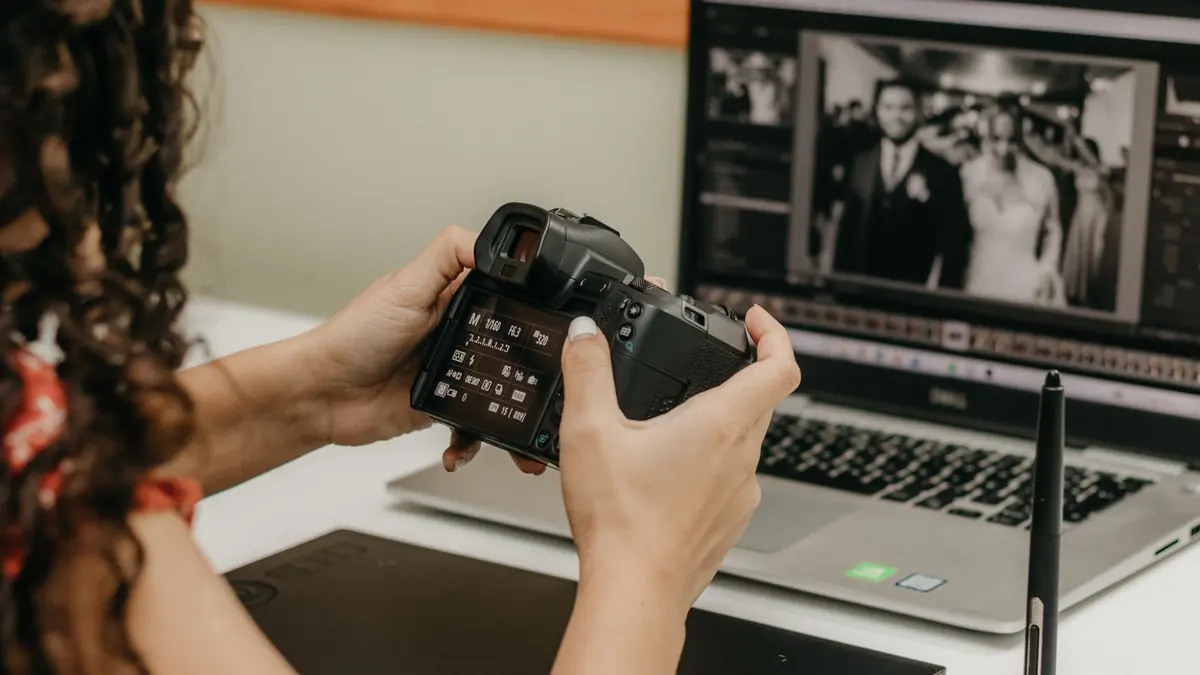
AI photo culling is the process of having software rank or filter a shoot for you instead of scrubbing through every frame by eye. It sounds simple, but "AI culling" gets used loosely enough that it is worth being precise about what these systems actually measure, what they get right, and where a human still has to step in. If you want the algorithm-level breakdown of scoring math, see How AI Photo Culling Works; this post is the practical, what-and-why version.
What AI Photo Culling Actually Scores
Under the hood, a culling model is not making an artistic judgment. It is scoring measurable properties of each frame: sharpness (is the subject in focus, and where), exposure (is the frame blown out or crushed), noise level, and, for portraits and events, whether eyes are open and faces are reasonably oriented. imagic's AI culling runs this scoring locally on every tier, including the free trial, so you get a ranked or filtered shoot without uploading anything.
The output is usually a score per image plus a set of flags (blurry, closed eyes, near-duplicate), which you can then use as a filter: show me only the frames scored in the top 20%, or hide anything flagged as a duplicate. That filter is a starting point for review, not a final verdict.
It helps to think of the score as a triage signal rather than a grade. A frame scoring in the bottom 10% on sharpness is very likely genuinely out of focus, and you can trust the model to flag it without checking every one by hand. A frame scoring in the middle of the pack could be a perfectly usable shot that just has slightly softer light than its neighbors, or it could be the one with the odd expression. The model does the sorting; you still make the close calls.
Why Sharpness Scoring Is Harder Than It Sounds
Sharpness is the property people assume is easiest to measure and is actually one of the trickier ones. A photo can be technically soft everywhere and still be a keeper if the softness is a stylistic choice, a shallow depth-of-field portrait where only the eyes need to be sharp, for instance. Good culling models score local sharpness around a detected subject, not the frame as a whole, so a blurred background behind a tack-sharp subject does not get penalized the way a uniformly soft frame does. This is also why culling models built for portraits and events specifically weight eye and face sharpness more heavily than the rest of the frame.
Duplicate Detection vs Quality Scoring
These are two separate jobs that often get bundled into one "AI culling" feature. Quality scoring rates a single frame on its own merits. Duplicate detection compares frames to each other and groups near-identical shots, three frames of the same smile a half-second apart, a burst of ten frames from a fast sequence, so you are not manually comparing near-twins one by one.
A shoot with 2,000 frames from a wedding might contain 300 near-duplicate clusters. Good duplicate detection collapses that down to "pick the best of these 4" decisions instead of 2,000 individual judgments, and quality scoring tells you which of the 4 is sharpest and best-exposed. Together they cut review time far more than either does alone.
Instant Re-Culling: Why Re-Ranking Beats Re-Analysis
A common frustration with culling tools is that changing your mind is expensive. You set "keep my best 300" from a 2,000-frame shoot, review the results, and decide you actually want 400, or you want to loosen the sharpness threshold. If the tool has to re-run its full analysis from scratch, that is minutes of waiting for a change that should be instant.
imagic separates analysis from ranking specifically to avoid this. The quality scores are computed once per shoot; adjusting thresholds or the "keep my best N" count re-ranks against scores already on disk, no re-analysis needed. In practice this means you can experiment with different cutoffs the way you would drag a slider, rather than treating each change as a new job to queue and wait for.
What AI Culling Can't Tell You
Being honest about limits matters here. A quality-scoring model does not know that the slightly-blurry frame is the one with the genuine laugh, or that the technically sharper shot has a weird expression. It cannot judge composition, storytelling, or emotional weight, all real reasons a photographer keeps a frame that scores lower on paper. Treat AI culling as a first pass that removes the clear misses (closed eyes, motion blur, blown highlights, exact duplicates) and surfaces a strong shortlist, not as a replacement for a human doing the final edit. See Photo Culling Mistakes to Avoid for common ways people over-trust an automated first pass.
Culling With an Agent, Not Just a Tool
Where this goes further than a slider panel is when culling becomes a step in an agent-driven workflow instead of a manual click-through. Because imagic's MCP server and CLI (part of imagic Max) expose culling as a callable step, an MCP client can run scan, cull, and export as one instruction:
imagic --headless --scan D:/shoots/portrait-session --analyse --exportruns the full local pipeline from the command line- from Claude Code, a prompt like "cull this session down to my best 150 and export to /final" chains the same steps without touching the UI
See the imagic MCP page for the full setup and supported clients. For the broader case on why agent-driven culling changes the economics of high-volume shoots, see Automate Photo Culling and AI Agent Photo Editing Workflow.
A Realistic Workflow Example
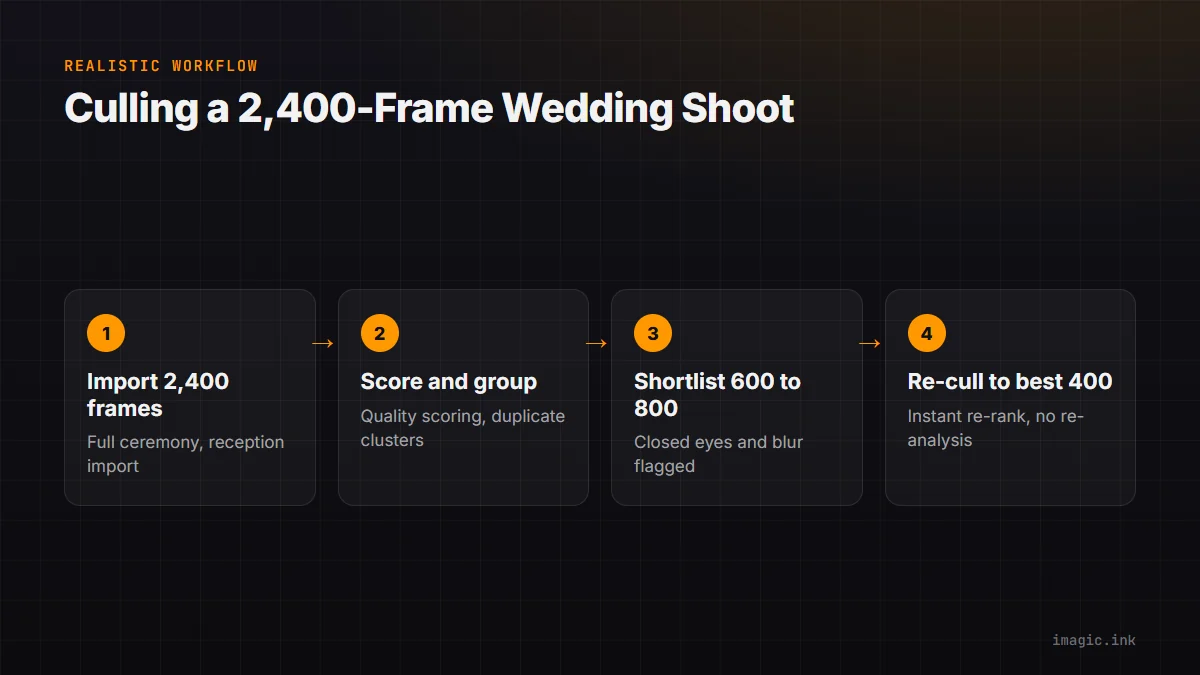
Say a wedding shoot produces 2,400 frames across ceremony, portraits, and reception. A manual first pass, just deciding what to look at more closely, can eat a full afternoon. With AI culling, quality scoring and duplicate detection run once over the full import, near-duplicate bursts collapse to their best frame automatically, and anything with closed eyes or heavy motion blur gets flagged rather than deleted. That typically brings 2,400 frames down to a 600 to 800 frame shortlist worth actually reviewing by eye, the exact number depends on the shoot and your thresholds. From there, "keep my best 400" re-ranks that shortlist instantly rather than re-scanning the full 2,400, which is what makes it practical to try a few different cutoffs before settling on a final delivery set.
FAQ
Does AI culling delete photos?
No, in imagic it filters and ranks; nothing is deleted automatically. You review the shortlist and decide what leaves the shoot.
How accurate is AI quality scoring?
It is reliable on measurable properties (focus, exposure, noise, closed eyes) and unreliable on subjective ones (composition, emotion). See AI Photo Scoring Accuracy, Explained for a deeper look at where the model is and is not confident.
Is culling AI included in the cheapest imagic tier?
Yes. AI culling, quality scoring, and duplicate detection are available in every imagic tier, including Lite.
Do I need to re-run analysis every time I change a threshold?
No. Instant re-culling re-ranks against the existing scores; only a fresh shoot needs a fresh analysis pass.
Try imagic's free 500-photo trial, no card required, the trial includes AI culling plus everything else in imagic Max. Start the free trial.