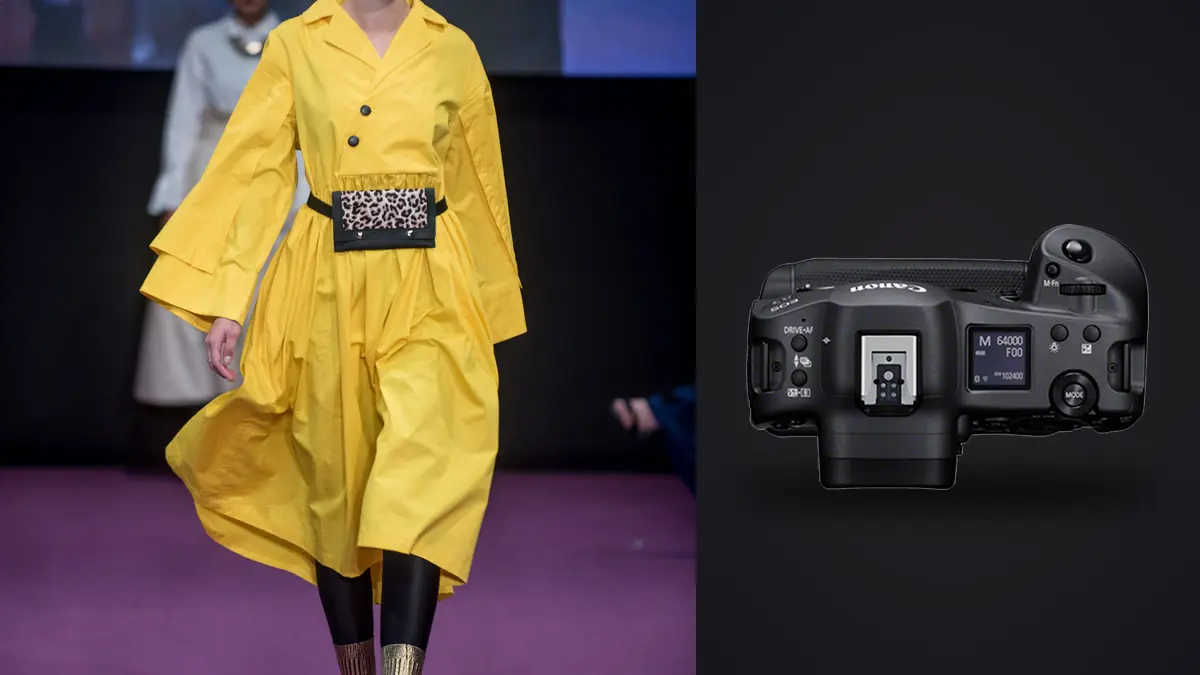
A commercial fashion lookbook is not a portrait session with more outfits. It's a production line: a model walks in, hair and wardrobe do a final check, you get maybe four minutes of usable light and attention per look, and then the next rail comes out. The camera that survives that pace isn't necessarily the one with the most megapixels. It's the one that keeps up when the model starts moving and doesn't make you think about the gear at all. The Canon EOS R3 was built with exactly that kind of pressure in mind, and picturing a full lookbook day (24 looks, studio strobes, one assistant swapping cards) gives a clearer picture of where it earns its price tag and where it doesn't.
Why a lookbook set punishes cameras that portrait shooters love
Editorial and lookbook work looks similar to a studio portrait session from the outside: strobes, a backdrop or a simple location, a model. The difference is volume and motion. A single look on a lookbook shoot usually gets shot as three or four short bursts: a static hero frame, a walking or turning sequence to catch fabric movement, a detail pass on stitching or an accessory, and a safety burst in case the first three get vetoed by the client. Multiply that by 20 to 30 looks in a day and you're routinely walking away with 2,000 to 4,000 raw frames before lunch. That volume changes what matters in a camera. Autofocus has to reacquire instantly when a model turns her head mid-stride. The buffer has to survive a six-second burst without stalling. And whatever comes out of the card has to be sortable fast, because nobody on a commercial retainer wants to hear that culling took three extra days.
The buffer math that actually decides your shooting rhythm
The R3's headline number is 30 frames per second with the electronic shutter, full autofocus and autoexposure tracking, and zero viewfinder blackout. On paper that sounds like a fashion-shoot cheat code: hold the button through a walk cycle and you'll never miss the exact moment a hem flares out. In practice, the number that matters more is how long you can hold that button before the buffer chokes, because CFexpress cards are fast but not infinite.
Here's what that looks like across the formats worth using on lookbook days, using a CFexpress Type B card in the primary slot:
| Capture format | Approx. frames before buffer fills (30fps electronic) | What that means on set |
|---|---|---|
| JPEG Large Fine | 1,000+ | Effectively unlimited for a single walk sequence; not a realistic deliverable format for client-grade lookbook work |
| C-RAW | ~190 | Roughly 6 seconds of sustained 30fps, enough for two full walk-and-turn sequences per look |
| RAW | ~150 | About 5 seconds at full rate; fine for one clean burst but you'll feel the buffer if you double-tap the shutter right after |
| RAW+JPEG | ~120 | The combination to avoid on lookbook days; the JPEG proxies aren't worth the buffer cost when culling happens off a laptop anyway |
The practical upshot: shoot C-RAW unless the client's retoucher specifically asked for full RAW, and keep bursts to deliberate two-to-three-second windows rather than holding the shutter through an entire walk. You'll get the moment you need without eating into the buffer for the next take, and your card swap schedule (I do a full card change every 6 to 8 looks) stays predictable instead of being dictated by a stalled buffer mid-shoot.
Eye Control AF: genuinely useful, with one catch
The R3 is the first Canon body to bring back eye-controlled AF point selection, and on a lookbook set it's more than a novelty. When a model turns from a three-quarter pose to face-on, I can move my eye to her face in the viewfinder and the AF point follows before I've consciously registered the pose change. On a session where you're firing off a look every three to four minutes, saving even half a second of AF-point wrangling per burst adds up across a full day. The catch is calibration. Eye Control AF needs a personal profile per shooter, and it drifts if you shoot with glasses one day and contacts the next, or if the eyecup position shifts. On a set where two photographers trade the body (a first shooter and a second angle shooter switching off), you either recalibrate each swap or you turn it off and fall back on the 1,053-point Dual Pixel CMOS AF II with deep-learning subject detection, which handles face and eye tracking on its own without needing your literal eyeball as an input device. I ended up using Eye Control for solo days and disabling it on days with a second shooter, since the recalibration time wasn't worth it for short rotations.
Subject detection modes worth setting before the model walks in
Canon's people-detection priority (face, then eye, then head, then body) is the one to leave on for lookbook work rather than the general "vehicle" or "animal" detection modes buried in the same menu, which is more of a leftover from the R3's sports and wildlife marketing than anything a fashion set needs. With face priority locked in, the R3 holds focus through hair whipping across the frame and through fast spins better than I expected from a body that's often pitched primarily as a sports camera.
Lens pairings that actually make sense for this kind of work
The R3 body is only half the story. RF glass is what determines whether you're capturing motion cleanly or fighting focus breathing and vignetting on every frame.
| Lens | Where it earns its keep on a lookbook set |
|---|---|
| RF 70-200mm f/2.8L IS | Walk-and-turn sequences and full-length hero shots; the reach compresses background clutter on location shoots |
| RF 24-70mm f/2.8L IS | Wide editorial coverage and group looks where you need to reframe fast between static and movement shots |
| RF 85mm f/1.2L | Beauty and detail passes (jewelry, embroidery, face-forward hero frames) where shallow depth of field sells the fabric |
| RF 50mm f/1.2L | A middle-ground option for smaller studio spaces where 70-200mm working distance isn't practical |
If you had to keep one lens on the body for an entire lookbook day, it would be the 70-200mm. It's heavier to hold for eight hours (the R3's built-in vertical grip already adds bulk), but the working distance keeps you out of the stylist's way between takes, and the compression flatters most silhouettes better than a wider lens would at the same distance.
Color science and why grading still isn't optional
Canon's color science has a long-standing reputation for rendering skin tones without the greenish or waxy cast some other systems need correcting for, and the R3 continues that. Straight-out-of-camera JPEGs look presentable, which matters when a client wants to see quick previews on set before the retoucher ever touches a file. But a lookbook still needs consistent grading across every look, and that's a separate problem from what the sensor captures well. Twenty-four looks shot across a few hours under mixed daylight and strobe won't grade themselves into a cohesive set just because the camera nailed exposure. This is where I've started leaning on imagic's apply_my_style feature, which trains a preset off edits you've already made rather than a generic filter. Once you've graded the first three or four looks of a shoot the way the brief calls for (usually a slightly desaturated, cool-neutral look for this kind of commercial work), you can apply that same trained look across the rest of the batch instead of manually matching white balance and contrast look by look. It's not a substitute for a retoucher's final pass, but it collapses the first-pass grading from hours to minutes.
The part nobody puts in the camera review: sorting 3,000 frames afterward
This is the actual bottleneck on lookbook work, and it has nothing to do with the R3's sensor or autofocus. A 30fps burst that lasted six seconds just handed you 180 nearly-identical frames of one turn. Do that across 24 looks with three or four bursts each, and you're staring down thousands of frames where maybe 60 to 80 are actually deliverable. Going through that manually, checking every burst for the one frame where the fabric caught the light right and the model's expression didn't blur, is the kind of work that eats an entire evening after a shoot day that already ran ten hours. I run everything through imagic before I open a single frame in an editor. Its local sharpness and focus scoring flags which frame in each burst is actually the sharpest around the eyes (useful given how easy it is to misjudge focus on a screen after staring at a lookbook set all day), and the duplicate and burst clustering groups those 180 near-identical turn frames into one stack instead of leaving you to scroll past all of them individually. Because it processes everything locally rather than uploading to a cloud service, unreleased lookbook images under embargo never leave the machine, which matters more on commercial work than most photographers admit out loud.
A rough shot-ratio number worth planning around
On lookbook work with the R3, the ratio of captured frames to delivered frames tends to run somewhere around 35:1 to 50:1, higher than the 15:1 to 20:1 you'd expect from a slower body shot more deliberately. That's the tradeoff of leaning on the R3's burst speed: you catch more genuinely great moments, but you also generate a lot more to sort through. If you're new to planning around that ratio, it's worth reading through how AI photo culling actually works before your first high-volume shoot, since the math on card capacity, storage, and turnaround time only makes sense once you know what's happening to those frames after the shutter closes.
Ergonomics and the parts of an eight-hour day that wear you down
The built-in vertical grip is the right call for a shoot with heavy wardrobe rotation, since roughly half your frames on a lookbook day end up vertical anyway (catalog and social crops both lean vertical more than horizontal), and there's no grip attachment to fumble with between looks. The tradeoff is weight: at just over a kilogram body-only, and closer to 1.5kg with the 70-200mm attached, an eight-hour day holding it at chest height between bursts is noticeably more tiring than a smaller mirrorless body. I started using a shoulder harness by the second shoot, which isn't something I needed with a lighter R5. Battery life held up better than I expected given how much the electronic shutter and EVF are doing. The LP-E19 pack got me through a full day of the burst-heavy shooting described above without a swap, though I always carry a second pack for insurance on jobs where a reshoot isn't an option.
Where the R3 doesn't make sense
If your lookbook work is mostly static product-on-model shots for an e-commerce catalog rather than movement-heavy editorial, the R3's 30fps and eye-controlled AF are solving a problem you don't have, and the 24.1-megapixel sensor (deliberately kept lower than the R5's for readout speed) gives you less cropping room for tight product detail than a higher-resolution body would. The R3 is a tool built for motion and speed under pressure. If your shoot day doesn't have either of those, the money is better spent on glass, and your workflow will benefit more from tightening up how you move frames from card to client than from a faster body.
Frequently Asked Questions
Is the Canon EOS R3's 24.1-megapixel sensor enough resolution for a lookbook that ends up printed?
For lookbook PDFs, web catalogs, and standard print runs (the vast majority of commercial lookbook output), yes. 24.1 megapixels covers a clean full-page print at typical lookbook trim sizes with room to spare. Where it gets tight is if the client also wants large-format retail signage pulled from the same files, since you'll have less cropping latitude than a 45-megapixel body would give you for that specific use.
Does the R3's fully electronic shutter cause banding under studio strobes?
It can, depending on the strobe's flash duration and your sync timing, though it's less of an issue than it was on earlier electronic-shutter-only bodies. I've had clean results pairing the R3 with modern high-speed-sync-capable strobes, but I'd test your specific lighting setup before a paid shoot rather than assuming compatibility, since older monolights with longer flash durations are more likely to show banding at higher electronic shutter speeds.
How many looks can you realistically shoot in a single day with the R3's buffer and card setup?
With a two-card CFexpress and SD combo and C-RAW as your working format, 20 to 30 looks in a standard studio day is comfortable, assuming the usual wardrobe and hair touch-up time between looks rather than back-to-back shooting. The buffer isn't the limiting factor at that pace; wardrobe changes and client review time will slow you down long before the camera does.
Is Eye Control AF reliable enough to trust for hero shots in a lookbook, or is it a gimmick?
It's genuinely useful once calibrated to you specifically, but I wouldn't trust it uncalibrated or shared across multiple shooters on the same body. For a solo shooter running their own R3 day after day, it earns its place. For a rental body or a set with rotating camera operators, the standard face and eye detection AF does the job without the calibration overhead, and I'd default to that unless you own the body and shoot with it regularly.