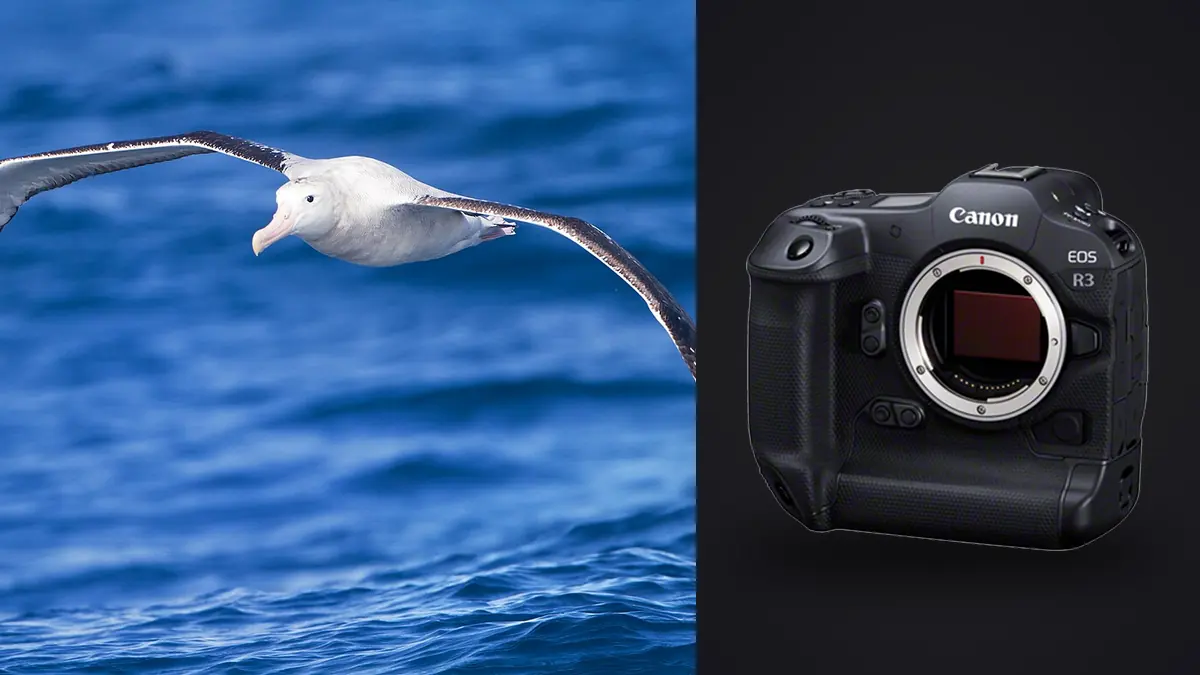
I picked up the R3 about eighteen months after it launched, mostly because I got tired of watching my old body's viewfinder black out every time a peregrine tucked into a stoop. That single change, an electronic shutter that never blanks the finder, has done more for my bird-in-flight hit rate than any autofocus algorithm Canon has shipped. But the R3 is a strange camera to recommend without caveats, and after a full season of shooting gulls, raptors, and shorebirds with it, I want to talk about the parts that actually matter in the field rather than repeat the spec sheet.
Why the sensor readout changes how you shoot flight shots
The R3's stacked, back-illuminated 24.1MP sensor reads out fast enough that Canon lets you shoot fully electronic at up to 30fps with zero viewfinder blackout. For static subjects this is a nice-to-have. For birds in flight it is the single biggest usability jump I've felt since moving from DSLR to mirrorless. When you're tracking a tern folding its wings mid-dive, blackout during the exposure means you lose the bird's exact position for a fraction of a second, and that's exactly when it changes direction. With the R3 the finder just keeps showing you a live feed, so your hand-eye coordination doesn't have to guess.
The tradeoff is rolling shutter. It's much better controlled than the original R5's e-shutter, but it isn't gone. Pan hard against a fence line or shoot under flickering LED stadium-style lighting (which happens more than you'd expect at some raptor rehab flight demonstrations) and you'll see banding or a slight skew on fast-moving wingtips. I keep the mechanical shutter mapped to one custom mode specifically for those situations and default to electronic everywhere else.
Autofocus: eye control is real, but it's not magic
Everyone talks about Eye Control AF like it's the headline feature, and after calibrating it properly (do this indoors, under consistent light, and redo it if you start wearing different glasses) it genuinely works for picking a bird out of a cluttered background. I use it constantly when a heron is standing in reeds and the camera's subject detection wants to lock onto a bright twig instead. Glancing at the bird and half-pressing the shutter reliably steals focus back. Where it struggles: small, fast, erratically moving subjects like swallows or swifts. Your eye can't track a bird that's changing direction four times a second any more precisely than the AI can, so for those I turn Eye Control off entirely and rely on Whole Area tracking with animal-priority subject detection. The bird detection itself is genuinely good at finding an eye once a bird's body fills a reasonable portion of the frame, but it still occasionally locks onto a wing joint or a branch crossing in front of the bird, especially with white or pale birds like egrets against a bright sky, where contrast confuses it.
My practical AF case setup for most flight work is Case 2 (continue to track subject, ignoring possible obstacles) with tracking sensitivity nudged toward locked-on and acceleration/deceleration tracking set to responsive. Case 4 gets pulled out specifically for erratic small birds where the subject changes speed constantly, like swallows hawking insects over water.
Buffer depth is the number nobody talks about enough
Everyone quotes the 30fps top speed. Almost nobody tells you how long that speed actually lasts before the buffer chokes and your fps drops off a cliff. I logged this myself over a few sessions with a fast CFexpress Type B card, shooting RAW.
| Body | Max flight-relevant fps | RAW buffer (CFexpress B) | Viewfinder blackout at max fps | Subject detection generation |
|---|---|---|---|---|
| Canon EOS R3 | 30fps (e-shutter) / 12fps (mech.) | ~150 frames before throttling | None (e-shutter) | Deep Learning AF II, Eye Control |
| Canon EOS R5 II | 30fps (e-shutter) | ~230 frames (RAW), longer with CRAW | None (e-shutter) | Deep Learning AF II, no Eye Control |
| Canon EOS R6 Mark II | 40fps (e-shutter, 1.3x crop) | ~75 frames RAW at 40fps | None at 40fps mode | Deep Learning AF (earlier gen) |
| Canon EOS R5 (original) | 20fps (e-shutter) | ~180 frames RAW | None (e-shutter) | Deep Learning AF, no Eye Control |
What that table doesn't show is how it feels in practice: at 30fps, a single three-second burst of a osprey pulling a fish out of the water is ninety frames. Do that four or five times in an afternoon and you've generated close to five hundred images from a few seconds of actual action, most of which are near-duplicates separated by a wingbeat. This is the real cost of the R3's speed advantage, and it's the part that never shows up in a camera review.
Glass that actually balances on this body
The R3's grip and internal battery give it real heft (about 1015g body only), which sounds like a downside until you pair it with long glass, at which point the extra mass in the grip actually helps the whole rig balance instead of feeling front-heavy.
My rotation for a typical outing:
- RF 100-500mm f/4.5-7.1L for anything handheld where I need to react to a bird appearing unexpectedly, or when I'm hiking a few miles to a spot and don't want to carry a monopod. The f/7.1 at 500mm is genuinely limiting in low light, and I find myself pushing ISO 6400+ before dawn far more than I'd like.
- RF 200-800mm f/6.3-9 when I know I'm shooting distant raptors or shorebirds across open water and reach matters more than speed. This lens on the R3 with a monopod is my most-used combo for actual bird-in-flight work; the extra reach over the 100-500 means less cropping later, which matters when you're only working with 24 megapixels to begin with.
- RF 600mm f/4L plus a 1.4x extender for perched portrait work or slower-moving raptors like eagles riding thermals, where the extra stop and a half of light and the faster, more decisive AF at f/5.6 effective aperture actually shows up in keeper rate.
I've tried the RF 800mm f/11 on the R3 and honestly don't reach for it for flight work. The fixed f/11 aperture is fine for a perched bird in good light but it starves the AF system of light against a moving subject on an overcast day, and overcast is a lot of bird photography days.
Settings I dial in before the birds show up
A few specifics that took me longer to land on than I'd like to admit:
- Back-button AF only, always, with the shutter button doing nothing but firing the shutter. For BIF you want to be able to release AF-on for half a second to recompose on a bird crossing frame without losing your continuous tracking lock.
- Shutter speed floor of 1/2000s for songbird-sized fliers, dropping to 1/1600s for larger, slower-wingbeat birds like herons or pelicans where I want a hint of wing blur rather than freezing every feather.
- Auto ISO with a ceiling around 12800. The R3's high ISO performance is good but not miraculous at 24MP; past that I'd rather underexpose slightly and recover in post than deal with the color noise.
- Servo AF start-point set to whichever zone matches where birds typically enter frame for that specific location, not just left in the center. Sounds obvious, saves a surprising number of missed first frames.
- Pre-shooting electronic first curtain buffering (Canon's "Pre-Continuous Shooting") turned on when I'm staking out a nest or perch, since it captures frames from before the shutter is fully pressed. Costs battery life, which is otherwise a genuine R3 strength; I regularly get 700+ shots on a charge without this turned on.
What happens after the shoot, because nobody warns you
Here's the part that actually changed my workflow more than any menu setting: a good flight session with the R3 at 30fps can leave you with two or three thousand frames by the end of the day, and the overwhelming majority of those are visually near-identical sequences where only one or two frames actually have a sharp eye and a clean wing position. Scrolling through that manually in a DAM at 1:1 zoom, frame by frame, is a genuinely miserable way to spend an evening. I run these bursts through imagic before they ever hit my main catalog. It clusters the burst sequences locally on my laptop (no upload, which matters when I'm working from a cabin with no signal after a shoot) and ranks each cluster by a sharpness and focus score so I can see, at a glance, which two or three frames out of a ninety-frame burst are actually in focus on the eye rather than the wing or the beak. It's cut the time I spend culling a day's bird shoot by more than half, which is the difference between actually editing that night and letting three thousand frames pile up until the weekend.
Once the culling is done I lean on imagic's apply_my_style preset for the first editing pass, since it's trained on my own past edits rather than a generic wildlife preset, so it gets my usual highlight recovery on white feathers and the slightly warm color balance I use for golden-hour raptor shots without me dialing it in from scratch on every single image. It's a smaller time save than the culling step but it adds up across a season. If you're trying to get faster through a similar flood of frames, our breakdown of how AI photo culling actually works covers the sharpness-scoring approach in more detail than I have room for here.
Where the R3 actually falls short for this genre
24.1 megapixels is the number that trips people up. It's plenty for web use and reasonable prints, but bird-in-flight photographers crop hard, often 40-60% of the frame gone because the bird just wasn't close enough. On a 45MP body like the R5 II you have room to crop that hard and still print at a decent size. On the R3 you're cropping into a file that's already on the smaller side, and it shows up as softness the moment you push past a light crop. I've made peace with this by treating the R3 as a "get closer or use longer glass" camera rather than a "crop your way to the shot" camera, but it's a real limitation worth knowing before you buy.
Price is the other one. At launch and still today, the R3 sits well above the R5 II despite the R5 II now matching or beating it on burst speed, autofocus generation, and resolution, while lacking only Eye Control AF and the integrated vertical grip. If Eye Control genuinely changes your hit rate (it does for me, but I know several bird photographers who never got along with it and turned it off permanently), that gap is easy to justify. If it doesn't, the R5 II is the harder camera to argue against on value alone.
Frequently Asked Questions
Is the Canon EOS R3 actually better than the R5 or R5 Mark II for birds in flight?
For raw speed and buffer at very high frame rates it's close to a wash with the R5 II now, and the R5 II has more resolution to crop into. The R3's real edge for BIF is Eye Control AF for quickly grabbing a bird out of clutter and the tougher, larger body that holds up better on long days with heavy glass. Neither camera is a clear win across every metric; it depends what you shoot most.
What autofocus case setting should I use for erratic fliers like swallows?
Case 4 (for subjects that accelerate or decelerate quickly) tends to hold up better on birds that change speed and direction unpredictably than the more conservative Case 2. For larger, more predictable fliers like herons or raptors riding a thermal, Case 2 with locked-on tracking sensitivity gives fewer false subject swaps.
Does the electronic shutter cause problems for bird-in-flight shooting?
Mostly no, and the lack of viewfinder blackout at 30fps is worth the tradeoff for most flight work. The exception is rolling shutter distortion on very fast horizontal pans, or banding under flickering artificial light, both of which are rare outdoors in daylight but worth knowing about if you shoot flight demonstrations under stadium lighting.
How do I manage the huge number of frames a burst session produces?
This is less about the camera and more about your culling workflow. A single afternoon at 30fps can produce thousands of near-duplicate frames from a handful of actual moments. Running bursts through software that clusters similar frames and scores sharpness locally, rather than reviewing every frame by eye, is the difference between finishing your edit that night or letting a backlog build for weeks. For more on speeding up that stage generally, see our tips for a faster photo workflow.