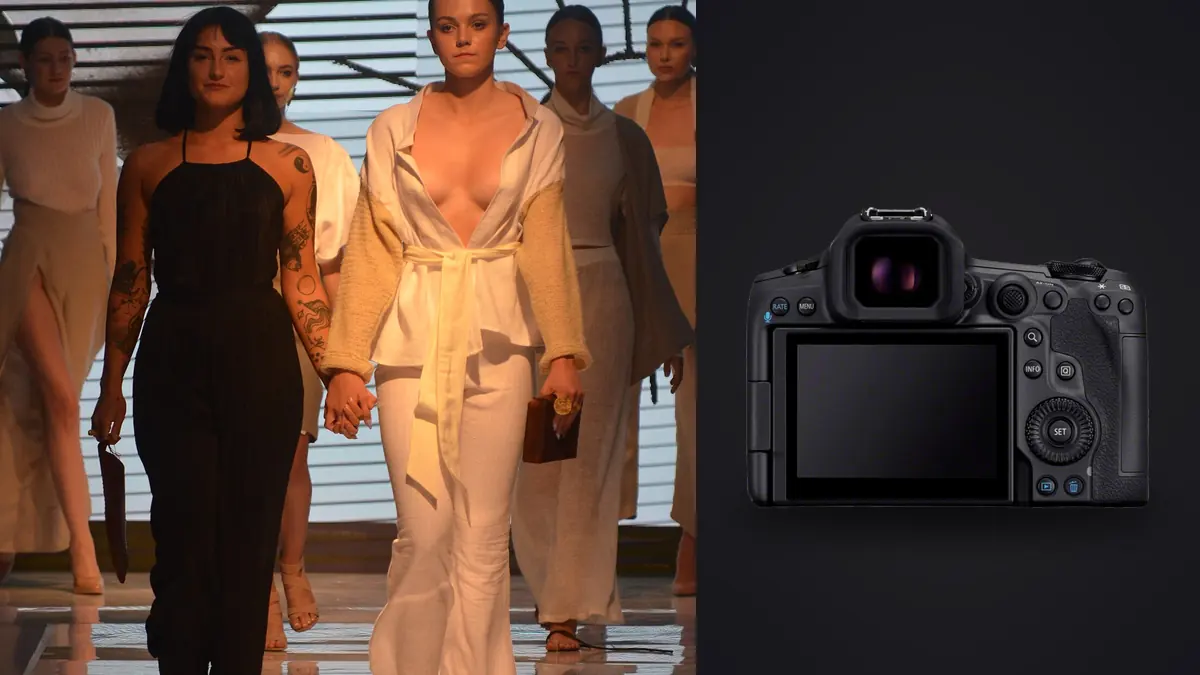
Picture a 24-look apparel lookbook over two days with the Canon EOS R5 Mark II, coming off the original R5 for the same kind of work, and the difference shows up in places you might not expect. It isn't the extra resolution (both cameras hover around 45 megapixels) and it isn't really the video specs, which matter little on a stills-only lookbook day. It is buffer behavior, autofocus consistency on a model who won't hold still between strobe pops, and how much less often you have to stop and think about the camera instead of the clothes.
What actually changes on a lookbook set
Fashion lookbook work has a rhythm that's different from a portrait session or an editorial story. You're moving through a shot list of ten, fifteen, sometimes thirty looks in a single day, each one needing a handful of usable angles (front, three-quarter, back, a detail shot of a print or a closure), and the client wants consistency across every single one so the images sit next to each other cleanly on a page or a product grid. Speed matters, but so does repeatability. A camera that nails focus 19 times out of 20 sounds fine until you multiply that miss rate across 30 looks and realize you've got several looks with a soft hero frame and nothing to swap in.
The R5 Mark II's stacked sensor and updated autofocus system address exactly that failure mode. Eye detection holds through faster movement (a model spinning a coat, hair flipping mid-stride) without hunting back to the background the way the original R5 occasionally did. I stopped babysitting the AF point placement on walking shots and let subject tracking do more of the work, which freed up attention for directing the model and watching the light instead.
Buffer depth is the quiet hero
Nobody talks about buffer depth in gear reviews as much as they should, but on a lookbook day it's the difference between capturing the three seconds a garment actually moves well and getting eight frames before the camera stalls to write to card. Shooting RAW at the electronic shutter's higher frame rates, the Mark II simply doesn't choke the way older bodies do mid-burst, especially paired with a fast CFexpress card. I ran a CFexpress Type B card in slot one for anything with continuous bursts and used the SD slot for instant backup, and never once hit a "buffer full" wall during a movement sequence, which used to happen to me at least once a day on the original R5 with a full memory card near capacity.
Camera settings that hold up across a full day
I don't reinvent settings for every look. On a controlled studio lookbook with strobes, my baseline is ISO 100, f/8 for anything where two or three garments need to stay sharp in frame (think a jacket over a shirt with visible layering), and mechanical shutter at 1/200s to stay inside standard flash sync. For solo hero shots where I want separation from the backdrop, I'll open up to f/4 or f/5.6 and drop a stop of power off the background light.
Where the R5 Mark II earns its keep is when a segment calls for continuous light instead of strobes, usually for anything involving visible movement like a dress mid-twirl or fabric caught by a fan. There, the electronic shutter's higher frame rates become genuinely useful rather than a spec-sheet number, because continuous light doesn't have a flash duration limiting your capture window the way strobes do. I'll shoot those sequences at 20 to 30fps and pick the single frame where the fabric silhouette reads best, which usually means reviewing forty or fifty near-identical frames afterward to find the one where the hem falls right.
Tethering versus card-based shooting
For a client-attended shoot where the art director wants to approve looks in real time, tether over USB-C directly into Capture One and shoot single frames or short low-speed bursts. For the movement sequences and anything shot untethered on location (rooftop, studio backlot, wherever the brand wants the lookbook to feel less studio-bound), let the buffer and card handle the volume and deal with the sorting afterward. Both workflows benefit from the Mark II's more reliable USB-C tethering connection compared to the original R5, which would occasionally drop the tether mid-session if a cable got tugged.
How settings map to each part of a lookbook shot list
The table below is an illustrative example of a 20-look shoot, broken down by the type of segment rather than generic camera specs. Your numbers will vary with how tightly you shoot and how forgiving the client is, but the relative pattern (movement segments eat far more frames per usable image than static ones) tends to hold across lookbook shoots with this body.
| Segment type | Frame rate / shutter | AF setup | Frames captured per look | Approx. keeper rate |
|---|---|---|---|---|
| Static hero pose, studio strobe | Mechanical, single or low-speed burst, 1/200s | Eye Detect AF, single expand point | 20-35 | ~15% |
| Walking / motion, continuous light | Electronic, 20-30fps | Subject tracking, whole-area AF | 60-100 | ~6-8% |
| Fabric detail / closures / print close-up | Single shot, occasionally 3fps | Single point, manual fine-tune | 8-15 | ~35-40% |
| Group or two-model editorial pose | Mechanical, 12fps burst | Face priority across multiple subjects | 25-45 | ~10% |
What that table means in practice: a 20-look shoot with a mix of static and movement segments easily produces 1,500 to 2,500 frames by the end of the day. Almost none of that volume comes from carelessness, it comes from the nature of capturing motion at high frame rates, where you need dozens of near-duplicate frames to land on the two or three where hair, fabric, and expression all land together.
The part nobody plans for: getting through the take
This is where I'll say plainly that the camera's frame rate is a double-edged tool. A 30fps burst on a spinning skirt gives you the exact right moment, but it also gives you 29 frames you don't need, all looking nearly identical in a thumbnail grid, all needing a human (or something faster than a human) to actually look at them. On a two-day lookbook shoot that's routinely five to six thousand frames to get through before you can even start sending selects to the client.
I run everything through imagic before I touch Lightroom now. It scores sharpness and focus locally on the machine, no cloud upload, which matters because a lot of brand contracts specifically prohibit sending unreleased product shots to third-party servers. For the movement bursts especially, its clustering groups the near-duplicate frames from each burst together instead of leaving me to scroll through fifty consecutive near-identical thumbnails one at a time, so I can jump straight to comparing the four or five frames from a burst that are actually in contention rather than re-deciding on frames that are obviously soft or mistimed. It can cut the time between "card full" and "selects sent to art director" by a genuinely large margin on shoots like this one.
Color consistency across a full shot list
A lookbook lives or dies on whether the client can trust that a red dress on page 3 matches the red dress on page 14, even though they were shot two hours apart under slightly different bounce conditions. I set a custom white balance off a gray card at the start of each lighting setup and re-check it any time I move a light or swap a modifier, because the R5 Mark II's auto white balance, while decent, still drifts slightly under mixed strobe and ambient window light, same as most cameras in this class.
Once files are culled, the editing pass is where consistency either holds or falls apart. You can build an edit style in imagic from a set of lookbook images already color-corrected and approved with a client, using apply_my_style to apply that same look across the rest of the day's selects as a starting point. It's not a substitute for checking each image against the others side by side, brand colors are unforgiving about exact hue, but starting from a preset trained on your own prior edits rather than a generic filter means the baseline is already close to where the client expects it, and you're making small adjustments instead of building each look's grade from zero.
Skin tone under mixed casting
Most lookbook clients now shoot with a range of models across a single day, and Canon's color science has generally been kind to a wide range of skin tones straight out of camera, but I still pull a custom picture style with slightly reduced saturation in the reds and oranges for RAW previews, since the stock "standard" profile pushes warmth harder than I want as a baseline for skin. It's a small thing, but it means fewer corrective adjustments per model later in the process.
Cards, storage, and the realities of a two-day shoot
Dual card slots (CFexpress Type B and SD UHS-II) mean I can mirror every frame in-camera without thinking about it, which is the right habit for any paid commercial job regardless of camera body. The CFexpress card handles the write speed for bursts, the SD card is the safety net. On a two-day shoot producing five to six thousand RAW files, plan on at least three CFexpress cards in rotation so nothing sits unformatted and unbacked-up overnight, and back up to two separate drives before letting a card get reformatted, lookbook clients tend to ask for a specific frame from three weeks ago more often than you'd expect.
Where the R5 Mark II falls short for this kind of work
It's not all upside. Battery life, even with the newer LP-E6P pack, drops noticeably faster when you're shooting long electronic-shutter bursts all day, and I go through three batteries on a heavy movement-shoot day where I'd have used two on a mostly static one. The body is also heavier than some photographers want for a day of handheld shooting around a set, though on a tripod or gimbal for tethered work that's a non-issue. And 45 megapixel RAW files add up fast in storage and culling time if you're not filtering aggressively, which loops back to why a fast local culling pass matters more with this camera than it did with a lower-resolution body.
Frequently Asked Questions
Does the electronic shutter cause banding under studio strobes on the R5 Mark II?
Yes, if you push frame rate too high relative to your flash duration you can catch a partial pop or get inconsistent exposure across a burst. For strobe-lit segments I stay on mechanical shutter at standard sync speed. The high-fps electronic shutter is for continuous light or ambient-only segments, not for chasing burst speed with flash.
Is 45 megapixels more resolution than a lookbook actually needs?
For a lookbook that ends up as a PDF, an e-commerce gallery, or social crops, yes, you're downsampling most final files well below the sensor's native output. The resolution earns its keep in cropping flexibility (pulling a tight detail shot out of a wider frame without a client ever knowing you didn't shoot it separately) and in how much detail survives aggressive retouching on fabric texture.
How many images does a typical 20-look commercial lookbook actually generate?
Between 1,500 and 2,500 frames per day is normal once you're including movement bursts, and a two-day shoot easily clears five thousand. Static-only shot lists run lower, sometimes under a thousand for the day, but very few brands ship a lookbook without at least a few movement or detail segments.
Do I need CFexpress cards, or will SD UHS-II keep up during bursts?
SD UHS-II keeps up fine for single frames and low-speed bursts, but it will bottleneck you during sustained 20-30fps electronic shutter sequences, you'll see the buffer count drop and eventually stall. I keep CFexpress in the primary slot for anything with movement and use SD purely as the backup slot.
What to know before booking your first fashion lookbook with this camera
Don't over-plan your settings before you understand the shot list. Ask the client or stylist which looks involve movement before the day starts, because that's what actually determines whether you're leaning on electronic shutter and continuous light or staying on mechanical shutter and strobes for most of the day. And build your culling workflow before the shoot, not after. A camera this capable of generating volume needs a plan for getting through that volume, or the two days you spent shooting turn into a week spent scrolling through nearly identical thumbnails trying to remember which frame had the better hem line. If you're weighing camera bodies for this kind of work, it's also worth reading up on how AI photo culling actually works before you commit to a shooting style that assumes you'll sort everything by hand.