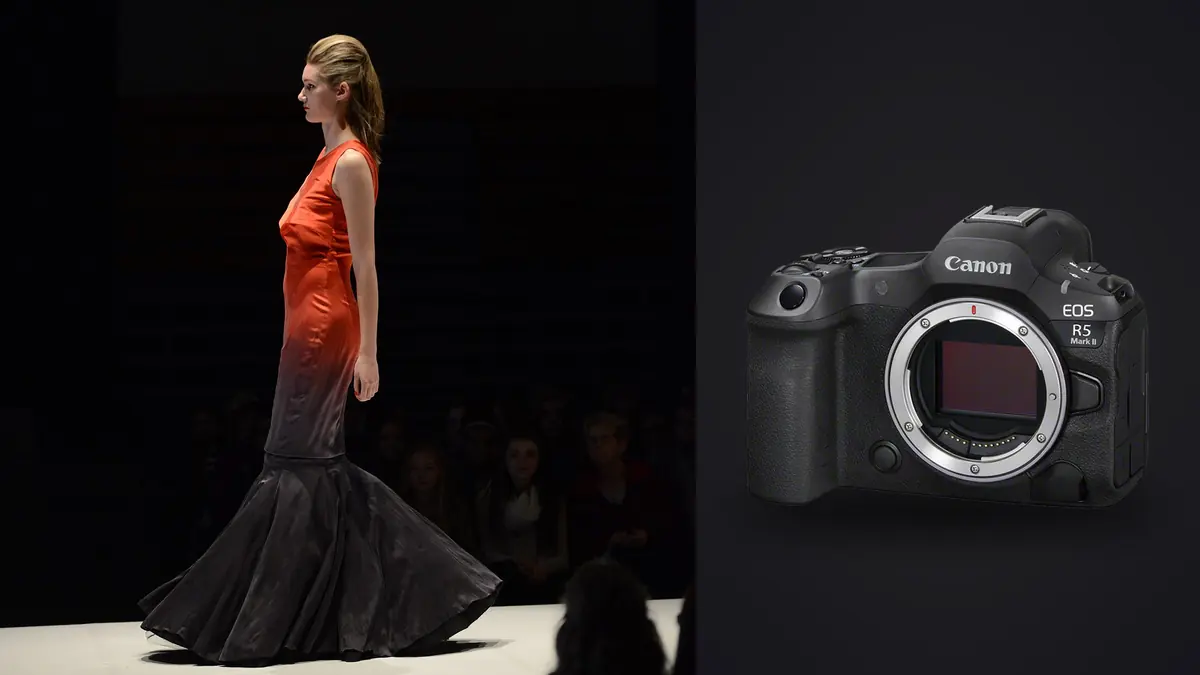
Why the R5 Mark II Changes Lookbook Days
Picture picking up the Canon EOS R5 Mark II three shoots into a lookbook season that has already worn out one aging R5 body and a backup 5D IV kept as a just-in-case. Say the brief is the usual: eighteen looks, one model, one stylist steaming garments between setups, and a client rep standing behind the monitor asking "can we see that one again" every four minutes. Lookbook work isn't glamorous the way editorial is. It's repetitive, it's fast, and the camera either keeps up with the pace of a changing room or it becomes the thing everyone is waiting on.
The R5 Mark II earns its keep on exactly that kind of day. Not because of any one headline spec, but because of a handful of smaller decisions Canon made that line up unusually well with how a commercial fashion set actually runs: garment changes every ten minutes, a stylist who needs to see a clean frame fast, and a model who moves the second you say "good, one more."
The Sensor and Buffer Numbers That Actually Matter on Set
The 45-megapixel stacked sensor gets most of the marketing attention, but for lookbook work the resolution itself is almost beside the point. Most lookbook deliverables ship as 2000px web images or print catalog pages that don't need anywhere near 45MP of real estate. What the stacked sensor actually buys you is readout speed, and readout speed is what keeps rolling shutter distortion off a model's jacket when she spins on the mark.
On the original R5, I'd occasionally get a faint skew on fast-moving fabric edges when shooting fully electronic. On the Mark II, I've had to go looking for it. It's still physically possible to provoke with a very fast whip-pan style movement, but for normal walk-and-turn lookbook coverage, it doesn't show up in files I'd ever deliver.
Buffer depth is the number that actually decides whether a shoot day feels smooth. Shooting CRAW on a CFexpress Type B card, I can hold a long burst through an entire pose sequence without the frame rate dying on me. Drop down to the SD UHS-II slot as backup and the story changes: on a long continuous burst the buffer starts to bite noticeably sooner. If you're running dual-card backup for client delivery insurance (which you should be, on paid commercial work), know that your effective burst depth is gated by whichever card is slower, not the faster one.
Shutter Mode Choices When the Model Won't Stop Moving
Lookbook sets mix static, strobe-lit product shots with looser movement shots inside the same hour, and the right shutter mode changes depending on which one you're doing. Here's how I actually split it across a typical day:
| Shutter Mode | Max Frame Rate | Flash Sync | Rolling Shutter Risk on Fabric Movement | When I Use It |
|---|---|---|---|---|
| Full mechanical | Up to 12 fps | Clean sync with studio strobes | None | Static garment/product shots under pack strobes, hero flat-lay frames |
| Electronic first-curtain | Similar to mechanical | Sync-compatible, slightly quieter | Minimal | Studio portrait poses where I want less shutter noise but still need flash |
| Full electronic (silent) | Up to 30 fps | Not reliable for strobes at speed | Very low on this body, but not zero | Ambient/continuous-light movement sequences, walk turns, hair flips |
| Full electronic + pre-continuous shooting | Up to 30 fps, buffered before the shutter press | Not used with strobes | Very low | Catching the exact peak of a jump or spin I know is coming but can't time by reaction alone |
That pre-continuous shooting mode deserves its own mention. It quietly buffers a short window of frames before you fully press the shutter, so if you half-press and wait, the camera has already captured the half-second before your reaction time catches up. For a stylist-directed "give me energy on three" moment, that's the difference between guessing the peak and just having it.
Eye AF and the Half-Second Between Directed Poses
Dual Pixel AF II with eye detection stays locked through the kind of movement that used to make me nervous with older bodies: a model turning her head mid-stride, hair crossing the face, a scarf blowing across an eye for a frame or two. It doesn't hunt back to the garment or the background the way I've seen cheaper systems do when something briefly occludes the face. That reliability matters more on lookbook days than it sounds, because you're not composing carefully for each frame the way you might on an editorial story. You're firing bursts and trusting the camera to keep the eyes sharp while you watch body language and garment fall instead of babysitting focus.
Eye Control AF (the version that tracks where your eye is looking through the viewfinder and moves the focus point there) is one of those features I was skeptical of until a fitting-room-adjacent shoot with tight quarters and three racks in the frame. Being able to glance at which model's face I actually wanted in focus, rather than joystick-nudging a point across a cluttered viewfinder, saved real time across the day. It needs a calibration pass per shooter and it's not flawless in low light, but on a well-lit lookbook set it earns its place.
Lens Pairings That Actually Cover a Lookbook Day
Nobody shoots an entire lookbook on one lens, but if I had to narrow it down, the RF 70-200mm f/2.8 does the heaviest lifting: full-length looks from a comfortable working distance without distorting the garment silhouette, and enough compression to flatten a plain studio backdrop into something that doesn't look like a plain studio backdrop. For close product detail (stitching, hardware, texture on a fabric swatch shot), the RF 50mm f/1.2 or a dedicated macro handles it better than the zoom ever will.
Where the R5 Mark II specifically helps the lens pairing decision is in low light. The improved high-ISO handling over the original R5 means you can be more willing to shoot available-light detail shots at f/1.2 with a wider ISO range instead of always reaching for a speedlight, which speeds up the between-look shuffle when the stylist just needs three quick texture shots before the next garment goes on.
The Real Bottleneck Isn't the Camera
Here's the part nobody puts in the camera review: on an eighteen-look lookbook day shot at 20-30fps in bursts, you don't come home with 400 images. You come home with three or four thousand, and somewhere between 80 and 120 of them are the ones that actually ship. The R5 Mark II makes it trivially easy to generate more frames than any human wants to click through one at a time at the end of a twelve-hour day.
That's the part of the workflow I moved to imagic once the frame counts on this camera started outpacing my patience for manual review. It runs entirely on my laptop with no cloud upload step, which matters more than people expect on commercial fashion work: unreleased campaign images under an NDA shouldn't be sitting in someone else's cloud storage before the client has approved a single frame. Local processing isn't a nice-to-have on this kind of job, it's often a contractual requirement.
The practical value on a lookbook shoot specifically comes from two things imagic does well. First, its local sharpness and focus scoring means I can sort a 40-frame burst of the same pose by actual in-focus quality instead of eyeballing each thumbnail at 100% zoom, which is slow and, after frame two thousand, unreliable. Second, its duplicate and burst clustering groups those near-identical pose variations together automatically, so instead of scrolling through forty thumbnails of the same walk turn I'm looking at one cluster with the sharpest, best-expression frame surfaced. If you haven't compared how different culling approaches handle high-volume burst sets, this breakdown of how AI photo culling actually works covers the mechanics in more depth than I can here.
Frame Math for an 18-Look Lookbook Day
Rough numbers from a fairly typical day, broken down by shoot segment, so the scale of the problem is concrete rather than hand-wavy:
| Shoot Segment | Looks Covered | Approx. Bursts per Look | Frames per Burst | Raw Frames Captured | Frames Typically Delivered |
|---|---|---|---|---|---|
| Static hero shots (strobe, mechanical shutter) | 18 | 3 | 4-6 | ~280 | 18-24 |
| Walk/movement sequences (electronic, 20-30fps) | 18 | 4 | 25-40 | ~2,300 | 30-40 |
| Detail/texture close-ups | 18 | 2 | 3-5 | ~160 | 20-25 |
| Group/accessory reshoots and safety takes | varies | 2-3 | 5-10 | ~200 | 5-10 |
That's roughly 2,900 raw frames against a delivered set closer to 90. On a body that can't hold 20fps+ for a full burst without buffer stalls, you get fewer frames per pose and lower odds the peak expression lands sharp. On this one, the volume goes up, which sounds like it makes culling harder, but it actually makes the keeper more likely to exist somewhere in the pile. The job shifts from "hope the shutter caught it" to "find it in the pile fast," which is a much better problem to have.
Keeping Color Consistent Across a Full Lookbook
A lookbook lives or dies on consistency. If look four reads warmer than look eleven because the light shifted slightly or a cloud rolled over a window during a mixed-light segment, a client notices immediately, even if they can't articulate why. Canon's color science on the R5 Mark II renders skin tones in a way that needs less correction out of camera than I was doing on the original R5, particularly under mixed daylight and strobe. That's a starting point, not a finish line.
One way to close the consistency gap is training a custom preset in imagic on a set of previously approved, signed-off lookbook edits from the same brand, using its apply_my_style feature. Instead of manually matching white balance and contrast frame by frame across ninety final images, the preset applies a grade that already matches how that brand's retoucher likes skin tone and fabric color rendered, learned from your own past edits rather than a generic film-emulation look. It's not a substitute for a proper retouch pass on hero images, but it gets ninety delivered frames to a consistent starting point faster than doing it by hand look by look.
Working Without a Tether (and When You Actually Need One)
Tethering to Capture One is still the way to run studio days where the client wants to approve poses in real time on a big monitor. But a meaningful chunk of lookbook work happens on location, in a rented apartment or a warehouse space with no reliable outlet near the shot, and tethering there is more trouble than it's worth. The R5 Mark II's battery life is good enough that you can run an untethered half-day on a single LP-E6P if you're not chewing through power on 8K video between stills, which you generally are not on a stills-only lookbook job.
On untethered days, the workflow shifts to reviewing on the rear LCD between setups and doing the real edit that night, which is exactly where the culling speed matters most. If you're building out a faster end-to-end process for high-volume shoot days generally, not just lookbook work, these workflow tips cover more of the between-shoot habits that keep a long day from turning into a longer night of editing.
Frequently Asked Questions
Is 45 megapixels actually useful for lookbook images, or just extra file size to manage?
For the delivered image, mostly extra file size. Lookbook deliverables typically ship at web resolution or as catalog spreads that don't need anywhere near 45MP. Where the resolution helps is cropping flexibility after the fact, pulling a tighter detail shot out of a full-length frame without a client reshoot request, and it gives a retoucher more room to work on hero images that do get printed large. Budget for CFexpress card costs and storage accordingly; the files are genuinely bigger than a 24-30MP body produces.
Do I need the 8K RAW video mode if I'm only shooting stills for a lookbook?
No, ignore it on a stills-only lookbook day. Some brands now want a short behind-the-scenes or motion lookbook clip alongside the still images, and the R5 Mark II can absolutely deliver that without a second camera body. But if the brief is stills only, the video capability doesn't change how you'd configure the camera for the shoot and isn't worth the battery or heat-management tradeoffs some 8K modes carry on longer clips.
How many frames should I expect to cull through after a full lookbook day on this camera?
On an eighteen-look day shooting bursts for movement sequences, somewhere in the range of 2,500 to 3,500 raw frames is normal, delivering roughly 90 to 130 final images. That ratio is one of the reasons I moved culling off manual review entirely; sorting that volume by hand every night doesn't scale past a couple of shoot days a week.
RAW or C-RAW for lookbook work that goes straight to a retoucher?
I shoot C-RAW for the movement bursts and full RAW for the static hero and strobe-lit shots. C-RAW gives back real buffer depth on long bursts with a quality difference that's not visible in a final lookbook delivery, while the hero shots that might get printed large or heavily retouched are worth the extra file size of full RAW. Check with your retoucher first though; some studios have a blanket no-C-RAW policy regardless of the use case.