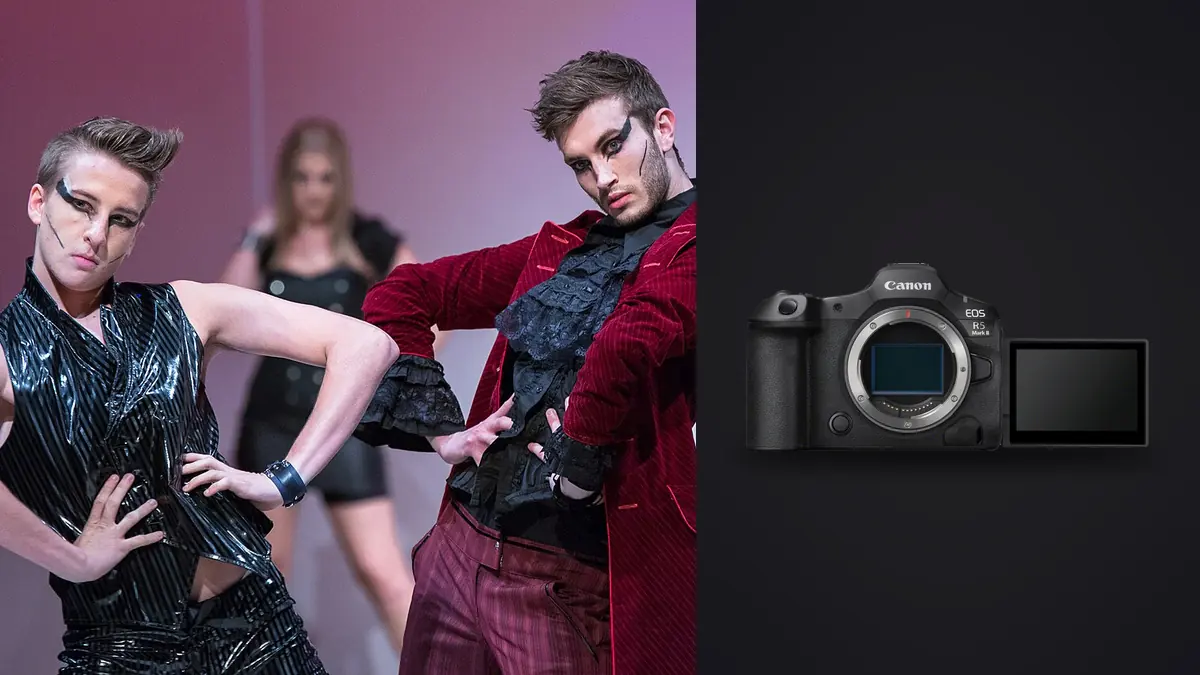
A lookbook day for a small apparel label almost never gets two days. You get one, sometimes a rushed morning-and-afternoon split, to produce forty or fifty looks that all have to read as the same photograph, same light, same energy, shot by the same person. The Canon EOS R5 Mark II is a strong choice for lookbook jobs like this, and it isn't because it's the shiniest thing in the Canon lineup right now. It's because three specific things about that body solve problems that show up on every fashion set: garments that move faster than a model can hold a pose, strobes that need a genuinely clean sync, and a memory card that has to turn into a finished, client-approved gallery inside 48 hours.
Resolution That Actually Gets Used, Not Just Advertised
45 megapixels sounds like marketing copy until you're two hours into a shoot and the client's social manager asks for a tight crop on a jacket detail that you didn't specifically shoot as a detail shot. On a lookbook, you're rarely shooting the same look twice for different crops, there isn't time. What you're doing instead is shooting one strong full-length frame per look and then mining it afterward for the website hero, the Instagram square, and the print catalog spread. The R5 Mark II's file size gives you enough real pixel data to punch into a full-body frame and pull out a waist-up crop that still holds up at a decent print size, without the softness and noise you'd fight on a 24 or 26 megapixel body.
The trade-off is obvious and worth saying out loud: those files are heavy. A 50-look day shot in bursts (which is how fashion actually gets shot, not single frames) can easily produce 3,000 to 4,000 RAW files by the time you wrap. That volume is the real cost of the resolution, and it's a cost that shows up later at the laptop, not on set.
Tracking a Model Mid-Turn, Not Just Mid-Pose
Fashion movement is different from portrait movement. A model doing a walk-turn-hold sequence, or spinning a coat to show the lining, moves faster and less predictably than someone holding a portrait pose. The R5 Mark II's subject detection, set to People with Eye priority, holds focus through hair swinging across the face and through a jacket flaring into the frame in a way that older tracking systems used to lose. I still miss the occasional frame where a wide hat brim or a hand crosses right at the eye, but the hit rate on 15 to 20 frame walking bursts is high enough that I don't ask models to repeat a walk "just in case" nearly as often as I used to with previous bodies.
The pre-continuous shooting mode, where the camera buffers frames before you fully press the shutter, has saved a handful of looks where the best moment (coat opening, hair at its peak swing) happened a fraction of a second before my finger caught up. It's a small feature that matters more on a fashion set than almost anywhere else, because the moments you actually want are motion peaks, not static holds.
What this means for direction on set
Practically, it changes how I direct. I let models keep moving through a look longer than I used to, because I trust the camera to hold focus through the movement instead of hunting. That means more usable variety per look, which is good for the client, but it also means more frames to sort through afterward, which is the actual cost of trusting the autofocus this much.
Shutter Mode Is a Decision, Not a Default
This is the part that trips up photographers moving to the R5 Mark II from an older DSLR-era workflow, and it matters enormously on a strobe-lit fashion set. The camera gives you mechanical, electronic first curtain, and fully electronic shutter options, and they behave very differently once strobes are in the mix.
| Shutter mode | Flash sync | Rolling shutter risk with strobes | Where I actually use it on a lookbook |
|---|---|---|---|
| Mechanical | Up to 1/250s reliably | None, full sensor exposed at once | Any strobe-lit look, especially full-length with a beauty dish or strip box |
| Electronic first curtain | Same practical ceiling as mechanical | Very low | Static beauty and product-adjacent detail shots where I want a quieter shutter |
| Fully electronic | Not reliable with strobes above low sync speeds | High, visible as banding or a partial exposure gradient | Available-light or continuous LED walking shots, never with mono lights |
Why the silent shutter tempts you, and why I mostly say no anyway
Fully electronic shutter is silent, which is genuinely appealing when you've got a nervous first-time model who tenses up at every click. But the sensor reads out line by line rather than all at once, and if a strobe fires mid-readout you get a band of the frame that's darker or a hard line across the image where the flash exposure cuts off. I learned this the expensive way on an early test shoot, delivering a set with three unusable frames from a run that looked fine on the tiny camera screen. Now the rule on my sets is simple: strobes mean mechanical or electronic first curtain, full stop, and silent shooting is reserved for continuous-light setups or natural light walking shots where there's no flash to desync against.
Lens Choices That Actually Earn Their Case Space
You don't need six lenses for a one-day lookbook, you need three that cover the whole day without a change that costs you a model's energy mid-look. My kit is a 24-70mm f/2.8 for probably 70% of the frames, a 70-200mm f/2.8 for pulled-back editorial singles where I want compression and a clean background separation from the rack of clothes just out of frame, and either an 85mm f/1.2 or 50mm f/1.2 for close beauty and fabric-detail frames where shallow depth of field does the heavy lifting instead of a second light.
In-body stabilization matters more here than it does in a studio-controlled portrait session, because lookbook days often run long and you're handholding through fatigue by hour six. Being able to drop shutter speed under continuous light without adding motion blur to a static look, rather than pushing ISO or adding another light stand to a set that's already crowded with a rack, a steamer, and an assistant, is a genuine time saver.
The Real Bottleneck Shows Up After the Shoot, Not During It
Here's the part nobody puts in camera reviews: the R5 Mark II is not the hard part of a lookbook day anymore. The hard part is what happens when you get home with 3,500 RAW files from fifty looks, most of them shot in bursts of ten to twenty frames, and a client who wants a first-pass gallery by tomorrow evening. Scrolling through that manually, frame by frame, deciding which of eighteen near-identical walking shots is actually the sharpest with the best hand position, is the single biggest time cost of the whole job, bigger than the shoot itself.
That's the specific problem I use imagic for on every lookbook edit now. It runs entirely on my laptop, no upload queue, which matters on jobs where the brand hasn't announced the collection yet and I'm not comfortable putting unreleased garments through anyone's cloud service before the embargo lifts. It scores focus and sharpness across each burst locally and groups the near-duplicate frames from a single walking sequence together, so instead of comparing eighteen thumbnails one at a time I'm looking at one cluster and picking the sharpest hand position or best hair movement from a shortlist the software already narrowed down. If you want the mechanics of how that scoring actually works rather than taking my word for it, I wrote up the process in more detail in how AI photo culling works.
The other piece that's specific to lookbook work is consistency across fifty separate looks shot over several hours as light shifts slightly and your own exposure habits drift. imagic's apply_my_style feature trains a preset from a batch of your own past edits rather than a generic filter, so when you run it across the culled selects it pushes the whole set toward a consistent starting look before you go in and hand-finish the handful of hero images the client will actually use for the lead campaign shots. It's not replacing your editing judgment on the images that matter, it's getting the other forty-something looks to a client-ready baseline fast enough that you're not billing for eight hours of repetitive grading on a job that already ate a full shoot day. For a one-person operation, or a small studio not paying a monthly retainer for a subscription tool, that one-time cost versus a recurring one is also just easier to budget against jobs that come in unevenly, so it is worth comparing what is on the pricing page against what you are paying elsewhere.
Card and Battery Logistics for a Full Day
The dual card slots (CFexpress Type B and UHS-II SD) aren't just a backup gimmick on a shoot like this, they're a sound way to structure the day. RAW to CFexpress as primary, JPEG backup to the SD card, so if a client or stylist wants to glance at a look on a laptop between setups you're not pulling the primary card out of the camera to do it. Battery life gets a specific mention because a lookbook day is genuinely demanding on power: continuous autofocus tracking through long bursts, chimping between every look, and reviewing bursts on the rear screen with a client standing next to you all drain faster than a typical portrait session. Carry three batteries: a full fifty-look day is unlikely to get by without swapping at least twice.
Frequently Asked Questions
Does the R5 Mark II's electronic shutter actually cause visible banding with studio strobes, or is that overstated?
It's not overstated, and it's not subtle when it happens. Because the fully electronic shutter reads the sensor progressively rather than exposing it all at once, a strobe firing during that readout window lands on only part of the frame, which shows up as a hard-edged band or gradient across the image. It's not something you can always catch on the small rear screen mid-shoot. Stick to mechanical or electronic first curtain any time mono lights or speedlites are involved.
Is 45 megapixels overkill for images that are mostly going straight to a website and Instagram?
For the final delivered file size, yes, you're downsampling most of it away. Where it earns its keep is in the crop flexibility during editing (pulling a detail shot out of a full-length frame without a separate setup) and in giving the client's design team room to reframe for print or a billboard crop down the line without asking you to reshoot. If your deliverables are exclusively small web assets and you never crop after the fact, you genuinely won't notice the difference between this and a 24 or 33 megapixel body.
What's the fastest way to sort a full day of lookbook bursts without accidentally losing the best frame in a series?
Don't sort burst by burst manually if you can avoid it, that's where the hours disappear. I run the whole card through imagic first so the near-duplicate walking and motion sequences get grouped and ranked by sharpness before I ever open a full-screen viewer, then I do a fast visual pass on the shortlist rather than the raw take. It's the difference between reviewing 3,500 files and reviewing roughly 400 pre-sorted candidates.
Do I actually need the 70-200mm for a one-day lookbook, or can I get by with just the 24-70mm?
You can get through the day on the 24-70mm alone and plenty of working photographers do exactly that when budget or bag space is tight. What you lose is the compressed, separated look on pulled-back editorial singles, the kind of frame a brand often wants for a lead image or a print ad. If the job is purely e-commerce-style flat, even lighting and full-body coverage, the 24-70mm covers it. If there's any editorial or campaign use planned for the images, I'd budget for the longer lens.