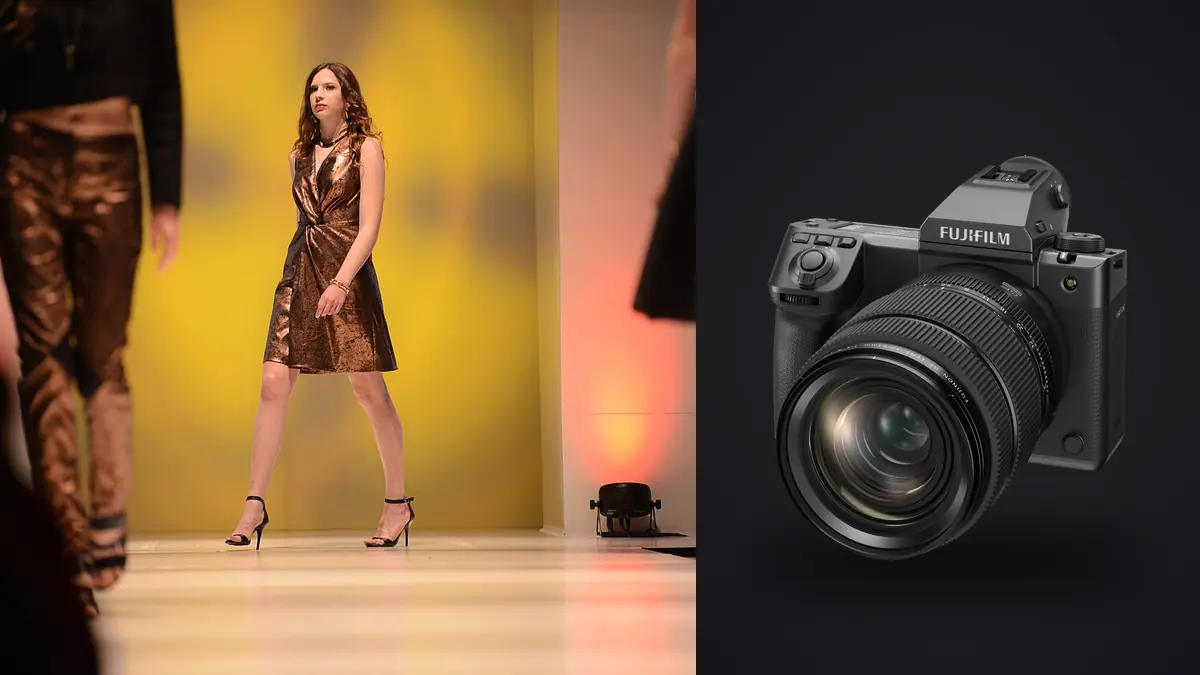
The first time a GFX 100 II lands on a fashion set, the art director walks over to the tethered monitor, zooms to 100% on a jacket lapel, and just stands there for a second. That's the reaction medium format gets from people who spend their days looking at garment texture on a screen. It's also the moment you realize the camera isn't the hard part of a lookbook day anymore. The hard part is what happens to the four thousand files it just handed you.
This isn't a spec sheet regurgitation. It looks at what the 100 II changes for lookbook and e-commerce catalog days, compared with a GFX100S and, before that, a pair of Sony bodies for anything that needed speed. What follows is what actually changed on set, what I'd tell another photographer before they book a rental, and where the workflow still gets ugly even with a camera this capable.
Why bring a 102-megapixel body to a lookbook at all
Lookbooks live and die on two things a brand's merchandising team will actually complain about: whether the garment reads true to color, and whether the fabric texture survives a crop. Most lookbook deliverables get cropped hard for different platforms (a full-length hero on the site, a tight three-quarter for the app, a square for social) and a 24 or 45 megapixel file starts showing its limits the moment someone crops in on a knit sweater at 60%.
The GFX 100 II's sensor gives you room to breathe. At 102 megapixels you can deliver a full-body lookbook frame and a tight fabric-detail crop from the same capture, which matters when a brand wants "hero plus detail" pairs for every SKU but doesn't want to pay for a second setup per garment. A client may only ask for the crop after seeing the full frame, and having the resolution already banked saves a reshoot. The other reason is color depth. Fujifilm's medium format color science, particularly across the Reala Ace and Provia sim profiles, holds up better on tricky pattern-heavy prints (think plaid, houndstooth, anything with a fine repeat) than most full-frame sensors I've used. Moire shows up less often, and when it does, the extra resolution gives you more room to deal with it in post without visibly softening the weave.
Dynamic range matters here too, though not in the dramatic "shadow recovery" way people usually talk about it. On a lookbook set you're frequently juggling a dark garment against a light background or vice versa, and you don't always have time to re-meter for every combination as looks change every ten minutes. The extra latitude (Fujifilm rates it around 14 stops at base ISO) buys you the ability to expose for the skin and still pull the garment back without banding.
The autofocus upgrade nobody talks about enough
Everyone reviewing this camera leads with the sensor. For fashion work, the bigger deal is that Fujifilm finally put phase-detection AF across the frame. The GFX100S before it was contrast-detect only, and on a lookbook set with a model moving between poses, wind machines running, or hair and fabric in motion, that camera hunted constantly. I lost usable frames to soft focus on the 100S more often than I'd like to admit, especially at f/2 with the GF110mm. The 100 II's subject-detection AF (face and eye priority) tracks through motion in a way the old body simply couldn't. I run it in AF-C, zone tracking, with face/eye detect on and the tracking sensitivity turned down a notch from default, because fashion movement tends to be more deliberate than sports and a twitchy tracking setting will occasionally jump to a background element when a model spins a coat. Where it still isn't perfect: fast hair whip shots and anything shot through sheer or heavily backlit fabric can still confuse the eye-detect box, and I'll switch to a single AF point over the collarbone in those situations rather than trust the algorithm. It's a meaningfully better camera for movement than its predecessor, not a magic wand.
Lens choices for a full lookbook day
Renting or buying into the GF lineup for a lookbook shoot comes down to matching focal length to how the brand wants the garment to read. Here's how I actually split usage across a typical 15 to 20 look day, with the 0.79x crop factor applied so you know what you're getting in full-frame terms.
| Lens | 35mm-equivalent | Max aperture | Where it earns its keep on a lookbook set |
|---|---|---|---|
| GF80mm F1.7 R WR | ~63mm | f/1.7 | Editorial-leaning closeups and half-body looks where you want the background to disappear; my most-used lens on movement-heavy days |
| GF110mm F2 R LM WR | ~87mm | f/2 | Hero portrait frames and beauty-adjacent detail shots; the lens the art director zoomed into on that first shoot |
| GF32-64mm F4 R LM WR | ~25-50mm | f/4 | Full-length garment shots where you need the whole outfit and some environment in frame without distortion |
| GF45-100mm F4 R LM OIS WR | ~35-79mm | f/4 | The one-lens-does-most option on days with tight setup time; sacrifices a bit of character for flexibility |
| GF50mm F3.5 R LM WR | ~40mm | f/3.5 | Compact and light for travel lookbooks or when you're shooting handheld all day; not fast enough for tight subject isolation |
If I had to keep just two lenses in the bag for a lookbook, it's the GF80mm and the GF32-64mm. That pairing covers close, intimate garment detail and full-length environmental frames, which is most of what a lookbook actually needs. The GF110mm is glorious but it's a specialist tool for hero images, not a workhorse.
Power, cards, and the tethering reality
A 102-megapixel sensor produces files that punish sloppy card and power planning. Compressed RAW on the 100 II typically lands somewhere around 100 to 120MB per frame; uncompressed runs closer to 200MB. On a lookbook day where you're shooting 15 to 25 frames per look across 15 to 20 looks, you're generating somewhere between 300 and 500 gigabytes before lunch. Plan storage accordingly, and don't rely on a single card. The dual slot setup (CFexpress Type B plus SD UHS-II) lets you run overflow or simultaneous backup, and on a paid commercial shoot it makes sense to run backup mode even though it slows the buffer clear slightly. Losing a look because a card failed is a worse outcome than a two-second write delay. Tethering into Capture One over USB-C has been reliable for me, though the sheer file size means the art director's live preview lags a beat behind the shutter on a slower laptop. If the agency is bringing their own machine to review on, ask about specs beforehand, since a five-year-old laptop can choke on full-res previews and force a smaller preview size for the day. Battery life is respectable for a body this size (Fujifilm rates the NP-W235 around 540 shots CIPA) but tethered shooting with the rear screen active for client review chews through that faster than the rating suggests. I keep three batteries in rotation on any full day and charge in the gaps between looks.
The part that actually eats your week: the files afterward
Here's the thing nobody mentions when they're excited about a new camera body: the GFX 100 II doesn't make your job easier after the shutter closes, it makes the pile bigger. A three-day lookbook shoot at this resolution can leave you with 4,000 to 6,000 frames and close to a terabyte of RAW data, most of it near-duplicates of the same pose while a model finds their mark or a stylist adjusts a hem. This is where I stopped trying to cull manually in Capture One and started running everything through imagic first. It's a one-time-purchase desktop app, not a subscription, and it processes everything locally, which matters a lot on fashion work because you're often handling unreleased collections under an NDA and genuinely don't want files touching a cloud service before the brand has approved anything. Practically, it does two things that save real hours on a shoot this size. First, it scores sharpness and focus locally across the whole take, which on an f/1.7 or f/2 shoot with eye-detect AF means it flags the handful of frames per look where focus actually landed on the eye versus the ones that look sharp at thumbnail size but are soft when you pixel-peep a 102MP file. Second, it clusters the near-duplicate bursts from each pose, so instead of scrolling through eighteen nearly identical frames of a model holding a jacket open, you're looking at the two or three that are actually distinct. If you haven't compared how different tools approach this, it's worth reading through a culling software comparison before committing to a workflow for a big shoot. The other feature that's become part of my actual delivery pipeline is apply_my_style. I trained it on a batch of my own past lookbook edits (skin tone balance, garment color accuracy, a consistent contrast curve) and now it applies that same starting point across a fresh set of selects before I go in and do the finish work by hand. It's not doing the creative grading for me, it's just getting every image to the same baseline fast instead of me manually matching white balance across 200 selects one by one. If you want the mechanics of how culling tools reason about sharpness and duplicates in general, there's a breakdown at how AI photo culling actually works that covers the underlying approach.
Delivering the lookbook
Once you're down from thousands of frames to a working select of a few hundred, the grading itself is where the GFX files really pay off. The extra bit depth in the RAW gives you noticeably more room to push garment color toward the brand's Pantone reference without banding, which matters more on lookbook work than almost any other genre because clients will genuinely reject a delivery if the red on a dress doesn't match their swatch. If color matching against a brand reference is new to your workflow, the walkthrough at grading for color accuracy covers the calibration steps that make this less of a guessing game. For final delivery I'm exporting two resolutions almost every time: a full-res archive TIFF for the brand's print catalog or lookbook PDF, and a downsized, compressed JPEG set for the e-commerce site and social. Having the 102MP source means the downsized set never looks over-sharpened or upscaled, which is a small thing until you compare it against a lookbook shot on a 24MP body that's been blown up to fill a full-bleed print page.
Frequently Asked Questions
Is the GFX 100 II fast enough to keep up with a model moving between poses on set?
For the pace of a typical lookbook shoot, yes. It's not built for sports-level continuous action, but the phase-detection AF and roughly 8fps mechanical burst are more than adequate for a model shifting weight, turning, or walking a short mark. Where it struggles is genuinely fast movement like a hair whip or a jump, and on those I'll switch to a single AF point rather than trust subject tracking.
Do I actually need the full GF lens lineup, or can I get away with one zoom for a lookbook day?
You can shoot an entire lookbook on the GF45-100mm F4 and it'll look professional. What you lose is the shallow depth of field and rendering character a prime like the GF80mm F1.7 gives you on closeups, which brands increasingly expect for hero and editorial-adjacent frames. If budget only allows one lens, the zoom is the safer choice; if you can add a second, add the 80mm before the 110mm.
How much storage should I actually budget for a multi-day lookbook shoot on this camera?
Assume roughly 1.5 to 2 terabytes for a three-day shoot once you account for tethered backups, in-camera card redundancy, and a working copy for editing. A good rule of thumb is about 300GB per full shoot day at this resolution, and padding the estimate upward is never a mistake.
Does shooting at 102 megapixels actually help skin tone accuracy across different models, or is that overstated?
It's less about the megapixel count directly and more about the color depth and Fujifilm's color science working together. The extra bit depth gives you finer gradations when you're grading, which shows up as smoother, more accurate skin tone transitions across a range of complexions without banding, especially useful on a lookbook where you're grading multiple models to match under the same lighting setup in a single session.