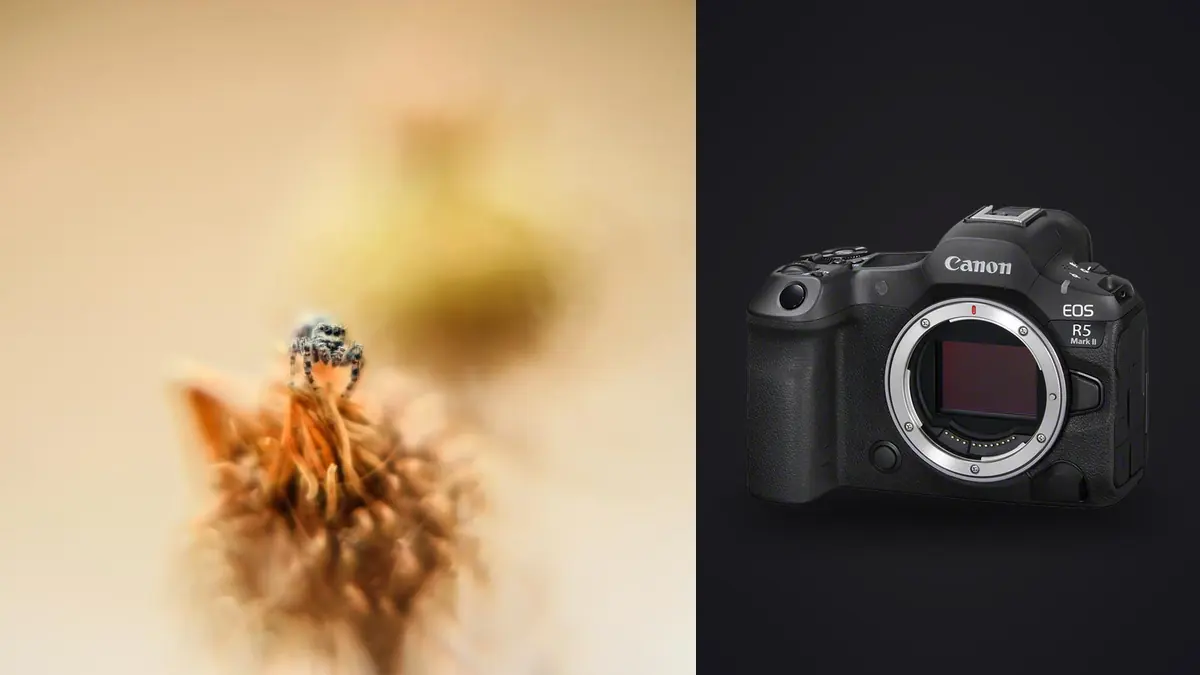
The first time I took the Canon EOS R5 Mark II out for a dawn insect session, I expected the headline upgrade to be the resolution bump. It wasn't. What actually changed my keeper rate was the stacked sensor and the new pre-capture buffer, two things that don't show up on a spec sheet the way "45 megapixels" does but matter enormously when your subject is a hoverfly that decides to leave the frame exactly 0.2 seconds before you press the shutter.
Macro insect photography punishes gear in ways portrait or landscape work doesn't. Depth of field at high magnification is measured in millimeters, subjects move on their own schedule, and a single morning of focus bracketing can leave you with two thousand raw files by breakfast. This is a look at what the R5 Mark II actually does well for that kind of shooting, where it falls short of the marketing, and how to build a lens and workflow setup around it that doesn't bury you in files.
The stacked sensor changes more than the numbers suggest
Canon put a stacked, back-illuminated 45MP sensor in the R5 Mark II, the first time this has appeared in the R5 line. On paper it reads as a speed upgrade: up to 30fps in electronic shutter, faster readout, less rolling shutter smear. For insect work, the practical effect is that you can shoot fully silent, fully electronic, at high burst rates without the jello-frame distortion that plagued earlier electronic shutter modes on rolling readout sensors.
That matters more than it sounds. A lot of insects, jumping spiders especially, react to the mechanical clack of a shutter. I've watched a Phidippus jump clean off a leaf the instant a mirrorless mechanical shutter fired, even from three feet away with a long macro lens between us. Switch to full electronic shutter and that startle response mostly disappears, because there's no moving curtain and no audible click to trigger it. The stacked readout means you can do this at 20 or 30fps without the wobble that used to make electronic shutter a bad choice for anything with legs.
Pre-continuous shooting is the feature I didn't know I needed
The R5 Mark II carries over and refines pre-capture, where the camera buffers frames before you fully press the shutter and rolls them into the sequence once you do. For insect photography this solves a problem that has no other good solution: you cannot react fast enough to a dragonfly's takeoff, a mantis strike, or an ant dropping a leaf fragment. By the time your brain registers the event and your finger moves, the moment is gone.
With pre-capture switched on and a half-press held while you wait, the camera is already holding the half-second or so before your full press in buffer. I've caught a robber fly launching off a fence post this way on maybe one in four attempts, a hit rate that was close to zero before. The tradeoff is obvious once you think about it: every "successful" capture also means you're generating a burst of near-duplicate frames around the moment of interest, on top of whatever you were already shooting at 20-30fps. A morning session chasing dragonflies at a pond can leave you with several thousand frames of which maybe forty are usable.
Which macro lenses actually make sense on this body
The R5 Mark II doesn't come with a macro lens, and the RF mount's native macro lineup is smaller than the old EF catalog. For insect work specifically, magnification and working distance matter more than anything else, because working distance determines whether you can approach the subject without it fleeing (or without you blocking your own light with the lens barrel).
| Lens | Max magnification | Working distance at max mag | Autofocus | Best for |
|---|---|---|---|---|
| RF 100mm f/2.8L Macro IS USM | 1.4x | ~13cm | Yes, with IS | All-round insect work, the default choice for most shooters |
| RF 85mm f/2 Macro IS STM | 0.5x | ~24cm | Yes, with IS | Cautious, easily-spooked subjects, flowers with insects |
| RF 24mm f/1.8 Macro STM | 0.5x | under 4cm | Yes, with IS | Environmental macro, static subjects, not skittish insects |
| Laowa 100mm f/2.8 2x Ultra Macro APO (RF) | 2x | roughly 10-15cm | Manual only | Tripod-based extreme close-ups of cooperative subjects |
| Canon MP-E 65mm f/2.8 1-5x (EF, via adapter) | 5x | ~4cm | Manual only | Mites, ant faces, subjects smaller than a grain of rice |
My honest recommendation for most people starting out is the RF 100mm f/2.8L. It autofocuses, it has genuinely useful image stabilization, and 1.4x magnification covers the vast majority of insect subjects without the working-distance problems of the 24mm or the manual-focus grind of the Laowa and the MP-E 65. The RF 24mm is a trap for beginners: the magnification number looks tempting on the spec sheet, but a working distance under four centimeters means you're photographing your own shadow half the time, and any insect with functioning eyes will leave before you get close.
Diffraction is the tax you pay for depth of field
At high magnification, depth of field collapses to a sliver, sometimes under a millimeter at f/5.6 on a 1:1 subject. The instinct is to stop down hard, f/16 or f/22, to claw back some depth. On a 45MP sensor that instinct costs you real resolution. Diffraction softening becomes visible noticeably earlier on this sensor than it did on the 20MP bodies a lot of macro shooters cut their teeth on, because the pixel pitch is smaller and resolves the diffraction blur circle more readily. In practice I stay around f/8 to f/11 for single-shot insect work on the R5 Mark II and lean on focus stacking rather than aperture when I need more depth than that.
Focus bracketing in the field is less glamorous than it sounds
The in-camera focus bracketing (set a start point, a step increment, and a shot count, and the camera racks focus and fires automatically) is genuinely useful, but it's built for subjects that hold still. That means dead insects, insects in cold morning temperatures when they're too sluggish to move, or captive subjects photographed on a small studio setup. For live, active insects in the field, a 40-shot focus stack is wishful thinking; you'll get maybe six frames in before the subject shifts and ruins alignment for the stack.
Where this actually pays off is the classic dawn strategy: dew-covered dragonflies and damselflies at first light, before the sun warms them enough to fly. They're essentially motionless for an hour or two, and that's when a 20 to 30 shot focus bracket at a tight step size is worth setting up on a tripod with a focusing rail. Even then you come home with a folder of near-identical frames for every subject, one stack per dragonfly, and picking the single sharpest raw out of each stack by eye on a laptop screen is slow and error-prone at 45 megapixels. This is one of the places local sharpness scoring in imagic earns its keep: it can flag the actual sharpest frame in each stack (rather than one that merely looks sharp on a small preview) and cluster the near-duplicate burst and bracket frames together so you're not scrubbing through forty thumbnails per subject by hand. Since it runs entirely on the machine, that sorting happens on a laptop in a field cabin with no signal just as fast as it does at a desk.
In-body stabilization helps you frame, not freeze the subject
Canon rates the R5 Mark II's coordinated IS (body plus compatible RF lens) at up to 8.5 stops. That number is real for general handheld shooting, but at macro magnifications it's misleading if you take it at face value. Stabilization compensates for camera shake, and at 1x or higher magnification, subject motion and your own micro-movements toward and away from the subject (breathing, sway) matter more than shake. IBIS doesn't touch that axis at all.
What it does help with, and this is not nothing, is handheld framing and composition at high magnification, where even a stabilized viewfinder view used to swim around uncomfortably. I can compose and hold a 1:1 shot handheld far more comfortably on the R5 Mark II than I could on older bodies, which matters when you're chasing something that won't sit still for a tripod setup. But I still shoot most true macro work at 1/250s or faster with flash to freeze the subject, because no amount of IBIS stops a beetle's antenna from twitching mid-exposure.
Flash and diffusion, because ambient light rarely cooperates
Stopping down to f/8-f/11 for depth of field eats a lot of light, and insects don't wait around for you to bump ISO and hope. Most of my insect work on this body uses a small twin flash bracket or a single speedlite bounced through a homemade diffuser (a translucent plastic container works better than most commercial diffusers I've bought). The R5 Mark II's mechanical flash sync sits around 1/200s, which is fine for macro since flash duration, not shutter speed, is doing the actual motion-freezing at these distances. High-speed sync is available if you want to shoot wide open for background blur, but for most insect macro you're stopped down anyway, so the sync speed ceiling rarely becomes the limiting factor.
What the file volume does to your workflow
Between 30fps bursts, pre-capture buffering, and 20 to 30 shot focus brackets, a single productive morning can produce more raw files than an entire portrait session. That volume is the real cost of these features, and it's worth planning for before you're staring at a memory card with four thousand files on it. I now build in a first culling pass in the field during breaks, using imagic to group the burst and bracket sequences and pull out the sharp frames, rather than waiting until I'm back at a desktop to face the whole pile at once. It's local processing with no upload step, which matters for both speed (nobody wants to wait on a cloud queue with spotty rural signal) and for not handing off unedited raw files of, frankly, bugs, to a server somewhere.
The other place this workflow choice pays off is in the edit itself. Insect macro has a distinct look, saturated greens, iridescent highlights on beetle shells and dragonfly wings, that's easy to get wrong with a generic preset built for portraits or landscapes. I trained a custom look in imagic's apply_my_style feature on a batch of my own edited macro shots, and it now applies that same color and contrast treatment consistently across a new stack without me manually matching white balance and saturation frame by frame. Combined with the culling side, it's cut what used to be a multi-hour post session down to something I can finish the same evening. For anyone shooting this volume regularly, tightening up the culling and edit workflow matters as much as the camera body does.
Frequently Asked Questions
Will the R5 Mark II's subject detection actually recognize insects?
Not as a dedicated category. Canon's subject detection on this body covers people, animals (birds, dogs and cats, horses), and vehicles, but there's no specific "insect" recognition mode. In practice, autofocus on small, low-contrast subjects like insects is hit or miss regardless of subject detection settings, especially at high magnification where the depth of field is a sliver. Most experienced macro shooters end up in single-point AF or manual focus with focus peaking, using the camera's tracking mainly to keep the point roughly where they last placed it rather than relying on it to identify the bug.
Is 45 megapixels overkill for macro, or does it actually help?
It helps, but with a caveat. The extra resolution gives you real cropping room, useful when a skittish subject won't let you get as close as you'd like, and it resolves fine detail like compound eye facets and wing venation noticeably better than the 20-24MP bodies common a few years back. The tradeoff is that diffraction softening shows up earlier as you stop down, so you lose some of that resolution advantage back if you're shooting at f/16 or smaller for depth of field. It's a net positive for macro work, just not a free one.
Can older EF macro lenses like the MP-E 65mm still keep up on this body?
Yes, through the EF-to-RF adapter, and the MP-E 65mm in particular still has no real RF-native replacement for its 1-5x range. You lose nothing in image quality using it adapted; it was always a fully manual lens with no autofocus even on EF bodies. The adapter adds a small amount of bulk and there's no IS to speak of at those magnifications regardless of camera body, so a tripod or focusing rail is still mandatory for anything past 2x.
What shutter mode should I default to for skittish subjects like jumping spiders or hoverflies?
Full electronic shutter, silent mode, ideally with pre-capture enabled if you're chasing a specific behavior like a takeoff or a strike. The stacked sensor's fast readout means you don't get the rolling shutter skew that made electronic shutter risky for moving subjects on older bodies. The one thing to watch for is banding under certain artificial light sources, though that's rarely an issue outdoors under natural light, which is where most insect macro happens anyway.