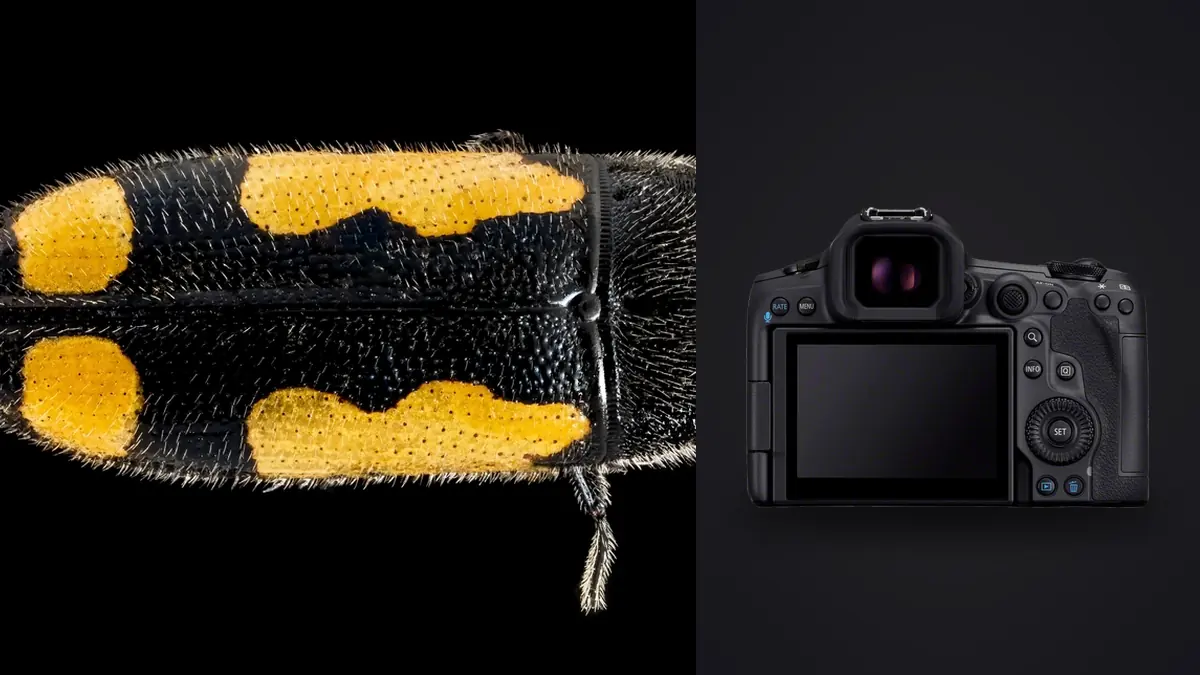
Macro insect work is where camera specs stop being abstract and start mattering in a very physical way. A stag beetle doesn't wait for you to nail focus, dew burns off a dragonfly's wings in about the time it takes to swap a diffuser, and depth of field at 1:1 magnification gets measured in fractions of a millimeter rather than inches. I've spent the better part of two seasons shooting bugs with the Canon EOS R5 Mark II, mostly paired with the RF 100mm F2.8L Macro IS USM, and the honest verdict is that most of what makes this body good for macro has very little to do with the 45-megapixel number everyone leads with.
Resolution Is the Least Interesting Number Here
Yes, 45 megapixels sounds like a lot, and on paper it is a meaningful jump for cropping into a jumping spider that's five millimeters across. But push a macro lens to f/13 or f/16, which you'll do constantly because that's what it takes to get an insect's compound eyes and mandibles in focus at high magnification, and diffraction is already softening detail well before it reaches the sensor's theoretical limit. On a pixel pitch this tight, you're rarely extracting the sensor's full resolving power once you've stopped down enough to hold a bug in acceptable focus.
Where the resolution genuinely pays off is working distance. Insects don't like a lens barrel hovering six centimeters from their face, so you back off, shoot a little wider than ideal, and crop in post. The extra pixels give you room to do that without handing in a soft, pixelated final frame. That's the real use case, not pixel-peeping fine hair detail on a beetle's leg straight out of camera.
Autofocus for a Subject the Camera Doesn't Recognize
Canon's subject detection on the R5 Mark II covers people, animals (dogs, cats, birds, horses), and vehicles. Insects aren't a listed category, and it shows. Point the camera at a praying mantis and Animal detection will occasionally lock onto it, treating the head like a tiny mammal face, but the hit rate in my experience is closer to one in three than something you can rely on. For anything smaller than a large dragonfly or hawk moth, I'm back to single-point AF, back-button focus, and a lot of manual nudging with focus peaking turned on. The MP-E 65mm, which many serious insect shooters eventually add for magnifications above 1x, doesn't autofocus at all, so none of the R5 Mark II's tracking sophistication applies once that lens is mounted anyway.
The feature that actually earns its keep for bugs isn't subject detection, it's pre-continuous shooting. In RAW burst mode with pre-capture enabled, the camera buffers roughly half a second of frames before you fully depress the shutter, at up to 30fps electronic. A mantis strike or a fly launching off a leaf happens faster than human reaction time, and this is the one feature that consistently gets me the actual moment instead of the frame right after it.
In-Camera Focus Stacking Finally Does Something Useful
Focus bracketing itself isn't new to this body; the original R5 got it via firmware, with configurable step size, number of shots (up to 999), and exposure smoothing between frames. What's new on the Mark II is Depth Composite, which merges up to 15 of those bracketed frames into a single image in-camera and shows you a rough result on the rear screen before you've broken down the tripod.
That preview matters more than it sounds. Macro stacking in the field is a guessing game about step size: too coarse and you get visible focus bands in the final blend, too fine and you're burning through a battery and a card on a subject that might crawl away before you finish. Being able to check a merged approximation on the spot, decide the step size was too aggressive, and reshoot while the ant is still sitting on the same leaf saves a wasted trip home. For the final output I still pull the raw sequence into Helicon Focus or Zerene Stacker, since the in-camera merge tops out at 15 frames and writes a JPEG or HEIF, but as a field sanity check it's genuinely useful in a way none of Canon's previous bodies offered.
How It Stacks Up Against What Else You'd Cross-Shop
If you're weighing the Mark II upgrade specifically for bug work, rather than for birds or general wildlife where the tracking improvements matter more, here's how it compares to the other Canon bodies people actually consider for macro. The buffer figures are what I've hit shooting in real conditions with a fast CFexpress card, not the marketing ceiling.
| Camera | Sensor | In-Camera Focus Bracketing | In-Camera Stack Merge | Coordinated IBIS | Real-World RAW Buffer | Body-Only Street Price |
|---|---|---|---|---|---|---|
| EOS R5 Mark II | 45MP full-frame, stacked | Yes, up to 999 shots | Yes, up to 15 frames | Up to 8.5 stops | ~180 frames at 30fps e-shutter | ~€4,100 |
| EOS R5 (original) | 45MP full-frame | Yes (firmware update) | No | Up to 8 stops | ~180 frames at 20fps e-shutter | ~€2,900 (discounted) |
| EOS R7 | 32.5MP APS-C, 1.6x crop | Yes | No | Up to 7-8 stops (lens-dependent) | Well under 100 frames at 15fps mech. | ~€1,400 |
| EOS R3 | 24MP full-frame, stacked | Yes | No | Up to 8 stops | No practical slowdown at 30fps | ~€4,800 |
The R7's crop factor is worth a second look for insects specifically. It stretches a 100mm macro's field of view without shortening the physical working distance, which is exactly what you want when a subject bolts at the shadow of a lens hood. It just can't match the Mark II's buffer depth or the in-camera stack preview, so I keep it as a lightweight second body rather than the primary tool.
Working Distance Beats Magnification Every Time
The RF 100mm F2.8L Macro IS USM stays on the camera for probably 80% of my insect sessions, and working distance is the whole reason. At 1:1 you're still around fifteen centimeters from the subject, enough room that your own shadow and the front element don't spook something as jumpy as a jumping spider. A shorter macro lens, the kind that puts the hood nearly against a leaf at 1:1, trades that away for a smaller, lighter package, and for anything that can fly or hop, it isn't worth it. The control ring on the RF 100mm pushes magnification to 1.4x without an extension tube, which covers most of what you'd want for a full-body beetle or bee portrait.
Past that, the MP-E 65mm takes over, running from 1x to 5x with zero autofocus and a distance scale that's more suggestion than measurement. At those magnifications you focus by rocking your whole body on a tripod-mounted focus rail rather than turning a ring, and this is genuinely where the R5 Mark II's stabilization earns its keep, not by freezing motion (a flash does that job) but by holding the viewfinder image steady enough that you can actually see what you're trying to focus on instead of fighting a jittery finder image at 3x magnification.
Stabilization in Practice, Not on Paper
The 8.5-stop rating is a wide-angle, general-use number, and nobody should expect that at 2x magnification with a macro lens. What it changes in the field is smaller but still real: a steadier EVF image for composing and confirming focus before the shutter fires, particularly on breezy mornings where a subject is perched on vegetation that's swaying independently of anything a tripod head can fix. My typical exposure for a handheld insect portrait ends up around f/13, 1/200s synced with a twin flash, ISO 400, with the flash duration doing the actual motion-freezing work and the IBIS mostly there so I can hold the frame level and confirm focus before I commit to a shot I'll only get one chance at.
Weather Sealing and Battery Life, the Unglamorous Parts
Dawn is when the good insect activity happens, and dawn means dew, condensation, and occasionally light rain moving through. The R5 Mark II's sealing is on par with the original R5, splash and dust resistant, fine for a damp meadow at 6am but not something I'd treat as dunk-proof. Battery life is the bigger surprise: the newer LP-E6P is rated for more shots than its predecessor, but a morning spent running focus brackets, chimping the Depth Composite preview, and firing a flash on TTL burns through a charge faster than the number on the box suggests. Carrying two or three spares for a full session at a good bug spot isn't overkill, it's the minimum.
The Part the Spec Sheet Never Mentions: Sorting the Result
A single focus-bracketed sequence for one insect can easily run 30 to 60 frames. Multiply that by a dozen subjects on a productive morning and you're looking at 500 to 1,000-plus RAW files, the vast majority of them near-duplicates separated by a fraction of a millimeter of focus shift. Sorting that by eye on a laptop screen is the actual bottleneck in a macro workflow, not the shooting itself.
This is the point where I lean on imagic before any of those frames touch a stacking tool. It scores sharpness locally, on the file itself, so a bracket sequence gets ranked by which frames are actually crisp on the parts of the insect that matter rather than by AF confidence the camera reported in the field. Its burst and duplicate clustering groups a 45-frame focus bracket together automatically instead of leaving it scattered in shot order next to everything else shot that morning, which matters a lot once you've got several stacks from several subjects mixed into one card dump. Because the whole pass runs locally rather than through a cloud upload, going through a 30-plus gigabyte card doesn't turn into a coffee break waiting on a progress bar. The mechanics of that scoring approach are covered in more detail in how AI photo culling works, if you want the underlying logic.
Once the stacks are actually blended into finished composites, usually somewhere between 30 and 50 keepers from a good morning, I run imagic's apply_my_style pass, trained on my own past macro edits (a slightly desaturated green channel, warmer shadows, a specific contrast curve I've settled into over a couple of years). It gets the batch close to my usual look before I open a single frame by hand, which turns the editing session into touch-ups rather than grading forty images from a flat starting point one at a time. I've written more generally about tightening that kind of shoot-day routine in 10 tips for a faster photo workflow.
Frequently Asked Questions
Does the R5 Mark II autofocus reliably track jumping spiders and other fast insects?
Not reliably, no. Animal detection occasionally grabs onto larger insects like dragonflies or big beetles, but there's no dedicated insect subject category, so for anything small or erratic you're better off on single-point AF with back-button focus and manual assistance from focus peaking. The camera's real advantage for fast subjects is pre-continuous shooting, which buffers frames before you finish pressing the shutter, rather than any tracking intelligence.
Should I get the RF 100mm Macro or go straight for the MP-E 65mm?
Start with the RF 100mm F2.8L Macro IS USM. It autofocuses, has usable working distance, and covers 1x to 1.4x with the control ring, which is enough magnification for the vast majority of insect subjects. The MP-E 65mm is a specialist tool for 2x-5x work, fully manual, no distance scale worth trusting, and genuinely difficult to use handheld even with strong stabilization. Most people buy it too early.
How many frames should a typical focus-stacked insect sequence use?
For a full-body beetle or fly portrait at 1x to 1.4x, I typically shoot 25 to 40 frames with a fine step setting, tightening the step size further for anything past 2x magnification where depth of field shrinks fast. The in-camera Depth Composite preview is useful here specifically because it lets you check whether that step size actually held before you move on to the next subject.
Is the resolution jump from the original EOS R5 actually worth it for bugs specifically?
For insect work alone, it's a secondary reason to upgrade. The bigger differences are the in-camera stack merge, the deeper buffer for pre-continuous bursts, and the slightly improved coordinated stabilization. If you already own an R5 and mainly shoot macro, the Mark II is a nice-to-have rather than a must-have; if you're buying into the system fresh, the extra features tip the scale.