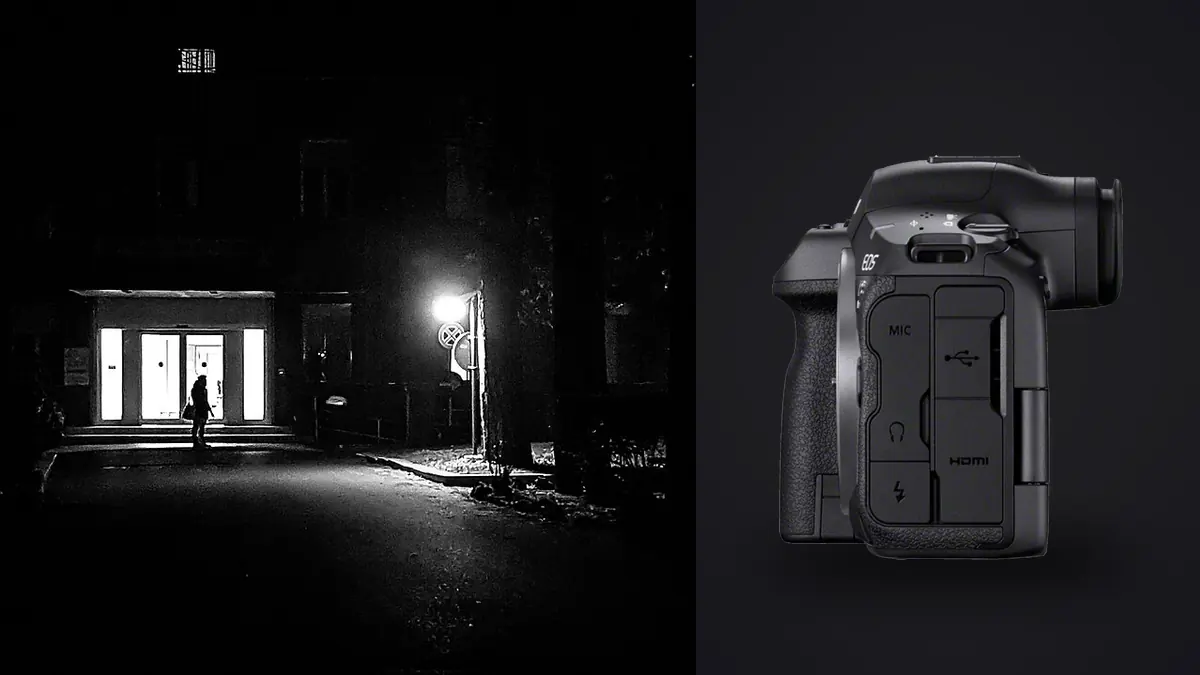
I spent three weeks with the Canon EOS R5 Mark II shooting a mix of market-day street work and a small documentary project following a family-run bakery through its last month before closing. Those two jobs pull a camera in different directions. Street work wants small, quiet, and fast to raise. Documentary work wants stamina, reliable tracking on faces that won't wait for you to recompose, and files that hold up when the light in a bakery at 5am is basically a single bulb over a proofing rack. The R5 II is not the obvious choice for either job on paper. In practice it earned a place in the bag, with some real caveats worth knowing before you spend the money.
The size argument, and why I stopped making it
Every street photography forum thread about this camera starts with the same complaint: 646 grams body-only, a grip deep enough for a battery grip, a shutter button that sits proud enough to catch on a jacket pocket. Compared to a Fujifilm X100VI or a Ricoh GR III, it is a different category of object. You are not slipping this into a coat pocket. You are wearing it on a strap, and people notice a camera with a red ring on the lens faster than they notice a compact.
I went in ready to hate it for that reason. What changed my mind was the grip itself. On long documentary days, the R5 II with the RF 35mm f/1.4L held one-handed for hours without the wrist fatigue I get from smaller bodies once a 24-70 or a heavier prime is mounted. Street photographers who shoot light and fast all day will still prefer something smaller. Documentary photographers who carry one body and one lens for eight-hour shifts, and who need a viewfinder that doesn't wash out in daylight, will take the trade differently. This is a camera built for people who photograph, not for people who want to look like they aren't photographing.
Pre-continuous shooting changed how I approached decisive moments
The feature that actually mattered on this camera, more than resolution or the eye control system, was RAW burst mode's pre-shooting buffer. Half-press the shutter and the R5 II starts buffering frames before you fully press it, up to roughly half a second of frames captured before your finger completes the press. For anyone who has missed the exact instant someone's hand meets a door frame or a kid jumps a puddle by a fraction of a second, this closes that gap.
It changes the psychology of street shooting more than it changes the technical output. You stop chasing the peak moment and start pre-framing a scene you suspect is about to happen, half-pressing, and letting the buffer catch what your reaction time would have missed. I used it on a market stall where a vendor kept tossing oranges to catch customer attention. Four attempts with a normal burst got me the toss but never the exact apex with his expression matching. Pre-continuous shooting on the fifth attempt got both, because the buffer had already captured the half-second before I consciously reacted.
The tradeoff nobody mentions in the spec sheet: this mode shoots RAW bursts into a single .CR3 container that most software, including Canon's own DPP at various points, has been slow to unpack cleanly. Budget time to extract individual frames before you can even begin selecting from them, and expect your card to fill faster than the frame count suggests, since every half-press that catches nothing still writes buffered frames to disk.
Eye Control AF works, with real conditions attached
Canon brought eye control autofocus back from the EOS-3 film era, and on the R5 II it tracks where you're looking through the viewfinder and shifts the AF point there. For documentary work where you're shooting through a viewfinder and don't want to be seen fiddling with a joystick, the appeal is obvious: look at the subject's eye, half-press, done.
It needs calibration per shooter and it drifts. I calibrated it at the start of a session, wearing my regular glasses, and it held up well for the first two hours. By hour four, with the viewfinder rubber gripping my brow differently as I got tired and started holding the camera at slightly different angles, accuracy dropped enough that I switched back to the joystick for anything requiring precision, like a portrait against a cluttered bakery counter where the AF point needed to land exactly on an eye and not a nearby flour-dusted apron. For loose documentary framing where "somewhere on the subject's face" is good enough, it's genuinely useful and fast. For tight portrait work mid-assignment, recalibrate or don't rely on it alone.
Silent shooting and the rolling shutter tax
Street and documentary photographers care about shutter sound differently than sports or wildlife shooters do. A loud mechanical clack in a quiet bakery kitchen or a hushed market stall changes how subjects behave around you. The R5 II's fully electronic shutter is genuinely silent, and at up to 30 fps with an updated stacked sensor readout, rolling shutter distortion on fast-moving subjects is far better controlled than on the original R5. It is not eliminated.
I got visible skew on a cyclist crossing close to frame during a burst, and banding under one set of fluorescent tubes in the bakery's storage room that only showed up in electronic shutter mode. Switching to the mechanical shutter for that one room solved it immediately, at the cost of the noise I was trying to avoid. The practical rule I landed on: default to electronic first-curtain for most street work, since it's quiet enough for candid shots and doesn't have the flicker risk of full electronic, and reserve fully silent electronic for outdoor daylight scenes where banding isn't a factor.
| Shutter mode | Max burst speed | Audible | Rolling shutter / banding risk | Best use in this genre |
|---|---|---|---|---|
| Mechanical | 12 fps | Yes, distinct clack | None | Indoor documentary under mixed artificial light, quiet rooms where discretion matters less than reliability |
| Electronic first-curtain | 12 fps | Quieter, faint click | Low | General street work, candid portraits, most daylight documentary shooting |
| Fully electronic (silent) | up to 30 fps | None | Moderate on fast subjects, banding possible under flicker-prone LED/fluorescent | Outdoor daylight street sequences, moments where any sound would break the scene |
| RAW burst, pre-continuous | 30 fps, buffers ~0.5s pre-press | None | Same as fully electronic | Fast, unpredictable decisive-moment street scenes |
The file volume problem this camera creates
A 45MP sensor shooting 30fps RAW bursts on a documentary assignment produces a genuinely uncomfortable number of frames. One afternoon session at the bakery, mostly short bursts chasing hand movements at the mixer and the oven, left me with just under 3,800 frames. Maybe 40 were usable. Sorting that by eye, at the end of a long shooting day, is where most of the enthusiasm for this camera's speed goes to die.
This is the part of the R5 II conversation that camera reviews skip, because it's a workflow problem, not a hardware one, the same kind of problem covered in more general terms in how to manage burst photography. I've been running everything through imagic afterward specifically because of how this camera shoots. Its sharpness scoring runs locally on the machine and flags which frame in a burst is actually in focus on the subject's eye rather than the apron behind them, which matters a lot when eye control AF has drifted and you're not sure which frames actually locked focus where you wanted. The duplicate and burst clustering is arguably more useful here than the sharpness scoring, honestly, because it groups those 3,800 frames into the actual moments they represent instead of leaving you to scroll through a wall of near-identical thumbnails one at a time.
The other reason it fits this kind of work: documentary access is often granted on trust, and a bakery owner letting you shoot behind the counter for a month doesn't necessarily want thousands of unedited frames of her kitchen sitting in someone else's cloud storage while a service processes them. Everything in imagic runs locally, nothing uploads, which made that conversation with her easier than it would have been explaining a cloud-based culling tool.
Once the take is narrowed down, I've also been using the apply_my_style preset feature, which trains on edits you've already made rather than a generic filter pack. For a documentary series shot over weeks, keeping tonal consistency across sessions shot at different times of day matters more than any single "look," and having presets built from my own prior edits on this same project got me there faster than building a LUT from scratch.
How it stacks up against the other cameras people actually consider for this work
Nobody buys a camera in a vacuum. Here's how the R5 II compares against the three bodies that came up most often in conversations with other photographers during this test, all considered specifically for street and documentary use rather than general merit.
| Camera | Body weight | Approx. price (body) | Viewfinder blackout in burst | Where it wins for this genre |
|---|---|---|---|---|
| Canon EOS R5 Mark II | 646g | ~$4,300 | None (blackout-free stacked sensor) | Autofocus reliability and pre-continuous capture for unpredictable moments |
| Fujifilm X100VI | 478g | ~$1,600 | Minimal, but leaf shutter caps at f/2.8 for full sync speed | Discretion, pocketability, all-day carry without shoulder fatigue |
| Sony A7CR | 515g | ~$3,000 | Present at high burst rates | Resolution-to-size ratio for documentary work needing large crops |
| Leica Q3 43 | 795g | ~$6,800 | None | Fixed-lens simplicity and image character, at a steep premium |
The honest read: the R5 II wins on capability, not on being the right tool for every street photographer's instinct toward smallness. If your street work is mostly solitary wandering with one prime lens and you value invisibility above all else, the X100VI or a Ricoh GR III will serve you better and cost a third as much. If you're working documentary assignments where autofocus has to be right the first time, where you need interchangeable lenses across a shoot, and where you can justify the investment against paid work, the R5 II's tracking and buffer depth pull ahead by a real margin.
A note on the crop modes
With 45MP to work with, the in-camera 1.3x and 1.6x crop modes are more useful for this genre than I expected going in. Shooting a market scene with the RF 24-105 and cropping in-camera to 1.6x effectively gets you the reach of a longer lens without a lens change, useful when you don't want to draw attention to yourself by swapping glass mid-scene. Image quality holds up fine for web and most print use at the 1.3x crop; the 1.6x crop starts to show its limits past 16x20 inch prints.
Frequently Asked Questions
Is the Canon R5 II too heavy for all-day street photography?
It depends on your lens choice more than the body. Paired with the RF 35mm f/1.8 or the RF 50mm f/1.8, the combined weight sits well below a gripped body with a heavy zoom, and most shooters manage a full day fine. Paired with an f/1.2L prime, expect shoulder fatigue by hour six. It's heavier than a compact but lighter than most people assume once you've actually carried it.
Does the electronic shutter cause problems photographing moving subjects on the street?
Rarely at normal street shooting speeds like walking pedestrians or cyclists at moderate distance. It becomes visible on fast, close motion, like a cyclist crossing near the frame edge, or under certain artificial light sources indoors where banding can appear. For most outdoor daylight street work, the fully electronic shutter is safe to use by default.
How many usable frames should I expect from a day of documentary shooting with this camera?
On the bakery project, a typical eight-hour day using bursts selectively produced somewhere between 1,500 and 4,000 frames depending on how much fast action was happening, with a final edit usually landing under 60 images. The gap between shot volume and usable output is the real cost of this camera's speed, and it's worth planning your culling workflow before the assignment, not after.
Is eye control autofocus reliable enough to trust for documentary portraits?
It's reliable enough for loose framing and fast-moving documentary situations where landing anywhere on the subject's face is good enough. For tight portrait work where the AF point needs to sit precisely on an eye, recalibrate it at the start of each session and don't be afraid to fall back to the joystick when a shot really matters.