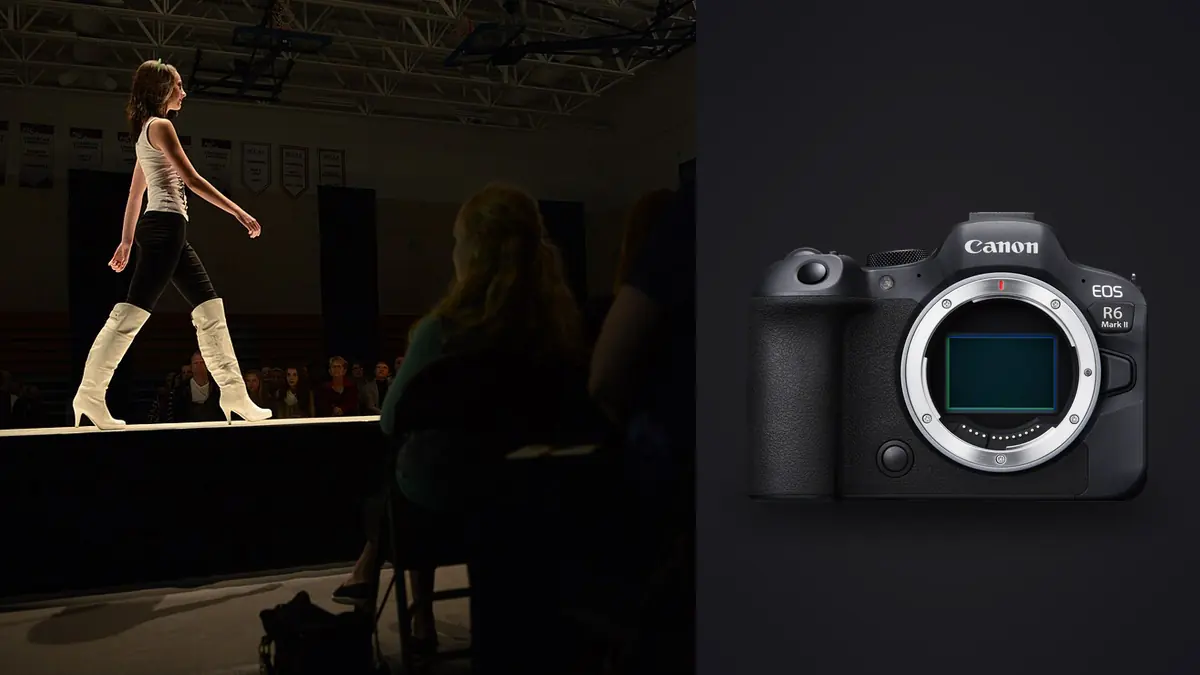
Picture picking up a Canon EOS R6 Mark II for a lookbook shoot almost by accident. A stylist friend needs a second shooter for a 40-look e-commerce drop, the usual body is in for sensor cleaning, and there are two days to decide if a rented R6 II can carry a full day of client-facing work without embarrassing you. It could do more than carry the day. It could change how you think about which camera actually belongs on a lookbook set, as opposed to which one just has the biggest spec sheet.
Lookbook work is a strange middle ground. It is not quite editorial (nobody needs a single hero frame with mood) and it is not quite product photography (there is a person in the frame, moving, breathing, occasionally sneezing mid-pose). What it needs is a camera that can hold focus on a garment and a face at the same time, keep up when a stylist yells "one more, quick" as the next model is already stepping into frame, and not choke when you shoot 30 to 60 frames per look because nobody trusts a single click on a paid job. The R6 Mark II turned out to be built for exactly that kind of pressure, even though Canon markets it more as a generalist body than a fashion-specific tool.
Why this body earns its place on a lookbook set
The 24.2-megapixel full-frame sensor is, on paper, a step down from the 45-megapixel R5. For lookbook delivery that is rarely a problem. E-commerce and lookbook images get resized down for web and app catalogs anyway, and the smaller file size means faster culling, faster tethered transfer, and less storage pressure when you are shooting hundreds of garments across a season. I would rather have a clean, well-exposed 24-megapixel file than a 45-megapixel file I have to pixel-peep to justify.
Where the R6 II actually earns its keep is in-body image stabilization. On a lookbook day you are rarely on a tripod, because the whole point is speed and flexibility between setups. Handheld stabilization rated for several stops of correction means you can drop your shutter speed under continuous LED panels or window light without motion blur creeping into hem lines and jewelry detail. That matters more on lookbook work than most people expect, because clients zoom into fabric texture and stitching in a way they never do on a lifestyle campaign image.
Autofocus that keeps up with quick changes
The deep-learning autofocus system is the real reason I would pick this body again. Canon's subject detection tracks eyes reliably even when a model turns three-quarter or looks down at a garment detail, which happens constantly in flat-lay and detail-shot sequences. On a previous-generation body I was used to babysitting the focus point through wardrobe adjustments. On the R6 II, I set it to whole-area tracking with eye priority and mostly stopped thinking about it, which freed up attention for the things that actually matter on set: hem lines sitting right, jewelry not twisted, hands not awkwardly placed.
The one place it stumbles is fast, close-up movement, like a model whipping a coat around for a "movement" shot in the lookbook sequence. The system occasionally locks onto fabric texture instead of the face for a frame or two before recovering. It is not a dealbreaker, but if a shot list explicitly calls for a "swish" shot, plan to shoot a longer burst and expect to throw more frames away than on a static pose.
Drive modes and the arithmetic of a 40-look day
Lookbook shoots live and die by how fast you can move through looks, and drive mode choice changes that math more than people give it credit for. I stopped treating the mechanical shutter as the default and started picking drive mode per scenario, which is the single biggest workflow change the R6 II pushed me toward.
| Setup on set | Drive mode | Typical shutter | Why |
|---|---|---|---|
| Static pose, seamless backdrop, strobes | Mechanical, single or low burst | 1/160 to 1/250 | Strobe sync ceiling matters more than fps; a few clean frames beat a flood of near-duplicates |
| Walking or movement sequence | Electronic, high burst | 1/500 to 1/1000 | High frame rate catches the one frame where hair, fabric, and stride line up |
| Detail shots (fabric, stitching, jewelry) | Mechanical, single shot | 1/125 or slower with stabilization | No motion to chase, and a smaller file count keeps the detail folder manageable |
| Natural light exterior lookbook | Electronic, moderate burst | 1/1000 to 1/2000 | Silent shooting keeps the model relaxed outside a formal studio, faster shutter covers wind and motion |
The electronic shutter's higher frame rate is genuinely useful for movement sequences, but I would warn anyone new to this body against defaulting to it for everything. Rolling shutter distortion shows up on fast whip-pans and spinning skirts, which is exactly the kind of shot a lookbook client sometimes asks for. Mechanical shutter for anything with rotational motion, electronic for straight-line walking or jumping shots, has been my rule after a couple of shoots where I got it backwards.
Lighting and sync speed on set
Native flash sync sits at 1/250, which is workable for most studio lookbook setups but not generous. High-speed sync extends your options when you want a wider aperture with strobes to separate a model from a plain backdrop, though you lose some power in the trade. On overcast exterior lookbook days you can mostly skip strobes entirely and lean on the sensor's dynamic range with a reflector, which the R6 II handles well enough that you stop missing the extra fill light.
Lens pairings that actually make sense for this work
The RF 50mm f/1.2 is my first choice for single-model lookbook frames where you want some separation from the backdrop without going full editorial-blur. For group looks or when a stylist wants more of the outfit and less compression, the RF 24-70mm f/2.8 covers the range without a lens change mid-shoot, which matters when you are running 40 looks in a day and every minute swapping glass is a minute the model is standing around. I have also used the RF 85mm f/1.2 for hero shots meant to run bigger than the rest of the set, but it is not a lens I would keep on the body for the whole day; it is too tight for anything but a clean, controlled pose.
Color and skin tones straight out of camera
Canon's color science is the quiet reason a lot of working photographers stick with the system for fashion and beauty work. Skin tones land close to accurate across a range of complexions without heavy correction, which matters on a lookbook job where you are often shooting multiple models back to back under the same light and do not want to build a different color profile for each one. It is not magic, and I still adjust white balance between setups, but the starting point needs less rescue work than some other systems I have shot on.
Getting through the take before the model leaves
This is the part of lookbook work that never makes it into camera reviews: the shoot is not over when the last frame is captured. You are tethered, the client or stylist wants to see selects before the model changes into the next look, and you have maybe five minutes to find the two or three usable frames out of a burst of forty. This is where camera choice and post-capture software choice start to matter equally.
Because the R6 II's autofocus is reliable, fewer of those forty frames are outright soft, which sounds like a small thing until you have sat through a shoot where half a burst needs to be thrown out for missed focus alone. What is left is mostly near-duplicate poses that differ by a blink, a hand position, or a fraction of a smile, and sorting that by eye under time pressure is genuinely tiring by look thirty. I run the day's take through imagic between setups, since its duplicate and burst clustering groups near-identical frames from a single pose together and its local sharpness scoring flags the technically sharpest option in each group, which turns a five-minute manual scroll into something closer to thirty seconds. It also processes everything on the machine itself, no cloud upload, which matters on unreleased collection shoots where a client has explicitly asked that images not leave a controlled environment before the drop date.
If you are building or rebuilding a workflow for this kind of high-volume, time-pressured shoot day, it is worth reading through general approaches to speeding up the review pass; this rundown of faster photo workflow habits covers a lot of ground that applies directly to lookbook and e-commerce sets, not just to weddings or events.
Where the editing pass actually happens
Once the sets are picked, lookbook editing is repetitive in a way that rewards automation more than creative judgment. A season's worth of garments shot on the same backdrop, under the same light, needs the same crop ratio, the same background cleanup, and broadly the same tonal treatment from image to image. I built a preset inside imagic using its apply_my_style feature, which trains on a batch of my own already-edited frames rather than a canned filter, so the output matches how I actually correct skin tone and backdrop white point on this kind of job rather than a generic look. Running a full look's worth of selects through that preset, then hand-finishing only the hero frames the client flagged, is a noticeably faster path than opening every frame individually.
For anyone who has not used AI-assisted culling on a fast-turnaround shoot before, it is worth understanding what the process is actually doing under the hood rather than treating it as a black box; this explainer on how AI photo culling works walks through the sharpness and duplicate-detection logic in more detail than I have room for here.
Where I would push back before you commit to this body
None of this means the R6 Mark II is the only sensible choice for lookbook work. If you regularly deliver large-format prints or crop aggressively for different aspect ratios across a campaign, the extra resolution on a higher-megapixel body buys real headroom that 24 megapixels does not. Dual SD UHS-II card slots are also a step behind the CFexpress setups on some competing bodies, and on a long burst-heavy day with high-resolution RAW files, buffer clearing can lag just enough to be noticeable if you are chaining electronic-shutter bursts back to back without a pause. None of that rules the body out, but it is not the obvious pick for every kind of fashion work, only for the fast, high-volume, client-present pace that a lookbook day usually demands.
Frequently Asked Questions
Is 24 megapixels enough resolution for a commercial fashion lookbook?
For web catalogs, app listings, and most print lookbooks, yes. The files hold up fine to moderate cropping and the smaller size actually speeds up culling and tethered transfer across a long shoot day. If the same set needs to double as large-format print or a heavily cropped campaign asset, a higher-resolution body gives more room to work with.
Should I shoot mechanical or electronic shutter for movement-heavy looks?
Electronic shutter's higher burst rate helps catch a clean moment in a walking or jumping sequence, but it introduces rolling shutter distortion on fast rotational movement like a spinning skirt or whip-pan. Mechanical shutter is the safer default for anything with rotation; save electronic bursts for straight-line motion.
Do I need CFexpress cards for this kind of shoot?
No. The R6 Mark II uses dual SD UHS-II slots rather than CFexpress, and for lookbook work, where files are typically 24-megapixel RAW rather than high-resolution stills or heavy video, fast UHS-II cards keep up without a noticeable bottleneck during normal shooting and review.
How does imagic actually help during a lookbook shoot day, not just after it?
The main gain is mid-shoot: running captured frames through its local duplicate clustering and sharpness scoring between looks turns a burst of thirty or forty near-identical frames into a short shortlist in well under a minute, which matters when a model is waiting for the next setup. Everything runs on the machine itself, so nothing needs to leave the laptop before a client has approved the selects.