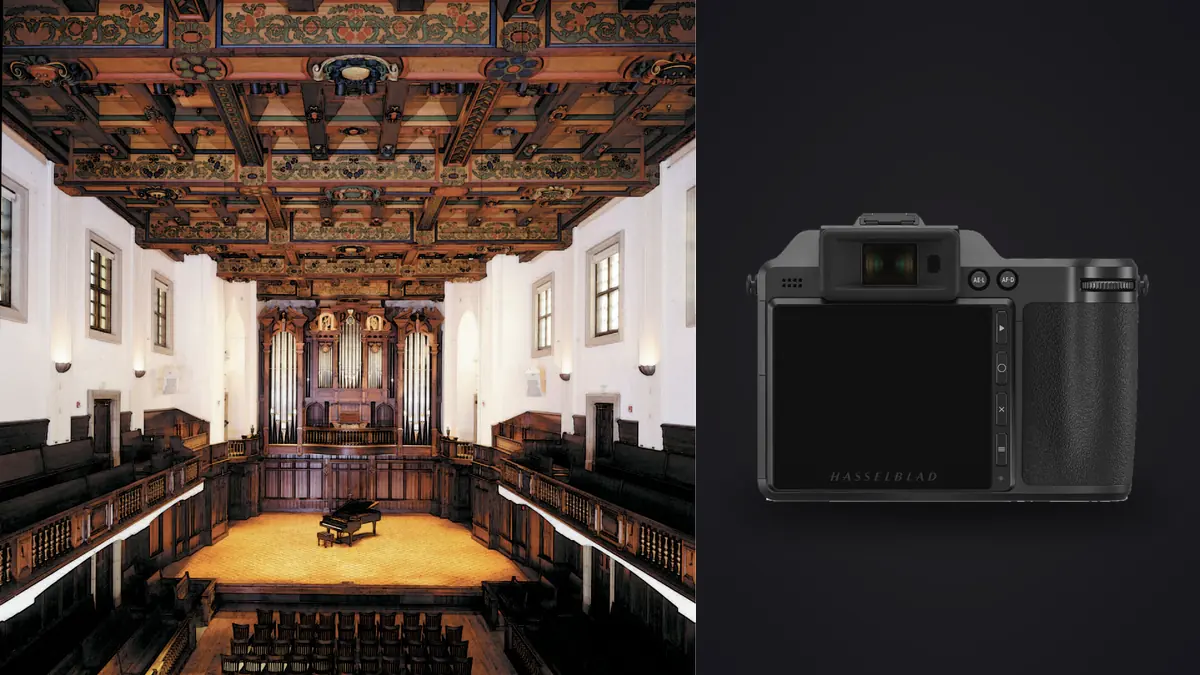
The first time I rented a Hasselblad X2D 100C for an interior job, it was for a boutique hotel renovation that the developer wouldn't let anyone photograph until three days before opening. Tight schedule, natural light changing room to room, and a client who wanted files large enough to print a lobby mural. Medium format made sense on paper. What I actually learned over that week had less to do with the marketing copy and more to do with lenses, file weight, and how much of the "look" comes from the sensor versus how much comes from just working slower and more deliberately in a room.
Why sensor size still matters when the subject is a room
Architectural and interior work is one of the few genres left where a bigger sensor produces a genuinely different-looking file, not just a marginally better one. The X2D 100C's sensor is roughly 43.8 by 32.9mm, well over double the area of a full-frame chip, and at typical interior apertures (f/5.6 to f/8, sometimes f/11 for depth on a wide room) that extra area still shows up as smoother tonal transitions across walls and ceilings, less visible micro-contrast harshness in shadow corners, and slightly gentler falloff at the edges of a wide frame compared to a full-frame body pushed to the same field of view with a wide-angle lens.
It is not a dramatic difference on a phone screen. It is a real difference on a two-meter print, or when a designer is cropping into a ceiling detail for a portfolio spread. If your interior work never leaves Instagram, this section barely matters. If it ends up in a magazine spread or a lobby wall, it does.
The lens decision Hasselblad doesn't make easy for you
Here is the part nobody mentions until you're standing in a stairwell: Hasselblad doesn't make a dedicated tilt-shift lens for the X system. Full-frame architectural shooters lean on tilt-shift glass constantly to keep verticals straight without cropping away resolution in post. On the X2D, you're choosing between correcting verticals digitally (fine, and Phocus and Lightroom both handle it well, but you're throwing away pixels at the edges of an already-expensive sensor) or adapting the body onto a technical camera body for true optical shift, which is slower and not something you want to do for forty rooms in a day.
For most interior jobs I end up in the first camp: shoot slightly wide, correct in post, accept the crop. The lens lineup below covers what actually gets used on interior sets. Treat the full-frame equivalents as a rough guide (Hasselblad's X-system crop factor against full frame is close to 0.79x), not an exact conversion.
| Lens | Full-frame equivalent | Max aperture | Where it earns its keep |
|---|---|---|---|
| XCD 4/21 | ~17mm | f/4 | Tight bathrooms, stairwells, small bedrooms where you can't back up further |
| XCD 4/20-35 | ~16-28mm | f/4 constant | Walkthroughs where reframing beats swapping primes room to room |
| XCD 4/38V | ~30mm | f/4 | The default room-width shot; most-used lens on a typical residential job |
| XCD 2.5/55V | ~43mm | f/2.5 | Material close-ups, vignettes, furniture and fixture detail shots |
| XCD 3.6/35-75 | ~28-60mm | f/3.6-4.5 | General coverage when the schedule doesn't allow prime-lens swapping |
Getting believable color out of the materials in the room
Interior work lives or dies on material fidelity in a way portrait or landscape work doesn't. A designer who specified a particular walnut veneer or a specific plaster finish will notice immediately if your files render it too warm, too gray, or too saturated. This is where Hasselblad's in-house color profiling (built from decades of studio and product photography, not tuned primarily for skin tones the way most camera makers' defaults are) tends to hold up better than I expected across mixed lighting: tungsten downlights, daylight through a window, and LED strip lighting all in the same frame.
It's not magic and it's not free of correction work. Anything with three light sources of different color temperature still needs attention in post, usually gray-card-referenced white balance per setup and some local correction on the worst offenders. But the starting point out of camera needs less rescuing than files from most full-frame bodies I've shot the same rooms with, particularly on wood tones and warm stone, which tend to go orange and muddy on cheaper color science.
The window problem, and why 16-bit files actually help
Every interior shoot eventually runs into the same fight: a bright window against a dim room, sometimes eight or nine stops apart. The X2D's 16-bit RAW files (3FR) give you more real headroom to pull shadow detail and hold highlight information than a typical 12 or 14-bit full-frame file, which means fewer bracketed exposures needed for a lot of rooms, though I still bracket the worst-lit spaces (usually three to five frames, sometimes more for a room with a floor-to-ceiling glass wall) because no sensor fully solves an interior with direct sun coming through glass.
That bracketing habit creates its own problem: a tripod-mounted room can generate dozens of near-identical frames across a shoot day, and picking the sharpest of each set (a tripod isn't immune to a gust from an open door, or a hand brushing it while adjusting a light) gets tedious fast. This is where I run everything through imagic before touching a single frame in Lightroom. Its local sharpness scoring flags the one or two soft frames in a bracket set that would otherwise slip through, and the duplicate and burst clustering groups each room's exposure variations together automatically instead of leaving them scattered across a folder of nine hundred files. It also matters that imagic processes everything on the machine with nothing uploaded anywhere, which is not a minor detail on a job where the client made you sign an NDA about an unreleased building.
Autofocus: good enough for interiors, not built for the whole job
The X2D 100C was Hasselblad's first X-series body with autofocus at all, and it shows. It's contrast-based rather than the hybrid phase-detection systems full-frame bodies have had for years, and it can hunt in low, mixed interior light, especially against low-contrast surfaces like a plain painted wall or a pale ceiling. For a static interior subject on a tripod, this barely registers as a limitation; you have time, and the 2.36-million-dot screen with focus peaking and a zoom-to-check function gets you to critical focus reliably, if a little slower than you'd like.
Where it becomes a real limitation is anything with movement in the frame: a stylist adjusting a vase, a model walking through a lobby for a lifestyle shot mixed into the architecture set, or a real estate walkthrough where you don't have the luxury of a locked-off tripod for every frame. I've had it miss focus on a moving hand more than once. If your interior work regularly includes people moving through the space, budget extra time for manual focus and peaking rather than trusting autofocus to track anything.
Handheld, technical camera, or full-frame tilt-shift: picking a rig
The perspective-control question above deserves a real comparison rather than a shrug, because the three common approaches trade off very differently on cost, speed, and how much of the job they actually cover.
| Approach | Perspective control | Added cost | Trade-off |
|---|---|---|---|
| X2D handheld, native XCD lens | Corrected digitally in post | None beyond the lens itself | Fastest workflow, but you lose real resolution at the edges on tall rooms |
| X2D on a technical/view camera body | True optical shift, some tilt | Roughly $1,500-4,000+ for the body and adapter | Slow and fully manual; realistic for a handful of hero shots, not a full walkthrough |
| Full-frame body with a dedicated tilt-shift lens | True optical shift, faster to operate than a technical camera | Roughly $2,000-2,600 per lens | Smaller sensor and file, but the most practical setup for high-volume real estate work |
For a magazine-driven architecture shoot with six or eight hero frames a day, the technical camera route is worth the slowdown. For a real estate agency wanting forty rooms photographed and delivered by evening, it isn't, and a full-frame tilt-shift kit or a corrected-in-post XCD workflow will get you home on time.
Files, storage, and getting through a shoot day
A 3FR file off the X2D 100C typically lands between 100 and 220MB depending on scene detail and compression. A single-day residential shoot with brackets can push past 800GB before you've backed anything up. The camera's 1TB internal SSD covers most days, but I still carry a CFexpress card as a second write target and copy off both at the end of the day rather than trusting one storage location with the only copy of a shoot.
Once files are off the card, consistency across a large interior gallery becomes the next real problem. A hotel or apartment shoot might run across three lighting conditions in one day (morning light in the east rooms, flat afternoon light everywhere else, and staged evening ambiance shots), and a client expects the delivered gallery to look like one cohesive set, not three different edits stitched together. I train imagic's apply_my_style preset on a handful of rooms I've graded by hand early in the shoot, then run the rest of the day's files through it as a starting point before fine-tuning individual frames. It's not a substitute for actually looking at each image, but it saves a lot of the repetitive base-grading work that used to eat an evening after a long shoot day. If you're weighing culling tools generally rather than for this specific camera, how AI photo culling actually works is a decent place to see what that first pass is doing under the hood.
Who actually gets their money's worth from this camera
I'd steer a real estate photographer shooting twenty listings a week away from the X2D 100C. The file sizes, the slower autofocus, and the lens cost don't pay for themselves at that volume; a fast full-frame body with a wide zoom will get more listings done in less time at a fraction of the gear cost. Where the X2D earns its price is editorial architecture work, high-end interior design portfolios, hospitality projects headed for print, and any job where a client is paying specifically for image quality that holds up at large size, not just for a fast turnaround.
It's also worth saying plainly that this is expensive gear for a niche use case, roughly $8,200 for the body alone before a single lens (check Hasselblad's own listing before budgeting, since medium-format pricing moves more than most categories). That buy-it-once mentality, spend more up front for a tool that doesn't need replacing every couple of years, is at least philosophically similar to how I think about the software side of the workflow too. imagic is a one-time purchase across its Lite, Plus, and Max tiers rather than another subscription stacked on top of camera gear that already isn't cheap, which matters more than it sounds like once you're running a studio's worth of tools every month.
Frequently Asked Questions
Is the Hasselblad X2D 100C actually better than a full-frame body for interior photography?
For large prints, magazine work, or portfolios where material and tonal fidelity matter, yes, the larger sensor and 16-bit files give you real headroom a full-frame file doesn't have. For fast-turnaround real estate volume work, the gap in speed and cost usually isn't worth it.
Can you get true tilt-shift perspective control on the X2D 100C?
Not with a native Hasselblad lens, since the X system doesn't include a dedicated tilt-shift optic. You either correct verticals digitally after the shot or adapt the body onto a technical camera body for genuine optical shift, which is slower but keeps full resolution at the edges.
How do you manage exposure brackets and near-duplicate frames from a shoot like this?
A single interior job can generate hundreds of bracketed, near-identical frames across a day. Running the card through imagic first groups each room's bracket set together and flags the sharpest frame in each cluster, which turns a folder of hundreds of files into a manageable shortlist before any editing starts.
Does the X2D 100C's autofocus hold up for a real estate walkthrough with people in frame?
Not reliably. The contrast-based autofocus system is fine for static, tripod-based interior work where you have time to confirm focus, but it can hunt against low-contrast walls and struggles to track moving subjects, so a shoot involving stylists or models moving through the space needs extra time budgeted for manual focus.