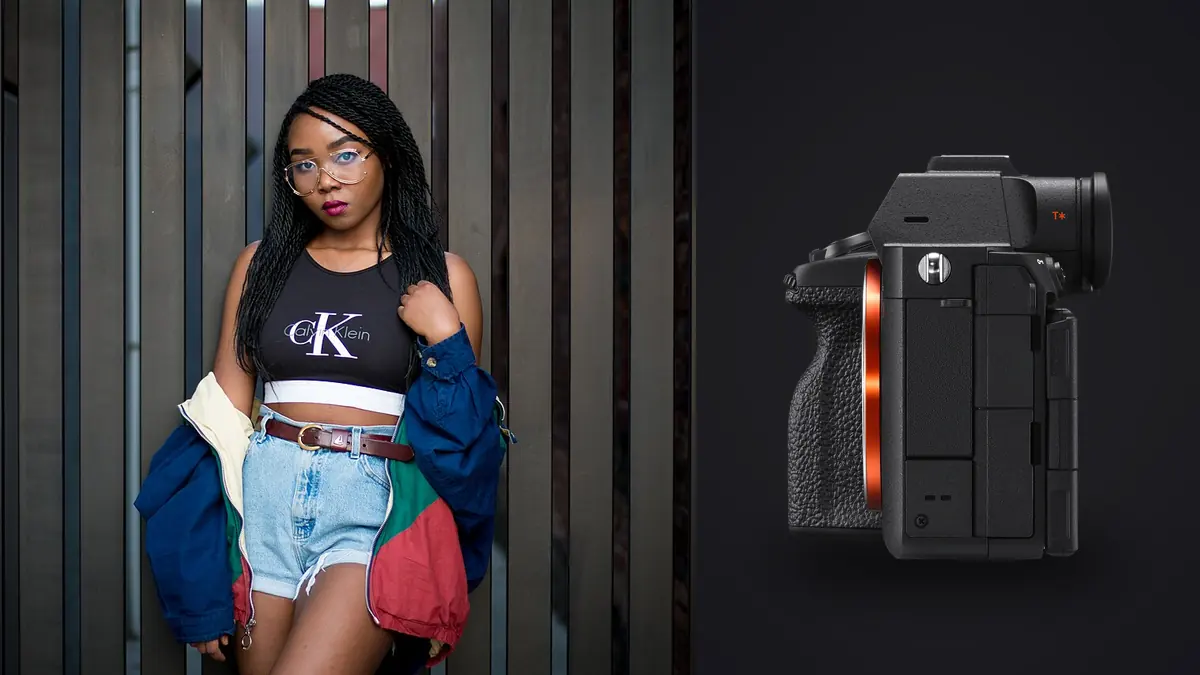
Picture a 42-look e-commerce lookbook for a DTC outerwear brand, shot over two days in a rented studio with a rotating cast of three models, with a Sony A7R V doing the heavy lifting. Not because resolution matters for its own sake, but because a lookbook job has a specific set of pressures that not every camera handles the same way. You need consistent, punchy full-body detail across garments that get cropped into three or four different aspect ratios later (hero banner, PDP thumbnail, Instagram square, sometimes a print catalog spread). You're shooting fast because the model's day rate doesn't care how many looks are left on the rack. And by the end of the day someone has to get through a couple thousand frames before the retoucher opens anything. The A7R V is a genuinely good tool for that job. It's also not the obvious pick everyone assumes it is, and there are real tradeoffs worth knowing before you rent or buy one specifically for lookbook work.
What 61 Megapixels Actually Buys You on a Lookbook Set
The number everyone quotes is 61 megapixels, and it's easy to dismiss as spec-sheet bragging for a job that ends on a 1200px-wide product page. That reaction is only half right. Where the resolution earns its keep is in the gap between what you shoot and what the client actually needs, because that gap is almost never the same shot at the same crop. A lookbook brief routinely asks for a full-body straight-on shot, a three-quarter crop for the grid view, a tight waist-up crop for the mobile hero, and occasionally a detail crop on a zipper pull or a stitch pattern, all pulled from the same capture instead of a reshoot. With a 24-megapixel body, cropping a full-length shot down to a chest-up detail leaves you with maybe 6-8 usable megapixels, which is fine on a phone screen and visibly soft in a retoucher's loupe view at 100%. The A7R V gives you enough headroom that a hard crop to 30% of the frame still lands north of 15 megapixels, which is print-catalog territory if the brand ever runs a physical lookbook or in-store signage.
The tradeoff is exactly what you'd expect: file size and heat on your storage. A compressed lossless RAW off this body runs somewhere in the 55-65MB range per frame depending on scene detail, and on a 42-look day with continuous bursts on movement shots, I was clearing north of 400GB before the second day even started. If you're not budgeting for that (fast CFexpress Type A cards, a real backup routine on set, and a laptop that can actually chew through the files that evening) the resolution becomes a liability instead of an asset. It's not a camera you buy for lookbook work and then run on cheap SD cards in the second slot as your only backup; the write speed alone will bottleneck your burst depth.
Autofocus for Full-Body Fashion, Not Just Portrait Eyes
Sony's AI-based subject recognition gets marketed around eye detection, and for headshots and beauty work it's genuinely excellent. Lookbook shooting is a different problem because most of your frames are full-length or three-quarter, meaning the model's eye occupies a tiny fraction of the sensor and the system has to first decide there's a human in frame at all before it can lock onto anything specific. In practice the A7R V handles this well with the Human subject recognition mode set broadly rather than narrowed to eye-only priority, but it does occasionally grab a necklace, a hat brim, or a hand gesture near the face instead of the eye when the model is moving through a pose. That's not a dealbreaker, it's just something to know going in: for full-body work I run wide-area AF with human priority rather than the tightest eye-lock setting, because the tightest setting is tuned for a scenario (close portrait, static subject) that isn't what a lookbook shoot actually is most of the day.
Where the autofocus genuinely helps is during movement passes, the shots where the brief calls for a coat swirling or a model walking toward camera. The A7R V isn't built as a sports camera and its 10fps ceiling with the mechanical shutter (higher with the electronic shutter, at the cost of some rolling shutter risk on fast panning) is modest next to something like an A9 III, but for the pace of a lookbook shoot, walking, turning, a jacket flare, it kept pace without hunting. I did notice more missed frames on rapid spins under continuous studio strobe than under continuous LED, simply because the AF system doesn't get as many clean readings between flash cycles. If your lookbook brief includes a lot of motion work, it's worth testing your specific lighting setup before the client day, not just testing the camera in isolation.
The File-Volume Problem Nobody Mentions in the Marketing Copy
Here's the part that doesn't show up in a camera review: a 40-look lookbook shot at three poses per look with 10-15 frame bursts per pose is easily 1,800-2,400 RAW files by the time you wrap. At 60MB average that's over 100GB from a single shoot day, and somewhere in that pile are maybe 120-160 frames the client actually needs. The bottleneck on a job like this was never really the camera. It's the four to six hours between wrap and delivery where someone has to scroll through nearly-identical burst sequences, decide which of eleven near-duplicate frames of the same walk-turn has the cleanest hem line and the least motion blur on the fabric, and get a tight, sharp select out the other side.
This is the part of the workflow where I stopped doing it by eye entirely. I run the day's card through imagic before I touch Lightroom, because its duplicate and burst clustering groups those eleven near-identical continuous-shooting frames into one cluster instead of leaving them as eleven separate thumbnails to compare manually, and the local sharpness and focus scoring flags which frame in that cluster actually has crisp fabric detail versus which one has a half-frame of motion blur from a coat hem still settling. On a lookbook day that's the difference between a 45-minute cull and a three-hour one. It also matters that the scoring runs locally on the laptop with no internet, because an unreleased collection under an NDA is not something you want touching a cloud upload step, intentionally or by accident. If you want more detail on how that kind of automated first-pass culling actually works under the hood, I wrote about it separately at how AI photo culling works.
Body Comparison for This Specific Job
Camera review sites tend to compare these bodies on generic categories like video specs or ISO ceiling, which mostly don't matter for a studio or location lookbook shoot. Here's how I'd actually weigh them against each other for this job specifically.
| Body | Resolution | Compressed RAW file (approx.) | Crop room for multi-format delivery | Best fit for lookbook work |
|---|---|---|---|---|
| Sony A7R V | 61MP | 55-65MB | Excellent, tight detail crops still print-usable | High-SKU catalogs needing multiple crop ratios from one frame |
| Sony A7 IV | 33MP | 30-40MB | Good for web-only, tight on print crops | Fast-turn web lookbooks where file volume must stay manageable |
| Sony A1 | 50MP | 45-55MB | Strong, slightly behind A7R V on hard crops | Lookbooks that mix motion-heavy editorial passes with static product shots |
| Sony A7C II | 33MP | 30-40MB | Good, matches A7 IV | Location lookbooks where body size and weight matter over a long walking day |
The A1 is worth calling out specifically because it's the body I'd actually choose over the A7R V if the brief leans heavily on movement (a swimwear or activewear lookbook with a lot of jump and motion shots, for instance) since the faster burst rate and lower rolling shutter risk matter more there than the extra 11 megapixels. For a garment-forward, mostly static-pose catalog job, the A7R V's resolution advantage is the more useful trait.
Lens and Lighting Pairings That Actually Earn Their Keep
The sensor resolution is only as good as the glass in front of it, and on a body this demanding, older or slower lenses will show their limits at 100% in a way they never did on a 24MP file.
- 24-70mm f/2.8 GM II is the workhorse. Most of a lookbook day happens in this range, full-length shots at the wide end, waist-up at the long end, without a lens change between poses.
- 85mm f/1.4 GM II for tight crop shots the client specifically requests: a collar detail, a bag hardware close-up, a face-forward beauty frame within the same set.
- 50mm f/1.2 GM when the brief calls for an editorial-leaning shallow-depth look rather than the flatter, everything-sharp product look most lookbooks want by default.
On the lighting side, the A7R V's mechanical shutter syncs at 1/250s, which is enough headroom for most studio strobe setups without needing high-speed sync tricks, but I ran into flash-to-frame timing issues shooting bursts at the top of the buffer during movement passes; a couple of frames per burst would land mid-recycle and come back slightly underexposed. Dropping to a shorter burst length and letting the pack fully recycle between bursts solved it, but it's a real constraint worth testing on your own strobes before a paid shoot day rather than discovering it mid-session. On skin tone rendering specifically, I've found Sony's color science needs a slightly warmer starting point than Canon files coming out of camera, particularly on deeper skin tones under daylight-balanced LED, which is a five-minute white balance and profile adjustment rather than a real problem, but it's not something to skip if you're used to a different brand's out-of-camera color.
From Card to Client: A Realistic Post-Shoot Workflow
The gear conversation always undersells how much of a lookbook job is actually logistics. On a two-day shoot like that, run dual CFexpress Type A cards in the primary and overflow slots rather than tethering, because tethering to a laptop through 40 wardrobe changes and three models rotating through hair and makeup slows the pace more than it helps; it is better to cull hard afterward than have the shoot itself crawl. That decision only works if the post-shoot pass is fast, which is where the local culling step earns its place in the pipeline again: sharpness scoring on the full card, duplicate clustering on every burst, and a first pass down to a shortlist before the folder is ever opened in an editor. From there, lean on imagic's apply_my_style preset, which is trained on your own previously edited lookbook sets rather than a generic film-look preset pack, to get a consistent base grade across all 42 looks before the retoucher starts on individual garment fixes. That consistency matters more on a lookbook than almost any other job type, because the client is going to see every look side by side on a single page, and any drift in white balance or exposure between the morning looks and the afternoon looks reads immediately once they're laid out in a grid. If you want a broader look at where steps like this fit into a faster overall workflow, this rundown on speeding up a photo workflow covers more of the pipeline beyond just the camera choice.
Frequently Asked Questions
Is 61 megapixels overkill if the lookbook images only end up on a website?
For final web delivery alone, yes, you're downsampling most of it away. The value shows up earlier in the process, when you need to pull a hero crop, a thumbnail crop, and a detail crop out of the same capture without reshooting. If every image is delivered at one fixed size with no cropping variety, a 33MP body will save you file management headaches without costing you image quality.
Can the A7R V actually keep up with a fast-moving fashion shoot, or is it strictly a static studio body?
It handles walking, turning, and fabric-motion shots at a lookbook's typical pace without much trouble. It's not the body I'd choose for a shoot that's mostly jumps, sprints, or dance-heavy editorial movement; the A1 or A9 III class of body has meaningfully better burst depth and rolling shutter control for that. For the walk-and-pose rhythm of a standard commercial lookbook, it's not a limiting factor.
What's the real bottleneck on a lookbook shoot day, the camera or something else?
On every job I've shot with this body, the bottleneck was never capture speed, it was getting from a full card to a clean, sorted shortlist fast enough to hand off same-day. Card write speed, backup discipline, and a fast first-pass cull matter more to whether you make your deadline than any spec on the camera itself.
Does the extra resolution change how much retouching a garment shot actually needs?
It changes what the retoucher can see, not how much work there is. Fabric texture, loose threads, and seam pulls that would get lost in a softer 24MP crop show up clearly at 61MP, which occasionally means catching a wardrobe issue you'd have missed on a lower-resolution file, and occasionally means noticing a wrinkle that genuinely didn't matter at delivery size. It's worth briefing your retoucher on the target output resolution up front so they're not chasing detail that gets thrown away at final crop anyway.