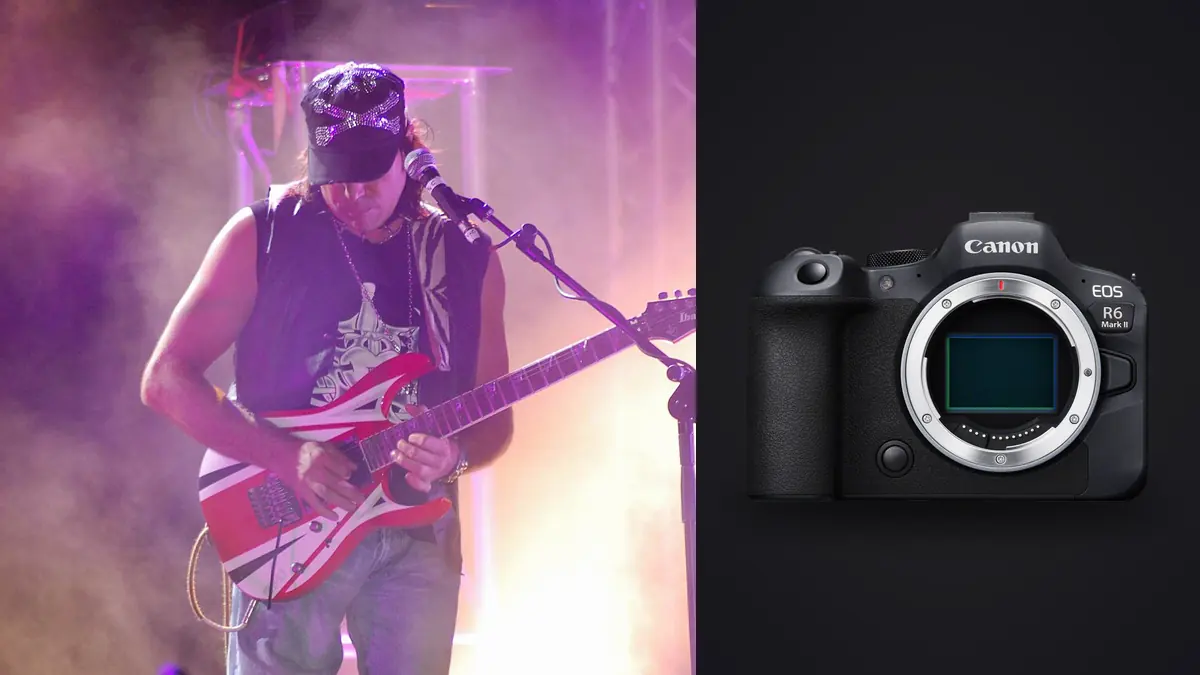
The first time I brought the Canon EOS R6 Mark II into a photo pit, I was still shooting a five-year-old DSLR for everything else and only had the R6 II because a rental fell through at the last minute. Three songs in, I put the old body away and didn't pick it up again that tour. That's not a review-quote exaggeration, it's just what happened: the autofocus tracked a singer moving through moving-head beams without hunting, the sensor held together at ISO 12800 well enough to actually use the frames, and the buffer didn't lock me out mid-chorus the way older bodies did. This piece is about what the R6 Mark II actually does well (and where it still needs help) once you're three feet from the barricade with three songs and no flash allowed.
Why This Body Suits the Pit Better Than Its Spec Sheet Suggests
On paper the R6 Mark II reads like a hybrid stills/video body aimed at generalists, not a specialist concert camera. In practice, three things matter more at a gig than raw resolution: how the autofocus behaves when the light is inconsistent and moving, how clean the files are past ISO 6400, and how long you can hold the shutter down before the camera stops you. The R6 II's 24.2MP sensor is lower resolution than the R5 or R5 Mark II, and that's actually an advantage here. Smaller raw files mean a deeper buffer at the same card speed, and you're rarely printing concert work at a size where 45MP earns its keep. Most agencies and venues want web and social crops, not gallery prints, so the R6 II's file size is a genuine practical fit rather than a compromise you're settling for.
The other piece is the joystick-and-dial layout carried over from the R6 line, which matters more than it sounds like it should when you're changing exposure compensation one-handed while holding a monopod with the other. None of this is dramatic. It's the accumulation of small things that let you keep your eye on the viewfinder instead of the top plate.
The Three-Song Rule and Why It Shapes Every Setting Below
Most venues and most artist contracts limit photographers to the first three songs, no flash. That window is short enough that you don't get to experiment with settings once the set starts. Whatever combination of shutter, ISO, and AF mode you're running has to already be dialed in from soundcheck or from muscle memory, because song four is when you're being walked out by security while the crowd is still filming on their phones.
Autofocus: Where Eye Detection Helps and Where It Gets Confused
Canon's Dual Pixel CMOS AF II on the R6 Mark II tracks a singer's eye through hair, mic stands, and passing crowd surfers with a hit rate that genuinely surprised me coming from an R6 original. Where it struggles is exactly where you'd expect: heavy backlighting from a followspot pointed at the lens, fast strobe hits that blank the sensor's read for a frame, and any moment the subject turns fully sideways or drops their head so there's no eye to lock onto. In those cases I switch from Eye Detect to a single expand AF point and drive focus myself rather than fighting the algorithm.
For guitarists and drummers, where the "subject" is really the instrument and the motion is horizontal (headstock swings, drumstick arcs), I've had better results with Zone AF and a smaller area than with full subject tracking, which tends to want to lock onto whichever face is nearest even if that's a bandmate two feet behind the person you're framing. Servo AF with Case 2 (steady tracking, ignore obstacles) handles a security guard or another photographer's head briefly crossing your frame without the focus jumping to them, which happens constantly in a crowded pit.
ISO, Noise, and What "Usable" Actually Means at a Show
Stage lighting swings hard and fast, sometimes two or three stops between one beat and the next, so I shoot Auto ISO with a capped ceiling rather than chasing exposure manually. On the R6 II I set the ceiling at 12800 for club and theater shows, and I'll let it run to 25600 for a festival main stage where the alternative is a shutter speed too slow to freeze a singer's head. Files at 6400 and below need almost no noise work. At 12800 there's visible grain in shadow areas but it holds detail well through a moderate denoise pass. Past 25600 I still keep the frame if the moment is strong (a jump, a crowd-surf catch, a genuine emotional beat from the artist) but I don't expect it to hold up much larger than a phone screen or a small web crop.
In-body stabilization doesn't help you here in the way it does for static or slow-moving subjects, since you're almost always shooting people in motion at 1/500s or faster. Where IBIS actually earns its place at a gig is during the acoustic or ballad section, where I'll drop to 1/125s or even 1/60s for a stiller frame and lean on stabilization instead of ISO to keep the shutter speed down.
Shutter Mode, Burst Rate, and Buffer: The Part Most Reviews Skip
This is the setting combination that actually decides whether you come home with the shot, and it's the one most spec-sheet reviews gloss over because it only matters once you're shooting under LED stage lighting that isn't running at a frequency your shutter likes. Full electronic (silent) shooting on the R6 II can hit 40fps, which sounds like the obvious choice for a jump or a drumstick toss, but electronic shutter on this sensor is prone to visible banding under a lot of cheap LED PAR and moving-head fixtures, and rolling shutter will skew fast-moving limbs at the edges of frame. Mechanical shutter tops out lower but is far more reliable under mixed or flickering stage lighting.
| Shutter Mode | Max Burst Rate | RAW Buffer (CFexpress, approx.) | Banding Risk Under LED Stage Lighting | When I Use It at a Show |
|---|---|---|---|---|
| Mechanical (1st curtain) | Up to 12fps | Deepest, rarely fills during a 3-song set | Low | Default for 90% of a set; safest under moving-head and cheap LED rigs |
| Electronic First Curtain | Up to 12fps | Similar to mechanical | Low to moderate | Quiet venues (acoustic sets, seated theater shows) where shutter noise carries |
| Full Electronic (Silent) | Up to 40fps | Fills faster at high fps; shorter usable runs | High under flickering or low-frequency LED | Short bursts only, for a jump or a specific gesture I've pre-timed, and only after checking a test frame for banding |
The practical routine I've landed on: shoot mechanical at 12fps as the default, and only switch to full electronic for a two or three frame burst around a moment I can predict, like a drummer's stick toss on the last hit of a song. I always fire a single test burst in electronic mode early in the set and check the LCD at 100% for banding lines before relying on it for anything important. A CFexpress card matters more here than most people expect; on a UHS-II SD card the buffer fills noticeably faster at 40fps and you can find yourself locked out for a second or two right as the moment happens, which at a show means it's gone for good.
Lens Choices That Actually Get Used in a Pit
The RF 70-200mm f/2.8 is the lens I reach for most, since barricade distance to stage varies wildly by venue and the zoom range covers a small club and a mid-size theater without a lens change. For anything closer, a 24-70mm f/2.8 handles wide stage shots and the moments where a singer leans out over the crowd. I've also had good results with the RF 50mm f/1.2 in genuinely dark rooms where even f/2.8 isn't fast enough, though the shallow depth of field at f/1.2 makes eye-tracking accuracy more important than it is at narrower apertures, since a missed focus point on a subject moving toward you is unforgiving at that aperture. I'd steer clear of anything slower than f/2.8 for this kind of work unless the venue is unusually well lit; the light loss compounds with the ISO ceiling you're already fighting.
From Memory Card to Delivered Set: Handling a Few Thousand Frames
A three-song set at 12fps with occasional bursts easily produces two to four thousand raw frames once you add opening acts or multiple bands on a bill. Going through that manually, frame by frame, on a laptop backstage or on a train home is where most of a photographer's post-show hours actually go, and it's the part of the job that has nothing to do with photography skill. This is where I run everything through imagic before I open a single frame in an editor. Its local sharpness and focus scoring flags the genuinely soft frames from a fast pan or a mistimed AF hunt, and its burst clustering groups the nearly identical frames from a 12fps run into a handful of clusters instead of making me scroll through forty near-duplicates of the same guitar solo to find the sharpest one. Because it runs entirely on the laptop rather than uploading anything, I can do this culling pass in the car on the way home or backstage on venue wifi that barely handles email, which matters more for touring work than it sounds like it should.
Once the set is culled down to the frames worth editing, and I've generally found that lands somewhere between eighty and one hundred and fifty keepers out of a few thousand raw files, I apply a preset trained on my own past concert edits through imagic's apply_my_style feature rather than starting grading from a flat profile every time. It's not a substitute for individually adjusting the handful of hero shots, but it gets the bulk of a gallery to a consistent, on-brand starting point in minutes instead of an hour of manual white balance and contrast work per venue's lighting rig. If you're new to the idea of software doing a first pass on culling before you touch an editor, this breakdown of how AI photo culling works covers the mechanics in more depth than I have room for here.
Because it's a one-time purchase rather than a subscription, it's also the kind of tool that's easy to justify for a working photographer doing a handful of gigs a month rather than a full-time agency shooter, and you can see current pricing on the pricing page if you want to compare it against what you're currently paying per month for culling or editing software.
Mistakes I See Photographers Make With This Specific Camera at Shows
The most common one is leaving Animal or general subject detection on instead of switching to People/Eye Detect, which sounds minor until a moving light or a shadow shape on stage pulls focus away from the performer entirely. The second is trusting full electronic shutter as a default because 40fps sounds strictly better than 12fps, then getting home to a memory card full of banded frames from a venue's LED wash that never showed up as a problem on the LCD preview at the time. The third is underexposing on purpose "to protect highlights" under stage lighting and then pushing shadows two or three stops in post, which on this sensor introduces more noise than just exposing closer to the right side of the histogram in the first place and pulling highlights back instead. The R6 II's dynamic range is good but it isn't infinite, and it recovers highlights better than it recovers deep shadows.
Frequently Asked Questions
Is the Canon EOS R6 Mark II fast enough for mosh pits and crowd surfing shots?
Yes, with the caveat that mechanical shutter at 12fps is usually the more reliable choice over the 40fps electronic mode, since crowd-surf and mosh moments happen under whatever house lighting is hitting the barricade, which is frequently the exact kind of flickering LED rig that causes banding in full electronic shooting. I'd rather have a clean 12fps burst than a banded 40fps one.
Do I need the battery grip for a full night of shooting multiple bands?
Not strictly, but it helps. A single LP-E6NH battery gets me through roughly one full show with multiple bursts and some video for social clips, but on multi-band bills or festival days I carry a spare battery rather than the grip itself. The grip adds bulk that isn't worth it when you're moving through a crowd or squeezing along a narrow barricade rail, so I'd rather carry a spare battery in a pocket.
How does the R6 Mark II compare to the original R6 for this kind of work?
The autofocus tracking through difficult, uneven stage lighting is the biggest jump between the two, along with a genuinely deeper buffer that matters once you're shooting multiple bursts across a three-song set. The sensor's high-ISO behavior improved too, though less dramatically than the AF change. If you already own an R6 and shoot gigs occasionally, the upgrade is nice but not urgent. If you're buying new for this specific use, the Mark II is the clear choice.
What raw settings should I use to keep files manageable across a whole tour?
I shoot compressed RAW rather than uncompressed on this body, since the quality difference is not visible at concert viewing sizes and the file savings add up fast across a multi-city run. A tour's worth of shows in full uncompressed RAW can push into the terabytes; compressed RAW cuts that meaningfully without a visible cost, which also means fewer card swaps mid-set and less to carry through customs on a flight.