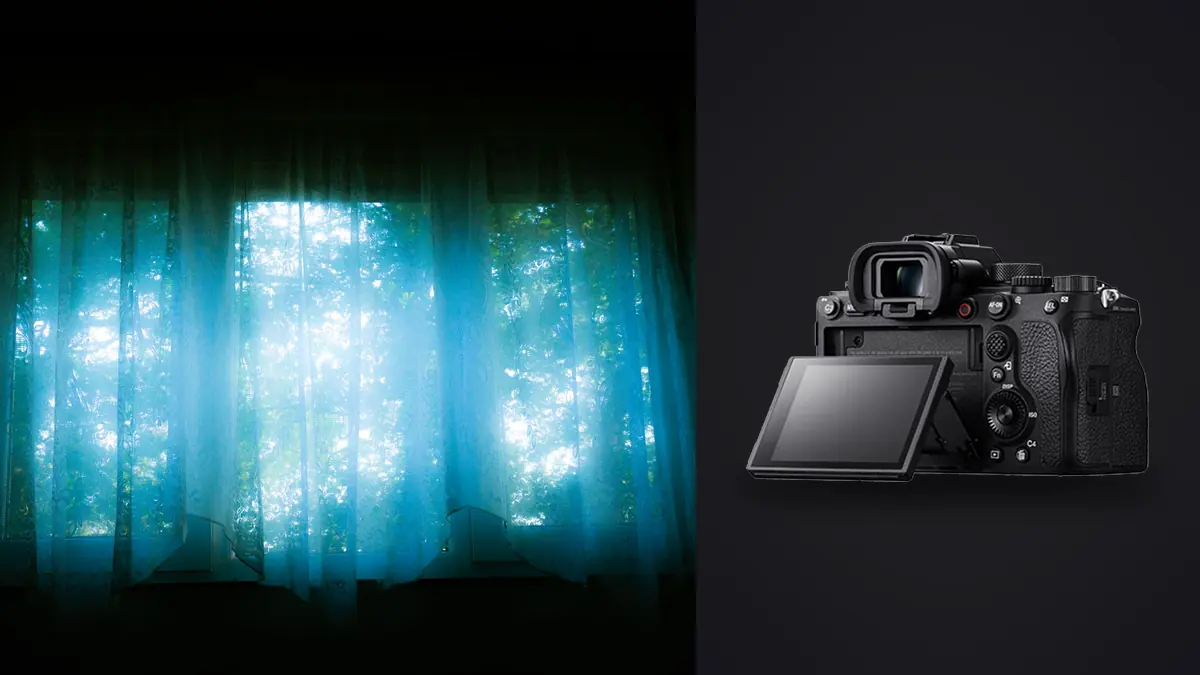
Boudoir sessions live or die on trust. The client is often in a robe in an unfamiliar room, the light is whatever the space gives you, and every mechanical clatter or fumbled setting reminds her that she's being photographed instead of just existing in front of you. Camera choice matters more here than in almost any other genre, not because of resolution charts, but because of how the body behaves in the fifteen seconds after you say "just relax and move naturally." I've shot boudoir with a handful of bodies over the years, and the Sony A1 has become the one I reach for on these sessions specifically because of how it disappears during the work, not because of what it does on paper.
Silence Is a Feature, Not a Spec
The A1's fully electronic shutter runs completely silent, and that single fact changes how a boudoir session feels more than any autofocus statistic. On a body with a loud mechanical shutter, every frame is an announcement. Clients tense up, hold a pose a beat too long, or glance at the camera because they heard it fire. With the A1 in silent mode, I can shoot through a slow exhale, a hand moving through hair, a shift in weight from one hip to the other, and never break the moment with a sound. The client stops performing for the shutter and starts just being in the room.
There's a real tradeoff to know about before you rely on this: electronic shutter on a stacked sensor still has some rolling shutter distortion under quick motion, and it can introduce banding under certain LED or fluorescent lighting if the frequency doesn't match your shutter speed. In practice, for boudoir work where movement is slow and controlled, I've run into banding maybe twice in two years, both times under cheap ring lights, and switching to a shutter speed that's a clean multiple of the light's flicker rate cleared it up. For anything faster than a gentle pose shift, the A1's sensor readout is fast enough that I don't think about it.
Autofocus That Keeps Up With Slow, Unpredictable Movement
Boudoir is a strange autofocus problem. It's not sports, where you need to track a subject crossing the frame at speed. It's the opposite: small, slow, deliberate movements where the eye you're focused on might be three inches from where it was a second ago, half-hidden by a sheet, or turned away and then back. Real-time Eye AF on the A1 holds focus through all of that without hunting, including through hair falling across the face or a hand partially covering an eye, which happens constantly in this kind of posing.
What actually sold me on it was a session in a hotel suite with heavy curtains and a single bedside lamp for light, maybe 1/10th the brightness of a normal shoot. The A1 still locked eye AF reliably at f/1.4, where the focus plane is thin enough that missing by even a centimeter shows on a full-body screen. On a previous body I'd have bracketed focus or shot everything at f/2.8 to buy margin. Here I could shoot wide open with confidence, which matters for the soft, separated look that a lot of boudoir clients want.
Dynamic Range for Rooms You Don't Get to Light
A large share of boudoir work happens in spaces you don't control: a client's bedroom, a rented Airbnb, a hotel room with one usable window. You're often mixing a cool window light with warm tungsten lamps, and the contrast between the two can blow highlights near the window while leaving the far side of the room underexposed. The A1's sensor gives enough recoverable shadow detail that I can expose for the highlights near the window and pull the shadows back up in post without the noise getting ugly, which lets me avoid adding a fill light that would flatten the mood of an otherwise moody room.
This matters more in this genre than in most because clients notice when the light looks artificial. A big softbox pumping fill into a bedroom reads as "photo shoot." Working with the room's own light and trusting the sensor to hold the range reads as "portrait of someone real." I still bring a small LED panel for backup, but on maybe two out of three sessions I never turn it on.
Lens Pairings That Actually Get Used
The A1's body is only half the equation. For boudoir specifically, I've settled on a small rotation of lenses that cover almost everything:
- Sony 50mm f/1.2 GM for close, intimate framing where the falloff to background blur needs to be immediate and the working distance stays comfortable in a small room.
- Sony 85mm f/1.4 GM for the classic compressed portrait look, shot from further back so the client isn't crowded, which matters a lot for people who are already self-conscious.
- Sony 35mm f/1.4 GM for wider environmental frames that include the bed, the window light, the room itself, without distorting the body the way a wider lens would.
I use the 85mm for probably 60% of a typical session because the distance it forces between camera and subject reads as respectful rather than invasive, and clients relax faster when you're not hovering over them with the camera.
Matching Camera Settings to the Room
Every boudoir location is different, but after enough sessions the settings converge into a handful of repeatable starting points. This is roughly what I dial in before the subject even changes:
| Scenario | ISO Range | Shutter Speed | Aperture | Shutter Mode |
|---|---|---|---|---|
| Morning window light, sheer curtains | 100–400 | 1/125–1/250 | f/1.8–f/2.8 | Silent (electronic) |
| Single bedside lamp, evening | 1600–6400 | 1/60–1/100 | f/1.4–f/1.8 | Silent (electronic) |
| Continuous LED panel, studio setup | 200–800 | 1/125–1/160 | f/2–f/4 | Silent (electronic) |
| Off-camera strobe, fill or rim | 100–200 | 1/160–1/200 (sync) | f/2.8–f/5.6 | Mechanical (1st curtain) |
The one place I still switch off silent shooting is with strobes, since electronic shutter can interact badly with flash sync timing on some triggers. The A1's mechanical shutter syncs cleanly to 1/400s, which is fast enough that I rarely need to think about it, but I default back to the mechanical shutter the moment a strobe comes out just to avoid banding across the frame.
The Part Nobody Warns You About: File Volume and Privacy
A 50-megapixel stacked sensor shooting at up to 30 frames per second produces an absurd number of files if you're not disciplined about your finger on the shutter, and boudoir sessions tend to run long bursts through slow movement precisely because you're chasing a specific expression or a specific fall of light across skin. A single session can easily leave you with 2,000 to 3,000 RAW frames, most of them near-duplicates of the same three or four seconds of movement.
That volume is where the editing side of this genre gets genuinely painful, and it's also where privacy becomes a real consideration in a way it isn't for landscape or wedding work. Intimate images sitting in a cloud culling queue, even briefly, is not something most clients would be comfortable with if they thought about it. This is the specific reason I moved my culling to imagic: it processes everything locally on the machine, nothing gets uploaded anywhere, and the sharpness scoring runs through those burst sequences to flag the two or three genuinely sharp frames out of a fifteen-shot burst without me having to zoom into every single one on a laptop screen at the end of a twelve-hour day. For a genre where the source material itself is sensitive, keeping the entire file pipeline offline isn't a nice-to-have, it's close to a requirement.
The duplicate and burst clustering handles the other half of the problem. Boudoir bursts aren't ten identical frames the way a sports sequence might be, they're ten frames of a slow, continuous movement where the "right" one is a matter of a few degrees of head tilt or the exact moment a hand settles. Having the software group those bursts automatically means I'm choosing between four or five real candidates per moment instead of scrolling past two thousand frames trying to remember which cluster I'm even looking at.
Keeping a Consistent Look Across a Session
Boudoir clients often want a cohesive gallery, not twenty images that each look like they came from a different photographer. Because a session moves through window light, lamp light, and sometimes a strobe-lit setup within the same hour, getting a consistent color and tone across all of it in post used to mean building presets for each lighting scenario and applying them by hand, checking each one against the last. I now lean on imagic's apply_my_style feature for this, since it's trained on my own previous edits rather than a generic preset pack, so it carries the warm, slightly desaturated skin tone treatment I use for this genre across a mixed-light session without me manually matching white balance shot by shot. It's not a substitute for judgment on the trickier frames, but it takes the repetitive matching work off the table.
If you're new to building a culling and editing pipeline around a high-volume camera like this, the general mechanics are the same regardless of genre, and it's worth reading through how AI photo culling actually works before you commit to a workflow, since understanding what the sharpness and clustering models are actually scoring will change how you shoot your bursts in the first place.
A Realistic Session Workflow
Here's roughly how a two-hour boudoir session with the A1 breaks down for me:
- Scout the room's light before the client arrives, note where the window falls at the scheduled time, and set a baseline exposure.
- Shoot in short bursts of five to eight frames per pose rather than holding the shutter down, which keeps the frame count manageable without sacrificing the moment where an expression lands.
- Swap between the 85mm and 50mm as the client moves from standing to seated to reclined poses, since each focal length flatters a different body position.
- Cull same-day using local sharpness and cluster scoring rather than letting two thousand frames pile up for a week, since energy for careful review drops fast after a long shoot.
- Apply a consistent style pass across the cleaned-up selects, then hand-finish the dozen or so hero images the client will actually print or frame.
That same-day culling step is the one most photographers skip, and it's the one that saves the most time. If you're trying to tighten up turnaround more broadly, there's a broader set of habits worth adopting beyond just gear, and a faster photo workflow covers most of the non-camera-specific ones.
Where the A1 Falls Short for This Work
It's not a perfect fit for every boudoir photographer, and it's worth being honest about the gaps. The menu system is dense, and if you're not already fluent in Sony's layout, changing between silent and mechanical shutter mid-session under time pressure can cost you a few seconds you don't have while a client is holding a pose. There's no built-in flash, which is irrelevant if you're a natural-light shooter but means carrying a trigger and a speedlight or strobe as extra kit if you want fill options. And at this price point, buying an A1 purely for boudoir work is hard to justify unless you're also shooting other paying work that uses the burst speed and resolution, since a lower-megapixel Sony body in the same lineup will get you similar autofocus and the same silent shutter for meaningfully less money and smaller file sizes to manage afterward.
The resolution itself is a double-edged sword too. 50 megapixels resolves skin texture with unforgiving clarity, which is beautiful when the light and skin prep are right and unflattering when they're not. I've had to get noticeably more careful about skincare guidance before a session and about how I light for texture versus how I'd have lit a lower-resolution body, where minor texture differences simply didn't show up the same way.
Frequently Asked Questions
Is the Sony A1's silent shutter actually silent enough for boudoir sessions?
Yes, in electronic shutter mode there's no audible mechanical sound at all, just the faint beep you can (and should) disable in the menu. The only caveat is rolling shutter under fast motion and occasional banding under flickering artificial light, neither of which comes up much in boudoir given how slow and controlled the posing typically is.
What lenses pair best with the A1 for boudoir and intimate portrait work?
The 85mm f/1.4 GM is the workhorse for most sessions because the working distance keeps things comfortable for the client, the 50mm f/1.2 GM handles tighter, more intimate framing, and a 35mm f/1.4 GM covers wider environmental shots that include the room itself. All three hold up wide open, which matters when you're often shooting in low, mixed light.
Do I need to shoot RAW for boudoir, and how do I deal with the file sizes?
RAW is worth it here specifically because of how much shadow and highlight recovery boudoir lighting demands, but a 50-megapixel sensor at high burst rates generates a serious volume of data fast. The practical fix is shooting in shorter, deliberate bursts rather than holding the shutter, and culling the same day with local sharpness and duplicate-cluster scoring so the file count never gets ahead of you.
How does the A1 handle skin tones under low, warm light without heavy editing?
Reasonably well straight out of camera, though warm tungsten lamps and mixed window light still push skin tones orange enough that most images need a white balance correction pass. Having a consistent editing style applied across a session (rather than adjusting each image by eye) is what actually keeps a gallery looking cohesive when the light shifts from window to lamp to strobe within the same shoot.