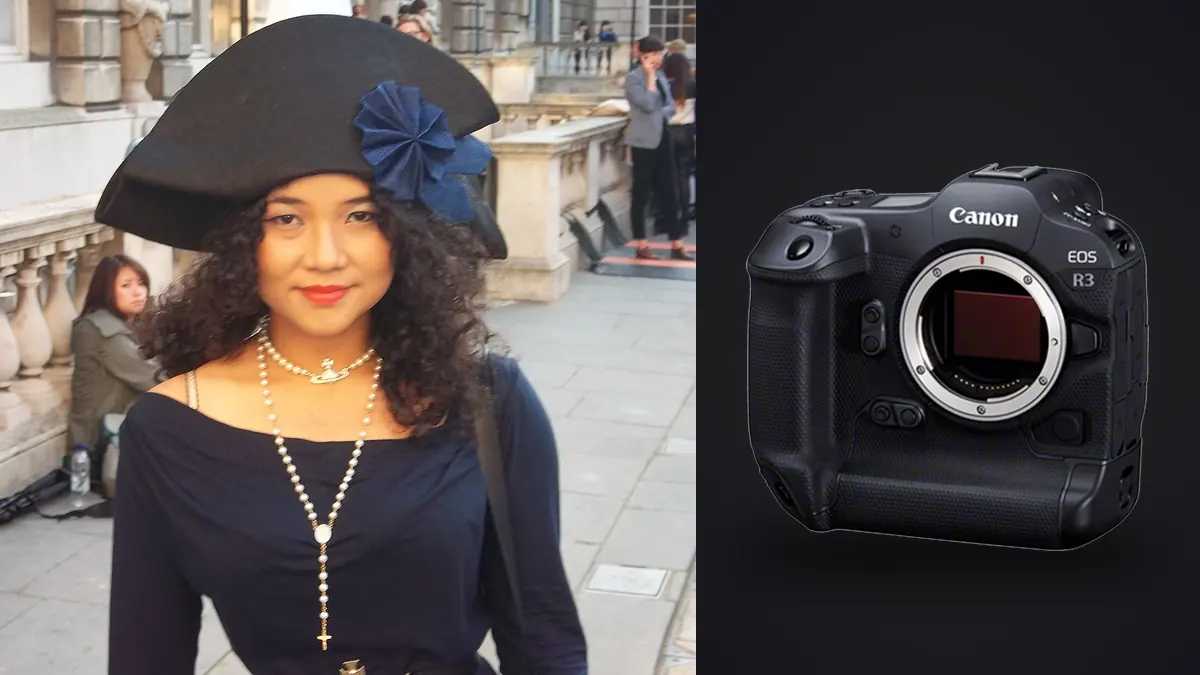
A lookbook day doesn't care what's on the spec sheet. Twenty-two looks, a model, a stylist doing quick changes behind a rack, a client standing over your shoulder checking the back of the camera between setups, and a hard out at 4pm because the studio has another booking. The Canon EOS R3 gets asked to do a specific job in that environment: keep focus locked on a moving subject through fabric and hair and hand gestures, not miss the moment when a garment catches the light right, and not leave you drowning in ten thousand near-identical frames by lunch. I've used one on four lookbook seasons now, two studio-based and two on location, and it earns its place for reasons that are mostly invisible on a spec chart.
What actually changes on set with this body
The 24.1MP stacked sensor is the quiet workhorse here. It's not a high-resolution body, and if your lookbook doubles as a print catalog with full-bleed spreads you'll want to know that going in, but for ecommerce, PDF lookbooks, and social crops it's plenty, and the file sizes stay manageable across a 3,000-frame day. What the stacked sensor buys you instead of resolution is readout speed, which matters more than people expect on a fashion set. When a model spins a coat or a stylist yanks a scarf into frame right as you fire, a slow sensor readout smears vertical lines into a lean. The R3's readout is fast enough that I stopped thinking about rolling shutter on this kind of work, which used to be a real limitation on earlier mirrorless bodies shooting electronic-only bursts.
The other thing that changes is pace. At 30fps electronic with full autofocus and auto-exposure tracking, you stop directing single frames and start directing sequences. Tell the model to walk the mark, turn, and hold, and fire through the whole thing rather than trying to time the one perfect step. That's a different way of shooting than most people bring from studio portrait work, and it took me a few sessions to stop chimping after every single click and just trust the sequence.
The eye control autofocus question everyone asks me
Every photographer who picks this camera up for the first time asks about eye control AF, the feature where the camera tracks where you're looking through the viewfinder and moves the focus point there. On a lookbook shoot with one clean subject and open space it's genuinely useful, faster than joystick nudging when the model steps off her mark and you want focus on her face immediately rather than wherever the last AF point was parked. It needs a calibration pass per shooter (it reads your eye, not a generic profile), and it degrades if you're wearing certain glasses or shooting with one eye squinted, which happens more than you'd think when you're leaning into a viewfinder for six hours straight.
Where it gets less reliable is group shots or anything with a second model or a hand model reaching into frame. I've had it jump to the wrong face when two models are close together and I glance between them. For solo lookbook walks and portrait-style catalog shots it's a real time saver. For group looks I still fall back to zone AF with face and eye detection and just trust the camera's subject recognition, which is honestly excellent on its own without the eye tracking layered on top.
Sync speed and the electronic shutter tradeoff
This is the part that catches people who've only read the marketing copy. The R3 leans hard into electronic shutter, and Canon built the readout speed specifically to make that viable for action work, but flash sync is still a real constraint the moment strobes come out. Mechanical-curtain sync tops out around 1/180s on this body in practice, and if you push past that with standard strobes you'll get banding from the rolling readout, not a clean exposure. For a studio lookbook running Profoto or Broncolor heads at moderate power, that's not a problem, you're rarely shooting faster than 1/125 anyway when you want ambient fill controlled. It becomes a problem the moment someone wants to freeze fabric movement or hair flip under strobe outdoors at wider apertures, where you'd normally lean on high-speed sync to kill ambient light.
My workaround on location days is to treat the R3 like a studio camera even when I'm outside: shoot in shade or overcast light where I don't need to fight the sun, use HSS-capable strobes when I do need speed, and reserve the 30fps electronic burst for available-light movement segments where there's no flash in the chain at all. Trying to run flash-sync stills and pure-motion bursts back to back on the same body without adjusting your mental model of what mode you're in is how you come home with a folder of banded frames you didn't notice on the 3.2-inch screen.
| Scenario | Shutter mode | Practical ceiling | What goes wrong if you ignore it |
|---|---|---|---|
| Studio, strobes, static poses | Mechanical or 1st-curtain electronic | ~1/180s sync | Banding across the frame if you push faster |
| Studio, strobes, walk sequence | Mechanical, continuous low/high | 12fps mechanical | Buffer clears fine, but 12fps misses the mid-stride moment |
| Available light, movement/fabric | Full electronic | 30fps, no flash | None, this is the mode it's built for |
| Location, direct sun, wide aperture | Electronic with HSS strobe | Strobe-dependent, often 1/2000+ | Underexposed frames if the strobe can't keep up with recycle at that fps |
Burst shooting turns a lookbook day into a culling problem
Here's the part nobody warns you about before you own one of these. Thirty frames a second sounds like a feature until you're staring at a card with 4,000 frames from a single four-second walk sequence, multiplied across twenty-two looks. The R3's buffer on a fast CFexpress card will genuinely hold that pace for longer than you'd guess, which is great on set and slightly terrifying that evening when you're trying to find the three frames per look that actually go to the client. Most of those four thousand frames are near duplicates of each other, same pose, same light, a few pixels of difference in where a foot landed or a strand of hair moved.
This is where I stopped trying to eyeball my way through Bridge or Lightroom's grid view and started running everything through imagic first. It runs locally, so nothing about an unreleased collection is leaving the machine before the client has approved anything, which matters more on lookbook work than most other genres because you're often shooting product that hasn't been announced. It clusters the burst sequences and near-duplicate frames automatically and scores sharpness and focus accuracy within each cluster, so instead of scrubbing through four thousand frames I'm looking at maybe three hundred distinct moments with the sharpest pick from each already flagged. On a day with this many looks, that's the difference between a same-day client preview and a next-day one.
Lens pairings that actually earn their weight
The body is only half the story on a lookbook set, and I've seen people rent an R3 and pair it with the wrong glass, which wastes most of what the camera does well.
For the walk and full-length looks
The RF 70-200mm f/2.8 is the lens that earns the most use on lookbook days, specifically for full-length walking shots where you want compression that flatters the garment's silhouette without distorting proportions the way a wider lens does at close range. It also gives you working distance from the model, which matters when there's a stylist adjusting a hem or fixing a strap between every other frame and you don't want to be standing on top of them.
For detail and texture shots
The RF 50mm f/1.2 or the RF 85mm f/1.2 for close crops on fabric texture, stitching, buttons, the kind of detail insert that lookbooks need alongside the full-length hero shots. Shallow depth of field at f/1.2 separates the garment detail from a busy background fast, which saves post time you'd otherwise spend masking. The R3's eye control AF is less useful here since you're often not tracking a face at all, so I just use single-point AF and place it manually.
Color rendering and the editing pipeline
Canon's color science out of camera skews warm and flattering on skin, which fashion clients generally like, but a full lookbook needs consistent color across dozens of looks shot over hours as the light shifts, and that consistency is where the real editing time goes, not in any single image. What works is building one edit that nails the brand look on the first few hero frames of the day, then using imagic's apply_my_style feature to carry that same treatment across the rest of the set instead of manually matching white balance and contrast look by look. It's trained on your own edits rather than a generic filter, so it holds onto the specific warmth or desaturation a client asked for rather than pushing everything toward some average preset look. That single step is what keeps a 22-look set feeling like one shoot instead of twenty-two slightly different ones by the time it reaches the client.
The R3's dynamic range gives you enough room to recover a blown highlight off a white garment or pull detail from a dark fabric without the file falling apart, but I still expose to protect highlights on light-colored clothing specifically. Recovering shadow detail on black fabric is far more forgiving than trying to pull back texture on a white blouse that's clipped.
Getting the set delivered without cutting corners
Client turnaround expectations on commercial lookbook work have gotten tighter every year. Same-day or next-morning delivery of a select is now the norm rather than the exception, and the bottleneck was never the shooting, it was always the gap between "card full of RAW files" and "client can see a clean edited set." Running the culling pass locally the moment the shoot wraps, rather than uploading to a cloud service and waiting on it, can save more hours over a season than any single piece of glass. It also means an unreleased collection never sits on someone else's server overnight, which studios and brands have started asking about directly rather than assuming.
If you're building out a workflow around a body like this for the first time, it's worth reading through how AI photo culling actually works before you commit to a process, because the culling step is genuinely the part that scales or breaks depending on your shot volume, not the camera choice itself.
Frequently Asked Questions
Is the EOS R3 overkill for a lookbook shoot compared to an R5 or R6 II?
For a single static look at a time, yes, you don't need 30fps to photograph someone standing still. It stops being overkill the moment the shoot involves walking sequences, fabric movement, or a model who moves between poses rather than holding them, which describes most commercial lookbook work. The R5 gives you more resolution for large-format print use, the R6 II is lighter and cheaper and still very capable, but neither matches the R3's buffer depth or blackout-free viewfinder when you're firing long bursts through a walk.
Can I shoot a full lookbook day on one battery?
Not reliably if you're running high burst rates and eye control AF, which both draw more power than standard shooting. I carry three batteries for a full day and have run through two on a heavy burst day. It's worth budgeting for spares rather than assuming the R3's larger battery will carry you the way it might on a slower-paced shoot.
Does the electronic-only shutter cause problems with continuous LED lighting instead of strobes?
Less than you'd think, but it's not zero. Continuous LED panels running at certain refresh rates can produce banding at high shutter speeds combined with high fps electronic bursts, similar to what you'd see filming under fluorescent light. It's worth doing a quick test burst under your specific LED setup before committing to a full day, since panel quality varies a lot and cheaper panels are more likely to cause it.
How many keeper frames should I expect from a heavy burst day, and how do I get through them fast?
From a day shooting closer to 4,000-5,000 frames across twenty-plus looks, a typical delivery is somewhere around 60-90 final images after culling and edit. Getting from that raw count down to a working shortlist is the actual time cost of a body this fast, and it's the reason I run everything through imagic's clustering and sharpness scoring before I ever open Lightroom. Sorting that volume by eye is a half-day job on its own; doing it with local automatic scoring first turns it into closer to an hour of confirming picks.