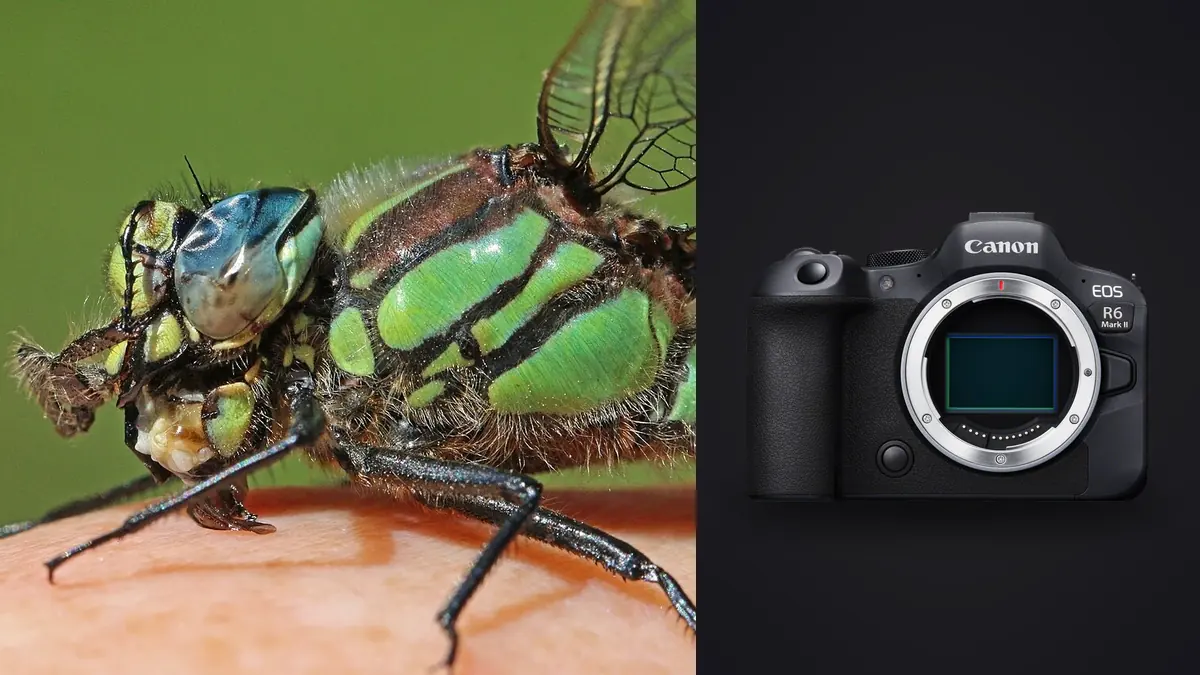
I get asked some version of the same question every spring: is the Canon EOS R6 Mark II actually good for shooting bugs, or is it just a decent all-round body that happens to have a macro lens available for it. The honest answer sits in between. The R6 Mark II is not a specialist macro tool the way, say, a dedicated focus-stacking rig with a bellows is a specialist tool. But the specific combination it offers, a 24.2-megapixel full-frame sensor, in-body stabilization rated for roughly 8 stops with compatible lenses, Dual Pixel CMOS AF II, and a built-in focus bracketing mode, covers most of what insect macro actually demands. What it doesn't do is make the hard parts of insect macro easy. Depth of field at 1:1 is still measured in fractions of a millimeter, insects still fly off the moment your shadow crosses them, and no camera body fixes bad light.
This isn't a spec sheet rundown. It's what changes in your actual shooting once you put this body in front of a jumping spider, a hoverfly, or a dew-covered damselfly at 6am, and where the gaps are that you have to work around.
Autofocus at 1:1 is a different game than autofocus anywhere else
Dual Pixel CMOS AF II on the R6 Mark II is genuinely good at tracking eyes, and Canon extended that detection to a wider range of subjects than the original R6 had, including some insects and small creatures under the "animal" category. In practice, at normal working distances on a dragonfly perched a few feet away, eye detection will lock onto a compound eye reliably enough to be useful. The trouble starts once you push past roughly 0.5x magnification and head toward 1:1 and beyond, which is where most interesting insect macro actually lives.
At those magnifications the depth of field at f/8 on a subject a few centimeters from the front element can be under a millimeter. The autofocus system has almost nothing to grab onto because the "in focus" zone is so thin that the AF motor hunts back and forth across it in a single AF cycle. I've had it rack focus straight through a mantis's face because the system couldn't settle on a plane that thin. Past a certain magnification, autofocus stops being a tool and becomes a liability. My actual workflow for anything beyond half-life-size: switch to manual focus, use focus peaking with the sensitivity turned up, punch in with magnified live view, and physically rock my body or a focusing rail forward and back rather than turning the focus ring. The lens barely moves the plane of focus at those distances anyway; your own body position moves it more precisely.
Where the AF system earns its keep is at more modest magnifications, roughly 0.2x to 0.4x, photographing something like a butterfly on a flower head where you're not chasing extreme close-up detail. There, eye detection combined with a small single-point AF area is fast and dependable, and I'd rather let the camera do it than fight for manual precision I don't need.
The lens is doing more work than the body
If you're building this system from scratch, the RF 100mm f/2.8L Macro IS USM is the lens that actually makes the R6 Mark II worth using for insects, more so than any body-level spec. It reaches 1.4x magnification rather than the 1:1 ceiling of the older EF version, which matters enormously once you're photographing something the size of an aphid or a jumping spider's face. The Spherical Aberration control ring is a genuinely useful oddity too, it lets you dial in a softer background rendering for foreground-focused portraits or keep it clinically sharp, and you can adjust it between shots without touching exposure.
Combined with the body's IBIS, handheld shooting at modest magnifications (under 0.5x) becomes far more forgiving than it has any right to be. But I want to be straight about where that stabilization stops mattering: once you're at 1:1 or beyond, the dominant blur source isn't camera shake, it's the insect breathing, a stem moving in a breeze you can't feel, or your own body swaying half a millimeter as you exhale. No amount of in-body stabilization corrects for that, because it's not the kind of motion IBIS is built to counter. I still keep it on, because it helps with framing and with the wider shots in between, but I don't expect miracles from it at extreme close-up.
If you already own an EF 100mm f/2.8L Macro from DSLR days, adapted onto the R6 Mark II it still performs close to native, and the money saved is real. The main thing you give up is that extra 0.4x of magnification, which is a bigger deal for tiny subjects than it sounds on paper.
Settings that actually hold up outdoors
Insect macro settings change more by scenario than by subject species, so I think about it in terms of what the insect is doing rather than what it is.
| Scenario | Aperture | Shutter | ISO / flash | Why this combination |
|---|---|---|---|---|
| Cold, dew-covered insect at dawn, fully still | f/11-f/16 | 1/125s or slower, tripod/rail | ISO 100-400, no flash needed | Subject won't move; use the smaller aperture for depth, and take the shutter speed hit since nothing is going anywhere |
| Bee or hoverfly actively working flowers | f/8-f/11 | 1/500s minimum | ISO 800-1600, diffused fill flash | Subject moves unpredictably; flash freezes motion better than shutter speed alone at this range |
| Jumping spider or similarly tiny subject, extreme close-up | f/8, stacked | 1/200s (flash sync) | ISO 100-200, flash mandatory | Ambient alone can't give usable depth at this magnification; flash does double duty as light source and motion-freeze |
| Damselfly or dragonfly in flight (rare, high-effort) | f/6.3-f/8 | 1/2000s+ | ISO 3200+, no flash (too slow to sync usefully) | You're chasing a moving target with almost no depth margin; wide-ish aperture and brute shutter speed are the only real options |
The electronic shutter's 40fps top speed sounds like the obvious tool for flight shots, and it can be, but there's a real rolling shutter cost at insect wingbeat frequencies. Dragonfly and damselfly wings can smear or warp slightly in electronic-shutter frames in a way they don't with the mechanical shutter. For anything with fast wing motion I'll usually drop back to the mechanical shutter around 12fps rather than chase the electronic top speed, because a clean 12fps burst beats a warped 40fps one.
Focus bracketing turns a settled subject into a proper stack
The R6 Mark II's built-in focus bracketing mode is one of the more underused features for this kind of work. You set a shot count (up to 999), a step width from 1 to 10, and an exposure smoothing option, and the camera racks focus through the whole range on its own. For insects this only really works on subjects that are cold, dead, or otherwise not going anywhere, cooled specimens on a diffusion box, dew-slowed insects at first light, or anything posed indoors. Trying to focus-stack a live, warm insect in a garden is mostly wasted effort; it will move between frames faster than the bracket completes.
What the camera gives you is the bracketed sequence itself; merging those frames into a single stacked image still happens afterward in dedicated stacking software. A 40-60 frame bracket at a tight step width is common for something like a fly's compound eye, and that's 40-60 nearly identical RAW files for a single finished photo, multiplied by however many attempts it takes to get one clean pass without the insect twitching mid-sequence. On a real shoot you end up with hundreds of these near-duplicate frames from stacking alone, on top of the usual burst shooting. That's the point where I stopped trying to sort it by eye. I run the day's card through imagic before touching a stacking app, its local sharpness scoring flags which frame in a shaky bracket actually landed in focus, and the duplicate and burst clustering groups each stacking attempt together instead of leaving them scattered across a flat folder of a thousand thumbnails. It runs entirely on the machine, no upload queue, which matters when you're doing this from a laptop in a field with no signal.
Working around a subject that doesn't want to be photographed
Working distance decides more outcomes in insect macro than any setting does. The 100mm focal length keeps you further back than a 50mm or 60mm macro would at the same magnification, which buys real margin with skittish subjects like hoverflies or skippers that bolt the instant something looms over them. Silent electronic shutter shooting helps too; the mechanical shutter's clack is audible enough at close range to spook the more nervous species, and I lose fewer clean approach shots with it off.
The R6 Mark II's 1.6x crop shooting mode is worth knowing about for reach, since it effectively lets you frame tighter without closing the working distance further, at the cost of dropping to roughly 9.5 effective megapixels of the sensor's usable area. For web use or moderate prints that's a fair trade against spooking the subject entirely by getting physically closer. For anything you plan to print large, or for a stacked composite where you need maximum resolution per frame, I'd rather crop in post from the full sensor and keep every pixel available.
Flash and diffusion, not just shutter speed, freeze motion
Past a certain magnification, ambient light alone stops being viable, there simply isn't enough of it reaching a subject a few centimeters from the lens once you've stopped down for depth. A diffused speedlite, or a proper twin macro flash bracket if you're doing this often, does two jobs at once: it lights a subject that's otherwise in its own shadow, and the very short flash duration (often 1/1000s to 1/8000s effective depending on power level) does more to freeze wing motion or a twitching antenna than any shutter speed the mechanical shutter's 1/200s sync will give you unassisted. I run flash power low and diffused through a fold of tracing paper or a small softbox clipped to the flash head, because bare flash at this range produces a hotspot that reads as obviously artificial on an insect's exoskeleton.
The common mistake I see is people cranking ISO to compensate for a dim scene instead of trusting the flash to do the actual illumination. Underexposing the ambient background by a stop or two and letting the flash be the dominant light source gives cleaner, less grainy results and a more controlled look overall, especially against cluttered garden backgrounds.
What happens after the shoot matters as much as the shoot itself
A single good morning of insect macro on this body routinely produces two or three thousand frames once you count every stacking attempt and every burst. Most of that volume is near-duplicate junk: five frames of a bee that moved a centimeter, a stacking sequence abandoned halfway through because the subject shifted, three attempts at the same jumping spider portrait before one lands sharp on the eyes. Sorting that by hand is the actual bottleneck in this whole process, not the camera. This is the one part of the workflow I've stopped doing manually. Local sharpness and focus scoring in imagic ranks each near-duplicate frame so the genuinely sharp one surfaces instead of getting buried at position 40 of a 60-frame sequence, and because it runs offline there's no waiting on an upload for a laptop full of RAWs shot two hours outside cell coverage. Once I've picked a look for a season's worth of insect shots, greens pulled slightly toward olive, shadows kept dark rather than lifted, I train imagic's apply_my_style feature on a batch of my own finished edits and let it carry that look across the rest of the folder automatically rather than re-deriving it frame by frame. If you haven't looked at how automated culling actually scores a frame under the hood, the breakdown in how AI photo culling works covers the mechanics in more depth than I will here, and the general habits in 10 tips for a faster photo workflow apply particularly well to the kind of burst-heavy shooting insect macro produces.
Frequently Asked Questions
Do I need the RF 100mm Macro, or will a cheaper adapted lens work just as well?
An adapted EF 100mm f/2.8L Macro performs close enough to native on the R6 Mark II that I wouldn't rush to replace one you already own. What you lose is the RF version's reach to 1.4x magnification, which matters specifically for very small subjects like aphids or spiderlings, and the Spherical Aberration control ring, which is a nice-to-have rather than essential. For a first macro lens bought new, the RF version's extra magnification is worth the price gap; for someone already holding the EF glass, adapt it and spend the savings on a flash bracket instead.
Is the R6 Mark II's autofocus actually useful for insects, or should I just focus manually?
Both, depending on magnification. Below roughly 0.4x, eye detection AF is fast and reliable enough to trust for moving subjects like butterflies or bees on flowers. Past that, into 1:1 and beyond territory, the depth of field gets too thin for the AF system to consistently land on the right plane, and manual focus with peaking, controlled by moving your body rather than the focus ring, becomes the more dependable method.
How many frames should I shoot for a focus-stacked insect portrait?
It depends entirely on magnification and aperture, but for a compound eye or similarly detailed close-up at 1:1 or beyond, 40 to 60 frames at a tight step width (1-2 on the R6 Mark II's bracketing scale) is a realistic starting point. Wider subjects or a smaller aperture need fewer frames since each one covers more depth. The bigger constraint in practice is keeping the subject still long enough for the whole sequence, which is why this technique works best on cooled or dew-slowed insects rather than active ones.
Will the 1.6x crop mode hurt image quality on small subjects?
It costs you resolution, dropping from 24.2 effective megapixels to roughly 9.5, which is noticeable if you're printing large or need room to crop further in editing. For web galleries or modest prints it's a reasonable trade when the alternative is getting physically closer and flushing a skittish subject. I use it selectively, mainly on species that won't tolerate a shorter working distance, and shoot full-frame whenever the subject allows it.