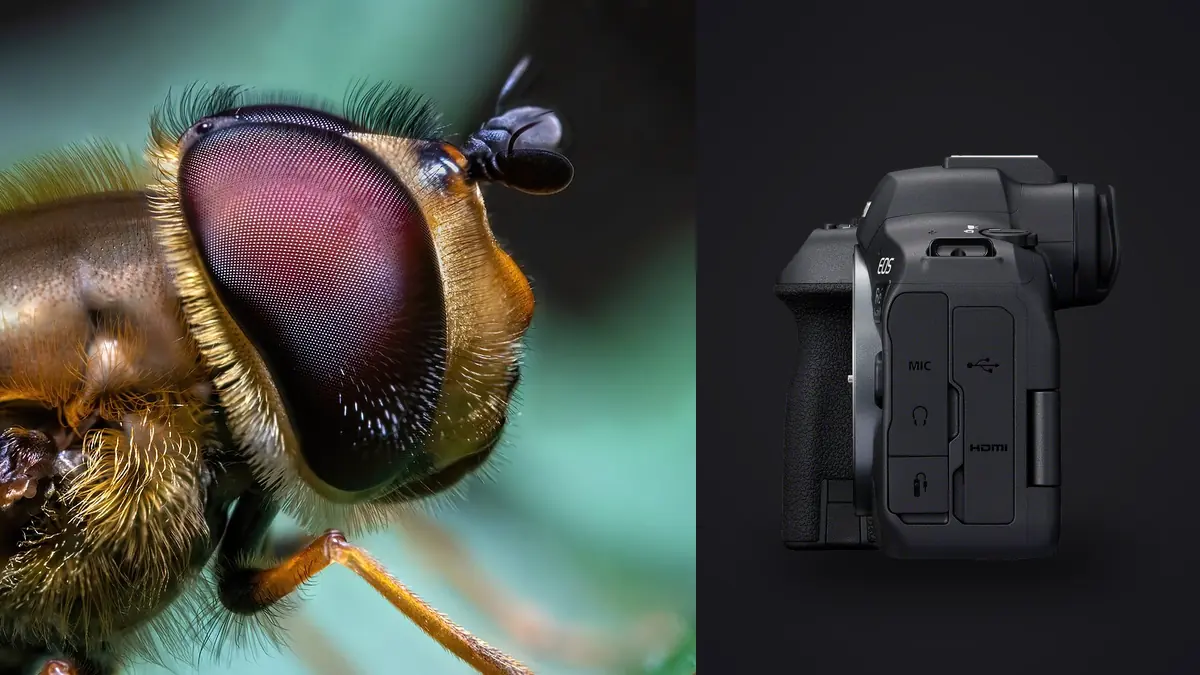
The Canon EOS R6 Mark II was never marketed as a macro camera. Canon built it for sports shooters and wedding photographers who needed fast, reliable subject tracking. But a 24.2MP full-frame sensor with in-body stabilization and a genuinely fast burst mode turns out to be a solid platform for chasing dragonflies and jumping spiders too, once you understand where the camera helps and where it quietly gets in your way. I've spent enough mornings on my knees in wet grass with this body to have opinions about both.
What the Sensor and Stabilization Actually Give You
At true 1:1 macro magnification, camera shake is the enemy long before autofocus speed matters. The R6 Mark II's in-body image stabilization is rated up to 8 stops with compatible lenses, and while that number gets softer the closer you focus (physics doesn't care what Canon prints on a spec sheet), it still buys real handheld stability at the shutter speeds macro work tends to land on: 1/160 to 1/320 with flash, or 1/500 and up without it. I shoot handheld for probably 90 percent of my insect work because a tripod telegraphs your presence to a skittish subject and costs you the shot entirely.
The 24.2MP sensor is also, in my view, the right resolution for this genre. A higher-megapixel body like the R5 gives you more room to crop after the fact, but it also punishes handshake more visibly and produces files that choke a laptop after a three-hour session of bracketed bursts. 24 megapixels is enough to print a damselfly at a respectable size and still light enough to burn through a card full of stacking sequences without your buffer clock stalling every few seconds.
One practical note: the R6 Mark II uses dual SD UHS-II slots, not CFexpress. For macro that's actually fine, since RAW file sizes here don't demand the write speeds a CFexpress card offers, but buy fast UHS-II cards anyway if you're doing focus bracketing sequences, because a slow card will bottleneck a 20-shot stack mid-sequence.
The Autofocus Problem Nobody Mentions in the Marketing
Canon's subject detection on this body covers people, animals (dogs, cats, birds), and vehicles. It does not have a dedicated insect or bug category, and that matters more than most reviews let on. Point the R6 Mark II at a mantis or a hoverfly with Animal detection switched on and you'll get inconsistent results: sometimes it locks onto a compound eye like it knows exactly what it's doing, other times it hunts around the frame looking for a dog that isn't there. I've stopped relying on it for anything smaller than a large dragonfly.
What actually works: single-point AF, sized down as small as the camera allows, placed directly over the eye or the leading edge of the subject, combined with back-button focus so a half-press doesn't re-trigger a hunt every time you recompose by a millimeter. At high magnification the depth of field is so thin that the AF point needs to be smaller than the subject's head, not just smaller than the subject.
Manual focus and focus peaking still earn their keep
For truly close work, anything past about 1:1 with an extension tube stacked on, autofocus becomes unreliable enough that I switch to manual and use focus peaking with the focus guide overlay. The trick that took me embarrassingly long to learn: don't try to focus the lens on a stationary bug. Set the focus ring roughly where you want it, then rock your whole body forward and back a few centimeters until the peaking highlights land on the eye. It's slower to describe than to do.
Focus bracketing for the shots that need real depth
The in-camera focus bracketing mode (increment, number of shots, exposure smoothing) inherited from the R5 and R6 is genuinely useful here, especially for cold, sluggish subjects at dawn. A dew-covered damselfly that hasn't warmed up enough to fly will sit still for a 15 to 20 shot bracket, which I later blend in stacking software for depth of field that a single frame at f/16 simply cannot deliver without diffraction softness creeping in.
Lens Choices That Actually Matter in the Field
The RF 100mm f/2.8L Macro IS USM is the obvious pairing, and for good reason. 1.4x maximum magnification (beyond true 1:1), a unique Spherical Aberration control ring that lets you dial background bokeh from soft to neutral to slightly harsh, and hybrid IS that coordinates with the in-body system. It's not a light lens at roughly 730 grams, and hand-holding it for a two-hour insect walk will remind your wrist that it exists, but the image quality and working distance (about 15cm at maximum magnification) make it worth the weight for anything from bees to beetles.
Skittish subjects change the calculus. Dragonflies perched on a reed over water will often let you approach to within a meter or so with a telephoto, but the same dragonfly bolts the second a 100mm macro lens gets within its 20cm comfort zone. For those situations I reach for a telephoto zoom with an extension tube or a clip-on Raynox DCR-250, trading maximum magnification for the working distance that keeps the subject from noticing you.
| Option | Max Magnification | Working Distance | Light Loss | Best For |
|---|---|---|---|---|
| RF 100mm f/2.8L Macro IS | 1.4x | ~15cm | None | Bees, beetles, stationary subjects |
| EF 100mm f/2.8L Macro (adapted) | 1.0x | ~15cm | None | Budget alternative if you already own it |
| RF/EF 25mm extension tube | Adds ~0.3-0.5x to host lens | Shortens by tube length | ~1/2 to 1 stop | Boosting reach on non-macro lenses |
| Raynox DCR-250 clip-on | Adds ~2-3x to a telephoto's native ratio | Reduced but still usable on a zoom | None | Skittish dragonflies, butterflies |
| 1.6x in-camera crop mode | Effective magnification boost, no added glass | Unchanged | None (resolution drops to ~9.5MP) | Quick reach on tiny subjects like jumping spiders |
That crop mode line deserves a mention on its own. Switching the R6 Mark II to its 1.6x APS-C crop for stills gives you extra reach on a small subject without swapping lenses or losing light, at the cost of dropping your file down to around 9.5 megapixels. For web use or a modest print, that trade is often worth making rather than fumbling an extension tube onto a lens while a jumping spider decides whether to bolt.
Settings by Scenario
Insect macro isn't one lighting condition or one subject behavior, so a single "correct" exposure triangle doesn't exist. Here's roughly what I dial in depending on what's in front of the lens.
| Scenario | Aperture | Shutter Speed | ISO | AF Mode |
|---|---|---|---|---|
| Dew-covered damselfly, dawn, still | f/11 | 1/160 (handheld, IBIS-assisted) | Auto, capped at 3200 | Manual + focus peaking |
| Bee working a flower head, light breeze | f/8 | 1/1000 | Auto, capped at 6400 | Single-point AF, small size |
| Dragonfly perched, flight-ready | f/8 | 1/2000 | Auto, capped at 8000 | Single-point AF, back-button |
| Jumping spider on bark, extreme close-up | f/16 (or focus bracket at f/8) | 1/200 with off-camera flash | 100 | Manual focus, peaking |
Freezing Wings: Where Shutter Speed Stops Being Enough
A dragonfly's wingbeat clocks somewhere around 30 cycles per second, a honeybee's closer to 200. No shutter speed the R6 Mark II can produce will crisply freeze a bee's wings on ambient light alone. Flash duration does the work instead: a speedlite or macro twin-lite fired at low power (1/32 or lower) has an effective flash duration well under 1/10,000s, which is what actually stops the blur, not the shutter.
The catch is sync speed. The R6 Mark II's mechanical and electronic-first-curtain shutter both sync at up to 1/250, but the fully electronic (silent) shutter mode doesn't play well with flash at all, so if you're using strobes, switch out of silent shooting. High-speed sync is available with a compatible speedlite if you need faster ambient-cutting shutter speeds, but at macro distances you rarely need it. A basic single-flash-with-diffuser setup handled from a bracket or handheld off to the side, combined with 1/200 to 1/250 to kill ambient light contribution, gets you sharp wings on a bee without much fuss.
Where the Camera Fights You
Weather sealing on the R6 Mark II is decent but not R5-tier robust, which matters more than it sounds like for insect work, since a lot of the best subjects are found low to the ground, near ponds, or in dewy grass at dawn. I keep a rain sleeve in the bag even on clear mornings, mostly for the condensation risk of moving a cold camera body into humid air near water. The other genuine friction point is battery life under focus bracketing: a 20-shot bracket with exposure smoothing enabled draws more than a casual glance at the battery icon would suggest, and a full morning of repeated bracketing sequences will eat through a battery faster than the same number of single frames.
Sorting Through What You Actually Shot
A single productive morning chasing insects with this camera routinely produces 800 to 1,500 frames once you count every focus bracket and every burst fired at a bee that wouldn't sit still. Almost none of that volume is duplicate effort you meant to create, it's just what it takes to land a handful of genuinely sharp, well-composed frames. Sorting it by eye afterward is the least enjoyable part of the whole process, and it's the part where I've come to rely on imagic. It scores sharpness locally, on the laptop, which matters because a lot of my best insect mornings happen somewhere with no signal at all, and its burst and near-duplicate clustering groups a 20-frame focus bracket or a hesitant 12-shot burst on a wary dragonfly into one set instead of 20 separate thumbnails to click through one by one.
The other feature that's saved me real time is automated culling paired with apply_my_style, imagic's preset built from your own past edits rather than a generic macro-photography look someone else designed. Insect shoots tend to need a consistent hand (similar white balance correction under dappled shade, similar shadow recovery on backlit wings) across dozens of keepers, and having that baked in from your own editing history saves a lot of repetitive slider dragging once you're back at the desk. If your macro sessions are producing the same kind of frame count mine do, it's worth reading through a faster culling workflow before your next outing rather than after your card fills up for the third time.
Frequently Asked Questions
Does the R6 Mark II's animal eye detection work on insects?
Not reliably, and Canon doesn't claim it does. Animal detection is built around dogs, cats, and birds, and while it occasionally locks onto a large insect's compound eye by coincidence, it's inconsistent enough that I default to single-point AF or manual focus for anything smaller than a large dragonfly.
Is the RF 100mm f/2.8L Macro worth it over adapting the older EF 100mm?
If you already own the EF version, adapting it works fine and saves real money. But the RF lens's 1.4x magnification versus the EF's 1:1, plus the Spherical Aberration control ring for shaping bokeh, are genuine upgrades if you're buying new and insect work is a serious part of your shooting.
Can I use extension tubes on a non-macro RF lens for insects?
Yes, and it's a cheap way to get closer on subjects like bees or beetles using a telephoto zoom you already own. You'll lose infinity focus while the tube is attached and give up roughly half a stop to a full stop of light, but for a budget approach to reach that beats buying a dedicated macro lens outright, it works well.
What's the best time of day to shoot insects with this setup?
Early morning, before insects have warmed up enough to fly readily. Being ectotherms, most insects are noticeably more docile in the first hour or two after sunrise, which is when focus bracketing sequences and manual-focus close-ups actually succeed instead of ending with the subject taking off mid-stack.