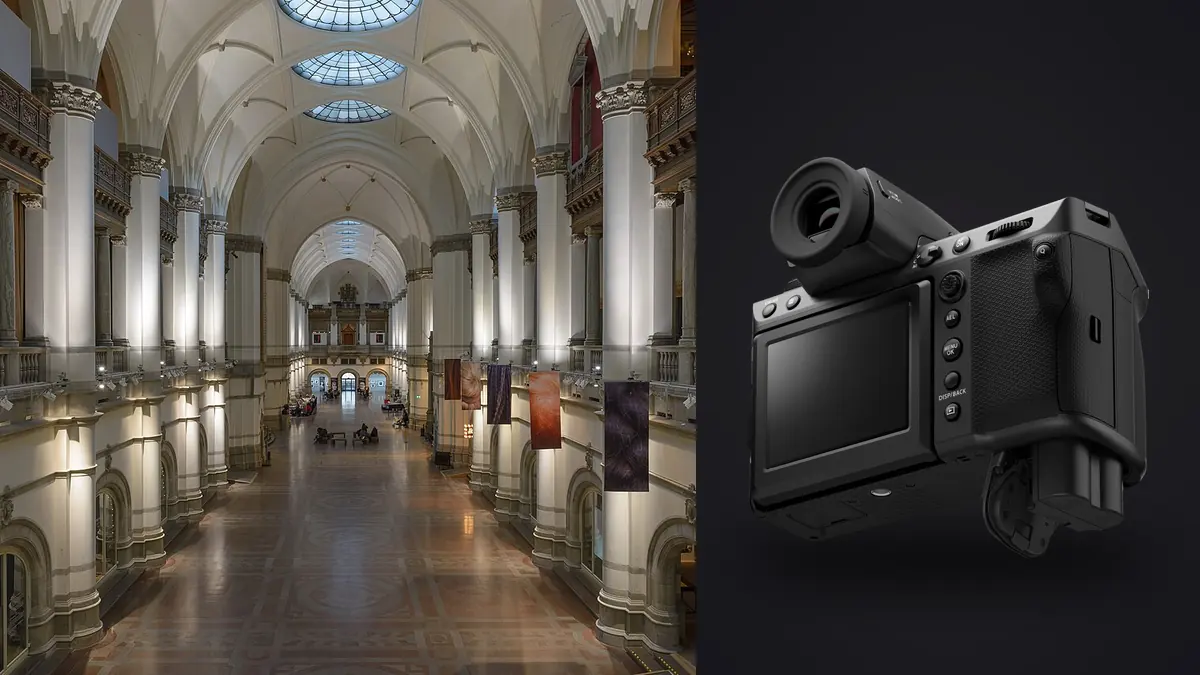
I picked up the GFX 100 II for a renovated dental office of all things, not a glossy architecture magazine spread. The client wanted marketing photos big enough to print on a lobby wall and clean enough to survive a heavy crop for their website banner. That combination, large-format print plus aggressive cropping, is exactly the scenario where a 102-megapixel medium format sensor stops being a spec-sheet flex and starts being the reason you got hired over someone with a 24-megapixel crop body.
Why a 102-megapixel body actually earns its keep indoors
Interior and architectural work punishes cameras in a specific way that portrait or event work doesn't. You're rarely shooting a single frame and calling it done. You're shooting a room from the correct height, at the correct focal length to keep verticals honest, and then you're cropping that frame later because the art director wants a square Instagram version, a 16:9 banner, and a full-bleed print, all from the same capture. Every crop eats resolution. With a 24 or 33-megapixel file you run out of room fast. With the GFX 100 II's 102-megapixel sensor, you can take a 30% crop out of a hallway shot and still have enough pixels for a two-page magazine spread.
The sensor itself (44mm x 33mm, roughly 1.7x the area of full frame) also just resolves texture differently. Wood grain, plaster texture, brushed concrete, the kind of detail that interior design clients actually care about because it's the material they specified and paid for, holds up under scrutiny in a way that smaller sensors soften slightly even at high resolution. It's not dramatic. It's the kind of difference a client notices without being able to say why.
The lens gap nobody mentions until you hit it
Here's the part that catches people off guard: Fujifilm still hasn't shipped a native tilt-shift lens for the GF mount. If you're coming from a Canon TS-E 17mm or a Nikon PC lens and assuming the GFX system has an equivalent, it doesn't, at least not yet. For architectural photographers who lean on shift movements to keep verticals parallel without cropping away half the frame, that's a real gap.
In practice I've worked around it two ways. The cheap way is shooting wide (the GF20-35mm f4 or the GF23mm f4) from a level tripod and correcting perspective in post, accepting the resolution cost of the crop that correction introduces. Since you're starting from 102 megapixels, you can afford to lose 15-20% of the frame to a perspective pull and still deliver a usable file, which is honestly the whole argument for using this body over a lower-resolution one for this kind of work. The other way, and the one serious architecture specialists actually use, is mounting the GFX body on a technical camera (Cambo WRS or similar) with a helicoid and shift adapter, treating it like a digital back on a view camera. That setup is expensive and slow to work with, but it gives you true shift movements with no resolution penalty. Most interior work doesn't justify that rig. Most architecture-magazine-cover jobs do.
Dynamic range and the window-pull problem
Every interior shoot eventually puts you in a room with a bright window and a dim interior in the same frame. The GFX 100 II's base ISO of 80 and its roughly 14 stops of usable dynamic range at that ISO mean you can pull a lot of that back from a single RAW file that would have needed a three-shot bracket on a lot of full-frame bodies I've used. That doesn't mean I stopped bracketing. It means I bracket less aggressively, usually a three-frame set at -2/0/+2 rather than the five or seven-frame sets I used to shoot on a 24-megapixel APS-C body for the same scene, because the middle exposure alone recovers window detail that used to require a dedicated highlight frame.
Where I still bracket hard is anything with direct sun hitting glass or a chandelier in frame. No sensor recovers a blown highlight from a light source pointed at the lens, and 16-bit RAW headroom doesn't change that math.
How it stacks up against what I actually carried before
I switched from a Sony A7R V for most of my architecture work, and I still keep a GFX 100S II around as a lighter body for jobs where I don't need the top-tier viewfinder and card slots. Here's how the three compare on the specs that actually change how an interior shoot goes, not the ones that just look good in a spec sheet.
| Camera | Sensor / resolution | Base ISO | Native shift-lens option | Typical interior RAW size | Approx. launch price (body) |
|---|---|---|---|---|---|
| Fujifilm GFX 100 II | 44x33mm, 102MP | ISO 80 | None (adapter/technical camera only) | ~180-220MB compressed RAW | $7,499 |
| Fujifilm GFX 100S II | 44x33mm, 102MP | ISO 80 | None (adapter/technical camera only) | ~180-220MB compressed RAW | $4,999 |
| Sony A7R V | 35.9x24mm, 61MP | ISO 100 | Laowa 15mm shift (third-party, native E-mount) | ~90-120MB compressed RAW | $3,899 |
The Sony wins on having an actual native shift lens option and on file size, which matters more than people admit once you're six hours into a shoot day. The GFX wins on raw resolving power for anything headed to print or a large crop. Neither wins outright. Pick based on the end use: print-heavy design portfolio work goes to the GFX, fast-turnaround real estate listings go to the Sony because you can shoot, cull, and deliver in a fraction of the time.
What the file sizes do to a real shoot day
A typical interior job for me is 12-18 rooms or angles, three-frame brackets on most of them, plus a handful of detail shots (hardware, fixtures, material close-ups) shot without brackets. That's easily 500-700 frames by the end of the day, and at 180-220MB per compressed RAW, you're looking at 100-150GB on a card before you've even opened a laptop. Multiply that by a two-day commercial shoot and you understand why architecture and interior photographers complain about storage more than almost any other genre outside of sports.
The bigger problem isn't storage, it's culling. Sorting 600+ frames of nearly identical bracketed exposures by eye, at full resolution on a 102-megapixel file, is slow enough to eat an entire evening. This is where I actually changed my workflow. I run the day's card through imagic before I touch Lightroom. It scores focus and sharpness locally on the machine (nothing leaves my laptop, which matters when files are under an NDA for an unbuilt development or a renovation that has not been announced publicly), and it groups bracket sets and near-duplicate frames automatically instead of leaving me to eyeball which of five nearly identical window-pull exposures is actually the sharpest. What used to take an hour of squinting at thumbnails now takes maybe fifteen minutes of confirming the picks it surfaced.
Keeping the grade consistent across forty rooms
The other workflow problem specific to interior work is consistency. Unlike a portrait session where lighting is roughly constant, an interior shoot moves you through rooms with wildly different color temperatures, window light, tungsten fixtures, LED strip lighting under cabinets, sometimes all three in one frame. Grading each room from scratch, room by room, is how you end up with a gallery that looks like six different photographers shot it.
I built a personal edit style over a few dozen interior jobs, mostly around how I handle whites, warm wood tones, and window blowout, and imagic's apply_my_style feature lets me apply that trained-on-my-own-edits preset across a whole shoot's worth of culled picks before I go room by room for fine adjustments. It's not a substitute for actually looking at each image, but it gets every frame to roughly the same starting point instead of starting cold on room fourteen with tired eyes and a shifted white balance sense. If you want a deeper look at building a repeatable grading approach for this kind of work, our color grading guide covers the fundamentals I started from.
A few practical things I'd tell someone renting this camera for one job
- Shoot the electronic shutter mode in occupied buildings. The mechanical shutter on the GFX 100 II isn't loud by DSLR standards, but in a quiet residence with a client standing in the next room, you'll want the silent option.
- Battery life is genuinely fine for a single-day shoot if you're using the EVF sparingly and reviewing on the rear screen. I still carry two spares out of habit from older GFX bodies that weren't as efficient.
- Tether if you can. Fujifilm's tethering software has improved a lot, but I still find Capture One's tethered tab faster for checking verticals against grid overlays in real time, which matters more than color accuracy at this stage.
- A geared tripod head is not optional for this work. Handheld interior shots at this resolution show camera shake that a 24-megapixel file would hide.
If your storage and culling workflow isn't already dialed in before you start shooting a camera that produces 200MB files, it's worth tightening that up first; our workflow speed guide has a few habits that pay off fastest once file sizes get large.
Frequently Asked Questions
Do I actually need a tilt-shift lens to shoot architecture with the GFX 100 II?
Not strictly. For most interior and exterior architecture work, shooting level and wide with the GF23mm or GF20-35mm and correcting perspective in post gets you a usable file, especially with 102 megapixels of headroom to absorb the crop. You only need a true shift solution, meaning a technical camera adapter, if you're delivering large uncropped prints where every bit of resolution matters or shooting exteriors with extreme height differences where post-correction distortion becomes visible.
Is 102 megapixels overkill for real estate and interior photography?
For fast-turnaround residential listings, yes, honestly. A 24-45 megapixel full-frame body shoots faster, files smaller, and culls quicker, and most MLS listings get viewed on a phone screen where the extra resolution is invisible. The GFX 100 II earns its file size premium on jobs where the output is print, a design portfolio, or heavy post-crop flexibility for multiple deliverable formats from one shoot.
How many bracketed exposures should I shoot per angle with this camera?
Three frames (roughly -2, 0, +2 EV) covers the vast majority of interior scenes given the sensor's native dynamic range at base ISO. I only go to five or seven frames for rooms with direct sun through glass or a lit chandelier in frame, where you need a dedicated highlight-only exposure to avoid any recoverable-highlight guesswork later.
What's the realistic storage and culling cost of a full shoot day?
Plan on 100-150GB per day for a typical 12-18 room commercial interior job with light bracketing. The bigger time cost is culling: sorting several hundred near-duplicate bracket frames by eye at full resolution easily eats an hour or more per shoot day. Running the card through a local culling pass that groups bracket sets and flags the sharpest frame in each cuts that down substantially, which matters more the longer your shoot days get.
None of this makes the GFX 100 II the right camera for every interior job. It's heavy, the files are demanding, and the lens lineup still has a real gap for anyone who needs true shift movements out of the box. But for the specific job of turning a finished space into large, detailed, print-ready images that survive being cropped six different ways for six different deliverables, it's earned a permanent spot in my case.