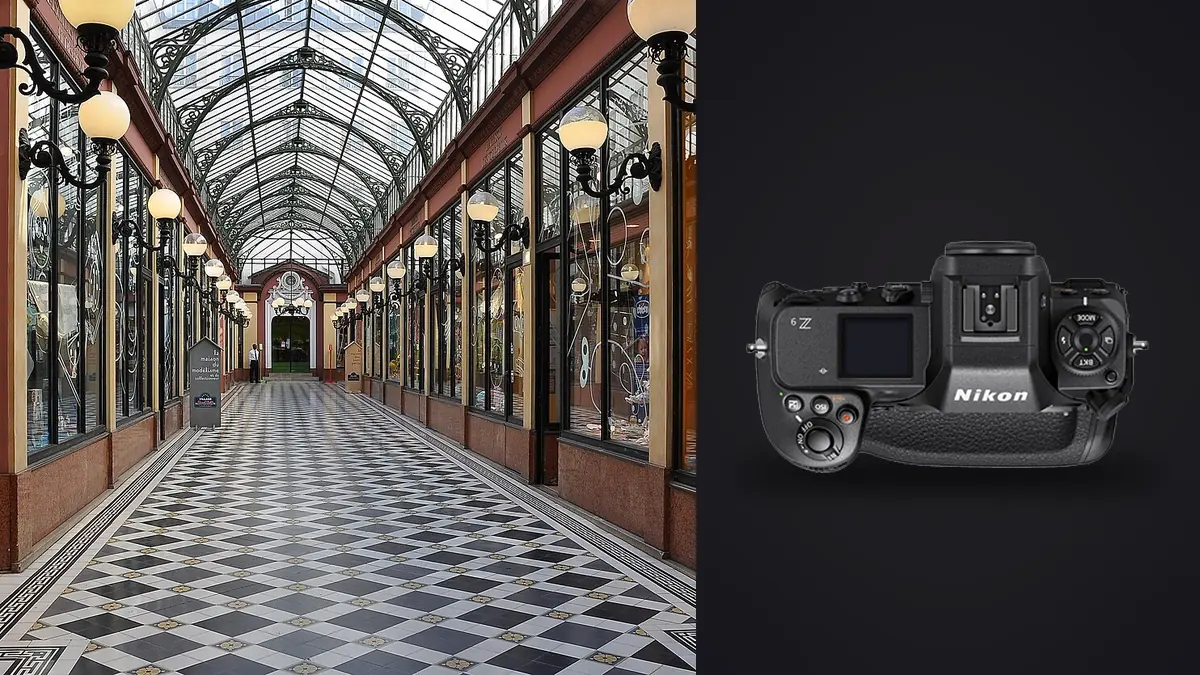
Most Nikon Z9 coverage is written for sports and wildlife shooters chasing 20 frames per second and eye-detect autofocus on a hawk in flight. None of that is why an architecture or interior photographer would buy this body. If you're shooting empty rooms, staged listings, or a hospitality brochure job, the Z9 earns its keep somewhere else entirely: sensor readout speed, a shutter that never physically moves, a firmware-added high-resolution mode, and a viewfinder level that keeps you honest about verticals. This is a rundown of what actually matters when you point a Z9 at a room instead of a bird.
The shutter question nobody warns you about
The Z9 has no mechanical shutter at all. It's the first Nikon flagship built that way, and for interior work the upside is obvious: zero shutter-induced vibration on a tripod, which matters when you're shooting at base ISO with a narrow aperture and a shutter speed slow enough that even a small mechanical thump would soften fine detail in tile grout or wood grain. You also get a completely silent capture, which is nice when you're working around staff or guests in an occupied space and don't want a mechanical clack every ten seconds.
The catch is rolling shutter and, more relevantly for interiors, banding under flickering light sources. Commercial buildings are full of LED downlights and fluorescent troffers running on cheap drivers that pulse faster than the eye can see but not faster than a fast sensor readout can catch. Even with the Z9's very quick stacked-sensor scan rate, I've hit visible banding on mixed-lighting shoots, usually in a corridor with older fluorescent fixtures the building manager swears are "basically new." Nikon's flicker reduction helps, and so does simply testing a frame at your intended shutter speed before you commit to a room, but don't assume the electronic-only shutter is a non-issue just because the sensor is fast. Test it on-site, every time, especially in commercial spaces you haven't shot before.
Pixel Shift Shooting is the actual headline feature for this genre
Nikon added Pixel Shift Shooting to the Z9 by firmware update, and it is, in my opinion, more useful for architecture and interiors than for almost any other genre the camera is marketed toward. The camera captures a sequence of frames (you can choose 4, 8, 16, or 32) with the sensor shifted by sub-pixel increments between each, then you composite them in NX Studio into a single high-resolution file, up to roughly 180 effective megapixels at the 32-shot setting.
For a static, tripod-mounted, unoccupied room, this is close to a best-case scenario for the technique. Nothing moves, so you avoid the ghosting artifacts that ruin pixel shift on anything with people, curtains stirring in a draft, or a ceiling fan left running. I've used the 16-shot setting for a boutique hotel lobby that was going to print at roughly six feet wide for a lobby wall, and the extra resolution and cleaner color transitions (pixel shift also reduces demosaicing artifacts, not just adds megapixels) were genuinely visible at that size in a way a standard 45.7MP file wasn't quite delivering. For a typical web listing or a magazine spread, it's overkill and not worth the extra capture and processing time. Save it for large-format print jobs where someone is actually going to stand close to a wall-sized image.
Getting verticals right without wrecking resolution
Anyone shooting interiors long enough develops opinions about tilt-shift versus digital perspective correction, and I'll state mine plainly: for anything beyond a quick real estate turnaround, shift the lens rather than the file. Correcting keystoning in post crops and stretches pixels, which is a bigger deal on a 45.7MP sensor than it sounds, because you're throwing away resolution you paid for. Nikon's PC lenses (the 19mm f/4E ED and 24mm f/3.5D ED are the two I reach for most) are F-mount and need the FTZ II adapter on a Z9, which means fully manual focus and manual stop-down metering. It's slower than working with a native Z lens, and there's a real learning curve to judging shift amount through an EVF instead of an optical finder, but the files come out with the verticals actually vertical and full resolution intact.
Where the Z9 helps regardless of lens choice is the electronic level. The dual-axis level overlay in the viewfinder or on the rear screen is precise enough that I no longer carry a bubble level or hot-shoe spirit level for interior work, which used to be standard kit. Get the horizon line dead centered before you trip the shutter and you save yourself correction work later, tilt-shift lens or not.
Native wide glass, if you're not running PC lenses
Not every interior job justifies dragging a manual tilt-shift lens and a tripod head that can handle the extra weight. For faster-turnaround real estate work I mostly shoot the Z 14-24mm f/2.8 S, autofocus, fast to work with, and sharp enough into the corners that digital perspective correction on a room shot at 16-18mm is genuinely usable rather than a compromise. The Z 20mm f/1.8 S is my second choice when I want a little less distortion at the expense of some framing flexibility in tight rooms. Neither replaces a PC lens for critical architectural work meant for print, but for volume real estate and Airbnb-style interior sets, native autofocus glass gets you through more properties per day.
Mixed lighting and metering choices
Interiors rarely give you one light source. A living room might have daylight through a west-facing window, warm tungsten table lamps, and cool LED can lights all in the same frame, and the Z9's matrix metering will average all of that into a compromise exposure that protects nothing particularly well. I lean on highlight-weighted metering when a window is in frame and I know I'm going to bracket for a blend anyway, and I shoot a manual custom white balance off a gray card at the start of a shoot rather than trusting auto white balance, which tends to run warm indoors and will shift noticeably between rooms with different fixture types. If you're not bracketing, Active D-Lighting takes some of the edge off blown windows, but for serious architectural work most photographers I know still bracket three to seven frames per angle and blend manually, because ADL's automatic blend doesn't give you the control a manual luminosity mask does.
What a real interior job does to your card and your evening
Here's the part that doesn't show up in camera reviews. A single-room bracket set at 45.7MP, shot as five exposures for a window pull, is five files around 55-65MB each in lossless compressed raw. Multiply that across fifteen or twenty rooms on a hotel or listing shoot, add a few focus-stacked sequences using Focus Shift Shooting for rooms where you wanted a wide aperture but needed foreground furniture and a background wall both sharp, and you can walk away from one job with 600 to 900 raw files before you've touched a single one in post. Dual CFexpress Type B slots keep you from running out of buffer mid-bracket, but they don't help you at the desk that night sorting five nearly identical frames per angle to find which one has the sharpest focus point and which exposure actually nailed the highlights.
This is where I stopped doing that sorting by eye. I run interior sets through imagic before I open anything in a raw editor. Because it clusters bursts and bracket sequences locally, it groups those five-shot window pulls and focus-stack sequences together automatically instead of leaving me to eyeball which frames belong to which angle, and its sharpness scoring flags the actually-in-focus frame in a stack rather than just the one with the most contrast at a glance. For interior and real estate work specifically, the fact that it runs entirely on the machine matters too. A lot of these shoots are unlisted properties, pre-launch commercial spaces, or homes under a confidentiality agreement before a sale, and clients get uneasy about "the photos went through some cloud service" even when nothing bad happens. Processing never leaving the laptop is a genuinely relevant selling point in this genre, not a nice-to-have.
The other piece worth using on repeat interior jobs is the apply_my_style preset. Once you've settled on how you want a hotel brand's interiors graded (warmer whites, slightly lifted shadows, consistent handling of mixed tungsten and daylight), train it against a batch of your own finished edits and apply it as a starting point across the next shoot at that property, which cuts a meaningful chunk of the grading time out of a job that's already heavy on file count. It's a starting point, not a finish line, individual frames still need manual work, but it beats building every look from a flat default. If you haven't looked at how AI-assisted culling actually works under the hood, this breakdown covers the mechanics in more depth than I will here.
Body weight and battery, the unglamorous stuff
The Z9 weighs about 1,340 grams with battery, built with an integrated vertical grip that isn't optional weight the way a bolt-on grip is on a smaller body. For a day of handheld interior work, moving room to room and repositioning constantly, that weight is noticeable by the third hour in a way it isn't on a Z7II. For strictly tripod-based architectural work it matters less since the tripod is carrying the load, but if your interior jobs mix handheld detail shots with tripod-mounted room-wide captures, budget for the extra kilogram in your shoulder by afternoon. Battery life is a non-issue either way; the EN-EL18d comfortably carries a full shoot day without a swap, even with heavy chimping between brackets and Wi-Fi active for client preview.
Tethering for client sign-off on site
For commercial and hospitality jobs where a designer or property manager wants to approve compositions before you move on, the Z9's built-in Ethernet port is worth using over Wi-Fi tethering. It's more reliable in buildings with a lot of steel and concrete interference, and NX Tether or Capture One both handle the connection without much fuss. Having client reps sit next to a laptop and wave off angles they didn't like room by room saves a callback shoot far more often than it costs in setup time. If tethering workflow is new to your process, this workflow guide has some practical setup notes that apply whether you're on a Z9 or something else.
How it stacks up against the obvious alternatives
None of this happens in a vacuum. Most architecture and interior photographers I know cross-shop the Z9 against a Z7II if budget is the constraint, a Sony A7R V if resolution is the priority, or a Canon R5 if they're already in that ecosystem for tilt-shift glass. Here's how they actually compare on the traits that matter for this specific kind of work, not the general spec sheet.
| Camera | Resolution | Shutter | In-camera high-res mode | Native/adapted tilt-shift options | Body weight (w/ battery) | Typical street price (body) |
|---|---|---|---|---|---|---|
| Nikon Z9 | 45.7MP | Fully electronic, no mechanical option | Pixel Shift, up to ~180MP composite | F-mount PC lenses via FTZ II | ~1,340g | ~$5,500 |
| Nikon Z7II | 45.7MP | Mechanical + electronic | None | F-mount PC lenses via FTZ II | ~705g | ~$3,000 |
| Sony A7R V | 61MP | Mechanical + electronic | Pixel Shift Multi, up to ~240MP composite | Limited, mostly third-party manual (Laowa/Venus) | ~723g | ~$3,900 |
| Canon EOS R5 | 45MP | Mechanical + electronic | None | Strong: native TS-E lineup via EF adapter | ~738g | ~$3,900 |
The honest read: the A7R V wins on raw resolution and its own pixel-shift ceiling is higher, the R5 wins on tilt-shift lens选择 (Canon simply has the deepest native TS-E lineup of the four), and the Z7II gets you nearly the same sensor as the Z9 at little more than half the weight and half the price if you don't need the electronic-only shutter or the firmware pixel-shift mode. The Z9's case for interior work specifically comes down to the combination of a vibration-free shutter, the pixel-shift ceiling, and the reliability of the AF and metering system carrying over from Nikon's sports-oriented engineering, which shows up as consistency across a long shoot day rather than any single standout spec.
Frequently Asked Questions
Do I need Nikon's PC tilt-shift lenses for architectural interiors, or is Lightroom's perspective correction good enough?
For quick-turnaround real estate or listing photography, digital correction from a native wide lens like the 14-24mm f/2.8 S is genuinely fine, clients rarely print those images large enough to see the resolution loss. For architectural work headed to print, a design portfolio, or a magazine feature, shift the lens instead. You keep full resolution and the geometry is more convincing because the correction happened optically, not by stretching pixels after the fact.
Does the Z9's fully electronic shutter actually cause problems under LED lighting?
It can. The stacked sensor's fast readout reduces the risk compared to older electronic shutters, but it doesn't eliminate it, especially with older or cheaper LED and fluorescent fixtures that pulse at frequencies the sensor can still catch. Shoot a test frame at your intended settings in any unfamiliar commercial space before committing to a full room setup. Nikon's flicker reduction setting helps but isn't a guarantee.
Is Pixel Shift Shooting worth the extra time on a typical interior job?
Only when the output size justifies it. For web listings, social content, or standard magazine spreads, a single well-exposed 45.7MP frame is already more resolution than you'll use. Pixel shift earns its place on large-format prints, gallery walls, or hospitality branding where someone will stand close to a wall-sized image and the extra detail and cleaner color transitions are actually visible.
How do you deal with the sheer number of raw files an interior shoot produces?
Volume is the real logistical challenge of this genre, more than any single camera setting. A multi-room shoot with bracketing and focus stacking easily produces several hundred to nearly a thousand raw files. Rather than sorting bracket sets and focus stacks by eye, I run everything through imagic first, which clusters the bursts and bracket sequences locally and flags the sharpest frame in each stack, before I open a single file in a raw editor. It cuts the initial sort down from hours to minutes and, since it's a one-time local purchase with no subscription and nothing leaves the machine, it fits well with clients who are particular about where their property photos end up before a listing or launch goes live.