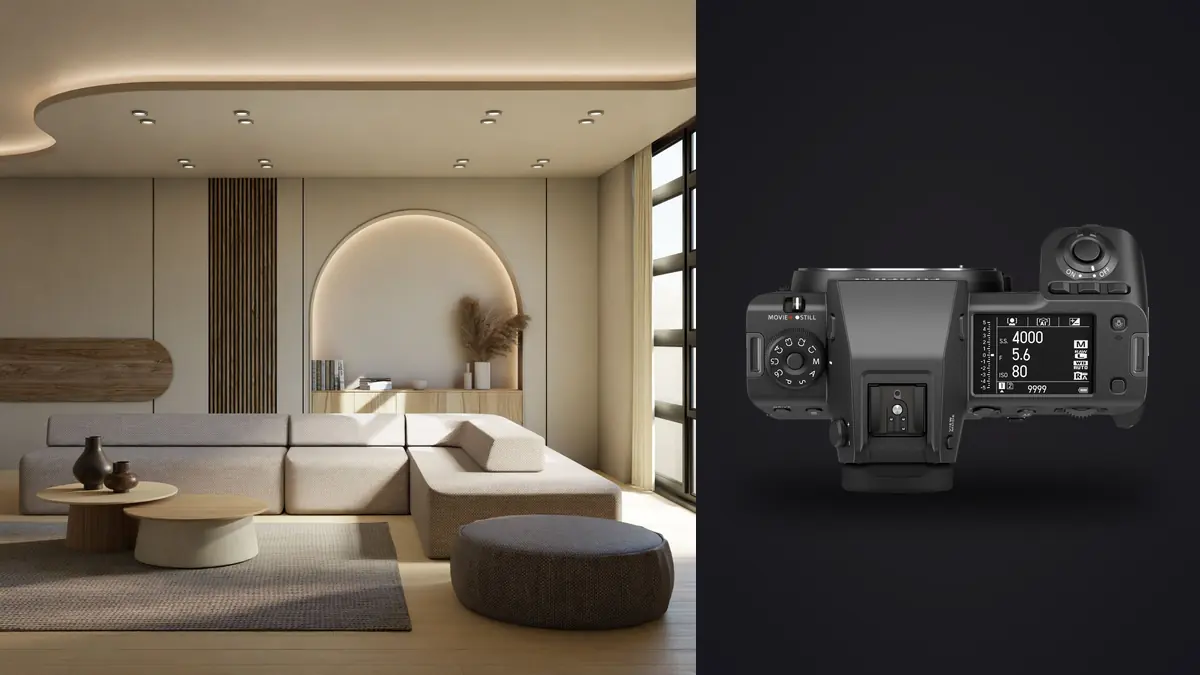
I moved to a GFX 100 II about eighteen months into a run of residential real estate work and a handful of design-magazine jobs shot on a GFX 50S II, and the jump wasn't subtle. The extra 50-odd megapixels matter less for magazine spreads (which rarely run past 4000 pixels on the long edge in print anyway) and much more for the parts of the job nobody talks about: cropping a converging vertical back to true after the fact without shredding the file, pulling a tight cabinet-hardware detail out of a wide room frame instead of resetting the tripod for a second shot, and printing a 40-inch lobby image for a developer's sales office without any visible interpolation. Interiors punish sloppy files in ways portraits and street work simply don't, and that's the lens I want to look at this camera through.
What the extra resolution is actually buying you
The 102-megapixel sensor in the 100 II is the same generation used across the current GFX line, but the faster stacked readout means less rolling shutter smear when you do end up handholding with the electronic shutter, and burst rates up to 8fps if you ever need them (you mostly won't, on this kind of job). What matters more day to day is native ISO 80 and a genuinely deep well of shadow and highlight information, plus a pixel-shift multi-shot mode that stitches sixteen exposures into roughly a 400-megapixel composite. That mode only works locked down on a tripod with nothing moving in the frame, which sounds like a limitation until you remember that's exactly the description of an empty room. I use it selectively, maybe two or three frames per job, for hero shots destined for large-format print or a developer's lobby mural, because the file sizes and processing time aren't worth it for every angle.
For everything else, the standard 102MP RAW is already enough to reframe aggressively after the shoot. If a designer asks for a vertical crop of a horizontal wide shot for an Instagram carousel, there is still more than enough resolution left after cropping to two-thirds of the frame to print it at 20x30. That flexibility changes how you shoot on site. Instead of re-composing six slightly different variants of the same wall, I shoot the room wide and clean once, correctly exposed and levelled, and treat cropping as a legitimate part of the process rather than something to avoid.
Lenses that actually earn their keep on this kind of job
The GF lens lineup is smaller than a full-frame architecture kit, and for interior work that's less of a problem than it sounds. Three lenses cover almost everything I shoot:
The GF30mm f/5.6 T/S is the one that changes how you work. It's a tilt-shift, roughly 24mm equivalent, with about 9mm of shift and 8 degrees of tilt. Shifting the lens up to correct converging verticals keeps the full sensor resolution intact, because you're not cropping a rectangle out of a keystoned frame the way you would correcting perspective in software. On a two-storey stairwell or a great room with a high ceiling, that's the difference between a usable 100MP file and an 80MP file with visible softening at the edges from the correction stretch. It's also slow to work with (manual focus, small max aperture, a learning curve on the shift mechanism) and I wouldn't hand it to someone on their first architecture job, but once it's second nature it becomes the default lens for anything with visible verticals.
The GF20-35mm f/4 covers the wide end for anything the tilt-shift is too tight or too slow for: small bathrooms, narrow hallways, tight stairwells where you genuinely need 16mm-equivalent coverage and don't have room to back up. Corner sharpness wide open is strong enough that I don't habitually stop down past f/8 with it, which matters because diffraction softening becomes visible earlier on a 102MP sensor than it does on lower-resolution bodies. The GF23mm f/4 prime is the one that comes out for handheld walkthroughs and agent-requested "lifestyle" shots where lugging the tilt-shift and a tripod through every room would slow the shoot down too much.
One practical note that catches people coming from full-frame kits: most GF lenses don't have leaf shutters, so flash sync tops out around 1/125s on mechanical shutter. If you're balancing strobes against a bright exterior through a wall of glass, that ceiling shows up faster than you'd expect, and you end up leaning on ND or repositioning strobes rather than just cranking shutter speed to tame ambient light.
Dynamic range and the window problem
Fujifilm publishes 14 stops of dynamic range at base ISO 80, and in the field the usable number feels closer to 12 to 13 stops once you account for noise creeping into deep shadow recovery. For interior work, that's still a real advantage over the smaller sensors most of these jobs used to be shot on. A window-lit living room at midday, where the exterior view is three or four stops brighter than the interior, used to demand a five- or seven-frame HDR bracket to hold detail in both. On this sensor a three-shot bracket (0, minus 2, plus 2) recovers a genuinely clean composite for most rooms, and I save the wider brackets for the handful of angles with direct sun hitting glass, where the dynamic range between the sunlit patch on the floor and a shadowed corner across the room is closer to 10 stops on its own.
The tradeoff is that fewer brackets per angle doesn't mean fewer total files, because a typical job still covers fifteen to twenty angles, several of them getting a second bracket set for a "flash pop" fill version I blend in for very deep or shadowed rooms. The bracket count matters later when we get to file management, which is where this camera stops being effortless.
Settings by job type
What I actually dial in changes a fair amount depending on the space and the pace of the shoot. Here's roughly how I break it down across the four kinds of interior shoots I do most.
| Job type | Bracket sequence | Base settings | Shutter mode | Frames per angle |
|---|---|---|---|---|
| Residential real estate listing | 3-shot AEB, ±2 EV | ISO 80, f/8, tripod | Mechanical | 3 |
| Commercial / spec architecture | 5-shot AEB, ±1.3 EV, plus one flash-fill pass | ISO 80, f/9-f/11, tripod, leveling head | Mechanical, first-curtain | 6 |
| Design-magazine editorial (styled) | 2-shot AEB, ±1.5 EV, occasional focus bracket | ISO 80-160, f/6.4-f/8, tripod | Electronic front curtain | 2-5 |
| In-room product / furniture detail | Single frame, focus-bracket set of 4-6 | ISO 100-200, f/5.6, handheld or tripod | Mechanical | 4-6 |
The commercial and spec architecture row is the heaviest, and it's also where clients are most likely to want the pixel-shift composite for a lobby or facade hero shot, which pushes the real per-angle file count even higher on those particular frames.
The file-weight problem this camera creates
A 14-bit lossless-compressed RAW off the 100 II typically lands between 110MB and 140MB, and uncompressed files run north of 200MB. Multiply that by fifteen to twenty angles, three to six frames per angle once you count brackets and focus stacks, and one property shoot routinely crosses 300GB before you've touched a laptop. On a renovation or a vacant new-build, there's usually no wifi on site, and even where there is, uploading that volume to a cloud culling tool between rooms isn't realistic on a job with a two-hour window.
This is the part of the workflow where I lean hardest on local AI culling rather than eyeballing a filmstrip in Lightroom. I run imagic on the laptop between rooms, entirely offline, which matters for two reasons beyond just speed: some spaces, such as unreleased developments under NDA, are not meant to be public before a marketing push, and the files are simply too large to want moving across a network at all. Its sharpness and focus scoring catches the one soft frame in a bracket set (at 102MP, a half-second of floor vibration from someone walking through an adjacent room shows up as visible softness that isn't obvious on the camera's own LCD preview), and the duplicate and burst clustering groups each 3-to-6-frame bracket set by angle automatically, so triage happens by room rather than by scrolling a flat list of five or six hundred RAW files at the end of the day.
For the color and contrast baseline, I've trained imagic's apply_my_style feature on a set of my own previously graded interior shoots, and running new sets through it before review gets everything to a consistent starting point (white balance neutralized against the mixed daylight-and-tungsten lighting these rooms usually have, contrast pulled in line with how I typically grade) without having to open each bracket individually first. It doesn't replace the room-by-room blending work in Photoshop or a raw editor, but it means what I'm looking at during the first pass already resembles a finished frame instead of a flat scan. For anyone whose interior workflow is still built around manually sorting bracket sets one file at a time, it's worth reading through some general faster photo workflow habits alongside whatever culling tool you land on, because the bottleneck on a heavy shoot day is rarely the camera.
Field problems the spec sheet doesn't mention
A few things I learned the annoying way. Electronic shutter under mixed LED downlights (common in almost every renovated interior now) can produce faint banding that doesn't show up on the rear LCD at normal zoom but is obvious once you check a 100% crop later. I default to full mechanical shutter for interior brackets and only switch to electronic front curtain for editorial work where I need to keep noise down at a slightly higher ISO. Second, in-body stabilization should come off once the camera is locked to a tripod head. IBIS hunting for a stable reference point during a very slow tripod exposure can introduce a barely-there blur that's worse than shooting with it disabled and just trusting the tripod. Third, at f/11 and narrower the sensor's pixel density means diffraction softening is visible in a way it wouldn't be on a 24 or 36-megapixel body, so for rooms with deep foreground-to-background depth I use the camera's built-in focus bracketing (typically four to six steps at f/6.4-f/8) and blend afterward rather than stopping down and accepting the softness.
Battery life takes a real hit on days with a lot of pixel-shift or extended focus-bracket sequences, so I carry three batteries minimum on a full-day commercial shoot, and I've moved to CFexpress Type B cards rather than SD UHS-II simply because the buffer clears fast enough between bracket sets that I'm not standing around waiting on a slow card mid-shoot.
Frequently Asked Questions
Do I actually need the tilt-shift lens, or can perspective correction in post do the same job?
Software perspective correction works, but it crops into the frame and stretches pixels near the edges to straighten verticals, which costs resolution exactly where architectural clients tend to scrutinize detail (ceiling lines, window frames, crown molding). On a 102MP sensor you can usually absorb that loss and still deliver a sharp file. On a stairwell or double-height room with a steep correction angle, though, the GF30mm T/S holds noticeably more edge detail than a corrected wide-angle shot, and if tilt-shift work is a regular part of your business rather than an occasional job, it's worth the learning curve.
Is the GFX 100 II too slow for a fast real estate turnaround business?
The camera itself isn't the bottleneck; the file size is. Capture speed on a tripod-based interior shoot is dictated by your bracketing and leveling routine, not sensor readout, so the 100 II doesn't cost you time on set compared to a smaller-sensor body. Where turnaround suffers is in culling and processing 300GB-plus of RAW files per job, which is exactly the stage worth automating with local, offline tools rather than manual review, since uploading files that size to a cloud service eats into the same-day or next-day delivery window many real estate clients expect.
How much storage should I budget for a single interior job?
For a typical residential listing (fifteen angles, three-shot brackets), plan on 250-350GB of RAW. Commercial or spec architecture jobs with five- and six-shot brackets plus a pixel-shift hero frame or two routinely land between 500GB and 700GB. I keep at least three 1TB-plus CFexpress cards in rotation and back up to two separate drives before formatting any card on site.
Does the smaller GF lens lineup limit interior and architecture work compared to a full-frame kit?
Less than expected. Three lenses (a tilt-shift around 24mm equivalent, a wide zoom in the 16-28mm equivalent range, and a lighter wide prime for handheld work) cover the overwhelming majority of interior and architectural framing needs. Where the GF system genuinely falls short is specialty glass: there's no true super-wide rectilinear option below about 16mm equivalent, and macro options for product detail work within a room are limited, so a second smaller-format body still earns its place in the bag for a handful of specialty shots on bigger commercial jobs.