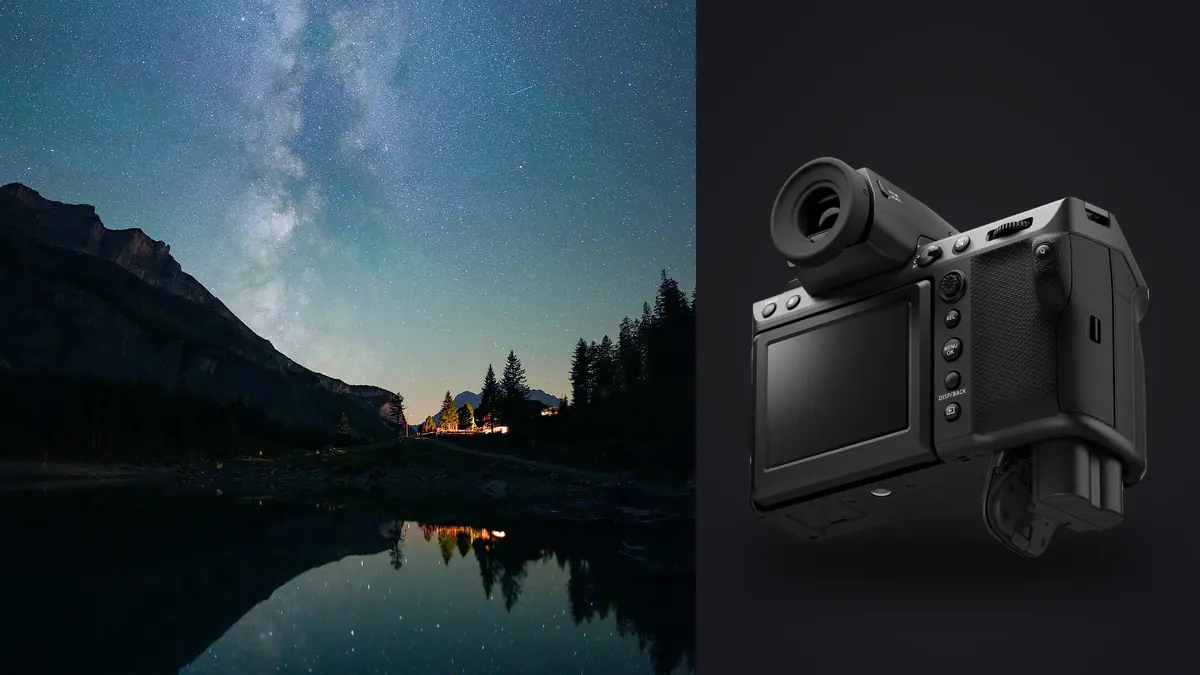
I took the GFX 100 II out to a dark sky site in the Cairngorms three times this winter before I trusted my exposure settings enough to write any of this down. The first night I came home with 340 frames and about sixty usable ones. The second night, after fixing the mistakes I'm about to describe, I came home with 280 frames and roughly 250 usable ones. Same camera, same lens, same rough location. The difference was entirely in how I set the camera up and how I sorted the results afterward, not in the sensor itself.
This is not a "why the GFX 100 II is great for astro" puff piece. It's a rundown of what actually works when you're stacking star fields with a 102-megapixel medium format sensor, where the file sizes, the base ISO behaviour, and the read noise characteristics all behave differently than they would on a full-frame body you might already have opinions about.
Why medium format changes the stacking math
Star stacking works by averaging (or using a sigma-clipped rejection method across) many exposures of the same static frame to boost signal-to-noise ratio while the random noise cancels itself out. The theory is identical no matter what camera you use. What changes with the GFX 100 II is the practical arithmetic around it.
The sensor is 43.8 x 32.9mm, which is roughly 1.7x the area of full-frame. More photon-collecting area per pixel at native resolution should, in principle, give you a noise advantage. In practice the pixel pitch on the 102MP sensor is actually smaller than a lot of 24-45MP full-frame sensors, so per-pixel read noise at high ISO isn't automatically better, it's the aggregate light-gathering across the sensor that pays off, and that only shows up once you've downsampled or stacked. A single ungraded frame off this camera at ISO 3200 doesn't look dramatically cleaner than a good full-frame body at the same ISO. Stack forty of them and the story changes completely, because you're now working with an effective pixel count and dynamic range budget that full-frame can't match without doing its own multi-frame tricks.
The other practical difference is file size. A 16-bit compressed RAF off this sensor sits around 110-130MB depending on scene complexity. A single Milky Way session of 200 frames is over 20GB before you've touched a single processing step. That volume is the actual bottleneck on most nights, not exposure theory, and it's the reason I stopped trying to manage star-stacking sessions by eye in a folder view.
Camera settings that actually mattered
I tested three approaches across the three sessions: manual exposure at a fixed setting for the whole night, manual exposure adjusted per hour as the sky darkened and the moon set, and aperture-priority with auto-ISO capped at 6400. The middle option won by a wide margin, but here's the breakdown of what I landed on for each variable.
Aperture
Wide open isn't always right. On the GF 20-35mmF4, f/4 at the wide end shows noticeable coma and astigmatism at the corners, visible as winged stars rather than points. Stopping to f/5 cleaned it up substantially and only cost about two-thirds of a stop, which the stack more than makes up for. If you're shooting the GF 30mmF3.5 or the GF 23mmF4, similar logic applies, don't assume wide open is your friend just because it's astro.
Shutter speed and the 500 rule problem
The classic "500 divided by focal length" rule for avoiding star trails was built around full-frame or crop sensors and doesn't map cleanly onto GFX's 0.79x crop factor relative to full-frame (medium format is technically "bigger," but the framing math for star trailing runs on angular field of view and pixel pitch, not sensor size alone). At 102MP, star trailing becomes visible at shutter speeds that would look perfectly sharp on a 24MP body, because you're resolving finer detail per arcsecond of sky movement. I found the safe ceiling at 23mm was closer to 8 seconds, not the 15-20 seconds the classic rule would suggest. Test this yourself at 100% crop before committing to a long session, because it varies by focal length and by how much cropping you plan to do afterward.
ISO and base ISO behaviour
The GFX 100 II has dual base ISO, native at 80 and a second native point around ISO 4000 where read noise drops again. For star stacking I settled on ISO 3200, just under that second native point, rather than pushing into it, because the extra half stop of clean shadow detail at 4000 wasn't worth the reduced highlight headroom on brighter stars and any light pollution glow near the horizon. Your mileage will vary depending on how dark your site actually is.
My settings table from the second (successful) session
| Variable | Setting used | Reasoning |
|---|---|---|
| Lens | GF 23mmF4 | Wide enough for a Milky Way arch, minimal coma at f/5 |
| Aperture | f/5 | Cleaner corner stars than wide open, only -2/3 stop |
| Shutter | 8 sec | Point stars at 100% crop, no visible trailing |
| ISO | 3200 | Below second native ISO point, healthy highlight headroom |
| File format | Compressed RAF, 16-bit | Lossless compression saves ~35% storage vs uncompressed |
| Frame count | 280 subs | ~37 minutes total integration time |
| Dark frames | 20 | Matched temp and exposure, shot at end of session |
| Interval | 10 sec (built-in intervalometer) | 2 sec buffer for write-out between exposures |
Where the workflow actually breaks down
Here's the part nobody tells you before your first big session: shooting the subs is the easy part. Sorting them is where the night either pays off or turns into a chore that makes you never want to do this again.
Out of 280 frames from that second session, I had:
- About 15 frames with a satellite or plane trail crossing the field (these need to be excluded or the stacking software will either smear the trail across the whole stack or flag them for manual removal one at a time)
- About 8 frames where wind moved the tripod slightly mid-exposure, visible as a very faint double-star ghosting under magnification
- A handful where condensation started forming on the front element near the end of the session and softened the corners progressively
- The rest, roughly 250 frames, genuinely clean and usable
Finding the soft-corner condensation frames by eye, at 100% zoom, across 280 nearly-identical black frames with white dots on them, is miserable work. It's exactly the kind of task I've started offloading to imagic instead of doing manually. I run the whole session's RAF folder through imagic's sharpness scoring first, which flags the frames where focus or optical clarity degraded partway through the shoot, before I ever open a stacking program. It's processing everything locally on the machine, nothing gets uploaded anywhere, which matters to me for a folder that's over 20GB before I've culled anything. For a broader look at how that kind of local scoring works, this breakdown of AI photo culling covers the mechanics in more depth than I have room for here.
The plane and satellite trail frames are trickier because the frames are still technically "sharp," the software isn't going to flag a straight line across an otherwise well-focused image as a focus problem, that's a manual visual pass, but at least I'm doing that pass on a pre-filtered set of 250 frames instead of 280, and I'm not also second-guessing which ones are soft.
Dark frames, flat frames, and why GFX makes this more or less necessary
Dark frame subtraction matters more on some sensors than others, and I've seen conflicting claims about whether the GFX 100 II sensor needs it. My own testing says: yes, but less than I expected. Hot pixels were present but sparse enough that a basic hot pixel removal pass in the stacking software (I use a rejection algorithm rather than true dark subtraction most nights) handled it fine for a typical 20-40 minute integration. Once you push past an hour of total integration time in warm weather, actual dark frames matched to your exposure settings and roughly the same ambient temperature start to matter more, because thermal noise accumulates and a pure sigma-clip rejection stack won't fully account for a hot pixel that appears consistently in the same location across every sub.
Flat frames are a separate question and, honestly, one I skip for wide astro landscapes most of the time. Vignetting on the GF wides is mild enough at f/5 that it corrects fine in post without a dedicated flat frame session, and the added complexity of shooting flats in the field (twilight flat panel, consistent light source, matching aperture exactly) isn't worth it unless I'm doing a tracked deep-sky project rather than a landscape astro composite.
Stacking software notes specific to this camera's files
I've run this workflow through both Sequator and Starry Landscape Stacker, and the file handling differs in ways worth knowing before you commit a whole night's shoot to one or the other.
Sequator handles the RAF files fine but the alignment step takes noticeably longer than it does on 24-45MP full-frame files, unsurprising given the pixel count, but budget for it: a 250-frame stack that would take four or five minutes on full-frame files took closer to eleven minutes on the GFX files on my machine (an M2 Max with 32GB RAM). Starry Landscape Stacker handled the same set in about seven minutes but occasionally struggled with foreground masking accuracy on frames where the horizon had heavy light pollution glow, requiring more manual brush correction than I needed with full-frame files from the same location on a previous trip.
Neither tool complained about the compressed RAF format directly, both convert through the same RAW pipeline either way, but if you're shooting uncompressed for maximum fidelity, be aware you're roughly doubling your storage and load times for a difference in stacked output that I genuinely could not distinguish at normal viewing sizes.
What I'd tell someone buying this camera specifically for night sky work
I wouldn't buy a GFX 100 II specifically for astrophotography if that was the only thing I shot. The pixel-level noise performance at high ISO doesn't outrun a good full-frame body enough to justify the price and weight difference for single-exposure night work. Where it earns its keep is in stacked, high-resolution prints, if you're planning to output large gallery prints of Milky Way landscapes where the extra resolution and dynamic range headroom from stacking forty or fifty 102MP frames genuinely shows up on a wall-sized print in a way it wouldn't on a screen or a smaller print.
If you already own the camera for landscape work and you're adding astro as a side pursuit, which is my situation, it's a genuinely rewarding pairing once you've worked out the exposure ceiling for star trailing and built a sorting habit that doesn't eat your whole next day. The first session took me about six hours from shutter-close to finished stack, mostly because I was manually scrubbing through frames one at a time. The second session took under two hours for the same step count, almost entirely because I ran the sharpness pass through imagic before touching the stacking software and only manually reviewed the frames it flagged plus a quick pass for trail crossings.
Frequently Asked Questions
Does the GFX 100 II's in-body stabilization help with star stacking?
Not for the stacking exposures themselves, IBIS is disabled or irrelevant once you're on a tripod at 8 seconds, there's no handheld component to stabilize. Where it does help is a secondary use: I've used pixel shift multi-shot mode for close-up moon shots between star stacking sessions the same night, and the IBIS calibration there is solid, but that's a different technique entirely from deep sky or landscape star stacking.
Is 102 megapixels overkill for star stacking, given the file sizes involved?
It depends what you're doing with the output. For screen sharing or moderate print sizes, yes, you're paying a storage and processing time tax for resolution you won't use. For large prints where the stack lets you both increase signal-to-noise and preserve fine detail across a big physical output, the resolution stops being overkill and starts being the actual reason to shoot medium format for this rather than full-frame.
How many subs do I actually need for a landscape astro stack on this camera?
I've gotten usable results from as few as 15-20 well-exposed subs for a quick composite, but the visible noise reduction keeps improving up to somewhere around 200-300 frames before the gains flatten out noticeably. My working number for a "real" session is 150-250 clean subs, which at 8 seconds each plus a 2 second write buffer works out to roughly 25-40 minutes of shooting time before you even get to sorting.
Should I shoot uncompressed RAF for astro work on this camera?
I tested both across a full session and couldn't see a meaningful difference in the final stacked output at normal viewing or print sizes. Compressed RAF saved roughly a third of the storage and noticeably sped up my import and cull pass without a visible cost in the stars themselves. I'd only reach for uncompressed if I had a specific reason to believe I'd need to push extreme shadow recovery in a single frame rather than relying on the stack.
A note on the culling step, since it's the part people skip
If you take one thing from this, take the sorting workflow rather than the exact exposure numbers, because your lens, your site, and your local light pollution will all shift the numbers anyway. What doesn't shift is the fact that a 250+ frame astro session generates a genuinely tedious visual sorting task, and doing it manually at 1am after a four hour shoot is how good frames get missed and bad ones get included by mistake. Running the batch through imagic's local sharpness and focus scoring before I open any stacking software has become the one non-negotiable step in my process, mostly because it's the difference between finishing a stack the same night and putting it off for a week because I dreaded the sorting.