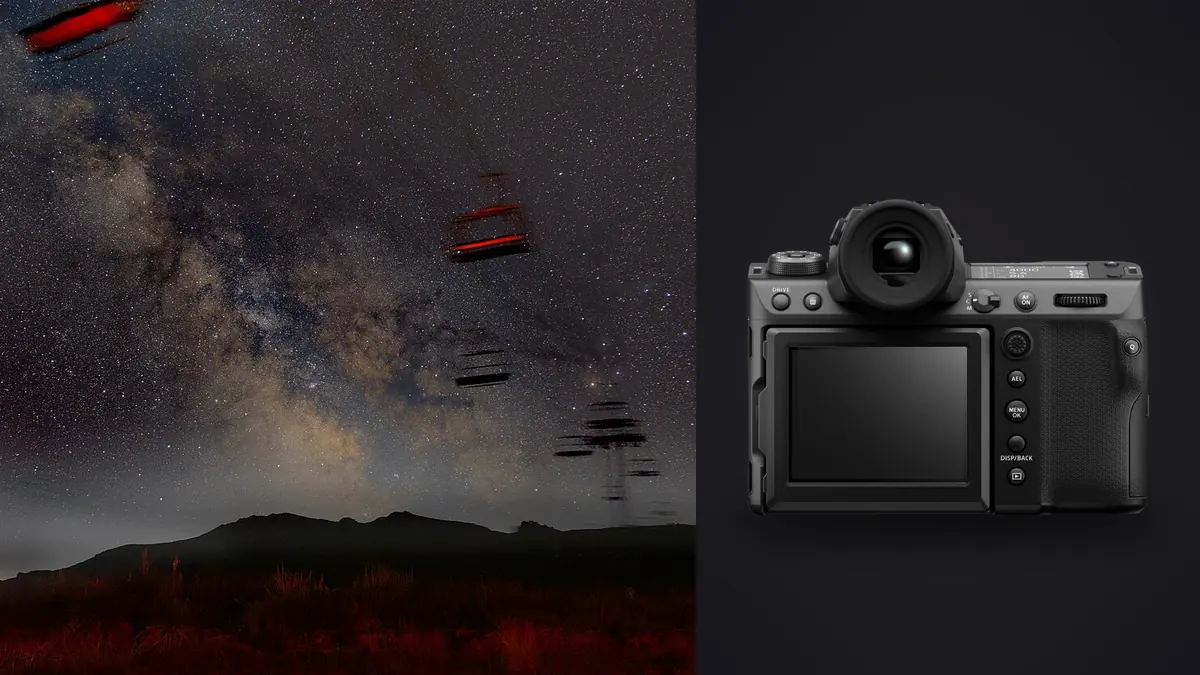
A 102-Megapixel Sensor Under a Dark Sky
Medium format and astrophotography don't usually get mentioned in the same sentence. The Fujifilm GFX 100 II is built for studio portraits, landscape work with room to crop, and commercial jobs where 102 megapixels earns its keep in a printed billboard. Pointing it at the Milky Way feels almost perverse: it's a two-kilogram body with a sensor nearly twice the area of full frame, mounted on gear designed to carry cameras a third its weight. And yet, after several nights out with it strapped to a star tracker, I keep coming back to it, mostly because the files hold up to scrutiny in a way that smaller sensors don't once you start stretching shadows and stacking frames.
This isn't a spec sheet regurgitation. It's what changes when you take a camera this size out to a dark site, track it, expose for hours, and then try to turn a folder of raw files into one clean image of the sky.
The Sensor Argument: Bigger Photosites, Different Noise Behavior
The GFX 100 II uses a 43.8 x 32.9mm BSI sensor at 102 effective megapixels, which works out to roughly 3.76 micron pixel pitch. That's smaller than you'd expect given the sensor size, because Fujifilm packed a lot of resolution into that area rather than prioritizing pixel size the way some medium format bodies do. In practice this means two things for night work. First, individual pixels are more sensitive to star trailing than you'd guess from the sensor dimensions alone, because trailing is a function of how far a star moves relative to a single photosite, not the physical size of the sensor. Second, the backside-illuminated design and the dual gain readout still deliver cleaner shadows than the pixel count alone would suggest, particularly once you cross into the camera's higher gain range around ISO 800 and above, where read noise drops noticeably. The practical upshot: at ISO 3200, which is where I land for most 20 to 30 second untracked exposures, the shadow noise is genuinely better than what I got out of a 45MP full frame body I used for years before switching, even though the GFX file has more than double the pixel count to hide noise in. Push the exposure in post and the difference gets more obvious, not less.
Base ISO Matters More for Flats and Darks Than You'd Think
Base ISO on the GFX 100 II is 80 (extendable to 40), which is useful for calibration frames. Flat frames shot at base ISO on a bright twilight sky, or against an LED panel, come out with almost no read noise contribution, which keeps your calibration stack from injecting its own noise into the final integration. It's a small thing but it matters once you're stacking 40 or 50 light frames and want the calibration data to be cleaner than the signal it's correcting.
Payload Math: Can a Star Tracker Actually Carry This Thing
The GFX 100 II body alone weighs a little over a kilogram with battery and card, and the GF lenses that make sense for wide-field astro aren't light either. The GF30mmF3.5 R WR is the closest thing Fujifilm makes to a compact astro lens for this system, at roughly 510 grams, which puts a full kit around 1.5 kg. The GF23mmF4 R LM WR is wider and sharper into the corners but adds significant weight, pushing a full kit closer to 1.9 kg once you include a plate and clamp. That matters because portable star trackers have payload limits, and the number printed on the box is not the number you should actually trust for pinpoint stars. Most trackers hold guiding accuracy at roughly half their rated maximum payload. Push past that and you start seeing subtle wobble in star shapes at 100% crop, even if the mount doesn't visibly struggle.
| Star tracker | Rated max payload | Practical payload for pinpoint stars | GFX 100 II + GF30mmF3.5 (~1.5 kg) | GFX 100 II + GF23mmF4 (~1.9 kg) |
|---|---|---|---|---|
| Sky-Watcher Star Adventurer 2i | 5 kg | ~2.5 kg | Fits, little room left for a guide scope or ball head | Tight, no margin for extra gear |
| iOptron SkyGuider Pro | 5 kg | ~2.5 kg | Fits comfortably | Workable but close to the limit |
| Star Adventurer GTi (with counterweight kit) | 11 kg | ~5.5 kg | Comfortable, room for a second camera or guide scope | Comfortable |
| Move Shoot Move | 6.5 kg | ~3.25 kg | Fits | Fits, but balance the head carefully |
The counterweighted trackers are worth the extra bulk in a backpack if you're committed to this camera for night work. Without a counterweight bar, I found the GFX 100 II's mass forces the ball head almost fully forward on the dovetail to keep the assembly balanced, which on the smaller trackers puts real torque on the mount's gear train over a long exposure sequence.
Lens Choices That Actually Make Sense
GF glass wasn't designed with astro in mind, and it shows in the maximum apertures. There's no GF equivalent to a fast full frame 14mm f/1.8. Your realistic wide-field options are the GF20-35mmF4 R WR, the GF23mmF4 R LM WR, and the GF30mmF3.5 R WR, all capped at f/3.5 or f/4. That's a stop or more slower than what astro shooters on smaller formats take for granted, and it means longer exposures or higher ISO to hit the same signal, which partly offsets the sensor's noise advantage. Where the GF glass earns it back is corner sharpness. The GF23mmF4 in particular holds star points into the extreme corners at f/4 in a way that a lot of fast full frame wide primes only manage stopped down. If you're doing wide Milky Way compositions where the corners matter (arches, panoramas, anything printed large), that corner performance buys back some of what you lose to the slower aperture.
The GF30mmF3.5 Is the Sleeper Pick
It's the lightest option, it's genuinely sharp wide open, and the slightly narrower field of view compared to the 23mm makes framing a foreground element against the core less awkward. For panoramic stitches where you're taking six or eight tracked panels and blending them, the narrower angle also means less coma to deal with at the frame edges.
Exposure Settings and the Interval Timer
For tracked wide-field work I typically land on 90 to 120 second subs at ISO 800 to 1600 with the GF30mm at f/3.5. The camera's built-in interval timer shooting function handles the sequence without a remote, and I set it to fire continuously with a one second buffer between frames rather than relying on bulb ramping. The electronic shutter option removes any shutter shock from the sequence, which matters more than it sounds like it should when you're integrating 30 or 40 frames and any one of them has a soft edge from vibration. For untracked wide shots (foreground elements shot separately from the tracked sky, or quick compositions when there's no time to polar align), the higher pixel density means the traditional 500 rule undersells how much trailing you'll see at 100%. I use a tighter version, closer to a 300 rule divided by the actual focal length, and even then I'm checking focus peaking and a zoomed playback before committing to a full sequence.
From 200 Raw Files to One Frame: Culling Before You Stack
Here's the part nobody tells you about medium format astro: the file management gets ugly fast. A single compressed RAF from the GFX 100 II runs somewhere around 100 to 130MB. A single night of tracked light frames, darks, flats, and bias frames easily produces 150 to 250 files, which puts you at 20 to 30GB before you've touched a stacking program. Somewhere in that folder there are always a handful of subs ruined by a gust of wind, a guiding hiccup, or condensation creeping onto the front element, and finding them by eye at 100% zoom across 200 files is a miserable way to spend an evening. This is where I actually rely on imagic rather than scrolling through Lightroom's grid view one frame at a time. It runs its sharpness and focus scoring entirely on-device, which matters here specifically because nobody wants to upload 25GB of medium format raw files to a cloud culling service just to find the three trailed subs in a stack. I point it at the night's capture folder, sort by focus score, and the frames where the mount hiccupped or wind moved the rig show up at the bottom of the ranking almost immediately, well before I'd have caught them by eye. It's not doing anything mystical, it's just faster and more consistent than my own attention span at 1am on the fourth hour of a session. If you want more detail on how that scoring actually works under the hood, we've covered it separately in how AI photo culling works.
What Culling Doesn't Solve
Duplicate and burst clustering isn't especially useful for stacking sequences themselves, since every frame in a tracked sequence is intentionally near-identical. Where it does help is on the same card: bracketed foreground exposures, test shots while dialing in composition, and the inevitable handful of "just checking focus" frames that pile up between sequences. Getting those grouped and thinned out before you start stacking keeps the working folder honest.
RAF Files and Stacking Software: What Actually Plays Nice
DeepSkyStacker and Sequator both read Fujifilm RAF files via LibRaw, and in my experience they handle the GFX 100 II's compressed RAFs without complaint, though registration on a 102MP file takes noticeably longer than on a 24MP APS-C file from the same session length. PixInsight handles the format cleanly too and is the one I reach for when a stack needs more careful gradient removal, since light pollution gradients show up more obviously on a sensor this large and this clean. Starry Landscape Stacker (Mac only) is pickier. It works, but I've had better luck converting to 16-bit TIFF via Lightroom or Capture One first rather than feeding it RAF directly, particularly on panorama stacks where alignment seems to struggle more with the native file. Whichever tool you use, budget real time for registration and integration on files this size. A 40-frame stack that would finish in a few minutes on smaller raw files can run considerably longer here, especially on a laptop rather than a desktop.
Post-Stack: Getting a Consistent Look Across Sessions
Once you've got an integrated stack, grading it consistently across multiple nights out is its own problem. Milky Way color balance drifts depending on moon phase, altitude, atmospheric conditions, and how much light pollution gradient you removed before integration, so two stacks from two different sites rarely start from the same tonal baseline. I ended up training imagic's apply_my_style feature on a set of stacks I'd already graded by hand, the ones where I'd nailed the core color and background sky tone I wanted, and now it gives me a starting point that's already close to my usual treatment rather than starting flat every time. It's not a substitute for finishing the edit by hand, especially on gradient removal, but it saves the fifteen minutes of nudging white balance and curves back toward "what I actually like" on every new stack. For the broader grading process itself, our guide to color grading covers the fundamentals that apply whether you're working a single frame or an integrated stack.
Field Notes From a Session That Didn't Go Perfectly
The most instructive night I've had with this setup was also the most frustrating. Dew formed on the front element of the GF23mm about ninety minutes into a two-hour sequence, at a site with no mains power for a dew heater strap. The first hour of subs were clean; the back half showed a soft halo creeping in around bright stars, barely visible on the rear screen but obvious once stacked. Lesson learned: at this resolution, optical softening that would be invisible on a lower-megapixel body shows up clearly in an integrated stack, because stacking amplifies whatever is consistently present across frames, good or bad. Battery life was the other surprise. Cold nights below freezing cut the NP-W235's runtime meaningfully, and a two-hour tracked sequence plus the review and playback in between ran through more than one battery. I now carry three as a baseline for anything over ninety minutes, which is more than I ever needed with a smaller body.
Frequently Asked Questions
Is the Fujifilm GFX 100 II actually worth the weight penalty for astrophotography compared to full frame?
If your priority is large prints or compositing with foreground elements shot on the same body, yes, the extra resolution and dynamic range headroom are real advantages once you're stretching a stacked file. If you're shooting handheld or backpacking to remote sites where every gram counts, the weight and slower GF apertures make a strong full frame body a more practical choice for most people.
Can I use the GFX 100 II's pixel shift multi-shot mode for star fields?
Not usefully. Pixel shift requires the sensor to capture several sub-exposures across roughly a second while the scene stays completely static relative to the sensor. Stars move continuously due to Earth's rotation, so even on a tracker the alignment between shifted frames breaks down for anything beyond the shortest exposures, and you'll see color fringing on stars rather than a clean composite. Standard single-exposure stacking is the reliable path.
Do I need a dedicated astro-modified version of the GFX 100 II for better red nebula detail?
Fujifilm doesn't offer an astro-modified variant of this body, and the stock IR-cut filter does attenuate H-alpha wavelengths the way most unmodified cameras do. For Milky Way core and wide-field work this rarely matters much visually. If deep narrowband nebula detail is the actual goal rather than wide starscapes, a dedicated astro camera or a modified smaller-sensor body will outperform an unmodified GFX 100 II regardless of its resolution advantage elsewhere.
How many light frames do I actually need for a clean stack with this sensor?
Because the sensor's read noise is already fairly low above ISO 800, I've gotten usable results from as few as 15 to 20 tracked subs at 90 seconds each, though 30 to 40 gives a noticeably smoother result once you push shadow recovery. The bigger constraint in practice tends to be processing time and storage rather than needing more frames than you would with a smaller sensor.