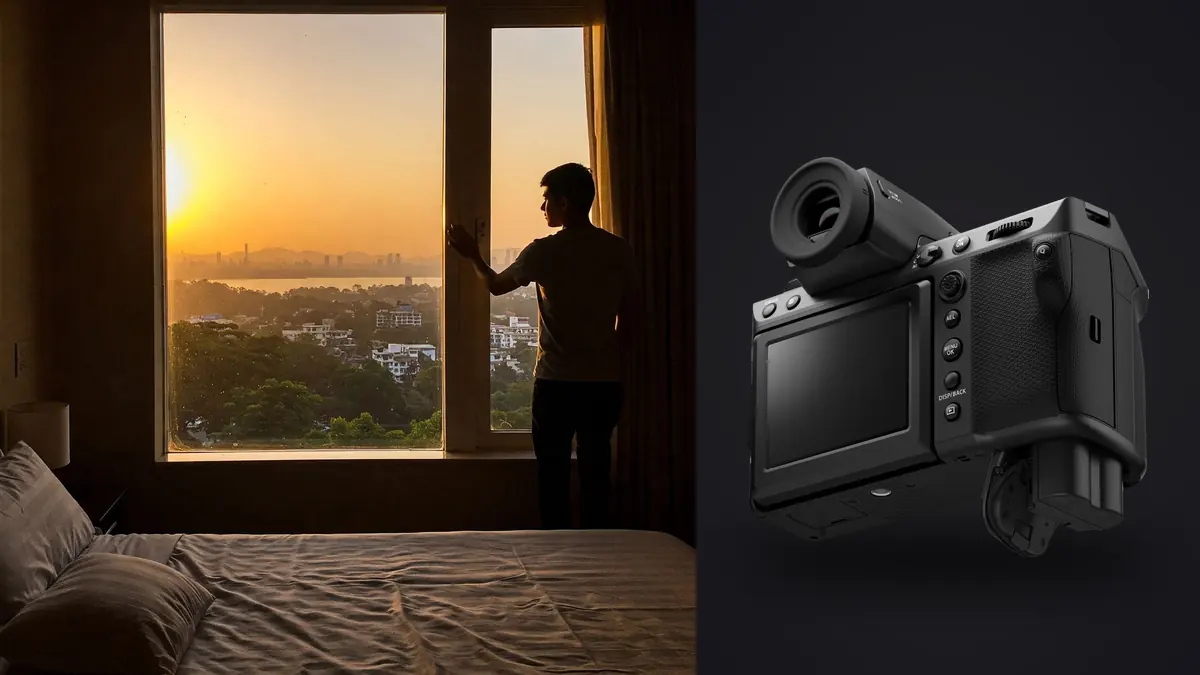
Picture a boudoir session outside Lisbon in a rented apartment with nothing but the light coming through a set of French doors and a Fujifilm GFX 100 II owned for about six weeks. No strobes, no assistant, just the model, roughly ninety minutes before the light went flat, and a camera that is still half-learned. That setup is the one I think of whenever another photographer asks whether medium format actually earns its keep in a genre that lives on comfort and speed, not resolution charts.
My answer is yes, but not for the reason most people assume before they've used one. It isn't the 102 megapixels. It's what the larger sensor does to skin tone, to the way light falls off a shoulder, and to how much room the file gives you when a client shifts six inches out of the spot you metered for.
What the bigger sensor actually changes
The GFX 100 II's 33x44mm sensor is roughly 1.7 times the surface area of a full-frame chip, and in this genre that shows up less in sharpness and more in tonal transitions. Skin renders with less of the slightly clipped, contrasty look you get from smaller sensors pushed for micro-contrast. Highlight rolloff across a shoulder or a hip in window light is gradual rather than stepped, which matters enormously when the entire point of the image is to look soft and unforced rather than lit.
Dynamic range sits around 14 stops at base ISO 80, which in practice means I can expose for the window and still pull back detail from the side of a body that's two stops under, without the recovery looking chalky. That's not a boudoir-specific feature, but it's a boudoir-relevant one: a lot of the genre is shot in ordinary bedrooms and hotel rooms with one window and no fill, and the sensor's forgiveness is doing real work you'd otherwise need a reflector and an assistant to replace.
The other thing nobody mentions until they've shot it: at a given f-stop, a larger sensor renders shallower depth of field than a smaller one framed the same way. A GF lens at f/2.8 behaves, in terms of background separation, closer to an f/2.2 full-frame lens. It's a small difference on paper and a noticeable one when you're trying to melt a cluttered hotel room into nothing behind a subject.
The lenses that actually get used in a real bedroom
Studio portrait lens lists don't map cleanly onto boudoir work, because you're rarely standing eight feet back in an open room. You're often in a corner, working a 6x8 foot patch of floor between a bed and a window, and the lens has to earn its place at that working distance. After two years shooting this system for intimate and boudoir portraits, here's what actually stays in the bag versus what I bought and stopped using.
| Lens | Full-frame equivalent field of view | Effective aperture (depth of field) | Where it earns its keep |
|---|---|---|---|
| GF80mm F1.7 R WR | ~63mm | ~f/1.3 | Close half-body and detail frames where you want the background to disappear entirely |
| GF110mm F2 R LM WR | ~87mm | ~f/1.6 | Classic flattering distance across a room; the lens I use for the bulk of a session |
| GF63mm F2.8 R WR | ~50mm | ~f/2.2 | Documentary-style transition shots between poses, getting ready, walking to the window |
| GF45mm F2.8 R WR | ~36mm | ~f/2.2 | Wider environmental frames that show the room, the light source, and the mood |
The 110 does most of the actual work. It's heavier than you'd want for a full day handheld, but the rendering at f/2 to f/2.8 is the closest thing to a signature look I have. The 80 is the glamour lens, wide open it's stunning, but it's also the one most likely to miss focus on a moving subject in low light, which brings up the next problem.
Autofocus in a dim room, and where it still trips up
Fujifilm improved the phase-detection coverage on the 100 II over the 100S, and the sensor reads out roughly four times faster, so subject tracking reacts quicker and hunts less in mixed light. Face and eye detection also got noticeably better at picking up a profile or a three-quarter turn rather than only a straight-on face, which matters constantly in this genre since very few boudoir poses look directly at the lens.
Where it still struggles: single-source continuous light (an LED panel, a window at dusk) combined with a wide-open GF80mm at 1/60th or slower. The lens hunts, especially if the subject is mostly in shadow with only a rim of light defining the edge of a face. My workaround is boring but reliable, I switch to a small AF zone instead of wide tracking, place it directly on the near eye, and use back-button focus so a slight reframe doesn't force the camera to hunt again. I also stopped trusting face detection the moment hair or a hand crosses in front of the eye, which happens often in this kind of posing.
What a real session actually costs you in storage
This is the part that catches people who are used to a 24 or 45 megapixel body. A compressed lossless RAW off the GFX 100 II runs somewhere in the neighborhood of 100 to 115MB per frame. Uncompressed 14-bit files run closer to 200MB. That adds up fast in a genre where you're not shooting one decisive moment, you're shooting variations, a hand moved slightly, an expression softened, the strap fell differently, and you want six or eight near-identical frames of every pose to pick from later.
| Session type | Typical frame count | Compressed RAW storage | Uncompressed RAW storage |
|---|---|---|---|
| Standard 90-minute session, single look | 450-700 frames | ~50-70GB | ~90-130GB |
| Half-day, two to three looks | 1,000-1,400 frames | ~110-160GB | ~200-280GB |
| Full-day, multiple locations or wardrobe changes | 2,000+ frames | ~220-320GB | ~400GB+ |
The card slots (CFexpress Type B plus SD UHS-II) can keep up during the shoot. The problem shows up afterward, when you're sitting down to cull a couple thousand 100-megapixel files, half of which are duplicate poses at slightly different focus points, and your laptop is chugging just to render previews. This is the exact situation I built my culling habits around imagic for. It scores sharpness locally per frame rather than relying on a rough thumbnail, so when I've got six versions of the same pose and the eye focus shifted by a fraction between frames three and five, it actually tells me which one is sharpest instead of me squinting at 200% zoom on a file that takes a full second to render. It also clusters those near-identical bursts together so I'm reviewing one group of six instead of scrolling past the same pose six separate times. If you haven't looked at how that scoring actually works under the hood, it's covered in more detail in how AI photo culling works.
Confidentiality is not a nice-to-have in this genre
This is where boudoir and intimate portraiture differ from almost every other kind of paid photography work. Clients are trusting you with images they may never show anyone else, and the anxiety about where those files travel is real and specific, not generic privacy concern. Anyone being photographed may ask directly whether their photos get uploaded anywhere during editing, and "no, never, everything stays on this laptop" is the answer that keeps them relaxed during the shoot itself.
That's a big part of why I moved my culling off cloud-based tools entirely. imagic processes everything locally, nothing gets uploaded to score sharpness, cluster duplicates, or apply an edit. For most photography genres that's a nice technical detail. For boudoir it's closer to a professional obligation. Tell the people you photograph this explicitly before you shoot; it can be the reason they choose one photographer over another who does everything through a cloud-synced Lightroom catalog.
Keeping the retouching look consistent without redoing it every time
Boudoir retouching has a narrower acceptable range than most portrait work. Skin has to stay skin, not plastic, and the color grade has to stay warm and consistent across a whole gallery even though lighting shifts between the window side of the room and the corner you moved to for variety. I spent the better part of a year manually matching grades shot to shot before I set up imagic's apply_my_style feature, which trains on a batch of my own already-edited images and then applies that same grading logic to a fresh set of RAWs. It's not a filter, it's built from my actual edit history, so a new gallery starts already close to my finished look instead of starting flat. I still go in and fine-tune skin tones frame by frame, this genre demands that level of attention, but I'm no longer rebuilding the base grade from zero on every single shoot. If you want a deeper look at grading approach generally, this guide to color grading covers the fundamentals I built my own preset around.
Settings I actually dial in before a session starts
A few defaults that have earned their place after enough sessions:
Electronic shutter, silent mode, for anything past the first few establishing frames. The mechanical shutter on a body this size has a noticeable clunk, and in a small bedroom with one person and no music playing, that sound is distracting in a way it never is on a studio set. IBIS rated to 8 stops means I can shoot handheld at 1/30th or even 1/15th with the 110mm when the only light is a window and a bounce card, which keeps ISO low enough that skin doesn't need heavy noise reduction before retouching. I keep the ISO ceiling around 3200 for this work specifically, past that the grain starts fighting with skin texture in a way that's hard to fix cleanly afterward. Compressed lossless RAW, not uncompressed, the quality difference is not worth doubling my storage bill. And I start most sessions on a Nostalgic Neg or Reala Ace baseline in-camera, purely so the JPEG previews I show on the back of the camera already look close to the finished product, which matters more for the subject's confidence mid-shoot than people expect.
Frequently Asked Questions
Is the GFX 100 II overkill for boudoir and intimate portrait work?
For volume-focused portrait businesses shooting several sessions a week, probably. The file sizes alone create a real workflow tax. But for photographers charging premium rates for a smaller number of intimate sessions, where the client is paying partly for print quality and partly for the experience of being photographed carefully, the sensor's tonal rendering is a genuine differentiator, not a marketing number.
Which GF lens should I buy first if I'm coming from full frame?
The GF110mm F2 R LM WR. It's the closest thing to a do-everything lens for this genre, flattering at typical bedroom working distances, sharp enough wide open to trust for hero shots, and versatile enough that you can shoot most of a session on it before reaching for anything wider or faster.
How do you get through 100+ megapixel files without losing a whole day to culling?
Cull before you touch Lightroom or Capture One, not inside it. Both of those programs choke rendering full-resolution previews of a few thousand GFX files at once. I run the raw folder through a dedicated local culling pass first to cut duplicates and flag the sharpest frame in each pose cluster, then only import the survivors into my main catalog. That alone usually cuts what I'm importing by 70 to 80 percent.
Does medium format actually change the emotional read of the images, or is that just marketing?
It's real, but it's subtle enough that most clients couldn't name what's different if you showed them side by side with a good full-frame image. What they respond to is the skin rendering and the gentle falloff, not the resolution. If you're buying this camera expecting clients to notice "medium format," they won't. If you're buying it because you can see the tonal difference yourself and it's worth the workflow cost to you, that's the right reason.
Two years in, the GFX 100 II hasn't made me a better photographer of intimate work, the posing, the pacing of a session, and reading the subject's comfort level still do the heavy lifting there. What it changed is how forgiving the file is when the light isn't perfect and how much of that forgiveness survives into a final print. For a genre built almost entirely on making someone feel comfortable enough to be photographed like this at all, that margin for error turns out to matter more than I expected it to.