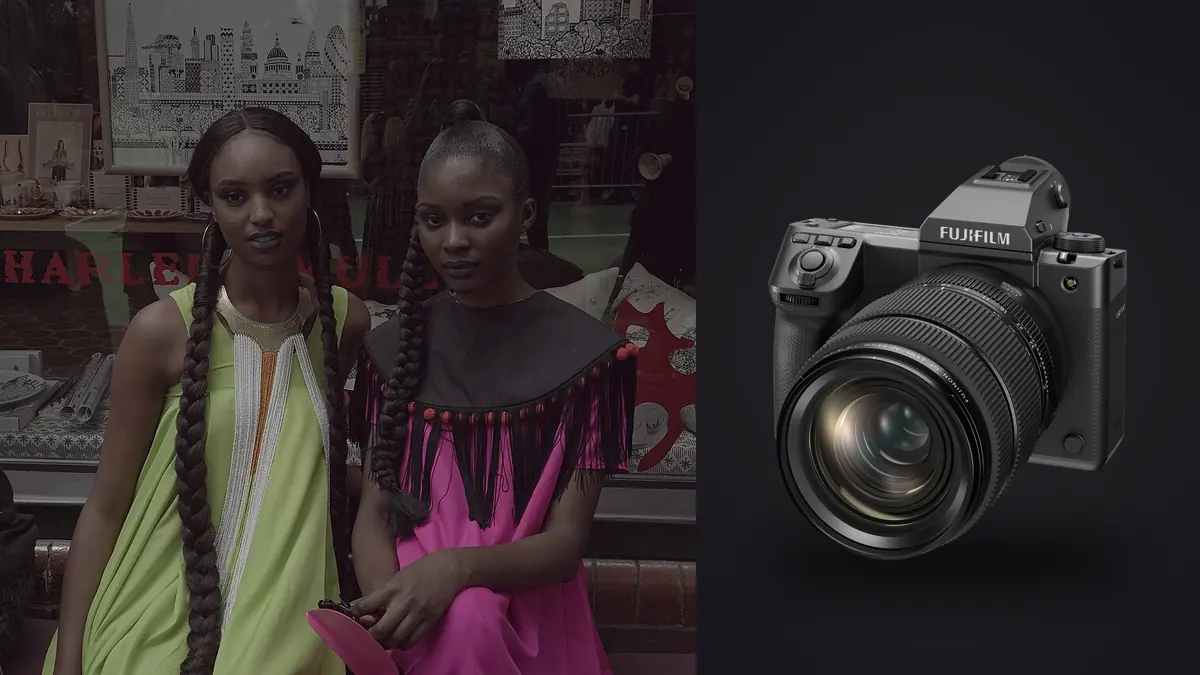
Picture booking the GFX 100 II for a 40-look lookbook because the client wants crops. Not "maybe we'll crop it" crops, but a signed brief that says the same frame needs to work as a full-bleed hero on the site, a square Instagram tile, and a half-page print insert for a wholesale catalog. That's the actual reason to reach for 102 megapixels on a lookbook job. It's rarely about pixel-peeping the garment. It's about buying yourself room to reframe after the fact without a client noticing you did it.
Why a lookbook is a different job than a portrait shoot
A lookbook isn't one hero image, it's a system of near-identical images. Same lighting setup, same backdrop, same model position, garment after garment after garment, sometimes forty or fifty of them in a single day with a stylist and an art director standing behind you making calls in real time. The camera's job in that context isn't to be exciting. It's to be consistent, fast to review, and generous enough in resolution that the retoucher downstream isn't fighting you.
That consistency requirement is where the GFX 100 II earns its keep and also where it costs you. The files are enormous, color out of camera is remarkably even across a full day under the same strobes, and the dynamic range gives retouchers latitude to pull back highlight blowouts on white cyc backgrounds without the fabric turning chalky. But you pay for that in card space, in transfer time, and in how long it takes anyone, you included, to get through the take at the end of the day.
The sensor, in practical terms
The 102MP sensor in the 100 II is the same resolution class as the original GFX 100 and 100S, but Fujifilm reworked the readout so it's meaningfully faster off the chip, which matters more for a lookbook than you'd think. Faster readout means less rolling shutter skew when a model shifts weight mid-frame under electronic shutter, and it's part of why the mechanical shutter can sync with strobes at a genuinely useful speed instead of forcing you down to a crawl. On a white-cyc lookbook set running a couple of monolights, you should rarely have to think about sync speed the way you do on some mirrorless full-frame bodies pushed past 1/200s.
Native ISO on this sensor runs from 80 up, and I kept the whole day between ISO 80 and ISO 160 under studio strobes, which is the sweet spot where the sensor's dynamic range is at its widest. That headroom is what lets a retoucher recover a sequined jacket that's throwing hot specular highlights back at the lens without the surrounding fabric texture collapsing into noise. On a smaller-sensor body I'd have been babysitting the histogram far more carefully on anything reflective.
One thing nobody warns you about: fine knits and houndstooth can produce moire on a sensor this detailed, even without an anti-aliasing filter being the culprit you'd expect. I hit it twice that day, once on a herringbone blazer and once on a pleated skirt under raking light. The fix was a slight refocus and a small aperture change, not a filter, but it's worth knowing before a client is standing over your shoulder asking why the fabric looks like it's shimmering on the tethered screen.
Lens choices that actually match lookbook pace
I ran three lenses that day and left two more in the bag untouched.
The GF32-64mm f/4 does most of the work. It's the closest thing in the GF lineup to a fashion workhorse zoom, and at f/5.6 to f/8 it renders garments with almost no vignetting or distortion across the frame, which matters when a client is comparing forty images side by side on a contact sheet and any inconsistency between frames jumps out immediately. Staying around 45-55mm for most full-length looks keeps proportions honest, since anything wider starts to lengthen the legs in a way a client won't want.
The GF110mm f/2 came out for close-crop detail shots, buttons, stitching, the occasional beauty-adjacent headshot the client wanted for a lookbook cover. Wide open it's soft in a flattering way on skin and falls off fast enough behind the subject to isolate a garment from a cluttered rack backdrop. It's also heavy and slow to work with quickly, so it wasn't a lens I reached for during the main look-after-look sequence.
I brought the GF80mm f/1.7 hoping it would replace the 110mm for pace but ended up barely using it. It's a lovely lens for editorial portrait work, less useful when you need consistent full-length framing look after look, since the working distance kept forcing me to back up further than the studio space comfortably allowed.
What I left home: the tilt-shift GF30mm and the long GF250mm. Neither has a real job on a lookbook set unless you're doing architectural product context shots or shooting looks at distance outdoors, which this job wasn't.
The file math nobody puts in the camera review
This is the part that actually determines whether a lookbook day runs smoothly or turns into an overnight culling slog. Compressed RAW files off the 100 II run somewhere around 100-120MB each depending on scene detail, and on a lookbook day you are not shooting one frame per look. You're shooting a burst of six to ten per garment to catch the fabric settling, the model's expression, and the stylist's last-second fixes.
| Metric | GFX 100 II (102MP) | Typical 61MP full-frame body |
|---|---|---|
| Avg. compressed RAW size | ~110MB | ~65MB |
| Frames per look (burst average) | 7 | 9 (faster burst, more insurance frames) |
| Looks in a typical lookbook day | 40 | 40 |
| Total frames shot | ~280 | ~360 |
| Total RAW storage generated | ~30.8GB | ~23.4GB |
| Manual cull time (scroll and flag, per frame) | ~4-6 sec/frame | ~3-4 sec/frame |
| Cull time with local sharpness/burst clustering | ~1-2 sec/frame | ~1-2 sec/frame |
The GFX body loses on burst speed and total file count, gains back most of that time on the culling end because the frames within a burst are so consistent that automated sharpness scoring has an easy job separating the two or three usable frames from the rest. Manually scrubbing through 280 frames of near-identical poses at the end of a twelve-hour day is where I've made the worst calls of my career, picking the frame with the "nice" expression while missing that the hem was crooked or focus had drifted half a pace back. That's the exact grind I now run through imagic before I ever open a look in a full editor. It clusters the burst by similarity and scores focus locally on the machine, no upload, which matters when a brand's unreleased collection is sitting on the drive and legal has opinions about cloud services.
Tethering and keeping an art director happy
Say you shoot tethered the whole day, GFX 100 II into Capture One over USB-C, with images landing on the art director's laptop within a couple seconds of the shutter. This is where the 100 II's file size actually works against you a little: a 110MB RAW transferring over tether takes noticeably longer than a 40MB APS-C file would, and on a day with forty looks that adds up to real, standing-around minutes. Fujifilm's own tethering software has improved a lot in the last couple of years but Capture One remains the more stable choice for a full day of continuous tethered capture without a dropped connection.
The upside of the big files on a tethered set is that the art director can zoom into stitching detail on a 27-inch monitor and actually judge sharpness in real time, which can save a redo of looks that would otherwise only be caught in the edit two days later.
Where it actually slows you down
I want to be honest about the friction, because most gear writeups undersell it. Burst speed on this body, even with the optional grip, doesn't touch what a stacked full-frame sports-oriented body will give you, and on a lookbook with movement, a coat swirl, hair flip, walk cycle, that limitation shows. I missed the exact peak of a jacket flare on one look and had to ask the model to repeat it. On a body shooting 20fps that wouldn't have been a request I needed to make.
The body itself is not light. Add the 32-64mm and you're carrying real weight through a twelve-hour day, and by look thirty my shoulder was reminding me about it. And the price of admission matters for a commercial job's budget line: renting or owning this system plus two or three GF lenses is a different cost bracket than a comparable full-frame kit, which only makes sense if the deliverables actually require the resolution or the client is paying for medium format specifically.
After the shoot: the edit nobody sees
Forty looks at seven frames each leaves roughly 280 RAW files, and a brief may demand same-day select delivery. The realistic path through that volume isn't opening every frame in Capture One and eyeballing it, it's a first-pass cull that throws out the obviously soft or duplicate frames before a human ever has to make a judgment call. I run that pass through imagic, which does its focus scoring and burst grouping locally on my machine rather than pushing files anywhere, which matters more on fashion jobs than most other genres because of how protective brands are about unreleased collections leaking before a launch date. From there I still make the final picks myself, but I'm choosing between four frames per look instead of seven, and that's the difference between a two-hour cull and a five-hour one. If you're new to the idea of automated culling at all, it's worth reading through how AI photo culling actually works before trusting it on a paying job, since understanding what it's scoring changes how much you second-guess its picks.
The other place the day gets faster is having a repeatable order of operations rather than improvising each time a card fills up. I picked up a few habits from a workflow piece on shaving time off a shoot day that ended up mattering more on a high-volume lookbook than on any single portrait session, mostly around naming conventions and not waiting until the drive is full to start offloading.
Frequently Asked Questions
Is 102 megapixels overkill for a lookbook, or does it actually get used?
It depends entirely on the deliverables. If the lookbook is only ever going to live as a PDF or a set of web images, you're throwing away most of that resolution and a 40-50MP body would do the job with less storage and transfer overhead. Where it pays off is when the same shoot needs to serve print catalogs, large-format retail signage, or heavy post-crop reframing for different aspect ratios from one capture. Ask the client what the files are actually for before booking medium format on their dime.
Can the GFX 100 II keep up with a model who's moving, not just standing?
For controlled movement, a coat swing, a turn, a hair toss on cue, yes, especially with the improved sensor readout reducing rolling shutter distortion compared to the original GFX 100. For genuinely fast, unpredictable movement like a runway walk shot at a wide aperture with a model approaching camera, you'll miss more frames than you would on a body built around burst speed and tracking autofocus. I'd treat this camera as excellent for posed-but-lively lookbook work and not reach for it on a live runway show.
What's the realistic flash sync situation shooting tethered strobes all day?
Solid. The mechanical shutter syncs at a speed that let me stay in a comfortable studio aperture range without ducking into high-speed sync workarounds, and I didn't see the banding issues some electronic-shutter medium format setups produce under continuous lighting. Just budget a little extra time for pack-down since the shutter mechanism and the size of the files both make this a camera you want on a tripod or at minimum a solid strap, not something you're casually swinging around a small set.
How much storage should I actually plan for on a full lookbook day?
Plan generously. Between roughly 280 and 400 frames on a 40-look day, expect somewhere north of 30GB of RAW before you've even started editing, and that's before backups. Run dual CFexpress cards in-camera for redundancy and still back up to a separate drive before leaving set, since a single card failure on an unrepeatable shoot with a booked model and rented wardrobe is not a risk worth taking to save an hour.
Is it worth owning this camera versus renting it per job?
If lookbook and catalog work is a recurring part of your booking calendar, owning starts to make sense once you're past four or five jobs a year that specifically call for it, mostly because rental houses charge a premium during the exact fashion-calendar weeks everyone else wants the same body. If it's an occasional client request, renting keeps the capital off your books and lets you match the body to what each specific job actually needs instead of defaulting to medium format out of habit.