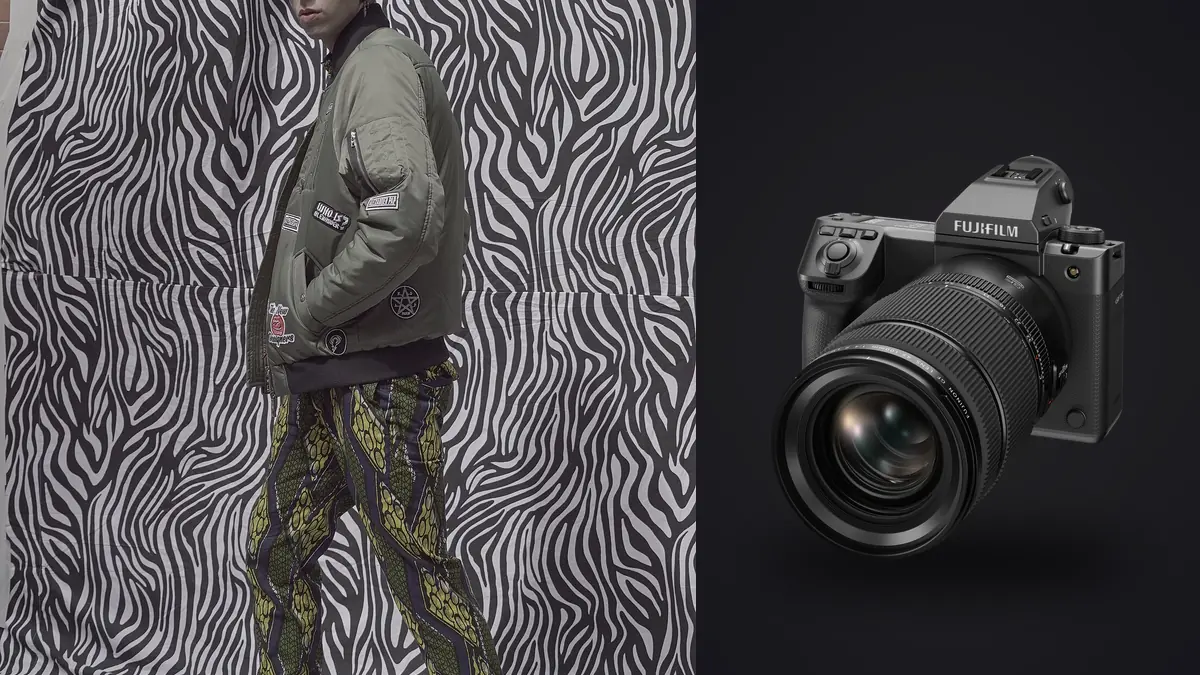
A lookbook day is not a photoshoot in the romantic sense. It's forty-plus looks, three or four models rotating through wardrobe changes, a stylist yelling about a collar that won't sit right, and an art director checking every frame against a mood board on an iPad. The camera you bring has to survive that pace without becoming the bottleneck. Picture running four full lookbook drops with the Fujifilm GFX 100 II as the primary body, after two years of doing this same job on a GFX 100S and, before that, on full-frame bodies. What follows is what would change, what wouldn't, and where the extra resolution turns into a workflow problem you need a plan for before the first model walks onto set.
Why lookbook work stresses a camera differently than editorial or landscape
Most camera reviews test autofocus with a bird in flight or a kid on a bike. That tells you almost nothing about a lookbook. On a commercial fashion set, the demands are narrower but oddly harder to satisfy: you need identical color response across a full day of shifting studio light as the modifiers get bumped, you need fabric texture rendered honestly because the client is buying based on how the weave and drape look in the catalog, and you need to shoot the same pose eight or nine times per garment because a sleeve is never quite right on the first three frames. None of that is exotic. It's just repetitive, high-volume, and unforgiving about consistency. That last part is the one people underestimate. A landscape photographer can chase the light and walk away with twelve keepers from a whole trip. A lookbook client expects one clean, on-brand frame per SKU, times however many pieces are in the collection, delivered in a color grade that matches last season's catalog. The camera's job is to make that repeatable, not to produce one spectacular frame.
What actually changed from the 100S
I liked the GFX 100S. It was smaller than the original 100, it had the same 102-megapixel sensor, and it was genuinely usable handheld for half-day jobs. The 100 II keeps that sensor's resolution but reworks enough around it that the upgrade is worth discussing in pieces rather than as one blanket "it's better now" statement.
Autofocus and tracking
The phase-detection coverage is wider and the subject-tracking is noticeably stickier on a moving model than it was on the 100S, which tended to hunt if a model turned her head quickly or if hair swung across the eye. On a lookbook set that matters more than you'd think, because full-length shots with garment movement (a coat opening, a skirt mid-step) used to force a switch to a single focus point and manual placement. On the 100 II you can leave it on wide-area tracking for full-length looks and only drop to a single point for tight product-detail crops, like a bag clasp or a cuff.
In-body stabilization interactions
Fujifilm rates the in-body stabilization at up to 8 stops on the 100 II. In a studio with strobes that's mostly irrelevant since you're shooting at 1/125s or faster anyway, but it matters more than people expect during test shots and client walkthroughs when you're handholding at slower shutter speeds under modeling lights to check a composition before committing to a full strobe pop. It also matters if part of the day involves behind-the-scenes handheld coverage under ambient light, which most lookbook jobs now ask for alongside the catalog frames.
The tilting viewfinder nobody talks about enough
The 4-axis tilting EVF sounds like a gimmick until you're shooting a low-angle full-length look and don't want to lie on the studio floor in front of a client. I use it constantly for waist-level composition on standing shots and for high-angle flat-lay-adjacent product shots. It's a small thing that saves your knees across a twelve-hour day, and on a job where you're on your feet moving between three lighting setups, that adds up.
How it stacks up against the two cameras clients actually ask about
Every studio manager I work with eventually asks whether the resolution jump from a full-frame body is worth the file weight and the price. Here's the honest comparison based on what I've actually shot on all three, not spec-sheet numbers pulled from a press release.
| Factor | Fujifilm GFX 100 II | Fujifilm GFX 100S | Sony A7R V (full-frame) |
|---|---|---|---|
| Resolution | 102MP medium format | 102MP medium format | 61MP full-frame |
| Continuous shooting | ~8 fps mechanical | ~5 fps mechanical | ~10 fps mechanical |
| Compressed RAW file size (approx.) | 100-130MB | 100-130MB | 55-70MB |
| Card slots | CFexpress Type B + SD UHS-II | CFexpress Type B + SD UHS-II | CFexpress Type A + SD UHS-II |
| Viewfinder | 9.44M-dot, 4-axis tilting | 3.69M-dot, fixed | 9.44M-dot, fixed |
| Garment texture at 100% crop | Very high, weave and thread visible | Very high, identical sensor | High, softer at pixel level |
| Native lens roster for fast set work | Growing, still limited past f/1.7 primes | Same as 100 II | Extensive, deep third-party support |
What that table doesn't capture is the feel of the files. Garment texture on the GFX sensor at full resolution genuinely is a different tier for catalog work, especially on anything with visible weave: raw denim, boucle, tweed. If the client is a brand where fabric quality is part of the pitch, that difference shows on a monitor during review even before it's printed. If the client mostly needs clean e-commerce frames that get resized to 1200 pixels wide for a website, you are carrying around a lot of resolution you'll never use, and the full-frame body will get you through the day faster with a lighter card wallet.
The file-size tax you pay for medium format resolution
A compressed RAW off the 100 II lands around 100 to 130MB depending on scene complexity. On a forty-look day shooting eight to ten frames per look to cover expression, hand position, and fabric settle, you're looking at 320 to 400 frames minimum, often closer to 600 once you count test shots and safety frames. Do the arithmetic and a single lookbook day can produce 40 to 60GB of RAW files before lunch, and 80 to 100GB isn't unusual once you've also shot behind-the-scenes coverage. That volume is where the day actually gets hard, and it has nothing to do with the camera's image quality. It's a data-management and culling problem. Culling that volume by eye on set is a losing game, because eyeballing 400 near-identical frames of the same look for the one where the model's chin is at the right angle and the fabric isn't bunched is exactly the kind of decision fatigue that produces bad picks by hour ten. I run the day's card through imagic between setups, which handles the two things that actually eat time here: it scores focus and sharpness locally against the actual pixel data rather than a thumbnail, so a soft-looking frame that's actually tack-sharp on the garment doesn't get flagged by mistake, and it clusters the near-duplicate bursts from each look together so I'm choosing between six visually similar frames instead of scrolling past four hundred. Because it runs on the laptop on set with no upload step, none of that unreleased collection footage leaves the building before the client has approved anything, which matters more than people admit when you're shooting a pre-release drop under an NDA.
Getting forty looks to match without spending a week in Lightroom
Resolution and detail are only half the job. The other half is that a lookbook has to look like one coherent object when it's delivered, not forty individually-graded photos that happen to share a background. Studio light drifts across a long day. Strobes get bumped. A softbox gets swapped when a second unit gets added for a group shot. If you grade each look in isolation you end up with visible color shifts between garment ten and garment thirty, and a good editor at the client's end will catch it even if a casual viewer wouldn't articulate why the set looks slightly off. The way to solve this without burning days in post is to build the grade once, early, on the first handful of hero looks that the art director signs off on, then apply that same edit logic across the rest of the set instead of re-inventing it per image. I do that with imagic's apply_my_style feature, which trains on a batch of my own finished edits and reproduces that same tonal and color decision-making across the rest of the day's take. It's not a canned filter pretending to be a "film look," it's built from edits I actually made and approved, so skin tones and garment colors that were corrected once carry that correction forward instead of drifting look to look. On a forty-look job that turns a multi-day grading pass into an afternoon, and it keeps the color pipeline entirely local, which confidentiality agreements generally require anyway for anything shot ahead of a collection launch.
Lens choices that actually get used on a lookbook set
Three lenses cover about ninety percent of a lookbook day. The GF 110mm f/2 is the workhorse for three-quarter and full-length hero shots; it renders skin and fabric with a roundness that flatters without softening detail, and the f/2 aperture gives enough separation from a seamless background without needing to push the studio strobes to awkward power levels. The GF 45-100mm f/4 zoom handles the in-between moments, group shots, quick reframes when the art director wants a tighter crop without a lens change, and any coverage where re-blocking the whole set for a prime lens isn't worth the time. For close product detail, hardware, buttons, embroidery, stitching, I reach for the GF 120mm f/4 Macro, which is slower to work with but earns its place the moment a client asks for a callout crop on a zipper pull. What to avoid reaching for on this kind of job is anything past f/1.7 for wide-open work. Medium format depth of field at those apertures gets thin enough that full-length shots start losing the far shoulder or the back foot out of focus, which reads as a mistake on a catalog image rather than a stylistic choice. Save the shallow glass for beauty crops and close portraits where that thin plane is the point.
Where the 100 II is the wrong tool for the job
I'd be lying if I said this camera fits every lookbook brief. If the job is a fast-turnaround e-commerce catalog where the client needs same-day or next-day delivery and the final images live at web resolution, the 100 II's file weight works against you. The culling and grading tools narrow that gap, but you're still moving more data than the job needs, and a lighter full-frame body with a faster burst rate will get through a hundred-SKU e-commerce day with less friction. It's also not the camera I'd choose for a lookbook that leans heavily on movement: dance-adjacent fashion film stills, a model jumping or spinning through frame, anything where you're relying on a high burst rate to catch a peak moment. Eight frames per second with a large buffer to fill is fine for a model settling into a pose, not for catching one frame out of a spin where the fabric is exactly right. And it's genuinely heavy after ten hours. Body plus the 110mm f/2 is a wrist workout by the last third of a long day, in a way a mirrorless full-frame kit with a similar prime just isn't.
Frequently Asked Questions
Is the GFX 100 II overkill for a lookbook that will only ever be viewed online?
For a catalog that lives entirely on a website or social feed, yes, in the sense that you're capturing far more resolution than any screen will display. The reason people still choose it for that work is the tonal rendering and dynamic range at the sensor level, not the pixel count. You can always downsample a 102MP file for the web; you can't add back detail a smaller sensor never captured if a client later wants a large-format print or a billboard crop from the same shoot.
How many looks can realistically get shot in one day on this camera?
On a well-run set with a stylist keeping pace, thirty to forty-five looks in a ten-hour day is realistic, assuming eight to twelve models aren't all changing simultaneously and lighting stays consistent between garments. The camera isn't the limiting factor there; wardrobe changes and stylist steaming time are. Where the camera does become a factor is culling that volume afterward, which is why I lean on automated sharpness scoring and burst clustering rather than reviewing every frame by eye at the end of a long day.
Do I need a tethering setup, or is chimping the rear screen enough?
For any commercial job with an art director or client present, tether. The rear screen, even the excellent one on the 100 II, isn't accurate enough for wardrobe and color decisions that a client is signing off on in real time. I run Capture One tethered over USB-C, which also means the day's take is already sorted into a folder structure by look before I ever touch a culling tool afterward.
Does the extra resolution actually show up in garment detail, or is it marketing?
It shows up, but selectively. Weave, thread, and embroidery detail on close and mid-range shots is genuinely a step above what a 40-something megapixel full-frame sensor delivers at the pixel level. On full-length shots from ten or more feet back, where the garment occupies a smaller portion of the frame, the difference is much harder to see even at 100% crop. If your lookbook leans heavily on tight product callouts, the resolution earns its keep. If it's mostly full-length runway-style frames, it's a smaller factor than the price difference would suggest.
None of this replaces good lighting, a stylist who knows how to pin a garment so it photographs cleanly, or an art director who catches problems before they're baked into three hundred frames. The camera is one variable in a day that has a lot of them. What the 100 II changes for lookbook work specifically is how much of that day you get to spend actually shooting instead of fighting the equipment, and how much confidence you have in the files once the models have gone home and it's just you, a stack of cards, and a deadline.