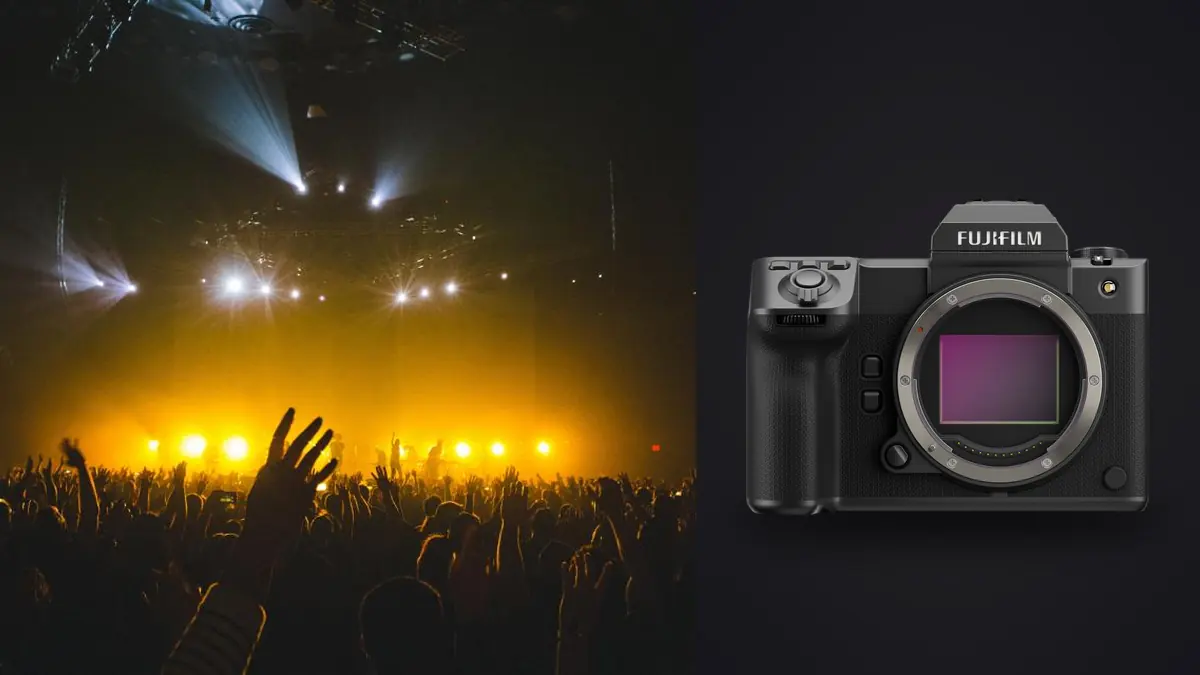
A 102 megapixel medium-format camera can record intricate costumes, instruments, and stage design, but a concert is not a controlled detail study. Musicians move through narrow pools of light, LED walls change exposure, and photographers may receive only a few songs from one marked area. The Fujifilm GFX100 II belongs in that environment only when lens reach, access, autofocus demand, and file handling support the assignment.
This Lens and Location Guide maps GF lens roles to photo pits, front-of-house positions, balconies, rehearsals, and small venues. It treats the camera's large files and shallow depth as planning factors, not status symbols, and keeps safety, artist restrictions, audience sight lines, and lighting behavior ahead of maximum resolution.
Confirm the assignment allows the camera to make sense
Request the credential terms in writing: permitted songs, positions, flash policy, lens limits, artist approval, image use, escort requirements, and whether silent shutter is mandatory. Some venues restrict detachable-lens cameras for audience members, while accredited media follow separate rules. A ticket, invitation, or backstage pass does not automatically grant publication rights.
Ask what the photographs must deliver. A campaign key visual, album artwork, stage-design record, or large exhibition print may benefit from the GFX100 II's dimensions. Rapid wire-service delivery, an entire festival from long distances, or a dark club with erratic motion may place greater value on smaller files, faster lenses, and a more agile system. Camera choice should follow the brief.
Identify whether the performance is a rehearsal, soundcheck, seated recital, theater production, club show, arena concert, or festival. Rehearsal access can permit deliberate medium-format frames without audience obstruction. A three-song pit window requires a much simpler lens and card plan.
Assign GF lenses by actual camera position
| Lens class | Position | Primary risk |
|---|---|---|
| Wide zoom or prime | Stage edge, rehearsal, environmental venue view | Close perspective and bright edge lights |
| Fast normal prime | Small venue or controlled stage distance | Limited framing when performers move |
| Short portrait lens | Side-stage detail and known marks | Very shallow focus at close range |
| Standard zoom | Pit coverage with changing subject distance | Aperture and weight under low light |
| Telephoto zoom | Front of house, balcony, or restricted stage | Support space, atmospheric haze, and narrow acquisition |
The GFX sensor is larger than full frame, so GF focal lengths produce a wider angle of view than the same number suggests on full frame. Use Fujifilm's angle-of-view information or a framing calculator when comparing an existing concert kit. Do not rely on a memorized conversion alone; minimum focus, aperture, size, balance, and autofocus behavior also change the practical role.
Bring no lens without a planned zone. A wide option can establish the venue and complete stage, a normal or short portrait lens can handle nearby performers, and a telephoto can isolate from a fixed distant position. In a crowded pit, changing a large lens exposes the sensor, consumes the shooting window, and creates collision risk.
Check the lens hood against the stage angle. Deep hoods can help with side light but may catch barriers or neighboring cameras. A front-of-house telephoto should be supported at its collar when provided, with a monopod approved by the venue and kept inside the allocated footprint.
Map performer marks and sight lines before doors open
During soundcheck or from production diagrams, note lead-vocal marks, drum riser, keyboard position, walkways, lifts, pyro zones, projection sight lines, and the direction performers enter. Record which marks receive reliable key light and which remain behind monitors. A technically clean position is not useful if every face turns away from it.
From the pit, look for microphone stands crossing faces, monitor wedges hiding instruments, and vertical LED seams behind heads. Move a short distance before the set begins to find two clear lanes. During the show, remain low when moving and do not occupy the same lane after completing the required frame.
At front of house, confirm that the camera does not block the mix position or seated audience. A longer lens compresses performers against screens and lights, which can be useful or visually chaotic. Check the background at each major stage mark and wait for combinations that support the subject.
Balconies add downward perspective. They can reveal lighting design, crowd scale, and stage geometry, but railings may vibrate and heads may obscure the lower frame. Never clamp to a venue structure without explicit approval, and do not extend equipment over an audience.
Build a song-by-song position plan
If access is limited to early songs, obtain the set list and ask whether those songs represent the production. Mark likely solos, lighting cues, instrument changes, and movement. Plans can change, so use them as orientation rather than a guarantee. Listen for repeated musical structures that signal the next gesture or light state.
Assign one goal to each song. The first may cover a clean lead portrait, the second interaction and band relationships, and the third stage context or crowd. This prevents a short window from becoming hundreds of near-identical frames of one performer. Capture venue and production details before the restriction begins where permission allows.
For a full show, alternate between visual chapters instead of moving constantly. Complete a position, wait for a safe aisle transition, and respect audience experience. Camera movement should never compete with the performance.
Test stage LEDs and projection systems
LED fixtures, video walls, practical bulbs, lasers, and projected content can refresh or pulse independently. Test the intended shutter modes and speeds during rehearsal. Look for horizontal bands, partial color changes, broken screen graphics, and distorted moving objects. A rear display thumbnail may hide the problem, so magnify a plain lit surface and the LED wall.
The GFX100 II offers mechanical and electronic shutter choices, each with tradeoffs. Electronic capture can be quiet but may show banding or rolling-shutter distortion under some light and motion. Mechanical operation may be restricted in silent environments. Follow venue policy and choose the mode that reliably records the production rather than the highest nominal rate.
Stage exposure can change several stops within a phrase. Protect important highlights on faces, white clothing, and screens, but do not force every dark background to middle gray. Manual exposure works when a light state repeats; a controlled automatic mode may handle unplanned transitions. Review individual color channels because saturated red or blue can clip before overall brightness appears excessive.
Use aperture as a blocking decision
A fast GF prime can isolate a face, but medium-format depth becomes unforgiving when a performer turns or moves toward camera. At close range, one eye, a microphone, and a guitar may occupy different planes. Decide whether the image is about the face, instrument, or interaction, then place focus deliberately and allow enough depth for that relationship.
For duos or a full band, stop down when light permits or wait until performers align. Raising ISO may preserve the group more honestly than using an aperture that leaves the second person unusably soft. The final output, not a habit of always shooting wide open, should decide.
Image stabilization can reduce camera movement at slower speeds, but it cannot freeze a drummer's stick or a vocalist turning. Select shutter speed from subject motion and the intended blur. Rehearsal frames can reveal which gestures need freezing and which benefit from movement.
Set autofocus around stage geometry
Face or eye detection may help on a cleanly lit lead performer, but it can jump to a brighter face on a screen, a bandmate, or someone in the audience. Restrict the active area to the performer zone and keep a smaller conventional area ready. Test through haze, backlight, glasses, hats, and microphones.
Pre-focus is valuable at a fixed vocal mark or drum kit. A remembered focus position reduces searching when the light falls, but confirm it whenever the camera position or focal length changes. At front of house, haze and heat can reduce apparent detail regardless of sensor resolution.
Use short bursts around gestures rather than holding the release through a song. Large RAW files consume card capacity and extend review. Anticipating a jump, cue, cymbal strike, or shared look produces a more coherent edit than indiscriminate coverage.
Protect the audience, crew, and photographer
Wear appropriate hearing protection that still allows awareness of staff instructions. Keep straps close, bags out of escape routes, and monopod feet visible. Do not step backward while looking through the viewfinder. Pyrotechnics, confetti cannons, moving stages, lasers, and crowd barriers have enforced exclusion zones.
Never use flash unless production and artist management explicitly allow it. Even approved flash should not interfere with performers, video, or the audience. Remote cameras require separate permission, secure mounting, safety cables, and a retrieval plan that does not cross an active stage.
Photograph audience members according to venue notice, local law, and the publication brief. Use extra care with minors, distress, intoxication, or medical incidents. Backstage and dressing areas are private unless specific access and consent cover them.
Prepare storage for 102 megapixel files
The GFX100 II records to CFexpress Type B and SD media. Confirm which slot receives RAW and whether a second copy is required. Use tested cards, estimate capacity from the actual compression and file settings, and keep full media separated. A high-resolution body can exhaust an improvised storage plan during a festival day.
Synchronize the camera clock with any other bodies and audio or production reference. Consistent time makes it easier to find a lighting cue or song and keeps a two-camera edit in order. Add a slate between artists or sets rather than relying on visual memory.
Back up in a secure crew area, not on the pit floor or an open public concourse. Verify two copies before formatting. Protect unpublished stage design, set lists, and backstage material according to the agreement.
Review RAF sequences by song and camera zone
Organize files by artist, set, song, and position. A dark frame may preserve an intentional silhouette, while a bright frame may capture a lighting transition rather than an exposure error. Review within musical sequence before comparing isolated technical scores.
imagic desktop can scan supported RAF folders before analyzing locally, group related frames, and set reversible culling statuses without deleting originals. Automated scoring cannot verify song restrictions, artist approval, a valid lighting cue, or whether a screen graphic is licensed. Keep those rules attached to the edit.
Reselecting re-ranks stored scores rather than analyzing again. Check freshness and reanalyze stale photos if needed. Style use requires a learned profile, and export renders stored adjustments into new JPEG or TIFF files while preserving the RAW. Build a consistent grade without erasing the production's intended color. More body and lens planning appears under Camera Hardware.
The GFX100 II can serve concert work when the brief values its files and the venue provides a viable position. Defined lens jobs, known stage marks, tested shutter behavior, and disciplined storage make the system purposeful; resolution alone does not.
Frequently Asked Questions
Is the GFX100 II too slow for concert photography?
It depends on the performance, access, and required moment. Rehearsals, fixed marks, recitals, and deliberate stage portraits can suit it, while highly erratic action may favor a different tool.
Which GF lens is most useful from a concert pit?
A flexible standard zoom can cover changing distance, while a fast normal or short portrait prime suits known marks and low light. Pit depth and artist movement should decide.
Can electronic shutter prevent all concert-light banding?
No. Electronic shutter can interact with LED refresh and fast motion, while other modes have different constraints. Test the actual production lights and selected shutter speed.