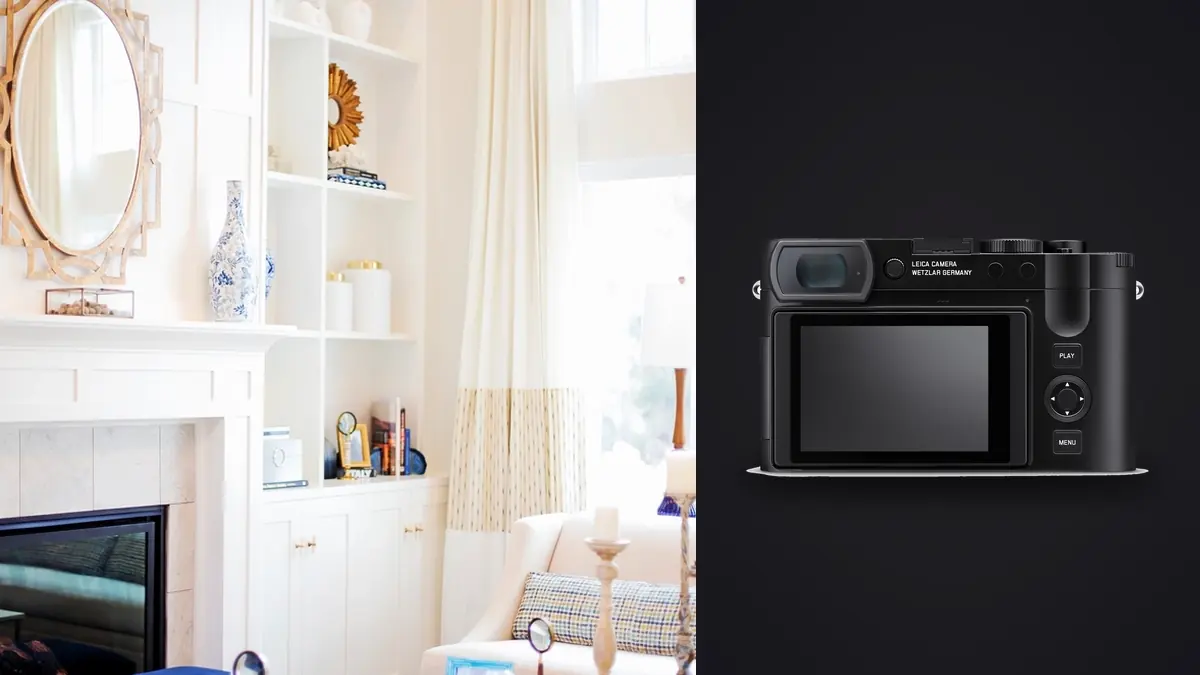
I spent three days shooting a boutique hotel renovation with nothing but a Leica Q3 clipped to my shoulder, and for most of the first afternoon I was convinced I'd made a mistake. Architectural and interior work has a reputation for demanding a bag full of glass: an ultra-wide for tight bathrooms, a tilt-shift for the lobby staircase, a short telephoto for detail shots of hardware and fixtures. I brought one fixed 28mm lens. What follows is what actually happened when I tried to make that work, not a spec sheet recitation.
Why 28mm is a more honest interior focal length than people give it credit for
Most photographers who haven't shot much real estate or hospitality work assume wider is always better indoors. It isn't. A 16mm or 17mm lens swallows an entire room, but it also stretches the corners, makes furniture near the frame edges look like it's sliding off a shelf, and forces you to control converging verticals constantly. The Q3's 28mm Summilux sits in a sweeter spot. It's wide enough to show a living room or a hotel suite in something close to how a person actually experiences walking into it, and the distortion at the edges is mild enough that you're not fighting the lens on every single frame.
For a mid-sized bedroom or a standard commercial office, 28mm reads as generous without reading as a fisheye. Where it struggles is in genuinely cramped spaces: a narrow ensuite bathroom, a walk-in closet, a stairwell with a low ceiling. In those rooms I found myself backing into the hallway and shooting through the doorway just to fit the space in frame, which isn't always physically possible and isn't a compromise a true architecture specialist would accept on a paid job.
The lens character matters as much as the number
Stopped down to f/5.6 or f/8, which is where most interior work lives anyway, the Summilux 28mm is sharp corner to corner and the built-in distortion correction (applied automatically to both JPEG and the RAW profile) keeps straight lines straight enough that I rarely had to nudge anything in post beyond the usual vertical correction. Wide open at f/1.7 it's a different story, with visible field curvature and softness in the corners, but nobody is shooting a hotel lobby at f/1.7 unless they're chasing a moody detail shot of a chandelier.
The perspective control feature, and what it actually costs you
This is the feature that made the Q3 worth bringing on an architecture job in the first place. Buried in the menu is a Perspective Control setting that lets you correct converging verticals and horizontal keystoning in camera, before you ever touch a laptop. Point the camera up at a tall doorway or a stairwell and the live view shows you the corrected frame in real time. It's genuinely useful for judging composition on site rather than guessing and fixing it later.
The catch, and it's a real one, is that correction crops the sensor. The more extreme the correction, the more resolution you give up. A mild 5-degree correction barely dents the file. A heavy correction on a tight stairwell shot where you had to tilt the camera up 20 degrees or more can cost you a meaningful chunk of the frame, and on a 60-megapixel sensor that still leaves you with a usable file, but it's not free the way people assume in-camera correction should be.
| Digital crop / focal length | Approx. resolution | Best use on an interior shoot |
|---|---|---|
| 28mm (native, no crop) | ~60 MP | Full-room establishing shots, tight spaces, anything you'll need to correct heavily for verticals |
| 35mm (in-camera crop) | ~37 MP | A balanced walk-through shot when 28mm feels a touch too wide for the composition |
| 50mm (in-camera crop) | ~19 MP | Vignette details, a dining table setting, a reading corner within a larger room |
| 75mm (in-camera crop) | ~8 MP | Hardware, fixtures, art on the wall, texture close-ups where you don't need a print-size file |
Because the crop modes are just reading a smaller region of the same 60-megapixel sensor rather than moving glass, there's no optical quality penalty beyond the drop in pixel count. That makes the 75mm crop genuinely usable for a detail shot destined for a web gallery, but a 75mm-cropped file is a poor thing to hand over if the intent is to print it at any real size.
Where a fixed lens genuinely hurts you on a real job
I'll be direct about this because too many gear reviews dance around it: if your business is high-volume residential real estate photography, where you're shooting 25 to 40 rooms a day across multiple listings, a fixed 28mm camera is the wrong tool. You need a rectilinear ultra-wide, often 16mm or wider, to make small rooms look competitive on a listing site, and you need it on a body that lets you swap to a longer lens for exterior shots without switching cameras entirely. The Q3 can't do that. What it's built for is a slower, more considered kind of architecture and interior work: hospitality, design portfolios, boutique commercial spaces, personal projects documenting a build. On the hotel job, the fixed lens forced me to think more carefully about where I stood and what I actually needed in frame, which produced better compositions on average, but it also meant a few rooms simply didn't get photographed the way I'd have shot them with a wider option available.
The other place it hurts is exteriors with limited standoff distance. Photographing a building facade from across a narrow street, where you can't back up any further, is exactly the scenario where you want 24mm or wider. At 28mm you'll sometimes have to accept a partial building or stitch a panorama, which adds its own set of headaches around parallax and moving foliage or pedestrians between frames.
Dynamic range, bracketing, and the volume-of-files problem
Interior work almost always means dealing with a huge range between a bright window and a dim interior corner. The Q3's sensor has decent dynamic range at base ISO, roughly 13 to 14 stops by most measurements I've seen matched against my own histograms, but on the hotel shoot I still bracketed nearly every room, typically three to five exposures a stop or two apart, to blend later for a clean window pull. That's standard practice for anyone doing this seriously, Leica or otherwise.
What it means practically is that a two-day shoot generates an enormous number of nearly identical frames. Twenty rooms, five brackets each, plus a few extra angles and safety shots per room, and you're well past a thousand 60-megapixel RAW files before you've left the building. Sorting through that manually, room by room, bracket by bracket, is the least enjoyable part of the job and the part most likely to eat an entire evening after a shoot day that already started at 6am for the golden-hour exterior shots.
This is where I lean on imagic to get through the pile. It runs entirely on my laptop with no upload step, which matters when a hotel's design team hasn't cleared unreleased interiors for anything touching a cloud server. It clusters the bracketed sequences and near-duplicate angles automatically so I'm reviewing one representative frame per setup instead of scrubbing through every exposure by eye, and the sharpness scoring catches the handheld frames where a slight shift between bracket exposures left something soft, which happens more than you'd think with no image stabilization in this camera at all.
No stabilization means tripod discipline isn't optional
Neither the Q3 nor its 28mm lens has any form of image stabilization, optical or in-body. For interiors that's a bigger deal than it sounds, because interior light is almost always dimmer than you think and you're often shooting at shutter speeds where handheld shake becomes visible on a 60-megapixel file, especially once you've applied a perspective crop that's already discarding pixels. Use a tripod for anything beyond a quick scouting frame: the difference in critical sharpness between tripod and handheld files at 100% is obvious enough that a tripod should be considered mandatory rather than recommended for paid architecture work with this camera.
Small things that mattered more than I expected
The electronic shutter is completely silent, which turned out to matter more than any spec on paper. Shooting in an occupied lobby while guests walked through, or in a meeting room mid-renovation with contractors still working, a loud shutter draws attention and gets you asked to wait. Nobody noticed the Q3 at all. The tilting rear screen, new to the Q3 over the Q2, also earned its keep for low, floor-level compositions and for holding the camera up near a ceiling to check a shot without a stepladder.
On the workflow side, once I was back at the laptop, having every file already scored for sharpness saved real time going through the day's take. Rather than opening 200 frames from one hallway to find the one bracket set with no motion blur, I could sort by score and get straight to the usable sequence. For the final color pass I used imagic's apply_my_style feature, trained on how I'd already graded the first dozen rooms, to carry that same warm, slightly desaturated look across the rest of the property without manually matching every room from scratch, which is normally one of the more tedious parts of a multi-room interior edit.
Is it actually worth using for architecture and interiors
If I'm being fair to the camera, the honest answer depends entirely on what kind of architecture work you do. For a working real estate photographer doing volume listings, buy a wide zoom on an interchangeable system and don't look back. For hospitality, design portfolio work, or personal architectural projects where image quality and a fast, unobtrusive setup matter more than raw focal-length flexibility, the Q3 held up better than I expected going in. The lens is sharp where it counts, the perspective correction is a genuine time-saver even with its resolution cost, and carrying one small camera through a three-day shoot instead of a bag of lenses changed how I worked, mostly for the better. If your workflow after the shoot involves sorting through hundreds of near-identical bracketed frames, it's worth reading up on how AI photo culling actually works before you commit to doing that sorting by hand, and if speed between shoot and delivery matters to your business, our notes on a faster photo workflow cover more of what I leaned on for this job.
Frequently Asked Questions
Does the Leica Q3 have a tilt-shift or perspective-control lens for architecture?
No. The 28mm Summilux is a fixed, non-shifting lens. What the Q3 offers instead is a digital Perspective Control mode that corrects converging verticals and horizontal keystoning after the fact, live in the viewfinder or on the rear screen. It's convenient and fast, but it works by cropping the sensor rather than physically shifting the optics, so heavier corrections cost you resolution in a way a true shift lens wouldn't.
Is a 28mm fixed lens wide enough for shooting interiors?
For most standard-sized rooms, living areas, and hotel suites, yes, and I found the moderate field of view actually produced more natural-looking compositions than an ultra-wide would have. For small bathrooms, narrow hallways, and cramped stairwells, 28mm often isn't wide enough, and you'll need to shoot from further back than the room allows or accept a tighter, less complete frame.
Can the Leica Q3 replace a dedicated real estate photography setup?
For high-volume listing photography where speed and an ultra-wide field of view across dozens of rooms a day is the priority, no, a zoom lens on an interchangeable system will serve you better. For slower, image-quality-focused work like hospitality, design portfolios, or architectural documentation where a single fixed lens and a compact body are an advantage, it holds up well.
How do you manage the number of files a 60-megapixel bracketed interior shoot produces?
Bracketing five exposures per room across twenty or more rooms adds up fast, easily a thousand-plus RAW files on a two-day shoot. Rather than scrubbing through every exposure manually, I run the take through imagic, which processes everything locally on the laptop with no cloud upload, clusters the bracketed and near-duplicate frames by setup, and scores each one for sharpness so I only need to review the best candidate per composition instead of every single frame.