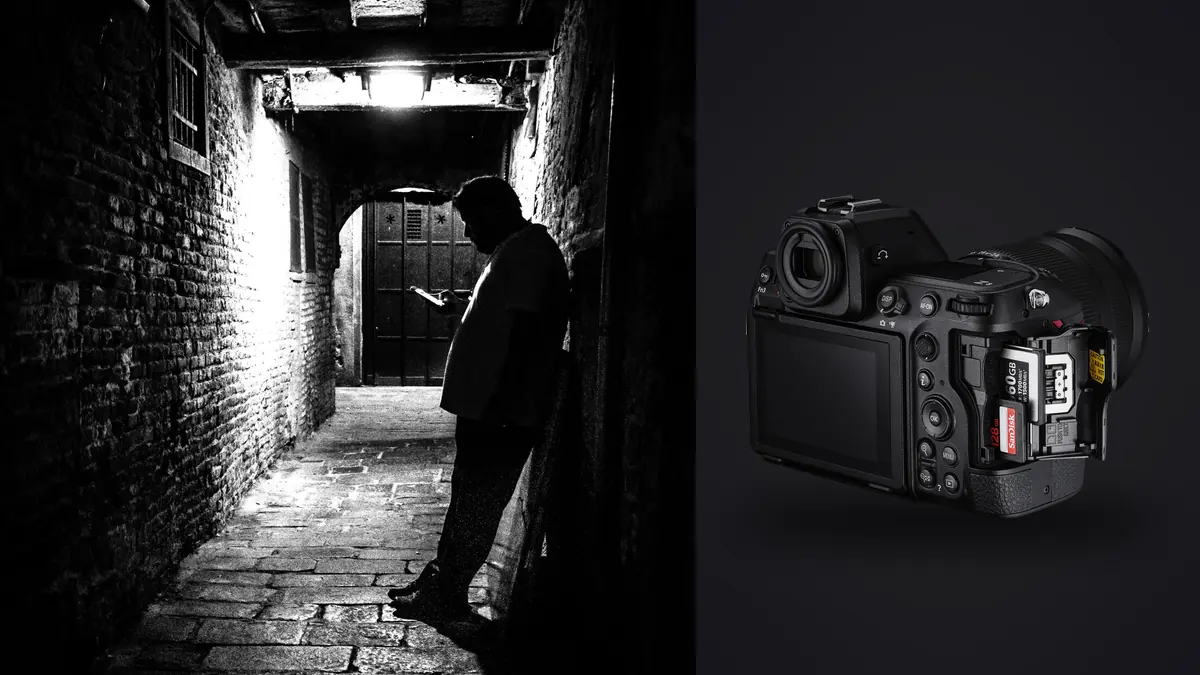
I picked up a Z8 about eight months ago mostly out of curiosity about what a "shrunk-down Z9" would actually feel like on a wrist strap for ten hours straight. What I didn't expect was how much the specific combination of that stacked sensor, the fully electronic shutter, and the smaller grip would change how I work a market, a protest, or a street festival. This isn't a spec dump. It's what changed in my shooting once the Z8 became the body I reach for on foot.
Why the Sensor and Shutter Design Matter More Than the Spec Sheet Suggests
The Z8 inherited the Z9's 45.7-megapixel stacked CMOS sensor and Expeed 7 processor, but it dropped the vertical grip and roughly 400 grams of weight. On paper that reads as a convenience upgrade. In practice, the thing that actually changes how you shoot street work is the shutter, or rather the absence of one. There's no mechanical curtain in front of that sensor. Every exposure is read out electronically, which means there's no shutter slap, no mirror clunk, and critically, no viewfinder blackout between frames.
That last part sounds like a minor convenience until you're tracking someone crossing a food market at an angle, adjusting composition mid-burst, and you realize you never lost the frame. With a mechanical shutter body, even a fast one, you get a flicker of black between exposures that your brain has to compensate for. On the Z8 the finder just stays live. I didn't fully appreciate how much that flicker had been costing me in framing accuracy until it was gone.
Sound and Presence at Close Range
In fully silent mode the Z8 makes no audible click at all, just the faint whir of the aperture stopping down if you're not shooting wide open. For documentary work where you're three feet from someone in a doorway or at a kitchen table, that matters in a way that's hard to quantify but easy to feel. I've had subjects tell me afterward they forgot I was still shooting. That doesn't happen with a DSLR mirror slap, and it barely happens with older mirrorless shutters that still fake a mechanical sound for tactile feedback.
The tradeoff is rolling shutter distortion on fast horizontal motion, a cyclist crossing the frame at speed can show a slight lean or skew if you're in full electronic mode. In eight months of city shooting I've had this happen maybe half a dozen times, always with something moving directly across the frame at close range under a slow-ish shutter. It's not a dealbreaker, but it's the one place the Z9's larger stacked sensor cooling doesn't fully erase the physics of a rolling readout.
Carrying It for a Full Day
Body weight is around 910 grams without a lens, battery, or card. Paired with the 40mm f/2 or the 28mm f/2.8, the whole rig sits comfortably under 1.1kg, which is the threshold where I stop noticing a camera on a sling after six or seven hours. The EN-EL15c battery gets me through a full day of intermittent shooting (call it 800 to 1,200 frames with the screen mostly off and the finder doing the work) without a spare, though I still carry one for anything longer than a single afternoon.
Autofocus in Crowds: What Actually Holds Up
Nikon's 3D-tracking on the Z8 is genuinely different from what I used on a D850 for the better part of a decade. Press the AF-On button on a face in a crowd and the system locks onto that specific person's eye and follows them through partial occlusion, someone else walking between you, a hand coming up to adjust a hat, a bag strap crossing the frame. It doesn't always survive a full body block for more than a second or two, but it re-acquires the same subject reliably once they're visible again rather than jumping to whoever's closest to the center.
For documentary sequences where I'm following one person through a space (a vendor working a stall, a kid running through a fountain) that persistence changes how I shoot. I can commit to a longer burst and trust the plane of focus to travel with the subject instead of re-acquiring focus every second or third frame. Subject detection for humans is on by default in most of my presets, and it's aggressive enough that in a crowd of ten or more people it will sometimes jump to a closer face than the one I intended. Turning off automatic subject switching and relying on manual AF point placement with sticky 3D-tracking solves that, at the cost of a slightly slower initial lock.
Low Light and Available Light Interiors
Indoor documentary work, kitchens, workshops, dim bars, is where the Z8's autofocus earns its keep. It'll lock in light that would have hunted visibly on older bodies, down to roughly -7EV with an f/1.8 lens according to Nikon's own rating, and my experience matches that in practice for static or slow-moving subjects. Fast motion in low light still needs a wide aperture and a willingness to push ISO past 6400, where the files start showing visible grain but stay usable, especially once run through noise reduction in post.
RAW Files: Choosing a Format for Volume Shooting
The Z8 gives you four RAW options: 14-bit lossless compressed, 12-bit lossless compressed, High Efficiency*, and High Efficiency. For documentary and street work, where you might come home with 1,500 to 3,000 frames from a single assignment, the format you pick has real consequences for both buffer depth in the field and how much disk space and culling time you'll spend that night.
| RAW Format | Approx. File Size (45MP) | Buffer Depth at 20fps* | Best Use Case |
|---|---|---|---|
| 14-bit Lossless Compressed | 50-65MB | ~200-260 frames | Paid documentary work, gallery prints, heavy dodge/burn editing |
| 12-bit Lossless Compressed | 40-50MB | ~300-350 frames | Long bursts where 14-bit tonal range isn't critical |
| High Efficiency* | 28-35MB | ~400+ frames | Street sequences, fast-moving subjects, all-day shoots |
| High Efficiency | 18-24MB | 1,000+ frames | Archive/reference shooting, travel days with limited card space |
*Buffer figures are from my own CFexpress Type B card in continuous high extended mode and will vary with card speed, so treat them as a rough guide rather than a guarantee.
I've settled on High Efficiency* as my default for street work. The visible difference against 14-bit lossless compressed is genuinely hard to spot at normal viewing sizes and even under moderate crops, and the buffer headroom means I'm not watching a "FUL" indicator flash mid-sequence during a parade or a protest march. I switch back to full 14-bit lossless only for slower, more deliberate documentary portraits where I know I'll be pushing shadows hard in the edit.
Lenses That Actually Earn a Spot in the Bag
The Z-mount f/1.8 S primes are the reason I moved to this system in the first place, and three of them cover almost everything I shoot on foot.
- Nikkor Z 40mm f/2 SE: my default. Small enough that the whole rig disappears under a jacket, and the field of view is close enough to how I actually see a scene that I stopped chimping to check framing.
- Nikkor Z 28mm f/2.8: for interiors, cramped market stalls, and anything where I need context around the subject rather than isolation.
- Nikkor Z 50mm f/1.8 S: portraits within a documentary sequence, and the widest aperture in the bag for genuinely dark rooms.
I own the 24-120mm f/4 S and it's a fine lens, but I reach for it maybe one day in ten. Zooms invite you to stand still and adjust the frame with your hand instead of your feet, and for street and documentary work that habit works against you. The primes force movement, and movement is usually what gets you the actual frame rather than a technically fine but flat one.
A Week With Just the 40mm
Last spring I shot a five-day documentary piece on a fishing cooperative using only the 40mm f/2. No lens changes, no decision fatigue about which glass to mount before walking into a room. By day three I'd stopped thinking about focal length entirely, which is exactly the point. The constraint made me work distance and angle instead of zoom, and the files from that week are some of the most consistent in tone and framing I've shot with this body.
Getting From a Full Card to an Actual Edit
Here's the part that doesn't get talked about enough in gear reviews: a Z8 shooting High Efficiency* RAW at a wedding or a full day of street work will hand you a card with 1,800 to 2,500 frames on it, and a meaningful chunk of those are duplicate attempts at the same gesture, near-misses on focus, or three frames of a burst that are functionally identical. Sorting that by eye after a twelve-hour day is where a lot of good editing intent dies.
I run everything through imagic before I open a single frame in an editor. It scores focus and sharpness locally on the machine, so the files never leave my laptop, which matters when files are under an NDA or just when I don't want to wait on an upload over hotel wifi. It also clusters burst sequences and near-duplicate frames together, so instead of scrolling past six versions of the same handshake I see one group with the sharpest, best-timed frame flagged first. On that fishing cooperative shoot, culling 2,200 frames down to a 60-image edit took under twenty minutes instead of the two-plus hours it used to take me scrolling through a Lightroom grid one by one.
If you're new to the idea of automated culling and want the mechanics behind how sharpness and duplicate detection actually work, this breakdown of how AI photo culling works covers the underlying approach in more depth than I'll get into here.
Matching an Edit Style Across a Long Assignment
The other piece that's changed my workflow is imagic's apply_my_style feature, which trains a preset off edits I've already made rather than a generic filter. For documentary work spread across several days or locations, keeping a consistent color and contrast treatment across hundreds of frames used to mean manually syncing settings and then still going back to fix outliers shot in different light. Training it on a set of edits from day one of a shoot and applying it to the rest keeps the visual language of a project consistent without me re-deciding the same tonal choices five hundred times.
Camera Settings I Actually Use
For street work I shoot aperture priority, back-button focus with AF-On separated from the shutter release, auto ISO capped at 12800 with a minimum shutter speed floor around 1/250s for anything with people moving through frame, and continuous high extended for anything where a gesture might only last two or three frames. Silent shutter is on by default unless I'm shooting into direct sun with fast-moving subjects, where the rolling shutter risk goes up slightly and I'll drop to the mechanical-equivalent electronic front curtain mode instead.
For documentary interiors I switch to single-point AF more often than I expected to. 3D-tracking is excellent in open, moving scenes, but in a tight room with one static subject, a single point gives me more control over exactly which eye or which hand gets critical focus, especially at f/1.8 where depth of field leaves little room for the camera to guess wrong.
Frequently Asked Questions
Is the Nikon Z8 quiet enough for candid street photography?
Yes, in fully silent electronic shutter mode there's no audible click at all, just a faint whir from the aperture on some lenses. I've had subjects genuinely forget I was still photographing them at close range. The tradeoff is a slightly higher risk of rolling shutter skew on fast horizontal motion under electronic shutter, which is worth knowing before you shoot a moving subway or a cyclist crossing close to the lens.
Which Z-mount lens should I start with for street and documentary work?
The 40mm f/2 SE is the one I'd point most people toward first. It's small, sharp, cheap relative to the rest of the S-line, and close enough to natural perspective that you stop second-guessing framing. The 28mm f/2.8 is the natural second lens for interiors and tighter spaces where you need more context in the frame.
How many RAW frames can the Z8 buffer before slowing down?
It depends heavily on the RAW format and card speed. In my testing with a CFexpress Type B card, 14-bit lossless compressed RAW buffers around 200-260 frames at 20fps before the write speed catches up, while High Efficiency* RAW comfortably clears 400 frames in the same burst. For long, unpredictable sequences like a march or a parade, High Efficiency* is the safer default.
Do I need a laptop on location to cull a day's shooting?
Not with the Z8 specifically, but the volume this camera produces at 20fps makes some kind of culling pass worth doing before you're back at a desk. imagic runs entirely offline on a laptop with no cloud upload required, so I'll do a first pass on a hotel room table the same night, scoring sharpness and grouping burst duplicates so the actual edit the next morning starts from a shortlist instead of a full card.
If your current culling process is still a manual scroll through every frame, these workflow tips are a reasonable next stop for cutting that time down regardless of which camera you're shooting.