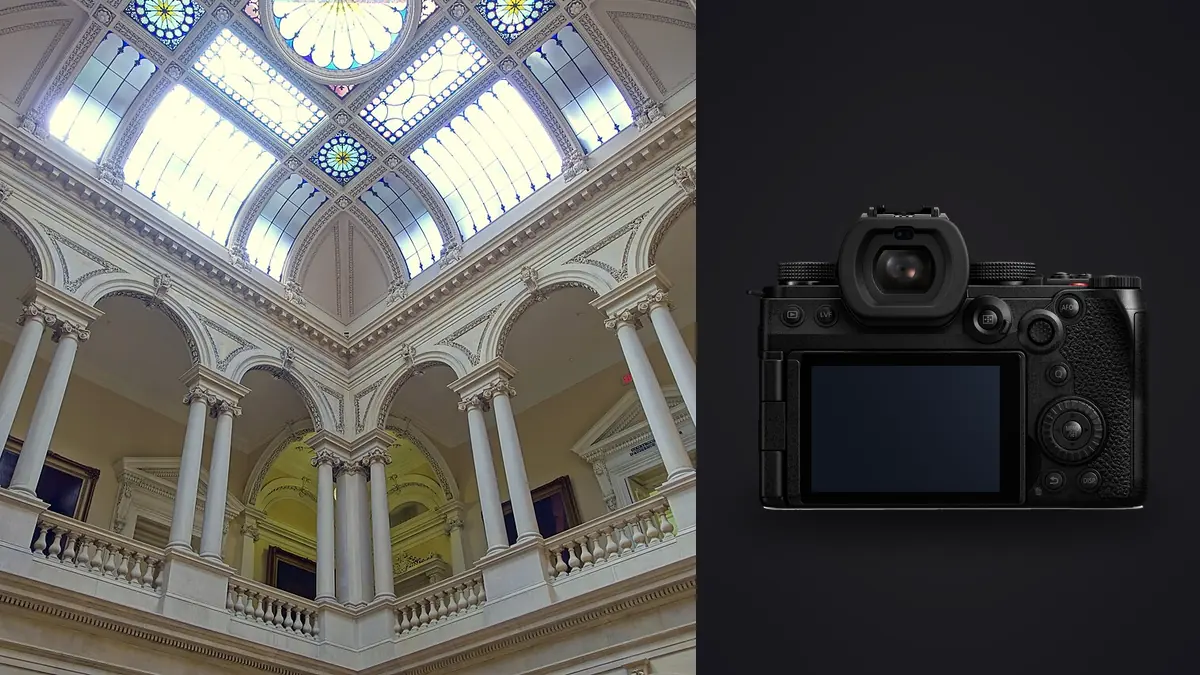
Architectural and interior photography punishes gear in ways portrait or street work rarely does. You're locked around f/8 for depth of field across a room, fighting a five or six stop gap between a bright window and the shadowed corner behind the sofa, and trying to keep vertical lines dead straight while a stager is still fluffing cushions six feet out of frame. The Panasonic Lumix S5IIX wasn't designed with this niche in mind, Panasonic markets it hard at hybrid video shooters and documentary crews, but a handful of its features line up with what interior and architecture work actually demands more closely than I expected. I've been shooting one on residential listings, a boutique hotel renovation, and two commercial fit-out projects since spring, and this is what actually held up on site.
Sensor resolution and dynamic range in high-contrast rooms
The S5IIX carries the same 24.2MP full-frame BSI sensor as the standard S5II, and for interior work the resolution itself is less interesting than what Panasonic does with dual native ISO and the dynamic range at base sensitivity. A living room with a south-facing window at midday is one of the harder dynamic range tests in photography: you've got sky and glass blowing toward white while the far wall sits several stops under. Shooting a single RAW at ISO 100 and pulling shadows in post gets you further than it used to on this sensor, but I still bracket most interiors rather than trust a single exposure. The camera's auto exposure bracketing goes up to seven frames at 1 EV steps, which is enough headroom for a window-pull merge without resorting to a nine or eleven frame HDR bracket that eats card space and blending time for no real benefit.
For exteriors at dusk, the V-Log profile is worth the extra step of shooting flat and grading later. It buys back highlight information in the sky that a standard picture profile clips, and since you're already doing color work on the file afterward for the rest of the listing, the flat starting point doesn't cost you anything extra in the edit.
Handheld high-resolution mode without a lighting truck
Panasonic's High Resolution Shot mode combines eight sensor shifts into a single composite file, and on the S5IIX that composite lands around 96 megapixels. It first shipped as tripod-only on earlier Lumix bodies, but the S5II generation added a handheld version that leans on the in-body stabilization to align the frames instead of a locked-off tripod leg. For architecture work that's genuinely useful: a real estate listing rarely needs 96MP, but a hero shot for a developer's brochure, an ad panel, or a hotel's marketing wall absolutely benefits from the extra resolution and the reduced noise that comes from averaging eight exposures.
| Capture mode | Shots combined | Output resolution | Tripod needed | Best for |
|---|---|---|---|---|
| Single RAW frame | 1 | 24.2MP (6000×4000) | No | Standard listing walkthroughs, fast turnaround |
| High-Res Shot, tripod | 8 | ~96MP (11552×8672) | Yes, locked off | Hero exteriors, large-format prints, ad panels |
| High-Res Shot, handheld | 8 | ~96MP | No, IBIS-assisted | Fast-turnaround shoots needing extra detail without setup time |
| AE bracket for HDR merge | 3 to 7 | 24.2MP per frame | Recommended | Window-pull interiors, great rooms with mixed light sources |
In practice I use handheld High-Res mode for maybe one shot per room, usually the widest establishing angle, and shoot everything else as a normal single frame or bracket. It's not a mode you want to lean on for a hundred-image gallery; the merge takes a few seconds per shot and the files are heavy.
Autofocus and stabilization when a tripod isn't practical
The S5II generation was the first full-frame Lumix with on-sensor phase-detect autofocus, replacing the old contrast-and-DFD system that used to hunt visibly in low-contrast interior corners. For architecture that mostly shows up as fewer missed focus points on flat surfaces like painted walls or cabinetry where older Panasonic bodies would occasionally rack back and forth before locking. It's not the reason to buy this camera over a competitor, but it removes a small point of friction that used to cost real time on site.
In-body stabilization rated around 6.5 stops (and higher with a stabilized lens in Dual IS) matters more than people expect for this genre. Plenty of interior work still happens off a tripod: staged homes on a tight schedule where the stylist is still adjusting a room while you're already shooting the next one, tenant walkthroughs where you don't want to be setting up legs in someone's living room, or venues that restrict tripods entirely for insurance reasons. Handheld at 1/15s and ISO 400 in a dim hallway is genuinely usable on this body in a way it wasn't on cameras from five years ago.
Lens choices that keep verticals honest
The L-mount alliance gives the S5IIX access to Panasonic's own glass plus Sigma's Art line and Leica's L-mount primes, which is a real advantage for architecture specifically because Sigma's wide-angle primes have unusually well-controlled barrel distortion for their focal length. Converging verticals are the single most common technical flaw in amateur real estate photography, and while software correction handles a lot of it, starting from a lens that doesn't need heavy correction keeps more resolution and less warped edge detail in the final file.
| Lens | Type | Max aperture | Distortion behavior | Best use case |
|---|---|---|---|---|
| Lumix S 16-35mm F4 | Zoom | f/4 | Mild barrel, cleans up well in software | General room-to-room coverage, flexible framing |
| Lumix S 18mm F1.8 | Prime | f/1.8 | Low, compact optical design | Tight stairwells and hallways, low-light interiors |
| Sigma 20mm F1.4 DG DN Art | Prime | f/1.4 | Well controlled for the focal length | Kitchens and living spaces, width without heavy correction |
| Sigma 14mm F1.4 DG DN Art | Prime | f/1.4 | Noticeable barrel, correctable | Small rooms, dramatic dusk exteriors |
| Adapted manual tilt-shift (e.g. Canon TS-E 24mm) via a mechanical L-mount adapter | Tilt-shift prime | f/3.5 | Shift corrects verticals optically, in camera | Elevations and exteriors destined for print, where perfectly parallel verticals matter |
The tilt-shift route is worth mentioning because it still surprises photographers who assume Canon's EF tilt-shift lenses are locked to Canon bodies. Since TS-E lenses are fully manual (no autofocus, and aperture is set on the lens itself on the older versions), a purely mechanical adapter gets you shift correction on the S5IIX with no electronic compatibility issues. It's worth keeping one in the bag for elevation shots and street-facing exteriors where you want the building looking genuinely square rather than corrected in post.
Keeping color consistent across a full listing
A 40 to 60 image gallery from a single property is a color consistency problem as much as an exposure problem. Mixed light sources (daylight through windows, warm tungsten lamps, cool LED can lights) mean every room wants a slightly different white balance, and if you grade each image individually the gallery ends up looking disjointed when a client scrolls through it. Panasonic's Real Time LUT feature lets you load a LUT and preview it live on the rear screen while still recording the full RAW file underneath, which is handy for checking a look on site before committing to a grading direction back at the desk.
Where I've settled is shooting RAW with a Real Time LUT loaded for reference, then doing the actual grade afterward. That's also where imagic's apply_my_style feature earns its place in the workflow: once I've graded a handful of representative frames from a shoot the way I want the whole gallery to look, I can apply that same trained style across the rest of the RAW files instead of manually re-applying a LUT or preset image by image. It's trained on your own edits rather than a generic filter, so a kitchen shot under LED lighting and a bedroom under daylight both land in the same tonal family without me having to babysit each one. If you haven't compared how different tools handle grading consistency at scale, the guide to color grading workflow covers the manual side of this in more depth.
The video side: walkthroughs and listing reels
The X in S5IIX exists specifically for video, and it shows in the details that matter for a listing walkthrough or an agent's Instagram reel. Internal All-Intra recording, ProRes output over the SSD/USB-C connection, and an active cooling fan mean you can run a continuous handheld or gimbal walkthrough of a property without the overheat cutoffs that plague smaller mirrorless bodies during long unbroken takes. For a five-minute uncut walkthrough of a larger home, that reliability matters more than any resolution spec. The tradeoff is that all of this hardware, the fan, the extra ports, the SSD mount, adds weight and bulk compared to the standard S5II, which is worth knowing if video is a minor part of your work rather than half of it.
Where it gets in the way
Nothing here is a dealbreaker, but a few things are worth knowing before you buy specifically for this genre. The body with the 16-35mm F4 attached sits close to 1.3kg, and a full day of multi-property shoots with that hanging off your shoulder is noticeably more tiring than the smaller S5 or a crop-sensor body. There's no built-in ND filter, so bright window shots at wide apertures need either a physical ND or a fast enough shutter speed, and the electronic shutter option introduces rolling shutter that you'll want to avoid if a ceiling fan or pendant light happens to be swinging in frame. Battery life is reasonable but not exceptional; I carry two spares for a full day of multiple properties. And the dual card slots are UHS-II SD rather than CFexpress, which is fine for the pace of architecture shooting but means burst clearing during a long AE bracket sequence is a beat slower than it would be on a body built around faster media.
From card to delivery: handling the file volume
A single property shoot with brackets, a few handheld high-res frames, and some detail shots of finishes easily produces 300 to 500 RAW files once you count every exposure in every bracket. Culling that by eye, frame by frame, is where most of a shoot's post-production time actually goes, more than the grading itself. This is the part of the workflow where I stopped doing everything manually. imagic runs its sharpness and focus scoring locally on the machine, so it can flag which frame in a seven-shot bracket is actually the sharpest before I've opened a single one, and its burst and duplicate clustering groups near-identical frames (which an interior shoot generates constantly, since you're often firing three or four near-duplicate compositions per room while testing angles) so you're reviewing groups instead of five hundred individual thumbnails. Because everything runs offline with no cloud upload, it's also a reasonable fit for pre-listing shoots under an NDA, unreleased developments, or any property where the agent doesn't want image files touching a third-party server before the listing goes live. If you want the mechanics of how that scoring and clustering actually works under the hood, this breakdown of AI photo culling goes through it in more detail.
Frequently Asked Questions
Is the high-resolution mode on the S5IIX actually useful for real estate, or is it just a marketing number?
It's genuinely useful, but only for a subset of a typical shoot. Most listing photos are viewed on a phone or a web gallery where 24.2MP is already more resolution than gets used. Where the 96MP composite earns its keep is large-format output: a printed brochure spread, a lobby-sized wall print for a hotel or developer, or an ad panel that needs to hold up at a size well beyond a laptop screen. I use it selectively, not as the default capture mode for every frame.
Is the S5IIX overkill for architecture and interiors given it's built around video features?
Some of the video-specific hardware (the active cooling fan, the SSD mount, ProRes RAW output) genuinely goes unused if you're a stills-only architecture shooter, and the standard S5II is lighter and cheaper for the same sensor, autofocus system, and stabilization. The S5IIX makes more sense if you're also delivering walkthrough video or listing reels alongside stills, which is increasingly common on higher-end residential and commercial work. If video is a minor add-on rather than a real deliverable, the S5II covers the same photography ground for less money and less weight.
What's the first lens to buy for architectural work on this body?
If you can only own one lens, the Lumix S 16-35mm F4 covers the widest range of rooms without forcing you to physically back into a hallway to get a shot. A fast wide prime like the Sigma 20mm F1.4 is worth adding once you're regularly shooting dim interiors or twilight exteriors where the extra stop matters more than zoom flexibility. Tilt-shift is a specialist tool for print and elevation work, not a first purchase.
Can interior shots handheld on this camera actually replace a tripod, or is that overselling the stabilization?
For ambient-light interiors at moderate ISO, handheld shooting on the S5IIX is usable in a way it wasn't on older stabilized bodies, and I do shoot a large share of a typical listing that way now. Where I still reach for a tripod is bracketed HDR sequences, since even excellent IBIS won't perfectly align three to seven handheld frames for a clean merge, and for the handheld High-Res Shot mode, which works better as advertised but still benefits from a steadier hand or a monopod on anything below about 1/30s.