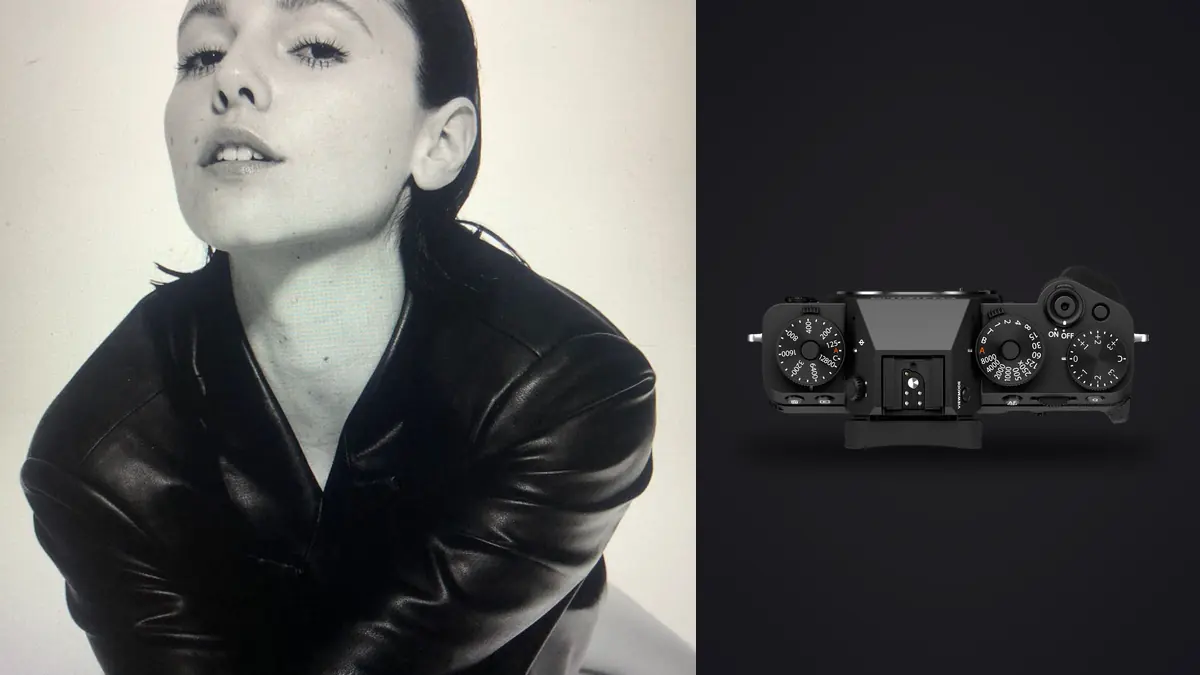
A lookbook shoot is a good stress test for the X-T5: twelve looks, two models, a rented studio with maybe four hours of usable light before the next tenant moves in. I didn't expect the Fuji to hold up against a full-frame body for this kind of work, and I was wrong about that in a few specific ways worth writing down.
Why an APS-C body even belongs on a commercial set
The instinct in fashion work is full frame, and for a lot of studios that's still the right call, especially if the client wants shallow depth of field on every frame or you're shooting six models at once and need the dynamic range headroom. But a lookbook is a different animal from an editorial campaign. You're delivering clean, consistent, well-lit product-on-body shots, usually against a seamless or a simple location backdrop, often twenty or thirty looks in a single day. Speed and consistency matter more than any single frame being a showstopper.
The X-T5's 40.2 megapixel sensor gives you more cropping room than most lookbook deliverables actually need, which matters because clients will ask for a tighter crop on the e-commerce version after they've already approved the full-length shot. I've had a buyer ask for a square Instagram crop from a full-length frame two weeks after delivery, and having the resolution to do that without upscaling saved an entire reshoot. The body is also light enough that after eight hours of walking a model through wardrobe changes and repositioning lights, my shoulder isn't wrecked the way it is after a day with a full-frame body and a 70-200mm equivalent hanging off it.
The screen and the shutter are where it gets contentious
I'll say the unpopular thing: the tilt-only rear screen on the X-T5 is a real limitation for fashion work, and Fuji made a deliberate choice there that some of us disagree with. Lookbook shooting means constant portrait-orientation frames, models walking toward and away from camera, and a lot of low-angle work when you're shooting full-length against the floor line. A fully articulating screen flips out to the side and stays usable in portrait orientation. The X-T5's tilt mechanism doesn't, so for a solid chunk of the day I was back to shooting through the viewfinder or eyeballing framing on a screen that wasn't tilted the way I needed it.
Where the body clawed that back was the shutter. Fabric moves, hair moves, a model shifting weight between poses changes the whole silhouette of a garment in half a second. The X-T5's mechanical shutter tops out around 15fps and the electronic mode goes higher with a small sensor crop, and either way it's fast enough to catch the moment a coat swings open at the right width or a scarf settles instead of mid-flutter. On a twelve-look day that meant short bursts on nearly every setup rather than single frames, because the difference between a usable shot and a reshoot was sometimes three or four frames apart in the same second.
In-body stabilization matters more than you'd think for a "studio" job
Nobody talks about IBIS for fashion work because the assumption is you're on a tripod or shooting fast enough that it doesn't matter. In practice, much of a lookbook day is handheld, moving around the model to get angle variations without resetting a tripod every time, and the 5-axis stabilization allows slower shutter speeds in a studio with modest continuous lighting without motion blur creeping into hand or fabric detail. It's not a headline feature for this genre, but it can quietly save a few setups where the modeling light isn't as bright as you'd like.
Lens choices, and what I'd actually pack again
A lookbook kit of four lenses is common, and they earn their keep in pretty different ways. Here's how I'd rank them for this specific kind of work, not for general fashion photography.
| Lens | Full-frame equivalent | Best for on a lookbook day | Where it struggles |
|---|---|---|---|
| XF 33mm f/1.4 R LM WR | ~50mm | Full-length walking shots, the default "safe" frame for every look | Renders a little flat when you want more separation from the backdrop |
| XF 56mm f/1.2 R WR | ~84mm | Waist-up detail, fabric texture, close beauty crops for the e-comm gallery | Autofocus can hunt in dim studio corners wide open at f/1.2 |
| XF 16-55mm f/2.8 R LM WR | ~24-84mm | Group looks, environmental lookbook shots with location context | Heavier than the primes, and it shows by hour six of handheld shooting |
| XF 90mm f/2 R LM WR | ~137mm | Tight product close-ups, buttons, stitching, jewelry layered on the look | Needs more back-to-subject room than most rented studios actually give you |
If I had to strip the bag down to one lens for a lookbook-only day, it's the 33mm every time. It covers full-length and mid-shots without a lens change, which matters when you're trying to move through twelve looks before the rented space closes. The 56mm comes out for maybe a third of the frames, almost always for the close detail shots the client's product page needs alongside the full-length hero image.
Tethering is fine, but plan for the plugin
Capture One supports the X-T5 over USB-C tethering, and once it's set up it's stable through a full day of shooting. The setup step is the part people underestimate: Fuji tethering in Capture One runs through a separate Fuji Tether plugin rather than working natively out of the box the way a lot of Canon and Nikon bodies do, and if you haven't installed and licensed that plugin before the client walks in, you're troubleshooting on the clock. It's easy to learn this the annoying way: on a job where the art director wants to see every frame live on a monitor, you can spend the first fifteen minutes of a session chasing a driver issue instead of shooting. If you're still deciding whether Capture One's ecosystem is worth building a fashion workflow around in the first place, our Capture One comparison lays out where it earns the subscription and where it doesn't.
Once it's running, the workflow is normal: tether cable to a laptop, live view on the external monitor for the client and stylist to approve poses in real time, RAW files landing on the drive as they're shot. Dual UHS-II SD card slots on the body mean I still shoot backup-to-card even while tethered, which has saved a shoot once when a cable came loose mid-session and nobody noticed for a few frames.
Film simulations versus what the client actually gets
Fuji's film simulations are genuinely useful on a lookbook set, not just a marketing point. Showing a client Classic Chrome or Provia on the back-of-camera JPEG during approval rounds gives them something closer to the finished look than a flat RAW preview would, and that speeds up the "does this pose work" conversation with a stylist standing next to you. But the simulation is a preview, not the deliverable. Commercial fashion clients almost always want consistent, on-brand color grading across the whole set, matched to previous seasons' lookbooks, and that's a RAW grading job, not a JPEG-out-of-camera job.
This is where I stopped fighting my own workflow. I built a starting grade in imagic from a set of finished images I was happy with, using the app's apply_my_style feature to train a preset off my own past edits rather than a generic preset pack. Running a new lookbook set through that starting point gets you most of the way to the intended look before you open a single frame for fine work, which matters a lot when season four needs to visually match seasons one through three.
The part nobody warns you about: what happens after the shoot
A twelve-look day with bursts on every setup produces a genuinely uncomfortable number of files. It's easy to come home from a lookbook shoot with 2,800 to 3,400 RAW frames from a single afternoon, most of them near-duplicates of the same pose three or four frames apart, because that's what it takes to reliably catch the moment fabric settles right. Culling that by eye, frame by frame, in Bridge or Lightroom's grid view is a multi-hour job on top of an already long day, and it's the least creative part of the whole process.
That's the actual reason I moved this workflow onto imagic rather than staying in Lightroom for the first pass. It runs sharpness and focus scoring locally on the machine, no cloud upload involved, which matters more than people expect when the files are an unreleased collection under an NDA and the client would not be thrilled to hear their lookbook touched a third-party server before launch. It also clusters bursts and near-duplicate frames together automatically, so instead of scrolling past four almost-identical shots of the same look I'm looking at one cluster with the sharpest, best-timed frame already flagged. On a 3,000-frame day that turns a two-hour cull into something closer to thirty minutes, which is the difference between delivering next-day and delivering three days later.
A few things I'd tell myself before that first job
- Charge two batteries minimum. CIPA rates the X-T5 around 580 shots per charge, but tethered live view and constant screen use on a shoot day eats into that faster than the number suggests.
- Shoot the pixel-shift multi-shot mode for any flat-lay or product-only frames the client wants for the catalog page. It's not usable for anything with a moving model, but for garment detail shots on a table it produces resolution you'd otherwise need a digital back for.
- Bring a small LED panel as fill even in a "studio" that claims to have enough light. Rented spaces oversell their lighting kit more often than not, and the X-T5's low-light autofocus is good but not magic at f/1.2 in a dim corner.
- Decide your color story before the shoot, not during the cull. If you know you're grading toward a specific look, note it in imagic's style training before the shoot day so the first-pass grade is closer to final by the time you're reviewing selects.
Frequently Asked Questions
Is 40 megapixels actually necessary for a lookbook, or is it just extra file weight?
For the full-length hero shots, you rarely need all 40 megapixels. Where it earns its keep is the crop flexibility after delivery. Clients regularly come back wanting a square social crop or a tighter e-commerce thumbnail from a frame that was shot full-length, and having that resolution in reserve means you're not upscaling or reshooting. The trade-off is storage and cull time, which is a real cost on a multi-hundred-frame day.
Does the tilt-only screen actually slow down a fashion shoot in practice?
It slows down low-angle and portrait-orientation framing specifically, since the screen doesn't flip out for those angles the way a fully articulating one does. For a lookbook day that's a meaningful chunk of your shots. I adapted by using the viewfinder more than I would on a body with a vari-angle screen, which isn't a dealbreaker but is worth knowing before you commit to this body for a heavy fashion workload.
Can the X-T5 keep pace with a moving model without a dedicated sports body?
Yes, for lookbook purposes. You're not tracking an athlete across a field, you're catching fabric settling and pose transitions within a few feet of a fixed camera position, and the burst rate and autofocus tracking handle that comfortably. I wouldn't reach for it for a runway show with models moving at full walking pace under mixed lighting, but for a controlled lookbook set it's not the limiting factor.
What's the fastest way to get through a 3,000-frame lookbook day without losing a full day to culling?
Cluster your bursts before you start making creative judgment calls. Trying to compare every near-identical frame manually is where the hours disappear. Running the set through automated sharpness scoring and burst clustering first, the way imagic does locally without needing an internet connection, narrows a folder of thousands down to a shortlist you can actually make aesthetic decisions on. From there the human judgment part, picking the best expression or the best fabric moment among the top candidates, takes a fraction of the time.