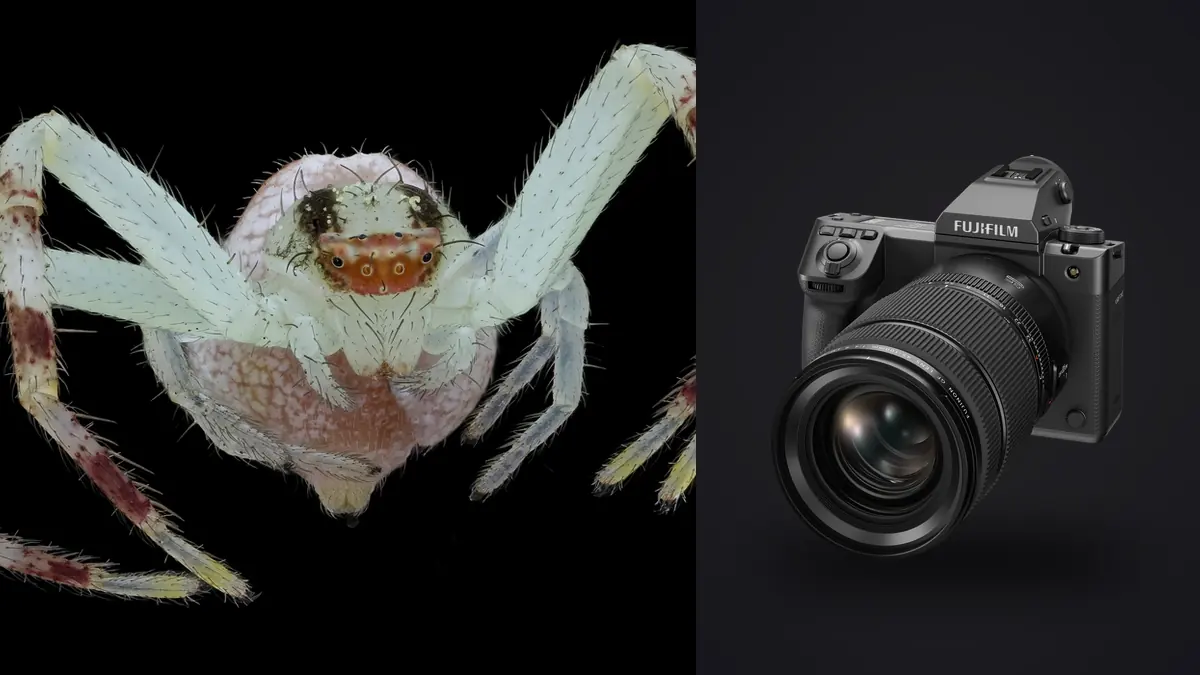
Fujifilm GFX100 II macro files can reveal minute subject structure, but large RAF files also make small errors expensive to store and tempting to overprocess. Shallow depth of field, subject movement, support vibration, changing magnification, and focus-stack sequences create several kinds of apparent duplicate. The file workflow must know why each sequence exists before reducing it.
This RAW Workflow separates action, focus search, lighting tests, and stack inputs; verifies large-file copies before culling; evaluates detail at real output sizes; and preserves honest color and texture. It also keeps biological notes and location privacy distinct from aesthetic ratings.
Classify each macro sequence at capture
Use separate group codes for living-subject action, manual focus search, controlled static detail, focus stack, and lighting test. Add a visible marker or written frame range at each transition. Similar thumbnails do not reveal whether focus was intentionally moving or the subject was moving unpredictably.
Record lens, extension, close-up attachment, magnification method, tripod or rail, flash, diffuser, and background. Electronic metadata may omit a manual lens or extension. These details explain effective working distance, light loss, corner behavior, and why one sequence needs another development baseline.
For living subjects, note any handling or staging and follow appropriate ethical practice. Do not disturb habitat or restrain an insect simply to match a planned stack. If the subject moves, end the stack and treat later frames as a new sequence.
Capture RAF files with overlap and comparison in mind
Choose a stable RAF setting and keep exposure and white balance fixed inside each controlled sequence. Protect reflective shells, wings, hairs, and pale flowers from clipping. A global histogram can conceal a small blown highlight, so inspect the subject and color channels where possible.
For a focus stack, advance focus in one direction with enough overlap between sharp regions. Hold camera and subject geometry stable. For action, use short bursts around the expected behavior. For focus search, move methodically so the later reviewer can see where the plane traveled.
Capture a wider context frame and a neutral reference when they serve the project. The context helps preserve scale and habitat, while the reference provides a baseline for controlled color. Neither should be mixed into a stack as though it were another focus layer.
Plan storage before the card fills
Large RAF files require a capacity plan across cards, working storage, backup, rendered intermediates, and masters. Estimate from actual test files made with the chosen settings rather than a marketing figure. Keep enough free space for verification and temporary stack files without deleting sources prematurely.
Copy each card into a card-specific originals directory, verify count, total size, and representative files, then make a second verified copy on separate storage. Do not trust thumbnails alone; open files from the beginning, middle, and end of each card.
Retain untouched source folders and create working collections for action, focus search, stack, lighting, and context. A generated preview cache and a copied original serve different purposes. Only the latter belongs in the source backup calculation.
Rename working files without losing sequence order
Use a project code, subject or setup code, group type, and padded sequence number. Stack members need unambiguous order. Keep a manifest mapping working names to camera filenames and cards, especially when several cards restart a numbering pattern.
Do not put an unverified species name in the permanent filename. Field identification can change. Store a provisional label in the manifest and preserve objective location, date, and sequence information separately from taxonomy.
Keep precise coordinates protected when disclosure could threaten a species or habitat. Public derivatives can use a general region while the authorized research record retains the exact site.
Cull action for behavior and focus search for plane
In an action burst, identify meaningful posture and interaction first, then inspect eye, head, wing, leg, or another intended feature. In a focus-search group, map where the sharp plane lands and select the frame that connects the important structures. These are different questions and should not share one automatic rule.
imagic supports RAF and can analyze sharpness, exposure, composition, and near-duplicate relationships locally. It sets statuses rather than deleting source files. Use the groups to compare candidates, then apply biological, visual, and output judgment manually.
Resolution makes full-magnification flaws easy to see, but output size remains decisive. Use pixel view to diagnose motion and focus, then inspect a proof at final dimensions. A frame that works as a moderate print should not be rejected solely because extreme enlargement reveals a marginal plane.
Protect all valid focus-stack members
Review a stack in sequence for subject movement, flash inconsistency, framing shift, and missing focus coverage. Reject only frames that truly break the set. A near-duplicate tool may identify one representative, but the other layers carry different sharp regions and must remain available.
Develop accepted inputs consistently with one profile, lens correction, white balance, exposure baseline, and restrained noise handling. Avoid local retouching, geometry changes, and strong sharpening before alignment. Export high-quality intermediates only if the specialist stack application requires them.
imagic does not merge focus stacks, HDR groups, or panoramas. Use appropriate software for alignment and blending. Inspect the composite for doubled hairs, broken antennae, translucent edges, halos, and background seams, then preserve the exact input list beside the master.
Separate camera movement from subject movement
Compare stationary objects on the intended focus plane. Directional movement across the full scene suggests support or camera motion. A stable background with a smeared subject suggests subject movement. A crisp plane behind the subject indicates focus placement. Diffraction and atmospheric softness create different, more uniform reductions in fine detail.
Do not answer every softness type with stronger sharpening. Sharpening increases edge contrast but cannot restore a missed plane or reconstruct moving structure. Record the cause label and choose another frame or adjust capture practice when the defect is fundamental.
Stabilization can help with camera movement, while a tripod, rail, flash duration, shutter timing, and subject behavior each affect other variables. Keep the settings and support note linked to the sequence so later diagnosis stays specific.
Develop texture without manufacturing detail
Begin with profile, white balance, exposure, and highlight protection. Apply noise reduction before output sharpening and inspect scales, hairs, eyes, plant fibers, and smooth background. Strong smoothing can erase real microstructure, while heavy local contrast can turn demosaicing artifacts into apparent detail.
Crop with a defined output. Large source dimensions do not make every severe crop useful. Cropping magnifies focus error, noise, and background flaws and changes the environmental story. Preserve a wider version when habitat or scale contributes meaning.
Color can be angle-dependent on iridescent subjects. A neutral target anchors the light but cannot make structural color constant across poses. Avoid saturation that creates false field marks, and keep the unedited RAF available for later identification review.
Match flash and ambient groups carefully
Flash, shaded ambient, sun, and mixed light should receive separate baselines. A diffuser change alters reflection size and shadow shape even when histogram position remains similar. Sync adjustments only within a stable setup.
Look for flash recycle variation across bursts. A darker frame may have received less light, and lifting it can expose shadow noise or shift color. Select a fully lit neighboring gesture where possible rather than forcing every file to a common brightness.
A style learned from a photographer's own edited work can be a starting point in imagic only if a profile exists. Macro subjects still need individual inspection for true color, specular highlights, and background saturation. The style is not a substitute for a controlled reference.
Export with method and location context
Create separate JPEG or TIFF outputs for web, print, publication, or research record. Choose dimensions, profile, quality, and sharpening for the recipient, then inspect edges, gradients, crop, and metadata in the actual export. Do not repeatedly resize a previously sharpened JPEG.
Caption a focus-stacked image as such when method affects interpretation. Use conservative species language and remove sensitive coordinates from public files. A detailed photograph does not prove an uncertain identification or justify disclosing a vulnerable location.
The desktop workflow page covers local processing, and related topics appear under AI and Technology. Archive RAF originals, manifests, notes, stack inputs, adjustment records, composite masters, and deliveries with a second copy away from the working system.
Verify large RAF files and generated intermediates separately
Source integrity and project completeness are different checks. Verify that each RAF copied correctly, then verify that every planned sequence is present. A technically valid card copy can still omit a second card or a stack group stored elsewhere.
Rendered stack inputs, previews, and composite masters may consume substantial space, but they should not be mistaken for source backups. Assign each class a retention priority. Temporary alignment files can often be regenerated, while original RAF files and the accepted-input manifest cannot.
Before moving a project between drives, open representative source, intermediate, and master files at the destination. Preserve folder relationships used by the stacking project or document how to relink them. Do not quote a transfer-time promise because file size, storage, and system load vary.
Proof composites at both detail and print scale
At high magnification, inspect focus transitions, repeated hairs, edge halos, and background patches. Then make an output-sized proof and evaluate whether those defects are visible in the intended use. The two views answer different questions and prevent both careless acceptance and unnecessary pixel-level repair.
For print, inspect a correctly sized proof under suitable light and check that dark subject detail, smooth backgrounds, and color remain credible. Screen contrast can conceal blocked shadows or make sharpening appear milder than it prints.
Record the master version, crop, output dimensions, profile, and sharpening used for the approved proof. Future exports should start from that master instead of a compressed web derivative.
For a scientific or educational use, retain a minimally processed derivative beside the finished interpretation. Label both clearly and keep scale claims tied to a documented magnification method. A visually dramatic composite should not become the only record of the source detail.
Compare embedded metadata and captions across both derivatives before release. The aesthetic version and record version should point to the same source sequence, location policy, and identification status. If one receives a later taxonomic correction, update the linked catalog record so the older caption does not continue circulating as a conflicting claim.
Frequently asked questions
Should GFX100 II focus-stack frames be treated as duplicates?
No. Each valid member contributes a different sharp region, so the complete ordered set must remain available for specialist alignment and blending.
Can sharpening repair a missed macro focus plane?
No. Sharpening increases edge contrast but cannot move the recorded plane of focus or reconstruct motion. Select a better source frame or recapture when possible.
Does imagic merge Fujifilm RAF focus stacks?
No. It can assist with supported RAF review, statuses, adjustments, and export, while dedicated stacking software handles alignment and blending.