"Local-first" is the most repeated phrase on every photo culling product page in 2026. It sits next to "offline," "private," and "your files never leave your machine." Almost none of the vendors making that claim explain exactly which files, at which step, actually stay put, and which ones travel somewhere else. Checked 15 August 2026: every claim quoted in this article is current as of that date, and every vendor listed here has changed a plan or a line of marketing copy at least once in the past year, so it is worth re-reading each linked source before signing up for anything.
This is not a ranking of the "most private" culling tool. It is a checklist: five questions worth running against any culling product's own pages, followed by how five specific tools currently answer them, based on what each one publishes rather than on assumption. The goal is a reader who can apply the same five questions to whatever culling tool launches next year, not just to the tools named below.
The question "does it upload my photos" has two different answers
Most culling products actually do at least two separate jobs, and a tool can be local for one and cloud-based for the other. The first job is selection: scoring frames, grouping bursts and duplicates, and letting a photographer rate or reject images. The second job is delivery: turning the keepers into an edited, shareable gallery a client can view. A single product page that says "offline" is very often describing only the first job.
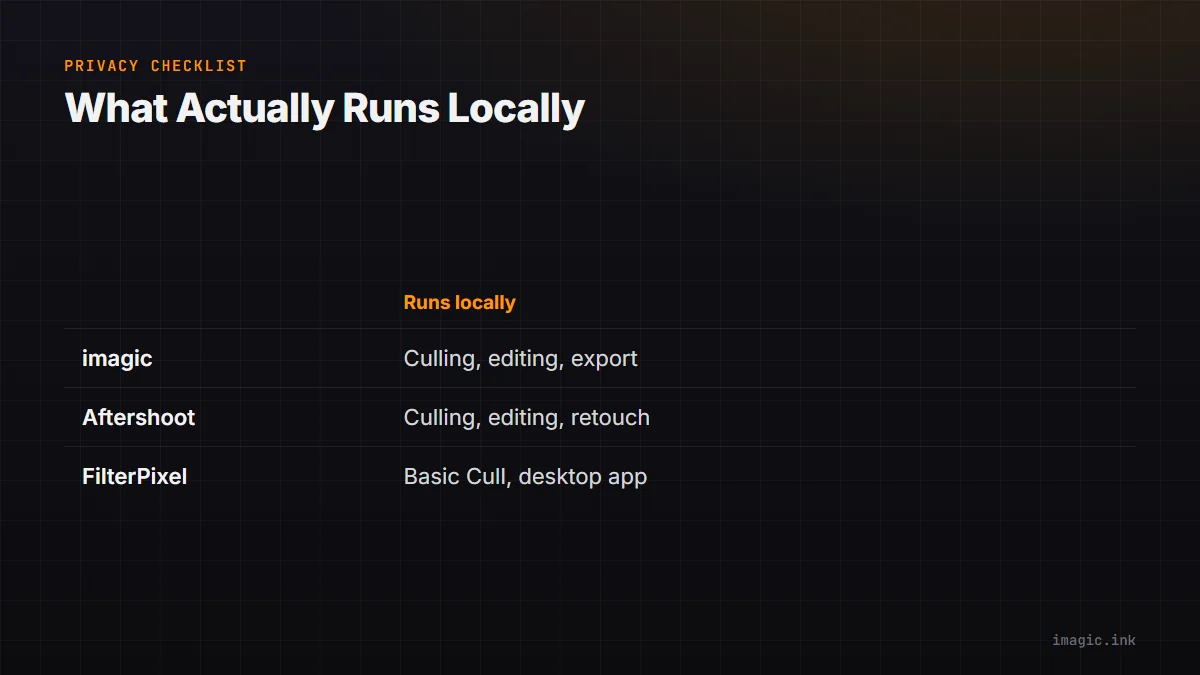
Aftershoot's own homepage is a clean example of this split. It advertises "Works Offline" directly under its culling and editing tools, stating plainly that "no internet needed and your files never leave your machine." Aftershoot's homepage then, a few sections later, promotes a fourth product stage called Galleries, described as "currently free with 100 GB included," built for photographers to share branded galleries with clients directly from Aftershoot. A client gallery is by definition something that leaves the machine, since a client has to view it from somewhere else. The offline claim is true of the culling and editing engine; it is not a claim about the product once gallery delivery is switched on.
A similar split shows up outside the five tools this article focuses on. Adobe's own 2026 pricing notice for a 1TB Lightroom plan is a reminder that even a category built around a desktop application, Lightroom Classic, sells cloud storage as a distinct line item with its own price, separate from the local editing engine, according to Adobe's 1TB plan FAQ and Adobe's plan comparison page. "Desktop app" and "fully local" are not the same claim.It helps to put a number on what "leaving the machine" would mean for a specific shoot, since "the cloud" stays abstract until measured in gigabytes and hours. Take a 2,200-image wedding shoot with RAW files averaging around 45MB each, a reasonable middle ground for current full-frame cameras: roughly 99GB of source files. On a residential upload connection running at 15 Mbps in practice, about 1.9MB per second after overhead, moving 99GB before a cloud-based culling or editing pass could even begin would take somewhere near 14 to 15 hours. Substitute a different average file size (some cameras produce 25MB compressed RAW files, others exceed 80MB), a different frame count, and a measured upload speed rather than an advertised one; the arithmetic matters more than these exact numbers.
A five-point checklist for reading any culling tool's privacy claims
The following five questions apply to any culling or editing tool on the market, including ones that do not exist yet. They also apply to the broader shortlist covered in a rundown of Windows-specific culling options, not only to the five tools compared in depth below.
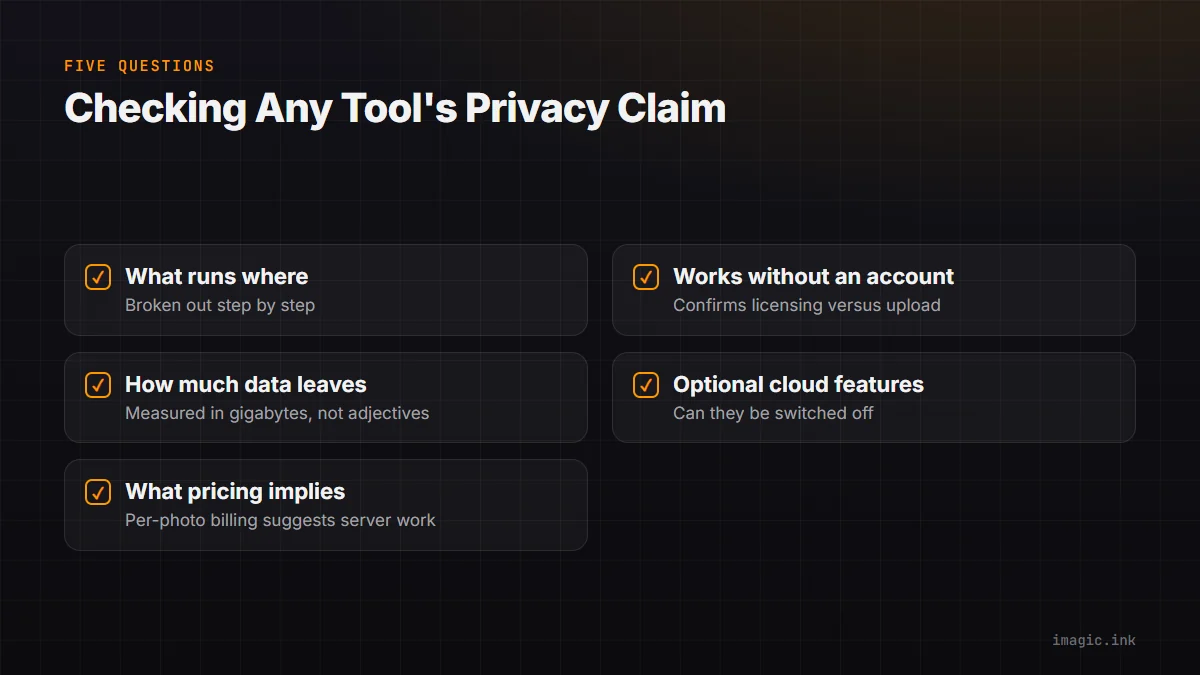
- What runs on the machine versus on a vendor's servers, broken out by step? Culling, editing, retouching, and delivery are frequently four different processes with four different answers, as the Aftershoot example above shows.
- Does the product function at all without an account? A required sign-up before first launch does not by itself prove photos are uploaded, but it does mean licensing and authentication happen online, and it is worth knowing which of the two is actually true for a given feature.
- How much data would actually leave the machine, in gigabytes, for a shoot the size actually being shot? Run the calculation above with real numbers rather than trusting a marketing adjective like "fast" or "seamless."
- Is there a bundled cloud storage or gallery-delivery feature, and can it be switched off? A tool can be entirely honest about local culling and still ship a second, optional product that is cloud-hosted by design.
- What does the pricing model imply about where the work happens? A meter that scales with the number of photos edited or the number of "shoots" processed is often, though not always, a sign that a server did some of the work; a flat one-time license with no usage cap is a stronger signal that the heavy computation stays local.
The next five sections apply each of those questions to imagic and to the four other tools most often shortlisted alongside it, drawing only on what each vendor currently publishes.
imagic: local processing, and what changes when an AI agent is connected
imagic is a desktop application for Windows and macOS. Its AI culling step, quality scoring for sharpness, closed eyes, and composition, along with duplicate and burst grouping, runs on the machine using imagic's own local engine. Batch editing and one-click styles apply the same way, and RAW processing runs through its own built-in RAW engine before export to JPEG or TIFF. None of that requires a network connection, and none of it involves handing a RAW file to a server. imagic supports nine RAW formats (CR2, CR3, NEF, ARW, RAF, ORF, RW2, DNG, and PEF), and every culling or editing action is non-destructive; nothing in the tool set deletes an original file. The imagic desktop page lays out the same feature set in more detail.
Pricing reinforces checklist point five above: imagic is sold as a one-time EUR license (Lite at 19, Plus at 49, Max at 99), with a 500-export free trial that requires no card, rather than a subscription metered by photo count or shoot count. There is no per-photo charge that would create an incentive, or a technical need, to route images through a server.
The Max tier adds an MCP server and a command-line interface, worth explaining plainly rather than as a buzzword. MCP, the Model Context Protocol, connects a "host," the AI chat application a person is using, to a local "server," a small program exposing specific "tools," the individual commands a host can call. imagic's local MCP server exposes the same commands its command-line interface offers, such as scanning a folder, scoring and culling a batch, applying a learned style, and exporting keepers, then runs them on the machine and returns a result, typically a short text or JSON summary such as a photo's score and duplicate-group id, not a copy of the RAW file. Connecting an MCP-capable AI agent does not mean the agent edits photographs on its own, and it does not mean the local server silently uploads RAW files to whichever model powers the chat host; the work still runs through imagic's own local engine. imagic's own tool reference is published at imagic's MCP tool reference, and the general shape of hosts, servers, and tools is documented by the Model Context Protocol's own introduction.
Aftershoot: an offline promise for culling and editing, a cloud product for delivery
Aftershoot's marketing is unusually direct about local processing for a subscription product. Its homepage states "Works Offline, no internet needed and your files never leave your machine, ensuring privacy," and its own pricing update post repeats the same idea in different words, promising "offline processing" so a photographer can "use Aftershoot anywhere... and keep your images on your machine, for privacy," according to Aftershoot's 2026 pricing announcement. These are vendor claims rather than independently verified test results, but they are specific, repeated across two separate pages months apart, and consistent with each other, which is a stronger pattern than a single unverifiable headline.
The gap is the Galleries feature described earlier: cloud-hosted client delivery with 100GB included at no extra charge for now, complete with face detection, proofing, and an integrated print store. Aftershoot is transparent that the feature exists; the point for this checklist is narrower, that "your files never leave your machine" describes the culling, editing, and retouching engine and not the product as a whole once client-facing delivery is switched on. Aftershoot bills per module (culling, editing, retouching, or a bundle) rather than a one-time purchase, with unlimited processing inside whichever modules a plan includes, not metered by photo count in a way that would suggest per-image server processing for the core engine.
FilterPixel: an account-gated download with a "we do not upload" claim
FilterPixel requires a sign-up before it will let anyone "download the software for free for 4 projects," according to its own product page. Its FAQ addresses the exact question this article is built around, stating that FilterPixel is "GDPR and CCPA Compliant" and that "we do not upload your original images anywhere" and has no right to distribute or sell that data. That is a direct, specific, and welcome claim, and it deserves to be read carefully rather than rounded up to "fully offline."
Two details are worth separating out. First, the claim covers "original images"; it does not state whether thumbnails, preview renders, or the metadata FilterPixel's DeepCull mode uses to score a frame for genre-specific relevance ever leaves the device. A reader who wants that narrower answer should follow the FAQ's own link to FilterPixel's full privacy policy rather than stop at the summary line. Second, the app is only available after account creation, so checklist point two is "yes, an account is required" even though checklist point one, whether original files are uploaded, is answered "no" by FilterPixel directly. The two facts do not contradict each other; a tool can require an account for licensing while keeping images themselves local, but they are still two separate questions, not one.
Pricing also lines up with checklist point five in an instructive way. According to FilterPixel's pricing page, Basic Cull is unlimited on every plan, while the advanced DeepCull mode is metered in "shoots," with a Standard plan including two DeepCull shoots a month, a Pro plan including six, and a Studio plan including twelve, where one shoot covers up to 5,500 photos before it splits automatically. A usage cap on the advanced mode, sitting next to an unlimited allowance on the basic mode, is exactly the pattern worth noticing: it suggests the metered feature is the one more likely to touch shared infrastructure, even though FilterPixel's own claim about original images stands.
Imagen AI: an editing workflow built around uploading to a server
Imagen AI is worth including in this checklist precisely because its pricing structure answers the "where does the work happen" question without needing to guess. Its own support article describes a Pay-as-you-go plan billed as "a monthly base fee, plus a charge for the photos you edit," and a Limitless plan billed as "a fixed monthly or annual fee covering unlimited AI edits, AI tools, retouching, and AI culling," according to Imagen's current pricing and plans article. Billing by the photo edited is a strong instance of checklist point five: a per-image meter on the core editing feature is the kind of pricing structure a purely local tool has little reason to build, since a one-time license or a flat subscription is simpler to bill and does not require tracking server-side usage per image.
The same support article lists a separate, optional Cloud Storage plan for Lightroom Classic users who want photos automatically backed up, sold at an extra charge on top of the editing plan. An upsell that exists specifically to store photos in the cloud only makes commercial sense once photos are already leaving the machine for the core editing workflow. That is an inference drawn from how the pricing page is structured, not a direct quote from Imagen about its architecture, and it is worth stating as exactly that: a reasonable reading of the billing model. Photographers evaluating Imagen should also note it functions as an integration alongside Lightroom Classic rather than a standalone desktop culling app, so a full evaluation means checking both Imagen's own pages and the Lightroom workflow it plugs into.
Narrative Select: a desktop footprint that matches a genuinely local tool
Narrative Select is available on Windows; a photographer comparing Windows options is choosing an alternative to it on its own merits, not settling for a workaround because Windows support is missing, according to Narrative's own Windows support article, which states plainly that "Narrative is available on Windows." For the fuller case on choosing between Narrative and an alternative on Windows specifically, a dedicated comparison of Narrative Select alternatives for Windows covers the feature-by-feature detail this article does not.
Narrative's minimum system requirements for Windows list a "Quad core CPU - 2GHz," "RAM - 8GB," and specifically "GPU - 2GB vRAM and DirectX 12 support," according to Narrative's system requirements article. A dedicated GPU and DirectX 12 requirement for a culling-and-rating application is a meaningful local-compute signal; a thin client whose real work happens on a remote server has little reason to demand a discrete GPU on the user's own machine. That requirement sits in the same category as the local hardware imagic's and Aftershoot's client-side engines also rely on.
Narrative's own quickstart guide describes creating a new project directly "from a folder of images," and confirms star and color ratings are saved as ".XMP sidecar files" written into that same source folder rather than a separate database, according to Narrative's quickstart tutorial. A workflow built around writing rating decisions next to the original files only makes sense if the working copy of a shoot stays on the machine that created the project; it also means the ratings travel for free with an existing two-copy backup routine, since the sidecar files sit next to the images they describe. Narrative is priced as a subscription, from a Lite tier at $10 a month billed annually up to an Ultra tier at $60, according to Narrative's current pricing page, with every tier offering unlimited projects and images rather than a per-photo meter, closer to the local-compute pattern than FilterPixel's or Imagen's usage-based billing.
Matching the tool to what actually needs protecting
None of the five tools above is objectively "the private one." Each answers the five checklist questions differently, and each is a poor fit for a specific kind of photographer for reasons that have nothing to do with privacy. The table below applies the same five-question checklist to each and states plainly who each tool is not built for, imagic included.
| Tool | What appears to run locally | What requires a network or account regardless | Not for you if |
|---|---|---|---|
| imagic | Culling, editing, RAW processing, and export; MCP and CLI tools on the Max tier run the same local commands | License activation only; no built-in client gallery or delivery product exists | You want built-in client galleries, mobile capture, or cross-device cloud sync bundled into the same purchase, since none of that exists in imagic today. |
| Aftershoot | Culling, editing, and retouching, per its own repeated offline claim | An account for the subscription; the Galleries feature is cloud-hosted by design once enabled | You want a subscription with zero optional cloud-delivery component anywhere in the product line, even one that stays switched off. |
| FilterPixel | Basic Cull and the desktop app, once installed | A sign-up before the first download; DeepCull is a metered mode likely to touch shared infrastructure | You want a tool with no account requirement at all, or a published, itemized answer for exactly what "no upload of originals" does and does not include. |
| Imagen AI | Personal AI Profile training on already-edited samples | Core editing happens by uploading photos to Imagen for processing, billed per photo edited | Keeping RAW files off any third party's servers is a hard requirement, since Imagen's editing model is built around the upload. |
| Narrative Select | Rating, culling, and XMP sidecar writes, backed by real local GPU requirements | An account and an active subscription are required to open the application at all | You want a one-time purchase instead of a recurring monthly or annual subscription meter. |
For a full side-by-side on pricing tiers, RAW format coverage, and feature depth across these same five products, the full comparison of AI photo culling software covers that ground in one table. This article exists because a feature comparison and a privacy answer are different questions, and the second is too often buried in a footnote. The imagic privacy page is a reasonable model for a complete answer: a plain statement of what is and is not processed locally, rather than one adjective on a homepage.
Frequently Asked Questions
Does a "works offline" or "no internet required" claim guarantee that no photos are ever uploaded?
Not on its own. That kind of claim, as seen on Aftershoot's homepage, is usually describing the core culling and editing engine specifically, not every optional feature bundled into the same installer, such as a client gallery, an automatic cloud backup add-on, or a license-check ping. The most reliable way to confirm it is to read the vendor's actual privacy policy rather than a homepage headline, and, for anyone who wants a low-effort personal check, running a culling pass with the network disabled will quickly reveal whether the core engine actually needs a connection to function.
Is a locally installed desktop app automatically privacy-safe?
No. "Installed locally" describes where the interface renders, not where the pixels get processed. Several tools covered above ship a full desktop application that still requires an account and still routes the core editing step through a server, Imagen AI's per-photo billing model being the clearest example. The install location is a starting clue, not a conclusion.
Does connecting imagic's MCP server to an AI agent send RAW files to that AI model?
Not by default, and not as part of how MCP itself works. imagic's Max plan runs an MCP server locally that exposes the same commands available from its command-line interface, and when an AI agent calls one of those commands, the work still happens through imagic's own local engine on the machine, with a text or JSON summary returned to the agent rather than a copy of the image file. The same "what actually leaves the machine" question from the checklist above applies to any MCP-connected tool, not only to photo software, since MCP is a general protocol and each server's own code determines what data its tools return; imagic's own tool reference lists what each command sends back.
If a tool requires creating an account before it will even open, does that prove photos are stored in the cloud?
No. An account requirement by itself only proves that licensing or authentication happens online; it does not automatically mean the photo bytes travel anywhere. FilterPixel is the clearest example of that gap in this article, since it requires sign-up before the first download while separately stating that original images are not uploaded. The two facts can both be true at once, which is exactly why an account requirement and an upload claim are worth checking as two separate questions rather than assuming one answer settles the other.
Should a client contract mention where culling or editing software processes images?
For photographers handling identifiable people, weddings, events, and portrait work in particular, a short disclosure naming which tools touch the images and whether any of them are cloud-based is a reasonable line to add to a standard contract or model release. It costs little to write in advance, and it is the kind of detail a client is entitled to ask about later if a data question ever comes up, particularly given how directly vendors like FilterPixel already invoke GDPR and CCPA compliance in their own marketing.