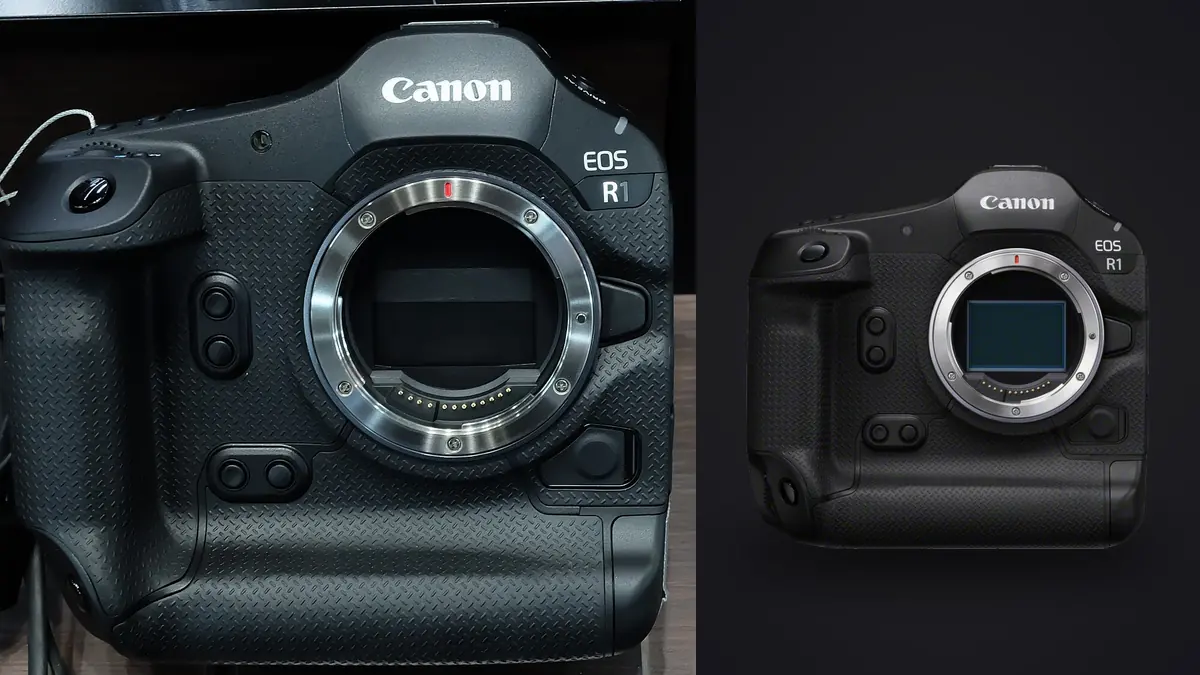
Canon introduced the EOS R1 as its flagship sports and photojournalism body, built around a stacked sensor, a new autofocus system, and a shutter fast enough to turn one decisive moment into a short flood of near-identical frames. As of the most recent check on 15 August 2026, Canon's US store listing for the EOS R1 body states plainly that "this item is no longer available," pointing shoppers toward other cameras instead of an add-to-cart button, with the price previously shown at $6,799 before that notice appeared. Availability varies by country and changes over time, so the practical step for anyone shopping right now is to check the current regional Canon site rather than assume the body is gone everywhere or gone for good. (See Canon's EOS R1 product page.)
That listing status leaves out a real audience: photographers who already own an R1, and buyers working the used and refurbished market instead of a factory-fresh unit. This guide is written for that audience. It pulls the sports-relevant specifications from Canon's own product page and its published EOS R6 Mark III manual, then spends most of its length on the part of R1 ownership that gets far less attention than autofocus tracking: what to do with several thousand nearly identical RAW frames once a match, meet, or game ends.
Where the EOS R1 sits in Canon's lineup right now
Flagship sports bodies from any manufacturer typically go through a multi-year sales run before a successor replaces them, and store listings for a flagship body can show "unavailable" for reasons that range from a genuine end-of-line to a temporary restock gap tied to a component shortage or a regional allocation decision. Canon's US listing does not state which of those applies, only that the item is not currently orderable there. A buyer outside the US should check their own region's Canon store directly, since availability is not necessarily uniform across markets, and a reseller or the used market may still have stock even where the manufacturer's own storefront does not.
For existing owners this changes nothing about the camera in hand. For prospective buyers it reframes the decision: instead of comparing a new-in-box price against competitors, the realistic choices are a used or refurbished R1 at whatever price the secondary market is asking, Canon's current in-production body (the EOS R6 Mark III, covered below), or waiting to see whether the US listing changes. None of those is obviously correct without knowing a buyer's budget and how much the R1-specific autofocus feature set actually matters to their assignments, which is why the comparison later in this guide focuses on function rather than price.
The specifications that matter for a sports assignment
According to Canon's product page, the EOS R1 uses a 24.2 megapixel full-frame back-illuminated stacked CMOS sensor paired with Dual Pixel autofocus, and Canon describes its autofocus system as the "world's first Cross-type AF at the imaging sensor," a claim from Canon's own marketing copy rather than an independent lab measurement. The autofocus system includes an action-priority mode aimed at ball sports and a people-priority mode that can register up to ten specific individuals for recognition, both vendor-described features rather than externally verified results. Electronic shutter shooting tops out at up to 40 frames per second, and Canon states that the sensor's fast readout speed is designed to reduce the rolling-shutter distortion that can warp fast-moving subjects on cameras with slower sensor readout.
Video specifications include RAW recording at 6K plus MP4 recording in 4K-D, 4K-U, 2K-D, and Full HD formats, with the ability to record video and stills at the same time. The electronic viewfinder is a 9.44 million dot OLED panel at 0.9x magnification. Two features worth noting for sports specifically: an in-camera neural network upscaling mode that can roughly double a JPEG's horizontal and vertical dimensions to an output around 96 megapixels, and a pre-continuous shooting mode that captures roughly the half-second of frames immediately before the shutter is fully pressed, intended to catch the start of a play a shooter reacted to a beat late. Canon's page also states the body carries dust- and weather-resistance, without publishing an ingress-protection rating.
Turning 40 fps into card space, with the assumptions shown
A headline burst rate does not translate into a storage number on its own; it depends on file size, how long a burst actually runs, and how much of what gets captured is worth keeping. Canon's page does not publish an average CR3 file size for the R1, so the figures below use an assumption stated up front: a compressed CR3 RAW file around 30MB per frame for a 24 megapixel stacked sensor, a reasonable planning figure but not a Canon-published number, and one that a reader should replace with their own camera's actual average once they can measure it from a real card.
At 40 fps, a two-second burst around a single contested play produces 80 frames. At the assumed 30MB average, that is roughly 2.4GB from one play. A photographer chasing multiple plays across a 90-minute match might reasonably fire something on the order of 30 to 50 bursts of that length, which is itself an assumption a reader should adjust to their own sport and shooting habit, not a measured average. At 40 bursts of 80 frames, that is 3,200 RAW files and close to 96GB from a single match, before accounting for warm-up shots, reaction frames, and anything shot between plays. If a keeper rate of 3 to 5 percent is assumed, roughly what a fast-burst sports take typically yields once near-duplicate frames of the same instant are set aside, that match produces on the order of 100 to 160 frames actually worth finishing and delivering. None of these figures are test results; they are a framework built from Canon's published burst rate plus stated planning assumptions, and every number in it should be replaced with a reader's own file size, burst count, and keeper rate.
What Canon publishes about buffer depth, and what it does not
Burst rate alone does not tell a buyer how long that rate can be sustained before the buffer fills and the camera slows down, and this is where the R1's current product page is thin: it does not list a maximum buffer depth or a supported card slot configuration in the sports-relevant content reviewed for this guide. A buyer relying on the US store page alone cannot confirm exactly how many consecutive RAW frames the R1 sustains at 40 fps before the frame rate drops, and should confirm that figure through Canon's full specification sheet or documentation before assuming a burst can run indefinitely.
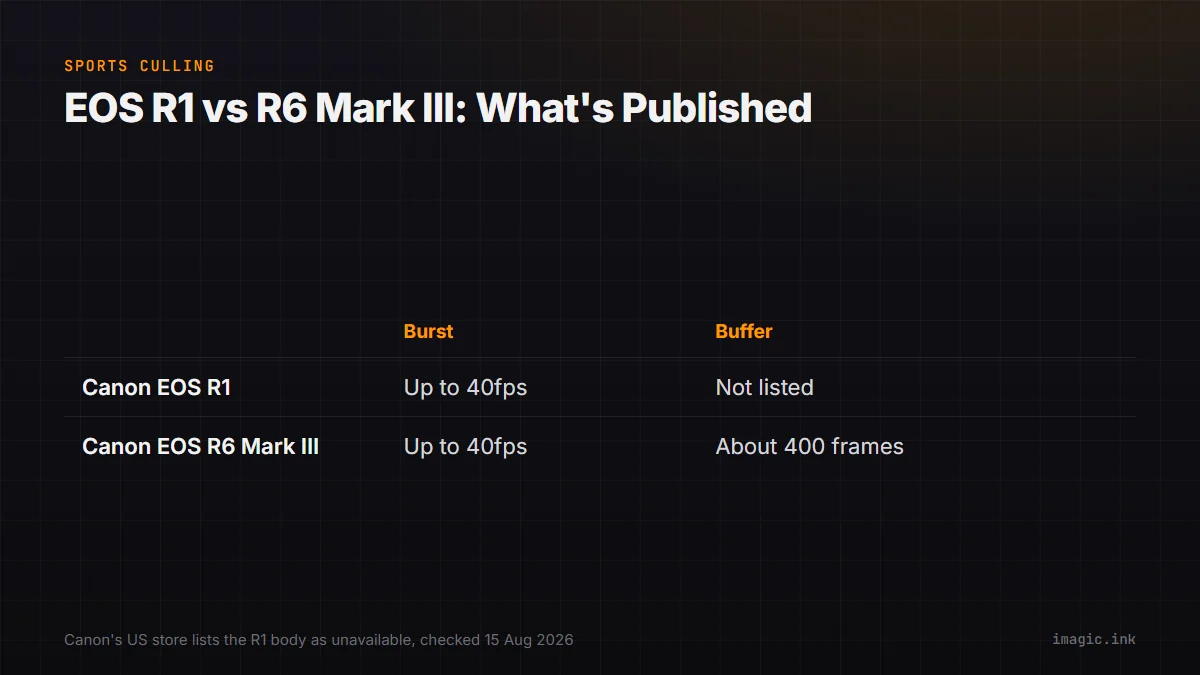
By contrast, Canon's own EOS R6 Mark III manual is explicit about buffer depth: it lists continuous shooting up to 40 shots per second in Servo AF, and states a RAW burst capacity of approximately 400 frames when shooting to a CFexpress card, with dual card slots consisting of CFexpress Type B and SDXC/SDHC UHS-II. The R6 Mark III's sensor is listed at approximately 32.5 effective megapixels on a 35.9 by 23.9mm full-frame sensor, with a native ISO range of 100 to 64000 (expandable to 50 and 102400). (See the EOS R6 Mark III reference manual.) That is a meaningfully more complete published spec sheet than the R1's current US product page offers, which matters for anyone trying to plan a card strategy around sustained 40 fps shooting rather than short bursts.
EOS R1 against the R6 Mark III and the used market
The table below compares what is actually documented for each body rather than filling gaps with assumed figures, and each row includes a limitation rather than treating either camera as a universal choice.
| Camera | Sensor | Electronic-shutter burst | Published RAW buffer | Card slots | Current status |
|---|---|---|---|---|---|
| Canon EOS R1 | 24.2MP stacked BSI CMOS | Up to 40 fps | Not listed on the current US product page | Not specified on the current US product page | Listed as unavailable on Canon's US store (checked 15 Aug 2026); check regional availability and the used market |
| Canon EOS R6 Mark III | ~32.5MP full-frame CMOS | Up to 40 fps (Servo AF) | ~400 RAW frames (CFexpress, per manual) | CFexpress Type B + SDXC/SDHC UHS-II | Documented in Canon's current manual; confirm regional pricing and stock directly |
The EOS R1 is not for you if a new-in-box purchase is required today from the US store, since the current listing offers no way to buy one there, or if a tighter budget rules out flagship-tier used pricing. It is also not the right pick if the specific action-priority and multi-person registration tracking Canon markets for the R1 is not something an assignment actually needs, since that feature set is the R1's main differentiator over Canon's other current bodies. The EOS R6 Mark III is not for you if a buyer specifically needs the R1's marketed subject-recognition depth, since the R6 Mark III's manual does not describe the same action-priority and ten-person registration system; it is also the higher-resolution sensor of the two by the published figures, which cuts the other way for anyone who values maximum frame rate over pixel count. Neither table row is a recommendation to buy new at any specific price, since neither camera's current regional pricing was confirmed for this guide.
A RAW culling workflow built around burst volume
The math above makes the actual problem obvious: the bottleneck in high-speed sports shooting usually is not the camera, it is turning a few thousand RAW files into a deliverable set without spending an entire evening scrubbing through near-identical burst sequences by hand. A practical workflow for that volume looks something like this.
Offload both memory cards to two separate physical drives before formatting either card, standard two-copy backup practice for any shoot where the material cannot be recreated. Run an automated first pass that scores sharpness and eye state and groups burst sequences into clusters of near-duplicate frames, so the review that follows works from a shortlist instead of the full card. the imagic desktop app does this locally: it reads Canon's CR3 RAW format along with eight other RAW formats, scores frames for sharpness, closed eyes, and composition, and clusters duplicate and burst frames automatically, all processing on the machine itself with nothing uploaded anywhere. That local-only design matters specifically for team and league photography, where media rights agreements or embargo timing can make an unpublished card's worth of images something a photographer does not want routed through a third-party server before a client or league has cleared it. imagic's Max license also adds a command-line and MCP interface for scripting that same scoring and export pipeline, useful for an agency running the identical export process across many cards every week rather than clicking through the same steps manually each time.
Once the shortlist is narrowed to a manageable set, a human review pass on those frames alone, rather than the full card, is where the actual selection judgment happens; automated scoring narrows the field, it does not replace picking the frame that best tells the story. From there, applying one consistent style across the day's keepers in a single batch pass, rather than adjusting each frame individually, keeps a gallery visually consistent, and imagic's batch editing and one-click styles handle that step non-destructively, meaning the original RAW files are never altered or deleted by any of it. Export to JPEG or TIFF for delivery once the edit is set. What this workflow does not cover is live transmission during play, tethered capture, or full digital-asset cataloging across an entire season's archive; imagic does not tether to a camera, sync to the cloud, or replace a dedicated DAM system, so a wire-service pipeline built around instant filing from the sideline, or a multi-season searchable archive, needs a different tool layered on top of this culling step, not instead of it.
Wedding coverage sits at close to the opposite end of the volume curve: fewer total frames overall, but decisive moments spread across an entire day rather than compressed into fractions of a second, which changes both the camera choice and the delivery-turnaround plan. The wedding camera and file-management workflow guide covers that pacing, and the equipment and backup planning translate reasonably well even though the shot volume per moment is nowhere near what a 40 fps sports burst produces.
Choosing a culling tool for a full season's card volume
A single match is one data point; a season is the real test of whether a culling workflow holds up. Subscription-based AI culling services exist alongside local desktop tools like imagic, and the right choice depends on whether a photographer wants an ongoing per-image or per-month fee, an internet connection during the culling session itself, and where the RAW files travel before a human sees them, not only on how each tool scores a frame. Local processing does not automatically mean no account is required either; some desktop applications still phone home for licensing or optional cloud features, so "desktop app" alone is not proof that nothing leaves the machine. For a full breakdown of imagic against other AI culling tools on pricing, account requirements, and where processing actually happens, including a "not for you if" limitation for each tool, see the AI photo culling software comparison. imagic itself is a one-time EUR purchase across three tiers rather than a subscription, with a 500-export free trial that does not require a card, which matters for a photographer wanting to test the sharpness scoring against a real sports card before committing to a purchase.
Matching the cull-to-delivery timeline to the deadline
Sports and photojournalism work often carries two different deadlines that pull against each other: a same-day wire or team-site filing that needs a handful of frames minutes after the final whistle, and a slower, more complete edit for print, licensing, or a season archive that can wait a day or more. Treating those as one pass usually means either rushing the full card or missing the fast deadline entirely. A staged approach separates them: immediately after the event, a rapid pass through only the highest-scoring frames from the most obviously decisive plays, with minimal correction, covers the urgent filing. The full card, including the borderline calls and the frames that only look interesting once slower, calmer eyes review them the next morning, gets the complete cull afterward on its own timeline. Keeping the RAW archive and the same-day quick-turn exports as clearly separate outputs, rather than treating the rushed export as the final edit, avoids having to redo work later because a corner-cut version became the only record of the day.
Frequently Asked Questions
Is the Canon EOS R1 discontinued?
Canon's US store lists the EOS R1 body as unavailable as of the check on 15 August 2026, stating "this item is no longer available." That wording describes the current US listing, not a formal worldwide discontinuation announcement, which this guide did not find on Canon's site. Availability can differ by country and by the time this page is read, so checking a specific regional Canon store, or the used and refurbished market, is the reliable way to confirm current status.
How many RAW files does a 40 fps burst actually produce?
At the R1's published electronic-shutter rate of up to 40 frames per second, one second of continuous shooting produces up to 40 RAW files. A two-second burst around one play produces around 80 files. Translating that into storage or a full-match total requires assuming an average file size, a typical burst length, and how many bursts happen across an event, none of which Canon publishes, so any specific total should be built from a reader's own numbers rather than treated as a fixed figure.
Does imagic support the R1's CR3 RAW files?
Yes. imagic reads CR3 along with CR2, NEF, ARW, RAF, ORF, RW2, DNG, and PEF, processes files locally through its own built-in RAW engine, and never uploads photos anywhere. Culling and editing in imagic are non-destructive, meaning no command in the app deletes or overwrites the original RAW file.
Should a sports photographer buy the EOS R6 Mark III instead of the R1?
That depends on what the assignment actually needs rather than on which body is newer. The R6 Mark III's manual documents a published RAW buffer and card configuration that the R1's current US product page does not, and it is presently available to order, while the R1's US listing is not. The R1's marketed action-priority and ten-person tracking system, described in Canon's own product copy, is its main differentiator; if that specific feature set does not matter to the work, the R6 Mark III's more completely documented specifications and current availability make it the lower-friction choice for most buyers checking today.