
DxO PhotoLab and imagic are not really aimed at the same job, and pretending otherwise would not be honest. DxO's DeepPRIME noise reduction and lens-specific optics modules are genuinely best-in-class RAW processing, tuned per camera and lens combination in a way few tools match. imagic has no equivalent noise-reduction specialization; its strength is AI culling and batch editing across a whole shoot. This comparison is less "versus" and more "where each one earns its place."
What DxO PhotoLab Does Better Than Almost Anyone
DeepPRIME (and its newer variants) is widely regarded as some of the strongest noise reduction available for RAW files, particularly at high ISO, and DxO's optics modules correct lens-specific distortion, vignetting, and chromatic aberration using measured profiles per camera-lens pairing. If a shoot pushed ISO hard in low light and needs the cleanest possible result, or a lens has known distortion that needs correcting precisely, DxO's specialization shows.
What DxO PhotoLab Does Not Do
DxO PhotoLab has no AI culling layer: no quality scoring, no closed-eye detection, no duplicate or burst grouping. Reviewing a shoot and deciding what to keep is entirely manual, the same way it is in most single-image RAW processors. For a large shoot, that means the noise reduction and optics correction happen after a photographer has already done the full manual review themselves.
Where imagic's Culling Changes the Workflow
imagic scores sharpness, exposure, and closed eyes and groups duplicate bursts locally on every tier, cutting review time before a single adjustment is made. It also does RAW processing of its own, via its own built-in RAW engine, plus batch editing and one-click styles, but it is not aiming to match DxO's per-lens optics correction or DeepPRIME-level noise reduction specifically; that is a narrower, deeper specialization than imagic's batch-workflow focus.
A Genuinely Complementary Pairing
For photographers who shoot high-ISO or difficult-lens situations often, a realistic workflow is imagic first, cull the shoot down with AI scoring and duplicate grouping, decide what is worth the extra processing time, then run the keepers that need DxO's noise reduction or optics correction through DxO afterward for the frames where it matters most. That avoids running DeepPRIME's slower processing over every frame in a shoot, only the ones that survive the cull.
Pricing and Format Support
imagic is one-time: Lite EUR 19, Plus EUR 49, Max EUR 99, with a free 500-export trial and no card required, supporting CR2, CR3, NEF, ARW, RAF, ORF, RW2, DNG, and PEF RAW files. DxO PhotoLab is typically sold as a one-time license as well, though check DxO's current pricing and supported camera list directly, since optics-module coverage is camera and lens specific. See more on RAW noise reduction in Noise Reduction in Modern Photo Editing, and more software comparisons on the blog.
Setting Up the Two-Tool Workflow
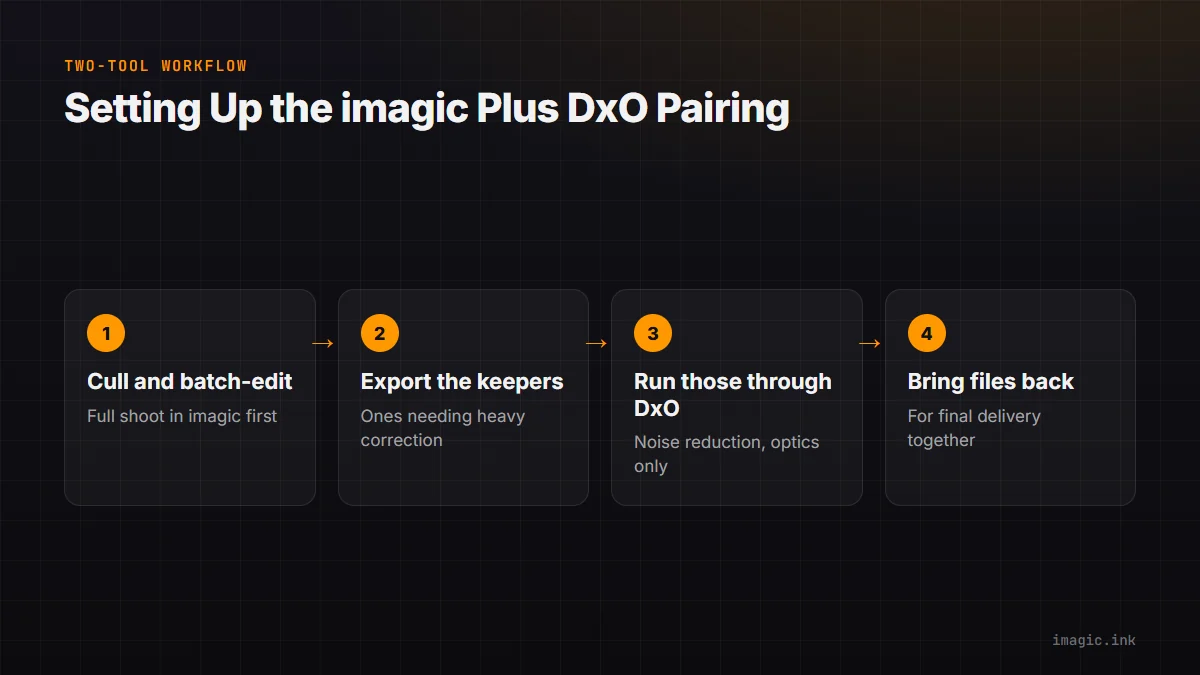
In practice, keeping the pairing efficient means deciding the handoff point up front rather than shuttling files back and forth repeatedly. A reasonable order: cull and batch-edit the full shoot in imagic first, export the keepers that specifically need heavy noise reduction or lens correction, run only those through DxO, then bring the finished files back for final delivery alongside the rest of the batch. This keeps DxO's slower, more intensive processing limited to the frames that actually justify it, rather than the whole shoot.
Frequently asked questions
Does imagic have noise reduction as good as DxO's DeepPRIME?
No, DeepPRIME is a specialized, widely respected noise-reduction technology; imagic's RAW processing is not built to match that specific specialization.
Can I use imagic and DxO PhotoLab together?
Yes, a common workflow is culling and batch editing in imagic first, then running specific keeper frames through DxO for noise reduction or optics correction where it matters most.
Does DxO PhotoLab do AI culling like imagic?
No, DxO PhotoLab has no quality scoring, closed-eye detection, or duplicate-grouping layer; shoot review is manual.
Try imagic free for 500 exports, no card required, to cull and batch-edit a shoot before deciding what needs specialist noise reduction. Start the free trial.