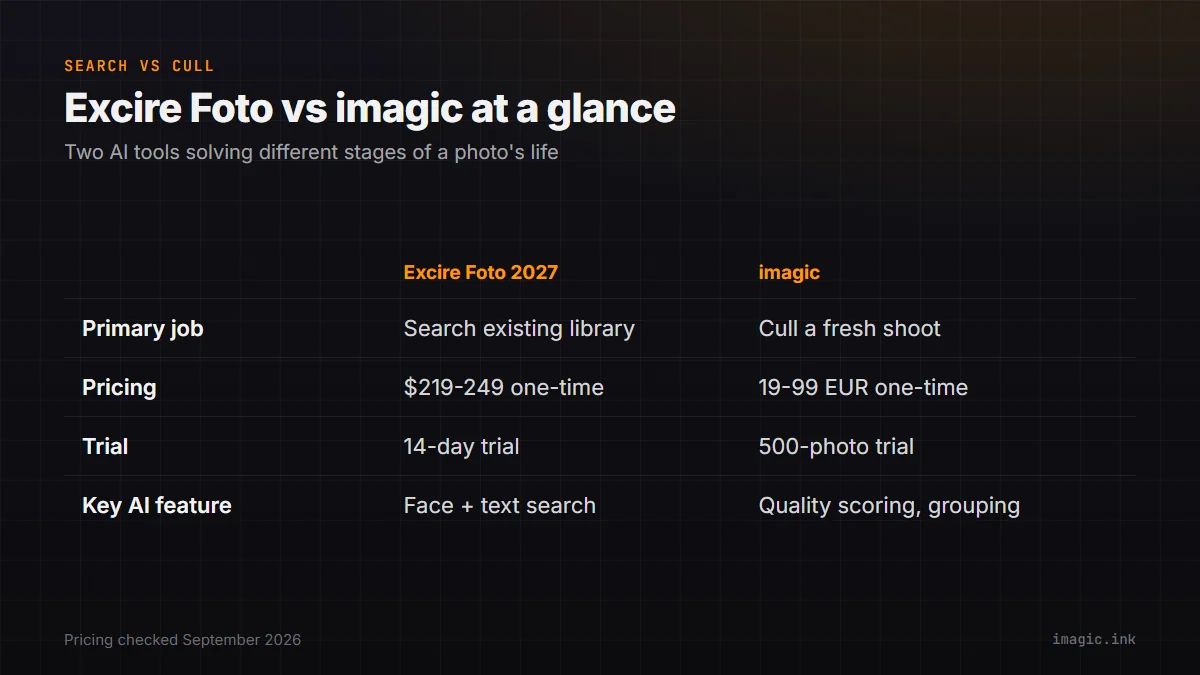
Two tools can both be described as "AI photo software" and still solve completely different problems. Excire Foto and imagic are a clean example. Excire Foto's job is finding things inside a photo library you already have: a face from three years ago, every shot with a particular dog in it, the handful of sunset photos buried somewhere across a decade of shoots. imagic's job is getting through a shoot you just took, deciding which of several hundred or several thousand new RAW files are worth keeping before you touch an edit. Searching an existing archive and triaging a fresh shoot are related but different tasks, and a straight feature-for-feature scorecard tends to blur that distinction rather than clarify it. Here is what each tool verifiably does, what it costs, and what it does not do, as of September 2026. Neither vendor currently has a dedicated head-to-head page comparing the two directly, so the closest existing reference points are each product's own pricing and feature documentation, which is what every claim below is checked against.
What Excire Foto actually does
Excire Foto is standalone desktop photo management software from the German company Excire, built around automatic image recognition rather than manual tagging. According to Excire's own product announcement, the current release (Excire Foto 2027) can detect and index text appearing inside images such as street signs, storefronts, and documents, recognize and group faces so you can search by person, plot GPS-tagged photos on an interactive map, and combine AI-detected subjects, objects, and scenes with ordinary metadata filters to narrow a search (excire.com, accessed September 2026). It runs as its own standalone application with its own database, separate from any Lightroom catalog, which is the point: you point it at a folder tree or drive and it indexes what is already there. The standalone edition also bundles Excire Analytics, an additional reporting layer Excire's own support documentation lists as a feature exclusive to Foto rather than the plugin variant, though the specifics of what that analytics view reports were not detailed on the pages checked for this piece.
Excire also sells a second product, Excire Search, packaged as a Lightroom Classic plugin rather than a standalone app. Per Excire's own support documentation, the two products share "almost identical" underlying search functionality, but each keeps its own separate index, so photos have to be initialized into whichever product you are using (Excire support center). If your entire workflow already lives inside Lightroom Classic, Excire Search folds the same search into that catalog instead of asking you to run a second application. Either way, the underlying idea is the same: index a library once, then search it instantly afterward, which is a different kind of "AI" than a model that scores a photo it has never seen before.
What imagic actually does
imagic is a desktop app for Windows and macOS that runs entirely on your own machine; photos never leave the computer during processing. Its core job is culling a fresh shoot: it scores each photo for technical quality (sharpness, closed eyes, composition) and groups duplicates and burst sequences so you are comparing a handful of near-identical frames side by side instead of scrolling past all of them one at a time. From there it handles batch editing and one-click styles, and processes RAW files (CR2, CR3, NEF, ARW, RAF, ORF, RW2, DNG, and PEF) through its own built-in RAW engine, exporting to JPEG or TIFF. What it is not built to do is index or search a library you already finished culling months or years ago; it has no face recognition, no keyword tagging, and no full digital asset management layer for a long-term archive.
The order of operations matters here. imagic's scoring pass runs the first time you open a folder, with no prior indexing step and nothing to train, because it is evaluating each photo's technical properties fresh rather than matching it against a library of previously learned faces or keywords. That makes it fast to start using on a brand-new shoot, but it also means it has no memory of anything outside that session beyond what you explicitly keep: once photos are culled, edited, and exported, imagic has no ongoing index of them the way Excire Foto does for its library.
Excire Foto vs imagic at a glance
| Category | Excire Foto 2027 | imagic |
|---|---|---|
| Primary job | Search and organize an existing photo library | Cull and RAW-edit a freshly shot set of photos |
| Platforms | Windows and macOS (standalone desktop app) | Windows and macOS (desktop app) |
| Pricing (individual license, Sept 2026) | USD 219 introductory / USD 249 regular, one-time | Lite EUR 19 / Plus EUR 49 / Max EUR 99, one-time |
| Trial | 14-day free trial | 500-export free trial, no card required |
| Subscription required | No, one-time purchase | No, one-time purchase |
| Key AI feature | Face recognition, keyword and object search, text recognition | Technical quality scoring, duplicate and burst grouping |
Sources: Excire pricing and feature claims from Excire's official Foto 2027 announcement, checked September 2026.
Pricing in practice: two one-time-purchase tools, different scope
Neither company charges a subscription, which already puts both outside the norm for photo software in 2026. Excire's individual license sits at an introductory USD 219 (EUR 199) with a regular list price of USD 249 (EUR 229) once the launch promotion ends, and existing owners of older Excire versions get a discounted upgrade path rather than paying full price again. imagic's license tiers start lower, at EUR 19 for Lite, EUR 49 for Plus, and EUR 99 for Max, with the Max tier adding an MCP server and CLI for people who want to script or automate the culling and editing pipeline. The price difference is not really "cheap vs expensive," it reflects two different products: Excire Foto is doing continuous, whole-library indexing and recognition work that has to stay useful for years of future searches, while imagic's job on any given license tier is bounded to what it takes to process one shoot's worth of RAW files well.
It is also worth being clear about what "one-time" means for each product over several years. imagic's license does not expire and does not depend on a yearly release cycle; you pay once for the tier you choose. Excire's naming convention (Foto 2025, Foto 2026, Foto 2027) points to something closer to a paid-upgrade cadence: existing owners get a discounted price on the newer edition rather than a free update, which Excire's own announcement confirms. Over several years, a photographer who wants to stay on Excire's current release is likely paying more than the single introductory price once, even though each individual purchase is still a one-time transaction rather than a subscription. imagic has not published a comparable paid major-version upgrade requirement as of September 2026.
What Excire Foto does that imagic does not
Excire's whole reason to exist is search across a library that already has structure, or that its AI can impose structure on after the fact. Face recognition that groups the same person across ten years of unrelated shoots, keyword search built from automatically detected subjects rather than manual tags, text recognition that indexes signs and documents inside photos, and a map view built from embedded GPS data are all real, useful features that imagic simply does not attempt. That is by design rather than an oversight: imagic does not have full digital asset management cataloging, and if what you actually need is "find every photo of my daughter from birth to age five across six cameras and three hard drives," Excire is doing a job imagic was never built to do. The text recognition feature specifically has no equivalent anywhere in imagic: scanning a decade of travel photos for a street sign or a document you photographed and forgot about is a search problem, not a culling problem, and it stays entirely on Excire's side of this comparison.
What imagic does that Excire Foto does not
Excire Foto's own materials describe it as management and search software, not an editor, and it is not positioned as a technical-quality gatekeeper for a fresh shoot. It will not flag which of 40 nearly identical portrait frames has a subject blinking, will not group a seven-frame burst so you can pick the sharpest one in a single glance, and will not batch-apply a color style or export a folder of RAW files to JPEG. That is the gap imagic fills: a first pass through new material, scored on technical grounds, before anything gets filed away for Excire (or anything else) to search later. A sports or event photographer coming back from a shoot with 4,000 RAW files does not have a search problem yet; none of those photos have been culled, tagged, or filed anywhere. That is squarely a triage problem, and it is the one imagic is built to solve first, before an archive tool like Excire Foto ever gets involved.
Which tool fits which job
For a working photographer, the honest answer is that these tools sit at different points in the same timeline rather than competing for the same moment. On a shoot day, the job is triage: get from several thousand RAW files down to a realistic edit set fast, which is what a culling pass like imagic's is built for. Months or years later, the job shifts to retrieval: finding a specific photo inside a library that has grown large enough that folder names and dates stop being useful search tools, which is squarely Excire Foto's job. A photographer who shoots regularly and keeps a long-term archive will likely want something in each category eventually; buying one does not make the other redundant, because they are not solving the same problem. If your immediate bottleneck is a backlog of unculled shoots, imagic's free 500-export trial is the more relevant starting point; if it is an archive you cannot search, Excire's 14-day trial answers that question directly.
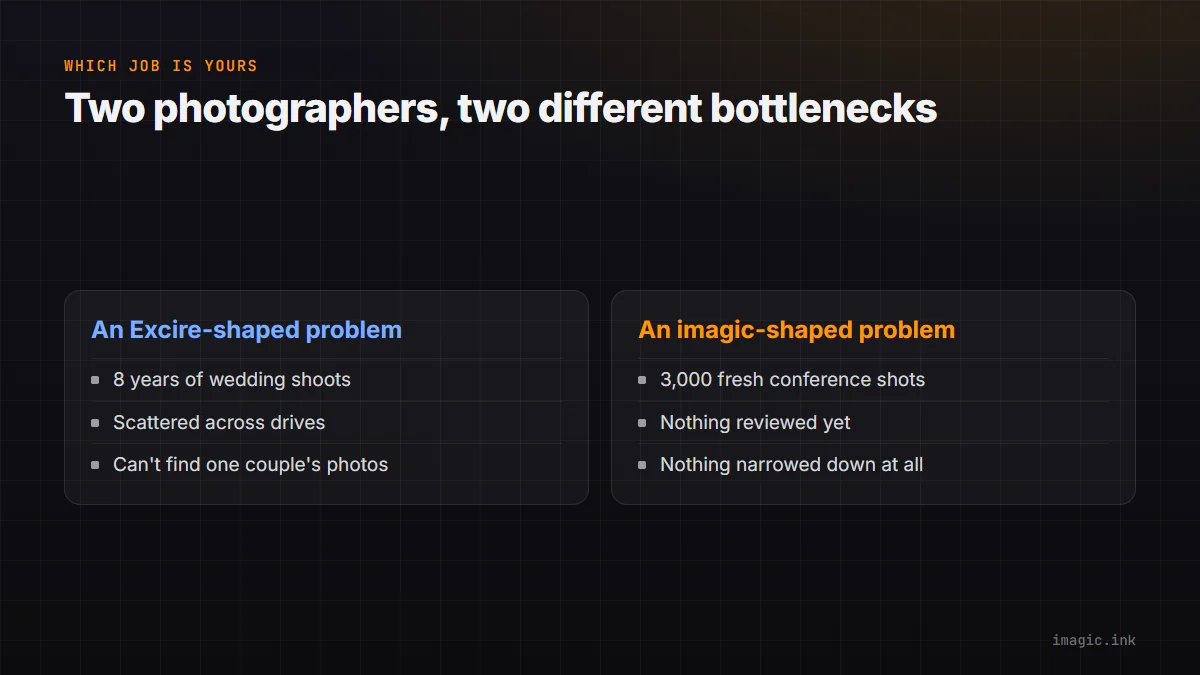
Two concrete cases make the split easier to picture. A wedding photographer eight years into a career, with a growing folder structure spread across several external drives and no reliable way to find "the couple from that barn venue in 2021," has an Excire-shaped problem: the photos already exist, they are just not findable. A different photographer who just got back from a two-day conference with 3,000 near-duplicate crowd and speaker shots, none of them reviewed yet, has an imagic-shaped problem: nothing has been evaluated for quality or narrowed down at all. Most careers eventually produce both situations, just rarely on the same day, which is exactly why treating this as a single winner misses how the two tools actually get used.
Readers weighing photo organizing software more broadly, not just this one pairing, may also want a wider look at what else exists in that category: imagic's guide to free photo management tools covers several archive-focused options in the same spirit as Excire, and the Software Comparisons category on the imagic blog collects the rest of these head-to-head breakdowns as they publish.
Frequently asked questions
Does Excire Foto replace a culling tool like imagic?
No. Excire Foto searches and organizes photos that are already part of your library; it does not score technical quality, group bursts, or process RAW files the way a culling tool does. Most photographers who need Excire's search still need a separate first-pass culling step for new shoots.
Does imagic let me search my archive by face or keyword the way Excire Foto does?
No. imagic does not have face recognition, keyword tagging, or full DAM cataloging. It is built to triage and RAW-edit a specific shoot, not to index or retrieve photos across a long-term archive.
Which one should a photographer buy first?
It depends on the actual bottleneck. If unculled shoots are piling up, a culling tool solves that faster than a search tool would. If the problem is not finding old photos in an archive that has already grown large, Excire Foto's search is the more direct fix. Many photographers eventually use something in both categories.