
ACDSee Photo Studio has been a non-Adobe option for Windows photographers for a long time, built as a full digital asset manager and editor with a perpetual-license option alongside its subscription tiers. imagic takes a narrower, newer approach: AI culling first, with batch editing and one-click styles rather than a full catalog system. Both avoid a mandatory subscription, but they solve different problems. This is a fair look for anyone weighing an acdsee alternative.
ACDSee's Strength: Full DAM Plus Editor
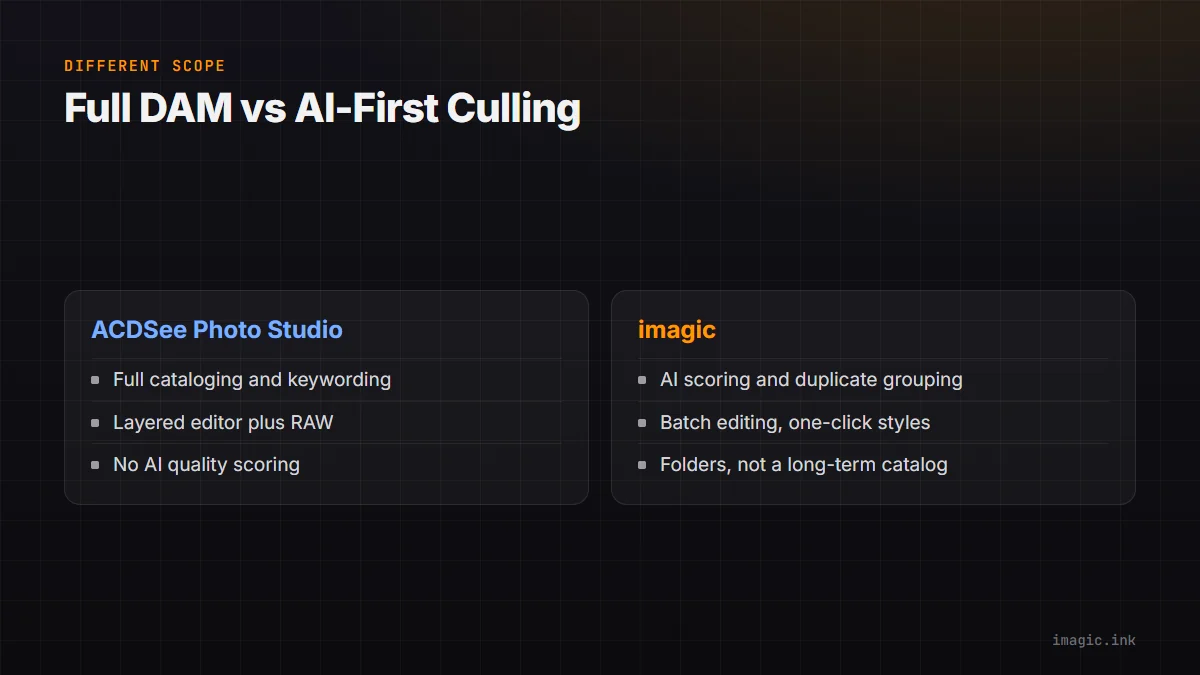
ACDSee Photo Studio manages a full photo library with cataloging, keywording, and search across years of shoots, alongside a layered editor and RAW processing. That is a genuinely broader feature set than imagic's, and for photographers who need deep asset management across a large, growing archive, ACDSee's cataloging depth is a real advantage worth acknowledging directly.
What ACDSee Does Not Have: AI Culling
ACDSee does not include AI quality scoring, closed-eye detection, or automatic duplicate and burst grouping. Sorting a large shoot down to keepers is a manual process using its rating and filtering tools, not an AI-scored shortlist. For high-volume shoots, that means the time savings imagic's AI culling provides simply are not part of ACDSee's design.
imagic's Narrower, AI-First Scope
imagic does not attempt to be a full DAM: no keyword-based library search across years of shoots, no long-term cataloging system, folders are the organizing unit. What it does instead is score and group a shoot's frames automatically via AI, then take the shortlist into batch editing and one-click styles, RAW processing included via its own built-in RAW engine. If your priority is speeding up the review step on individual shoots rather than managing a decade-spanning archive, that narrower scope is the point, not a limitation.
Windows-Centric History vs Windows Plus Mac
ACDSee's roots and strongest user base are on Windows, historically its primary platform even as Mac support has developed. imagic ships as a native desktop app on both Windows and macOS from the start, which matters if your studio is mixed-platform or you specifically need macOS support without checking compatibility notes first.
Pricing: Perpetual License vs One-Time Tiers
ACDSee offers a perpetual license option on some products alongside subscription tiers, so check current terms for the specific edition you are considering. imagic is one-time across all three tiers: Lite EUR 19, Plus EUR 49, Max EUR 99, with a free 500-export trial and no card required. See the fuller imagic vs ACDSee comparison, and for other non-Adobe options, Free Photo Management Tools for Photographers.
Which Problem You Are Actually Solving
The clearest way to choose between the two is to name the actual bottleneck honestly. If it is finding a specific photo from three years ago inside a sprawling, keyworded archive, that is a cataloging problem, and ACDSee's DAM depth is built for exactly that. If it is getting through this week's shoot fast, cutting a few thousand frames down to the keepers and getting a consistent edit applied without opening a second app, that is a culling-and-batch-editing problem, and it is what imagic is built around. Plenty of photographers have both problems at different points in a career, which is why neither tool being the "better" one in general is a useful way to frame the decision.
Trying Both Before Committing
Because the two tools are solving different problems, a head-to-head feature checklist undersells both of them. A more useful test is running your last real shoot through each: catalog it and search for a specific frame in ACDSee, then separately run the same shoot through imagic's AI culling and batch editing. Whichever step actually saved you real time, not which app had more menu items, is the honest signal for which category you need more of right now.
Frequently asked questions
Does imagic replace a full digital asset manager like ACDSee?
No, imagic organizes by folder rather than a long-term searchable catalog; if deep DAM functionality across years of shoots is your priority, ACDSee's cataloging is the stronger fit.
Does ACDSee have AI culling?
No, ACDSee's shoot review relies on manual rating and filtering rather than AI quality scoring or automatic duplicate grouping.
Is ACDSee available on macOS?
Coverage varies by ACDSee edition and has expanded over time; check ACDSee's current platform support directly, since its strongest historical base is Windows.
Try imagic free for 500 exports, no card required, to see AI culling and batch editing on your own shoot. Start the free trial.