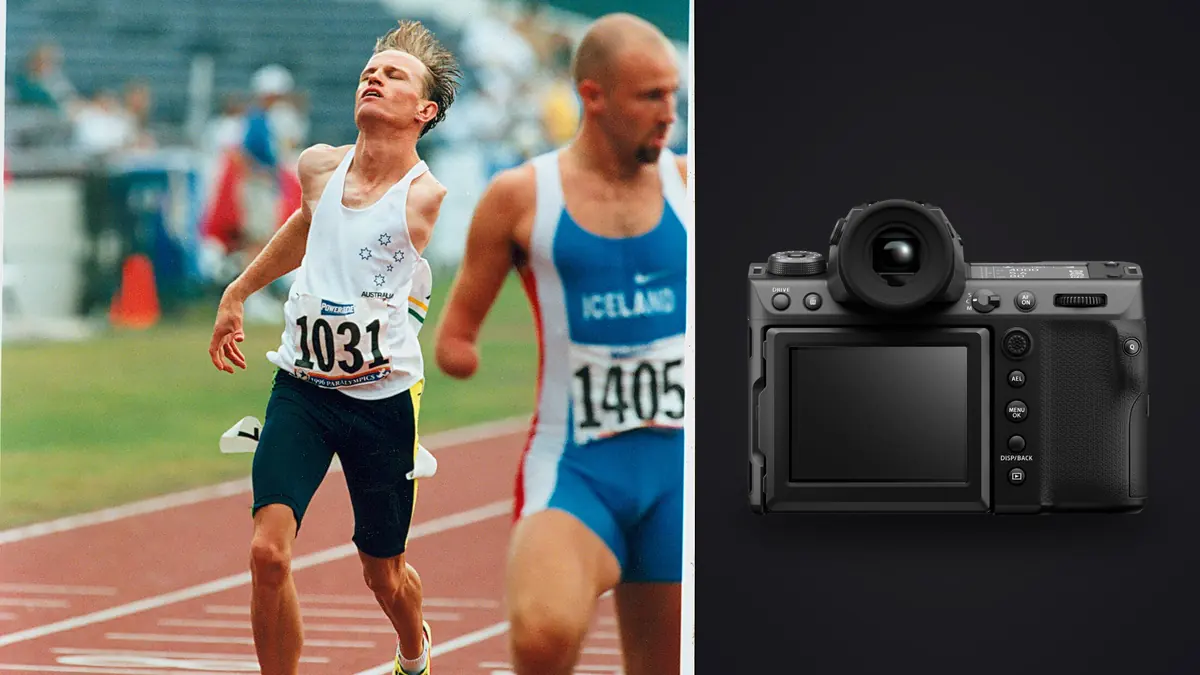
The Fujifilm GFX100 II can cover action, but its strongest sports setup begins by rejecting the idea that every event needs the same high-volume approach. A lane finish, a pole vault, a portrait in the call room, and a distant relay exchange impose different demands on autofocus, field of view, shutter behavior, and sequence length. Medium-format resolution is valuable only when the camera is pointed, focused, and timed for the picture.
This Lens and Location Guide is for planned track and field coverage. It emphasizes event sightlines, permitted positions, GF lens roles, controlled sequences, and a fallback location. Menu labels and available combinations can change with firmware, lenses, file settings, and shutter mode, so confirm the current Fujifilm manual and test the exact kit before an assignment.
Map each event before configuring the camera
Walk the permitted perimeter and note approach direction, background, light, obstructions, officials, and athlete exit routes. A sprint finish has a predictable plane and a narrow timing window. Jumps repeat around a mark but include vertical movement. Throws require long safety distances and strict sector awareness. Distance races create packs, lapped athletes, and changing light over more time.
Assign one primary picture and one fallback to each position. The primary might be a face-on finish; the fallback could be a side angle that remains usable if an official blocks the line. Check whether the lens can frame both without unsafe movement or frantic changes. Never step onto a track, runway, landing area, or throwing sector without explicit authorization.
Use rehearsal, warm-up, or earlier heats to learn where focus needs to begin and where the background becomes clean. Record a reference frame and exposure note. When the important competitor appears, the camera should already be in the correct orientation with the active control set understood.
Create a baseline action mode and a precision mode
The action baseline should combine continuous autofocus, a suitable subject or tracking option, a moderate burst setting, and exposure that protects the chosen shutter time. Keep the AF area large enough to follow the athlete but small enough to avoid adjacent runners or foreground equipment. Practice moving that area without shifting grip.
The precision mode is for a fixed mark such as the high-jump bar, hurdle plane, relay exchange zone, or portrait position. A smaller area, preselected point, or manual-focus reference can make the result more predictable than broad recognition. The athlete may enter the frame too quickly for the camera to choose the intended face among officials and spectators.
Store the two configurations in accessible custom settings if the camera supports every required parameter there. Test what is and is not recalled. Exposure, AF behavior, shutter type, drive, and file settings do not always move together in the way a photographer expects, so a written baseline remains useful.
Tune acquisition around the subject path
Start continuous focus before the decisive phase. For runners coming toward the camera, acquire at a distance where the full athlete is easy to hold, then continue through the finish. For a lateral pan, keep the selected area on the upper body or face while matching motion smoothly. For jumps, determine whether focus should follow the approach or wait at a known plane.
Subject recognition can help, but uniforms, lane markers, another athlete, and officials can compete for attention. Watch the focus indication during a test sequence rather than assuming a box equals a sharp eye. If the camera switches subjects, reduce the area, adjust switching behavior where available, or improve the initial placement.
When a sequence misses, find the sharpest plane. A crisp background shows that focus left the athlete. Sharp shoes with a soft face can indicate target position or limited depth. No sharp plane with directional streaks points toward motion. This diagnosis tells you whether to alter autofocus, depth, shutter time, or panning.
Choose shutter behavior from motion and light
A shorter exposure can freeze facial detail and sponsor marks; a longer one can let limbs and background carry movement. Set the result before choosing automation. Manual shutter and aperture with Auto ISO can preserve motion and depth across changing backgrounds, while full manual exposure can be more stable under consistent field light. Watch highlights on white uniforms and reflective number panels.
Electronic shutter capture can change the appearance of fast-moving shapes or interact with artificial lighting, depending on readout and conditions. Mechanical operation has different sound, vibration, and rate considerations. Test the actual event movement and venue lights in both relevant modes. Choose from inspected files rather than from the label silent or fast.
For indoor track, make a shutter-time series under the installed lights and look for bands or color shifts across a burst. For outdoor events, meter the athlete in the light they occupy rather than letting a bright sky or dark stand dominate. Save a second exposure mode for a known shadow zone if competitors move between sun and shade.
Match the GF lens and support to the position
Lens choice begins with access. A standard or short telephoto can make environmental frames near a finish or warm-up area. A longer lens isolates athletes from outside the rail but narrows acquisition and magnifies atmospheric shimmer. A zoom can handle changing distance; a prime may offer a different aperture, balance, or optical character. Compare the complete task, not one specification.
Check the lens focus limiter and stabilization mode before every event. The wrong limiter can prevent focus at the critical distance. Stabilization can reduce photographer movement but cannot freeze a runner, and panning modes must match the intended direction. Follow current lens guidance for monopod or tripod use.
The GFX body and GF lens combination may be demanding over a long meet. A monopod can preserve steadiness and reduce fatigue at a fixed position, while handholding may be easier when subjects change height quickly. Set strap and support so they cannot enter a lane, snag another photographer, or pull the camera during rotation.
Use bursts as a timing tool, not continuous insurance
Identify the phase that changes: foot strike, baton transfer, bar clearance, landing expression, or finish lean. Begin shortly before it and release shortly after. A dense burst cannot recover a blocked face, poor background, or wrong viewpoint. It can only sample the scene the camera was already seeing.
Choose file type, drive rate, and media together. Some performance modes can limit RAW options, image dimensions, or other settings. Use compatible cards and make a complete test sequence long enough to expose buffer and review behavior. Do not quote a generic burst depth as a promise for a different file configuration.
After a burst, avoid immediately filling the buffer with playback and deletion. Confirm recording indicators, return attention to the field, and review during a safe gap. Use separate cards or recording redundancy according to the consequence of loss and the camera's supported combinations.
Protect highlight detail and color consistency
Set white balance deliberately when a consistent editorial set matters. Auto white balance may interpret green turf, red track, mixed stadium light, and team colors differently from frame to frame. A measured or fixed starting point can make sequences easier to match, though RAW files still retain development flexibility.
Use the histogram and warnings on representative uniforms. Saturated jerseys can clip a color channel even when overall brightness looks reasonable. Reflective bibs and wet skin create small highlights that may not need full recovery, while white fabric texture often does. Evaluate the subject at the intended delivery size.
Do not underexpose heavily as a routine plan for changing backgrounds. Added shadow recovery can reveal noise and uneven color. Build an exposure approach around the athlete's light, then create a quick alternative for predictable backlight or shadow.
Test the complete setup at event pace
Simulate a heat rather than making one stationary test frame. Track a runner or cyclist through the full approach, make the planned burst, move safely to the next position, and check remaining power and storage. Confirm that controls are still reachable with gloves, rain cover, monopod, or accreditation bib in place.
Review focus across every frame and note whether acquisition improves or degrades. Inspect shape rendering, banding, viewfinder continuity, exposure drift, and card behavior. Change one parameter and repeat. A valid test uses the intended lens, file type, shutter mode, and lighting.
Keep a backup mode that favors dependable single frames if the advanced configuration behaves unexpectedly. A simpler AF area and lower drive setting can rescue coverage while the cause is investigated after the event.
Simplify the viewfinder and control feedback
Configure one display that shows the active AF area, exposure state, remaining storage, and recording status without hiding the athlete behind overlays. Put the level, detailed histogram, and less urgent indicators on a separate setup display where possible. Learn how to switch displays and dismiss playback with the camera already at the eye.
Check viewfinder behavior during a real burst and pan. If image review, blackout, refresh behavior, or a warning interrupts tracking, change the relevant display or drive setting before the event. Keep alert tones and bright screens appropriate for the venue. The best feedback is the minimum that confirms capture while leaving attention on the live field.
Connect setup testing to local culling
The GFX100 II records Fujifilm RAF files, which imagic supports. After making verified copies, scan the directory and then run analysis. The application processes locally, groups similar frames, and scores technical qualities. Rejection sets status and does not remove the original, which allows a cautious review of each event sequence.
Automated scores cannot identify the winning athlete, understand a baton exchange, or know that a slightly soft frame is the only clean finish. Compare groups for face, limb position, lane separation, background, and narrative role. If an old score appears wrong, check freshness and reanalyze stale items because reselecting only ranks the values already stored.
Related systems are covered in the workflow and editing guides, and the desktop overview explains local culling and non-destructive adjustments. Feed the reasons for rejected sequences back into the two camera modes before the next meet.
Frequently Asked Questions
Is the GFX100 II suitable for every sport?
No camera is ideal for every access pattern and action. It is most convincing when its lens options, handling, autofocus behavior, file pipeline, and image qualities match the planned position and delivery.
Should the highest burst setting stay active all day?
No. Use denser capture for brief unpredictable phases and a restrained rate for longer, readable action. Verify what file and shutter restrictions apply to the selected mode.
Why is a runner soft when the background is sharp?
The system acquired or returned to the background. Improve the initial AF placement, reduce competing area, revisit switching behavior, and check the lens focus limiter.