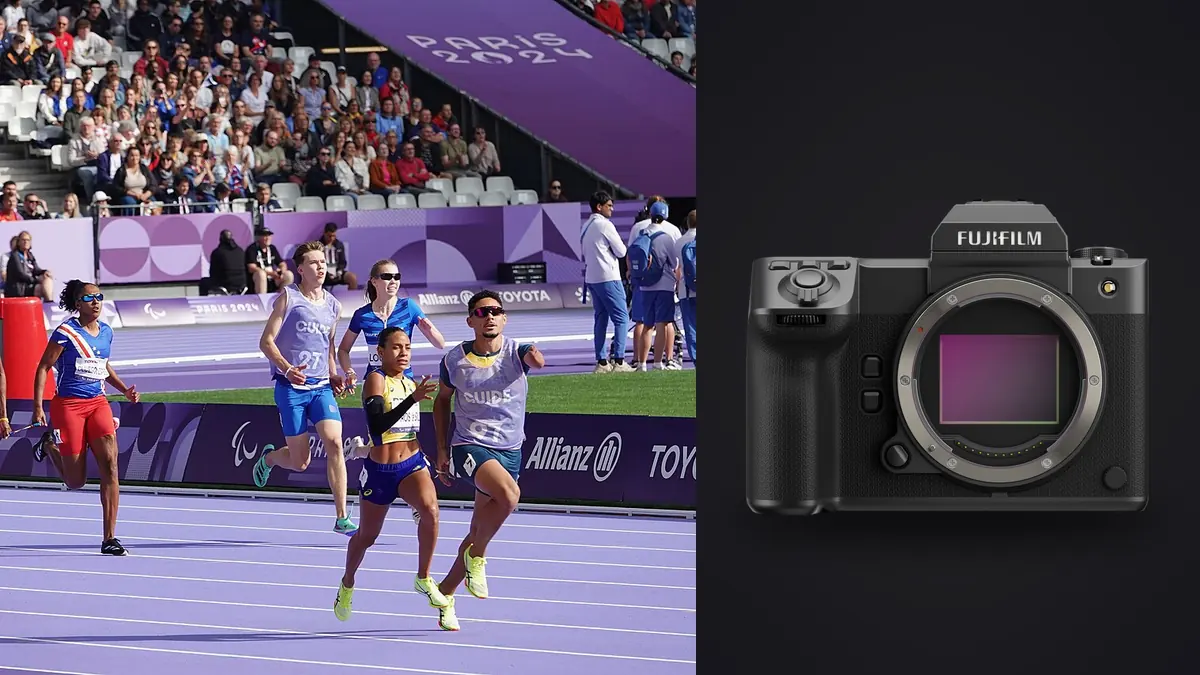
This Buying Guide asks whether the Fujifilm GFX100 II is a sensible purchase for track, field, and other action work. It does not treat a medium-format label as an automatic advantage or disqualification. The camera combines a 102-megapixel 43.8 by 32.9mm sensor with subject detection, stabilization, a mechanical continuous mode around 8 frames per second, and both CFexpress Type B and SD media. Those capabilities can serve a particular sports brief, but they bring file, lens, shutter, handling, and workflow consequences.
Fujifilm's official specifications were checked on 15 August 2026. They state that continuous performance depends on media, environment, and settings, and they warn that the electronic shutter may not suit fast-moving objects or handheld shooting. This is therefore a buying-fit analysis, not a promise that a listed rate or autofocus mode will perform identically with every lens, subject, venue, card, and firmware version.
Identify the sports image that justifies the camera
The GFX100 II makes the strongest case when the assignment values a highly detailed final frame, substantial crop latitude, large reproduction, controlled commercial lighting, or a distinctive medium-format rendering more than maximum burst rate and the broadest telephoto system. Examples can include an athlete portrait at a track, a planned advertising sequence, a finish-line composition with a known path, or field action photographed from an approved position with enough reach.
It makes a weaker case for a desk that needs very long native telephoto choices, extremely high sequence density, minimal file volume, or the lightest possible multi-body kit. A camera designed around speed with a smaller sensor may offer more suitable lens reach, readout behavior, and throughput. That is not a judgment about prestige or image quality; it is a match between recurring constraints and system design.
Write the required output before comparing bodies. Record final pixel dimensions, typical crop, publication deadline, expected subject distance, permitted camera positions, lighting type, sequence length, and number of deliverables. If 102 megapixels solves no stated requirement, the resulting data burden needs a different justification.
Understand what 102 megapixels changes
High resolution can preserve detail for large prints and allow a useful crop when the athlete occupies a smaller part of the frame. It can also reveal slight focus error, subject motion, atmospheric shimmer, lens limitations, and camera shake. Stabilization can reduce camera movement in some conditions, but it cannot stop a runner, ball, wheel, or swinging limb.
Every captured frame carries more data than a lower-resolution alternative using a comparable RAW strategy. That affects card planning, buffer behavior, transfer, backup, preview creation, culling, adjustment, export, and archive. The cost is not only storage capacity. It is also the time and attention required to move and inspect the files under the assignment deadline.
Run a crop exercise with a borrowed body. Photograph the subject at realistic distance, make the actual editorial crop, apply the normal noise and sharpening workflow, and export to the required size. Compare it with a suitable smaller-format system from its expected lens position. Source resolution matters only after framing, focus, motion, lens, and output are included.
Read the burst modes carefully
Fujifilm lists approximately 8 frames per second with the mechanical shutter at full resolution under specified conditions. The specifications also list electronic-shutter rates, including modes affected by 35mm Format Mode, plus different recordable-frame figures by RAW compression and card. Those tables should be read in full because rate, sensor area, format, and buffer are linked.
An 8-frame-per-second sequence can be enough for action whose path and peak are anticipated. It provides fewer temporal samples than a much faster sports body, so timing skill and subject knowledge carry more weight. Hold the shutter only around the transition that matters: hurdle clearance, foot strike, baton exchange, finish, takeoff, landing, or a specific expression.
Do not estimate sustained performance from the rate alone. Test the exact RAW option, JPEG pairing, card, battery state, lens, autofocus mode, and scene. Measure the point at which cadence changes and the time until camera controls and review behave normally. Keep the result as a local operational note, not a universal benchmark.
Treat electronic shutter as a conditional option
An electronic shutter can offer quiet operation and specific continuous modes, but fast lateral movement can bend straight objects or change limb and equipment shape when sensor readout and motion interact. Artificial lighting can create bands or uneven exposure. The official Fujifilm specification explicitly cautions that electronic shutter may be unsuitable for fast-moving objects or handheld shooting.
Test a runner crossing the frame, a panning background, a rotating wheel, a straight hurdle, and any timing display under the actual light. Inspect full frames, not only subjects. A face may look acceptable while lane markings or architecture reveal distortion. Under LED or discharge lighting, test several realistic shutter speeds in each venue area.
Mechanical shutter may be the safer choice for many full-sensor action sequences even at a lower rate. Electronic modes can still suit controlled or slower movement after verification. The purchase decision should not count an electronic headline rate as fully usable until the buyer confirms image geometry and light behavior for the intended sport.
Evaluate autofocus by subject and lens
Fujifilm lists phase-detection and contrast autofocus plus subject-detection categories including animals, birds, automobiles, motorcycles and bikes, airplanes, and trains. Athlete work also relies on human face or eye behavior and the operator's selected AF area. A category label does not guarantee that the camera will choose the correct participant in a crowded lane, pack, or sideline.
Test approach, crossing, erratic movement, temporary obstruction, backlight, helmets, eyewear, and subjects entering the frame. Establish a quick way to nominate the intended person and recover after the camera switches. Compare wide and zone behavior, continuous focus, release priority, and viewfinder feedback with the planned lens.
Depth of field is not automatically shallow because the sensor is larger. It depends on framing, distance, focal length, aperture, and output. Use enough depth for the subject's path and focus uncertainty. A perfectly blurred background cannot rescue the wrong athlete being sharp.
Audit the G-mount lens path
List the focal lengths and apertures required from every allowed position. Then examine current G-mount choices, autofocus behavior, stabilization, teleconverter compatibility where relevant, minimum focus, weather resistance, weight, balance, and support needs. A body purchase without a suitable lens path is not a sports system.
Medium-format crop latitude can partly offset limited reach, but cropping cannot reproduce the perspective, subject isolation, or pixels-on-subject of a longer lens from the same camera position. It also cannot change heat haze or remove an obstructing foreground. Calculate the delivered crop from a real file rather than assuming 102 megapixels makes every lens long enough.
Handle the complete setup. A body, electronic viewfinder, long lens, hood, monopod, spare power, and cards can feel very different from a body specification alone. Check balance during panning, control access with gloves, lens-foot design, rain protection, and safe movement along a track perimeter.
Plan CFexpress and SD roles
The GFX100 II accepts CFexpress Type B and SD media. The official continuous-shooting notes base recordable-frame figures on specified media and state that performance depends on the recording card. Decide whether the slots provide backup, sequential storage, format separation, or different still and video duties under the current manual.
Do not assume simultaneous recording behaves like the faster card alone. Test the exact configuration. Use cards from the current compatibility guidance, label them, and maintain states such as blank, active, copied, verified, and held. A high-capacity card reduces changes but also concentrates more assignment data in one object.
Reader and destination storage belong in the purchase. Copy a full representative card through the planned reader and hub, verify it, and make an independent second copy. The body price is only one part of the media chain needed to protect high-resolution bursts.
Check viewfinder, controls, and power in the field
The GFX100 II uses a removable electronic viewfinder. Verify that the finder, refresh behavior, blackout characteristics in the chosen mode, eyecup, display lag, and resolution support actual panning and reacquisition. Manufacturer descriptions should be supplemented by a rental session because perception and technique differ.
Customize shutter mode, drive, AF area, subject selection, ISO, and exposure compensation for direct access. Practice returning to a known state without menus. If another body covers wider or longer views, align button logic and time settings as closely as possible.
Official battery figures use defined test conditions and do not predict a cold day, continuous focus, review, wireless use, or a power-hungry finder mode. Run the intended configuration and build a spare-power plan from observed assignment behavior without publishing it as a universal number.
Budget the complete workflow
| Buying question | Good fit signal | Caution signal |
|---|---|---|
| Output | Large or heavily cropped finals are routine | Delivery is small and framing is already tight |
| Action timing | Peaks are predictable and short bursts suffice | Maximum temporal sampling is central |
| Lenses | Current G-mount options cover every position | Required native reach or aperture is absent |
| Files | Cards, transfer, backup, and archive are ready | Existing workflow struggles with large RAW sets |
| Handling | The complete rig works for a full session | Weight or controls reduce subject tracking |
Add compatible lenses, cards, readers, batteries, support, storage, backup, software upgrades, and service access to the decision. Do not use a temporary body-only offer to ignore the rest of the system. Prices are time-sensitive and regional, so verify them from first-party sellers or authorized dealers at purchase.
Consider opportunity cost. A specialized GFX setup may produce exceptional controlled sports portraits while requiring another body for long-reach or very high-rate coverage. If two systems are necessary, budget and carry both honestly. If one system must cover everything, versatility may outweigh maximum detail.
Run a rental test that ends with delivery
- Use the exact lens, card, reader, support, and firmware planned for purchase.
- Photograph approach, crossing, obstruction, panning, and a known peak under representative light.
- Compare mechanical and candidate electronic modes for geometry and banding.
- Copy, verify, back up, preview, cull, adjust, crop, and export the whole take.
- Inspect final images at the required size and record every bottleneck.
If imagic is part of the proposed chain, discover the live tool schema and ingest a copied representative set before purchase. Its documented pipeline can analyze ingested photos for sharpness, exposure, closed eyes, composition, and near-duplicate or burst grouping, with status changes remaining reversible. Confirm actual file and software compatibility in the installed environment rather than assuming it from this article.
The local desktop workflow provides one review option, while the Workflow and Editing section covers wider production planning. The test is complete only when the selected image reaches the same output path as a real assignment.
Decide who should buy it
The GFX100 II is a credible sports purchase for a photographer whose recurring brief values very high resolution, crop latitude, commercial detail, controlled athlete portraiture, or a particular GFX lens rendering, and whose action can be covered at its verified rates. The buyer should already have a suitable lens path and a high-volume file workflow.
It is a poor fit when the dominant requirement is the broadest long-telephoto ecosystem, the highest usable full-frame sequence rate, minimal carry weight, or rapid handling of very large daily frame counts on modest infrastructure. In that case, a speed-oriented smaller-format system may be the more responsible tool even if individual files contain fewer pixels.
Do not buy the camera to prove that medium format can shoot sport. Buy it when the delivered photograph benefits from what this particular system does and the complete production chain can absorb what it costs in handling and data.
Frequently asked questions
Is the GFX100 II fast enough for track photography?
It can cover predictable peaks and controlled sequences at its verified settings, but suitability depends on the event, lens, focus, shutter mode, card, and required temporal sampling. Rent it for the actual use.
Should electronic shutter be used for the highest action rate?
Only after testing subject geometry and venue lighting. Fujifilm warns that electronic shutter may not suit fast-moving objects or handheld shooting, so a headline rate is not automatically usable.
Does 102 megapixels remove the need for a long lens?
No. Cropping can provide framing latitude, but it cannot replace optical reach, change perspective, defeat atmosphere, or place more clean subject detail into a file than the capture conditions allow.