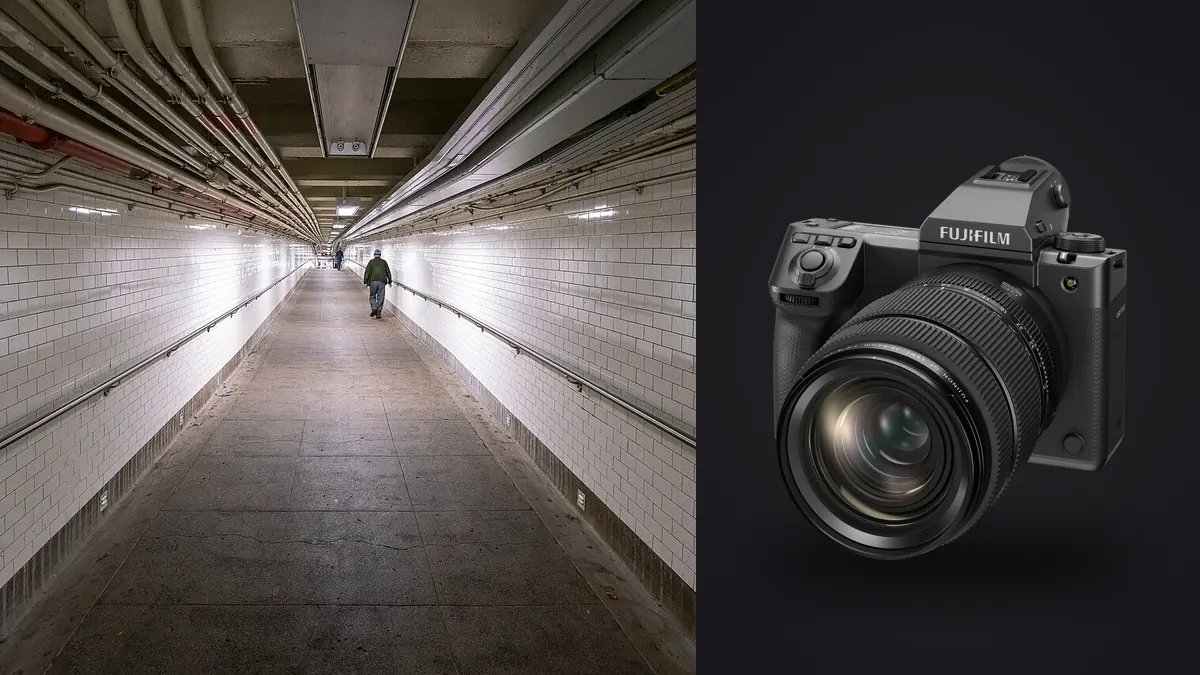
Why Bring a Medium Format Camera to the Street?
The Fujifilm GFX 100 II is not the camera anyone recommends for street photography. It weighs over a kilogram with a battery and card loaded, the standard zoom is the size of a rain-fed thermos, and the shutter (even in electronic mode) draws attention in a way a rangefinder never will. And yet a small but stubborn group of documentary photographers keep reaching for it, because the 102 megapixel sensor lets them do something 35mm format cameras can't: shoot a scene loose, walk away, and find the real photograph later in the crop, with enough resolution left over to print it two meters wide.
I spent five weeks with a GFX 100 II working a market district and a dockworkers' strike for a documentary project, alongside a Fujifilm X100VI as the "grab" camera for anything requiring speed. What follows isn't a spec dump. It's what actually changed about the way I worked, what the camera got right for this kind of shooting, and where it fought me.
Sensor and Files: What 102 Megapixels Means for a Documentary Workflow
The 43.8 x 32.9mm BSI sensor produces 16-bit RAF files that land between 100MB and 235MB each depending on compression settings, more once you're shooting the in-camera pixel-shift composites (which I never used on the street; the four-second exposure cycle makes that mode useless for anything that moves). A single afternoon of market shooting, maybe 900 to 1,200 frames across bursts and single shots, works out to 90 to 150GB before I've even opened a laptop.
That volume rewrites how you have to approach editing. On a 24MP camera you can eyeball a contact sheet and trust your gut about which frame in a six-shot burst has the right expression. On a 102MP GFX file, zooming to check focus and expression at 100% on a laptop screen is slow enough that doing it 1,200 times a day becomes the actual bottleneck of the project, not the shooting. This is the specific problem that pushed me to run everything through imagic before touching Capture One: its local sharpness and focus scoring flags the genuinely soft frames in a burst without me pixel-peeping each one, and because the analysis runs on-device, nothing about a strike, a protest, or a market vendor's face leaves my machine before I've decided what to do with it. For documentary work where subjects haven't necessarily consented to wide distribution yet, that offline processing isn't a nice-to-have, it's the reason I'd use it over a cloud-based culling tool at all.
Autofocus and Handling for Unscripted Moments
Fujifilm rebuilt the autofocus system for the 100 II around phase-detection pixels across nearly the whole sensor, and it's a real jump from the GFX 100S I used previously. Subject detection (face and eye) locks fast in decent light and holds through a walking subject at a market stall. Where it still lags a modern full-frame body like an a1 or a Z9 is in erratic motion: a kid darting between stalls, a scuffle breaking out at the edge of a crowd, someone turning their back mid-stride. In those moments the AF hunts for a beat, sometimes just long enough to lose the frame that would have made the edit.
The practical fix I landed on was shooting Zone AF at a medium box size rather than full Wide/Tracking for anything unpredictable, and reserving single-point AF with face detection for posed or semi-posed portrait moments where I had a second to compose. Mechanical shutter stayed my default around fast-moving subjects; the electronic shutter's rolling readout, while much improved over the 100S thanks to the faster sensor read speed, still shows a visible skew on anything crossing the frame quickly, like a moped weaving through a crowd. For static or slow documentary subjects (portraits in a doorway, hands working a market stall) electronic shutter is genuinely silent and worth using for how much less it disrupts the scene.
Field Settings by Documentary Scenario
These are the configurations I actually dialed in for specific situations over the five weeks, not a generic exposure chart. Your light will vary, but the AF and shutter choices are the part worth stealing.
| Scenario | Shutter | ISO range | AF mode | Shutter type | Why |
|---|---|---|---|---|---|
| Harsh midday market light, deep shadow under awnings | 1/500s | 80-400 | Zone AF, medium box | Mechanical | Underexpose highlights by up to a stop and recover shadow detail later; the sensor's headroom handles it cleanly |
| Overcast wide environmental shots (GF 20-35mm) | 1/250s | 80-800 | Single point + face detect | Electronic | Flat light means no motion blur risk, silence matters more than shutter speed here |
| Crowd movement, procession, fast pedestrian crossing | 1/1000s or faster | up to 3200 | Zone AF, wide | Mechanical | Avoids rolling shutter skew on lateral motion; tracking needs the fastest AF mode available |
| Backlit doorway, subject moving from shade to sun | 1/125s, spot metering off face | 80-160 | Single point | Mechanical | 14+ stops of usable range means no need to bracket or blend, one frame carries the highlight and the shadow |
| Dusk interiors, handheld available light only | 1/60s (IBIS-assisted) | 3200-6400 | Single point + face detect | Mechanical | In-body stabilization buys two stops over the shutter speed you'd otherwise need; noise stays workable to 6400 |
Lens Choices for Discretion and Reach
The GF lens line isn't built around compactness, but three lenses make the GFX 100 II workable for street and documentary use. The GF 55mm f/1.7 (roughly a 44mm full-frame equivalent) is the closest thing Fujifilm makes to a street prime for this system: 555g, fast enough for interiors and dusk, and small enough that it doesn't turn the camera into a spectacle by itself. The GF 35-70mm f/4.5-5.6, at 390g, is genuinely light for a medium format zoom and became my default walking-around lens for the project, covering a 28-55mm equivalent range without a lens change. For wider environmental frames I carried the GF 20-35mm f/4, which is neither small nor cheap, but the rectilinear correction on architecture and interiors is close enough to distortion-free that I stopped correcting it in post.
What none of these lenses give you is the compactness of a Fuji X100VI or a Leica Q3. Rigged with the 55mm f/1.7, the whole kit runs close to 1.6kg. On a strike assignment where I was on my feet for six hours at a stretch, that weight is a real cost, not a footnote.
Dynamic Range and Tonal Rendering in Harsh City Light
The sensor's dynamic range is where the GFX 100 II earns its keep on documentary work specifically. Fujifilm rates it north of 14 stops at base ISO, and in practice that shows up as the ability to shoot straight into a market doorway (bright street behind a subject, dim interior in front) and pull both the highlight and the shadow back into a printable range from a single RAF file, no bracketing, no HDR merge. For documentary photography where the moment happens once and won't repeat for a second exposure, that's not a marginal convenience, it changes which frames are usable at all.
The color science also matters for how fast you can move through an edit. I built out a Classic Chrome-adjacent baseline in Capture One during the first week, then used imagic's apply_my_style feature to train a preset off about forty finished edits from that batch. Every frame afterward, straight out of culling, arrived already close to my target look instead of neutral. On a documentary project where the tonal consistency across a hundred final images matters as much as any single frame, cutting that step out of each individual edit probably saved more hours than any camera setting did.
Editing at Scale: Culling a Week-Long Documentary Shoot
By the end of the strike coverage I had roughly 4,800 RAF files and no realistic way to review them one at a time before a deadline. The part of the workflow that actually held up was running the whole card dump through imagic first: the duplicate and burst clustering grouped near-identical frames from the same gesture or expression automatically, which on a shoot this size is the difference between reviewing 4,800 images and reviewing maybe 900 clustered groups. Combined with the sharpness scoring flagging which frame in each cluster was actually in focus (autofocus misses happen even with a good system, especially at f/2.8 on a sensor this large where depth of field is unforgiving), I got from card to a workable edit in an evening instead of two days.
If you're new to building a culling pass around AI scoring rather than manual review, how AI photo culling actually works is worth reading before you commit a workflow to it, since the scoring logic behaves differently depending on whether you're shooting handheld bursts or static, deliberate frames like a lot of this documentary work is. And if the sheer file count above sounds like it would blow up your evening routine the way it nearly did mine, these workflow adjustments cover the parts of the pipeline outside the culling step itself, things like folder structure and export presets, that add up over a multi-day shoot.
Where the GFX 100 II Falls Short for Street Work
None of this should read as a case that the GFX 100 II is secretly a street camera. It isn't. The size and weight mean you're never blending into a scene the way you can with a rangefinder or a compact, and subjects notice the camera before they notice you, which changes the kind of moments you're able to catch. Autofocus, while much better than the 100S, still isn't built for genuinely chaotic action; if your documentary work leans toward sports-adjacent movement or breaking news, a smaller-sensor body with a more mature tracking algorithm will out-hit-rate it. Battery life (roughly 540 frames CIPA per NP-W235 cell) means carrying two spares for a full day, and at close to $7,500 for the body alone, it's a serious financial commitment for work that a $2,000 full-frame body could also produce, just with less headroom in the file.
What it does uniquely well is give you the option to shoot a little looser than you'd like, because the resolution means the exact framing decision can wait until the edit. For photographers whose documentary style already involves shooting wide and cropping to the decisive moment afterward, that's a genuine advantage worth the extra weight in the bag. For photographers who work fast and tight in-camera, it probably isn't the right tool.
Frequently Asked Questions
Is the Fujifilm GFX 100 II too slow for candid street photography?
Not too slow to use, but slower to react than a dedicated street camera. Continuous shooting tops out at 8fps mechanical, and startup/wake time from sleep is noticeably longer than a compact mirrorless body. For genuinely fast candid work, most photographers who own one still carry a second, smaller camera for the split-second moments and reach for the GFX when there's a second or two to compose.
What lens is best for documentary work on the GFX 100 II?
The GF 55mm f/1.7 covers the closest thing to a classic street focal length (roughly 44mm equivalent) with usable low-light speed. For situations that call for one lens covering multiple angles across a documentary day, the GF 35-70mm is the more practical single choice, since changing lenses mid-scene on a moving story means missing frames.
How do you manage RAF file sizes on a multi-day documentary shoot?
Budget for storage well past what the megapixel count alone suggests. 16-bit RAF files from this sensor run 100-235MB uncompressed, so a busy day easily produces 100GB or more. Culling before importing into your main catalog matters more here than on a smaller-sensor camera; running a first pass through software like imagic to flag focus misses and cluster bursts before they hit your main library keeps the editing catalog from becoming unmanageable by day three.
Does the GFX 100 II's rolling shutter cause problems in electronic shutter mode?
It's much improved over the GFX 100S thanks to a faster sensor readout, but it hasn't disappeared. Fast lateral motion (a bike, a car, someone jogging past close to the lens) can still show a visible skew in electronic shutter. For anything moving quickly across the frame, mechanical shutter remains the safer choice; save electronic shutter for static or slow-moving subjects where the silence is worth more than the shutter speed ceiling.