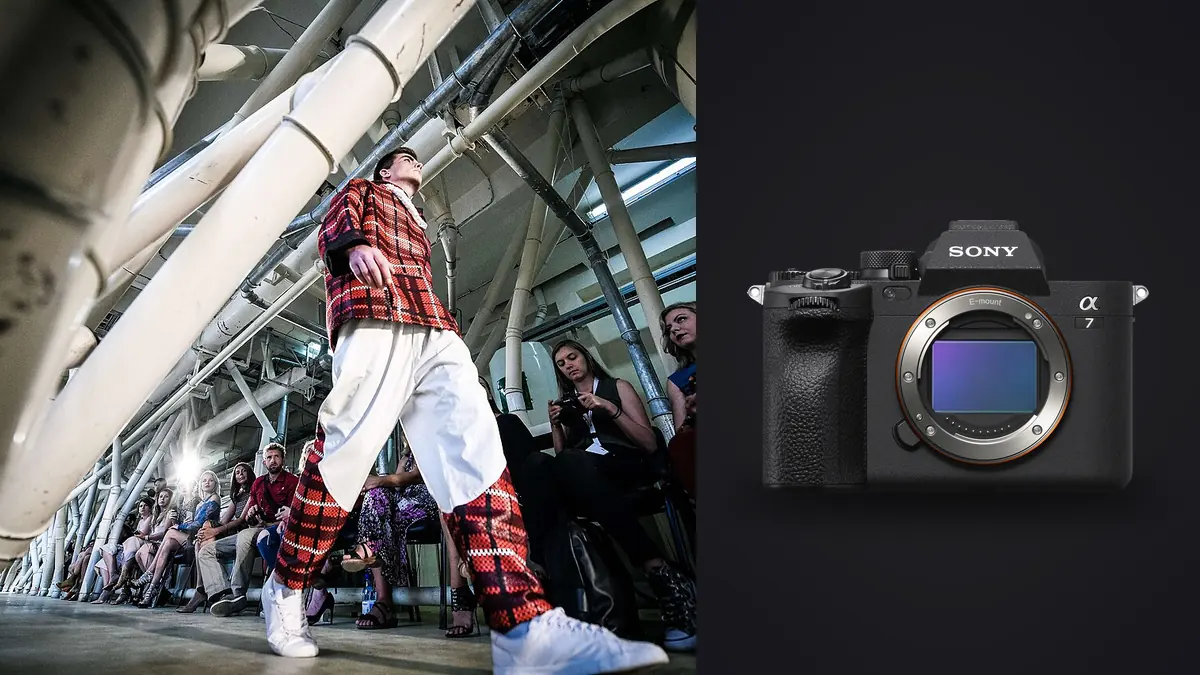
Picture a 40-look lookbook for a small activewear brand over two days, one day in studio on seamless, one day on location against a concrete stairwell and a chain-link fence because the creative director wants "texture." The A7 IV is the main body for both days, with a second one as backup on a strap. Here is what actually matters on a job like that, not the marketing bullet points, because a lookbook day punishes a camera differently than a portrait session or a wedding does. You are not chasing one perfect frame per hour, you are chasing dozens of usable frames per look, forty or fifty looks deep, with a client standing behind the monitor asking to see the last burst again.
Why This Body Ends Up in the Bag for Lookbook Days
Even with an A9 II on the shelf, the A7 IV is the body to reach for on most lookbook shoots. That sounds backwards until you think about what the job actually needs. Lookbook work is rarely about split-second sports timing, it's about steady, repeatable capture across a long day: a model turns, stops, holds, the stylist adjusts a hem, you shoot again. The A7 IV's 33-megapixel sensor gives retouchers enough room to crop a full-length shot into a tight waist-up for a secondary use (social crop, email banner) without the client complaining about softness, and 33MP files are still light enough that a 2,000-frame day doesn't turn your laptop into a space heater during import.
The other reason is color. Straight-out-of-camera skin tones on the A7 IV lean warm and a little forgiving under mixed studio strobe and daylight fill, which matters when your color grading pass has to move fast across forty looks instead of getting precious over one. I still shoot RAW and grade every set, but the starting point saves real time.
Autofocus When the Model Isn't Standing Still
Real-time Eye AF is the feature I'd genuinely miss if it disappeared. On the concrete-stairwell day, the model was walking down three steps, turning at the bottom, and walking back up, over and over, for maybe fifteen minutes per look while we dialed in wardrobe movement. The camera held focus on her eye through the turn almost every time, including when sunglasses were on, which older Sony bodies used to fumble. Where it struggles is wide-brim hats and veils, anything that puts a shadow across the eyes at a steep angle, the AF will occasionally jump to the brim or the nearest fabric edge instead. On those looks I switched to a single focus point on the chest or shoulder line and stopped down a touch, which is a fine workaround but worth knowing before you're relying on Eye AF for a look built around a hat.
For fabric flow shots, the kind where you want the model mid-spin with the skirt caught in motion, tracking AF paired with a 1/500s or faster shutter did the job. I did not find myself wanting the A9 II's tracking for this kind of work. That camera's advantage shows up in genuinely erratic subject motion, a fashion lookbook is choreographed enough that the A7 IV keeps up.
Buffer, Cards, and Not Losing the Take
This is where I've seen photographers get bitten on a lookbook day, because the temptation is to shoot everything in the highest quality RAW setting "just in case." Forty looks times a ten-frame burst per pose times three or four poses per look adds up fast, and if your buffer clears slowly you start missing the moment right after the client says "that's the one, do that again but bigger smile."
| Capture setting | Approx. file size (33MP) | Buffer depth at 10fps* | When I actually reach for it |
|---|---|---|---|
| Compressed RAW | 25 to 35MB | roughly 700 to 800 frames | Default setting for the entire day, every look |
| Lossless Compressed RAW | 45 to 60MB | roughly 250 to 300 frames | Hero looks the client has already flagged as key images |
| Uncompressed RAW | 65 to 75MB | roughly 45 to 60 frames | Almost never on a moving subject, buffer clears too fast |
| Extra Fine JPEG | 15 to 20MB | 1000+ frames | Backup card only, never the primary file |
*Figures assume a CFexpress Type A card in slot one. Drop in an SD UHS-II card instead and the buffer recovery slows down noticeably once you start chaining bursts back to back, which is exactly what a lookbook day does to a card.
I run a CFexpress Type A card in slot one for the working files and a fast SD UHS-II in slot two set to simultaneous RAW backup. Type A cards are still expensive relative to SD, and slower than CFexpress Type B on paper, but they fit the body without an adapter and the write speed is rarely the bottleneck on a lookbook shoot. The bottleneck is always buffer depth during a long burst, not sustained write speed, because you're rarely recording video-length continuous bursts of stills.
Strobes, Sync Speed, and the Setting That Bites People
The A7 IV syncs with studio strobes at 1/250s using the mechanical shutter, which is plenty for a seamless studio setup. The trap is the electronic front curtain shutter, which is the default and which will happily let you dial the shutter speed up past sync without warning you, and you'll get a banded frame with the bottom third underexposed. It's an easy mistake to make when you're moving fast between a strobe-lit setup and a natural-light setup on the same body and forget to check. I now leave a small piece of tape over the shutter mode toggle as a dumb physical reminder to check it after every location change, because I've burned a look to banding once and once was enough.
On the location day, mixing a battery strobe as fill against daylight, I stayed at 1/200s to give myself margin and just opened the aperture or added ND when I needed less light. It's a small compromise but it removes an entire category of on-set panic.
What the Files Actually Look Like Afterward
Here's the part that doesn't get talked about enough when people review this camera: two days of lookbook shooting left me with just over 4,600 RAW files. Forty looks, several poses per look, several frames per pose because you shoot through a blink, a hair flick, a slightly off hand position. That's normal for this kind of job, and it's also the actual bottleneck in a lookbook workflow. Nobody is waiting on the camera. Everyone is waiting on someone to go through 4,600 near-identical frames and find the roughly 200 that are sharp, well-timed, and worth sending to the client for select.
I used to do that pass manually in Capture One, full screen, zooming into eyes on every burst. It's the part of the process I like least and it's where a full day of shooting turns into a full evening of sitting at a laptop. These days I run the take through imagic first, which scores sharpness and focus on the eyes across a burst and groups near-duplicate frames from the same pose together instead of making me click through all ten of them individually. It runs entirely on my machine, nothing gets uploaded anywhere, which matters more than people expect on commercial fashion work because a lot of brand contracts have a clause about unreleased product and unapproved images not leaving a local drive before the client signs off. Cloud-based culling tools are a nonstarter for that reason alone on some jobs, independent of whether they're any good.
If you've never looked closely at how automated sharpness scoring actually works versus just trusting a thumbnail grid, it's worth understanding before you build a pipeline around it, and I'd point anyone curious toward a breakdown of how AI photo culling works rather than take a tool's word for it.
Building a Pipeline That Survives a 40-Look Day
A workflow that holds up: tether the A7 IV to Capture One during studio setups so the client can see full-res frames on a second monitor in real time (on location days, shoot untethered and review on the rear screen between looks, dragging a laptop up a concrete stairwell isn't worth it). At the end of the day, the full card dumps into a folder per look, and that folder goes through culling before it ever touches a retoucher's queue. Cutting 4,600 frames down to a client-ready select of 200 to 250 by hand can take most of an evening; doing the first sharpness and duplicate pass with software and then eyeballing the shortlist gets there in under an hour, and you still make the final call on which frame from each cluster actually has the best expression, software doesn't know if the model's smile reads as genuine.
Grading is the other place a lookbook day differs from most photography. Forty looks need to feel like one consistent set, not forty separate edits, and the brand usually wants it matched close to a previous season's look so the catalog doesn't feel disjointed year over year. You can build an apply_my_style preset in imagic from a batch of your own previously graded lookbook edits for the same brand, so new selects land close to the established look automatically instead of re-deriving the same curve and white balance adjustment on look thirty-one at eleven at night. It's not magic, it still needs a manual pass on tricky looks (mixed fabric colors under a location's ambient light can give it trouble), but it removes the repetitive 80% and leaves the judgment calls to you.
A Few Things I'd Tell Someone Renting One for Their First Lookbook
Bring two batteries minimum, three if the day includes tethering, because live view and a hot shoe flash trigger both drain faster than stills shooting alone. Set your buffer expectations around compressed RAW, not lossless, the file quality difference is not something a lookbook client will ever notice at delivery resolution. Test your flash sync setting before the model walks on set, not after the first look is already shot. And budget real time after the shoot for getting through the take, a 33-megapixel sensor across a multi-hundred-frame day produces a genuinely large amount of data to look at, and treating that as an afterthought is how lookbook deliveries slip a week.
If you're weighing the A7 IV against other bodies for this kind of work, the honest comparison isn't resolution or burst rate on paper, it's how the camera behaves across a long, repetitive day where consistency matters more than any single frame. That's a different question than the one most camera reviews are answering.
Frequently Asked Questions
Is the Sony A7 IV fast enough for a fashion lookbook with a lot of movement?
For choreographed movement, walking, turning, fabric flow, yes. Its 10fps burst with Eye AF tracking should keep pace with everything on a lookbook set, including quick spins and hem movement. Where it would fall behind is genuinely unpredictable action, a body built for sports autofocus like the A9 II handles that better, but a lookbook set is directed movement, not a live event.
Do I need a CFexpress Type A card, or will SD UHS-II get me through a shoot day?
SD UHS-II will get you through a shoot, but the buffer recovers slower between bursts, and on a day where you're firing off ten-frame bursts repeatedly, that recovery gap is where you risk missing the immediate next take. I'd put CFexpress Type A in slot one for the working card and keep SD in slot two as a simultaneous backup rather than the primary.
How many frames should I plan on shooting per look?
On a lookbook day it can average out to somewhere between 90 and 140 RAW frames per look once you count multiple poses and the bursts within each pose. That's higher than most people expect going in, and it's the number that makes a culling step non-optional rather than a nice-to-have.
Does the electronic front curtain shutter cause problems with strobes on this camera?
It can. The A7 IV syncs cleanly with strobes at 1/250s and below using the mechanical shutter, but the electronic front curtain default won't stop you from dialing past that speed, and you'll get a banded, partially exposed frame instead of a warning. I stay at or under 1/200s with strobes as a safety margin and double check the shutter mode after any setup change.