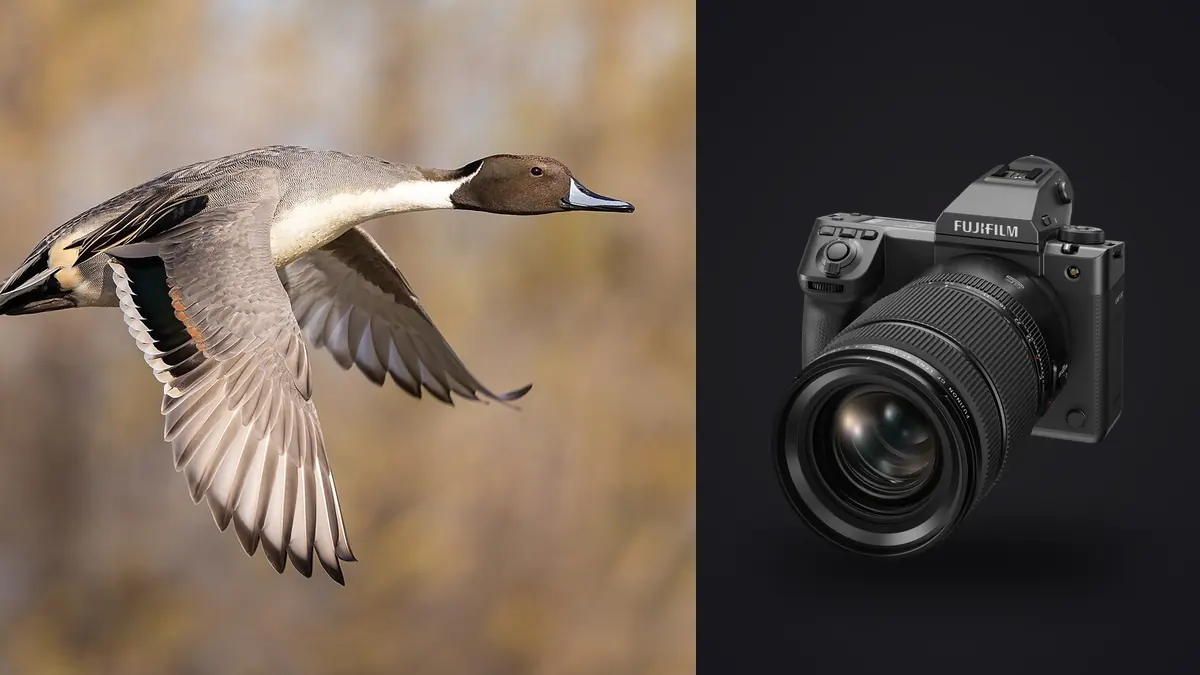
Medium format has never been the tool birders reach for. It is the landscape camera, the studio camera, the camera you bring when nothing is moving and you have all the time in the world to nail focus manually. So when I started carrying a Fujifilm GFX100 II to a coastal osprey nest and a tern colony three mornings a week last spring, the other photographers in the hide treated it like a joke. A 102-megapixel medium-format body chasing birds that cross the frame in under a second sounds like a mismatch on paper. After a season of actually doing it, I think the joke is only half right.
Fujifilm closed a real amount of the gap between medium format and the dedicated sports bodies with this camera. It did not close all of it, and the parts it did not close are exactly the parts that matter for a bird crossing open sky at forty kilometres an hour. This is a account of what actually changed, what still fights you, and how I settled into a workflow that made the files usable instead of overwhelming.
What Fujifilm Actually Fixed for Moving Subjects
The GFX100 II runs on the same X-Processor 5 silicon as the X-H2S and X-T5, which matters more than the megapixel count suggests. Processing power, not sensor size, is what determines how fast a camera can chew through phase-detect data and decide where a bird's eye is. Fujifilm's phase-detection coverage on this body spans nearly the full frame width, and low-light autofocus is rated down to roughly -5.5 EV, which is genuinely useful at dawn when herons are most active and the light under tree cover is still thin.
Subject-detection autofocus shipped with the camera for animals and vehicles, and Fujifilm added dedicated bird detection through a firmware update not long after launch, borrowing the same detection model that debuted on the X-H2S. In practice this means the camera will find and lock onto a bird's head against a cluttered background of reeds or waves far more reliably than the contrast-detect systems in older GF bodies ever could. It is not flawless. Small, fast-moving shorebirds skimming low over water still fool it more often than a slow-cruising osprey does, and it loses the eye entirely if the bird banks hard against a bright sky.
Stabilization Does More Work Than People Expect
The in-body stabilization is rated to around 8 stops on supported lenses, and this turned out to matter as much as the autofocus for keeper rate. A lot of birding technique assumes a gimbal and a tripod, but hides and blinds rarely give you that luxury, and I spent most of the season handholding the GF 500mm f/5.6. The stabilization is what kept panning shots at 1/1250s usably sharp when I was following a gull banking through a crosswind rather than locked onto a fixed perch.
The Reach Problem Nobody Mentions
Here is the part that surprised people who only know crop factor from APS-C cameras. The GFX100 II's sensor measures 43.8 by 32.9mm, larger than full frame, which means the crop factor runs the opposite direction from what wildlife shooters are used to. A lens on this body has a field of view roughly 0.79 times its stated focal length equivalent on full frame, not longer. The GF 500mm f/5.6, Fujifilm's only real GF telephoto built for this kind of work, behaves like something closer to 395mm in terms of framing. Pair it with Fujifilm's 1.4x GF teleconverter and you land around 700mm actual, still only equivalent to roughly 553mm.
That is meaningfully shorter than what a full-frame shooter gets from a 500mm prime, and nowhere close to what an APS-C body squeezes out of the same glass. The 102-megapixel sensor claws some of that back because you can crop hard and still end up with more resolution than plenty of dedicated wildlife bodies deliver uncropped. But cropping in post is not the same as framing tight in the viewfinder, and on a bird that fills a third of the frame at capture, aggressive cropping starts eating into autofocus accuracy margins too.
| Spec relevant to BIF work | Fujifilm GFX100 II | Nikon Z9 | Fujifilm X-H2S |
|---|---|---|---|
| Sensor size | 43.8 x 32.9mm (medium format) | 35.9 x 23.9mm (full frame) | 23.5 x 15.6mm (APS-C) |
| Resolution | 102MP | 45.7MP | 26MP |
| Effective reach multiplier | ~0.79x (shorter) | 1.0x (baseline) | ~1.5x (longer) |
| 500mm lens behaves like | ~395mm | 500mm | ~750mm |
| Continuous shooting, mechanical | ~8fps | up to 20fps, no mechanical shutter needed | up to 15fps mechanical, 40fps electronic |
| Typical compressed RAW size | 110-150MB | 45-70MB | 45-55MB |
| Launch price, body only | ~$7,499 | ~$5,499 | ~$2,499 |
Read that table honestly and the GFX100 II looks like the wrong camera for chasing raptors across open sky at range. It probably is. Where it earns its place is closer-range, patient work: birds returning to a known perch or nest, gulls working a pier, herons stalking shallows where you can predict the strike. Distance and predictability matter more to this camera's success rate than they do to a Z9 or an X-H2S.
Files, Bursts, and the Culling Math
A three-hour morning session at the tern colony, shooting in bursts whenever a bird lifted off or dove, left me with around 340 frames and 46GB on the card. Multiply that across a season and you understand why medium-format wildlife work has a reputation for burying photographers in storage and review time before it ever earns that reputation for image quality. A 102-megapixel compressed RAW file at 130MB is not a huge file individually, but forty of them from a single five-second flight sequence adds up fast, and most of those forty frames are near-duplicates separated by a fraction of a second of wing position.
This is the part of owning this camera that nobody warns you about before you buy it. Sorting 340 frames by eye, zoomed in to check which ones actually nailed focus on the eye rather than the wing or the beak tip, is not a task you want to do manually every evening after a shoot. I run everything through imagic now specifically because it scores sharpness locally on the actual pixel data rather than relying on a thumbnail preview, which matters enormously with files this dense, since a frame can look sharp at a glance and still have missed focus by a hair once you're viewing it at full resolution. It also processes the whole folder on the machine, so a card full of 46GB of raw medium-format files never has to leave the laptop over a hotel Wi-Fi connection just to get culled.
The burst clustering is what actually saved me time on this camera specifically. Instead of reviewing all forty near-identical frames from one flight pass individually, imagic groups them and surfaces the sharpest one or two as the representatives, so I'm making a real edit decision instead of scrolling through wing-position variations that all look the same at a glance. If you want the mechanics of how that scoring works, this breakdown of how AI photo culling actually works covers the sharpness and clustering logic in more depth than I can here.
Field Settings That Actually Move the Needle
AF-C Custom Settings and Back-Button Focus
Fujifilm's AF-C custom settings menu, borrowed from the X-H2S, gives you control over tracking sensitivity and how aggressively the camera switches subjects. For erratic fliers like terns I pushed tracking sensitivity toward the responsive end, which sacrifices some stability when a bird briefly crosses in front of a branch but recovers focus faster when it re-emerges. For ospreys working a predictable circling pattern, a slower, steadier setting produced a noticeably higher hit rate because the camera stopped hunting every time a wingtip crossed a busy background.
Back-button focus is close to mandatory here. Separating focus from the shutter release lets you pre-focus on a perch, hold, and only re-engage tracking the instant a bird actually lifts off, rather than the camera re-hunting on every half-press as you track a stationary subject waiting for action.
Shutter Choice for Wingbeats
I stayed on the mechanical shutter for almost all of this work despite the slower ceiling, because the GFX100 II's electronic shutter readout is slow enough that fast wingbeats show visible skew and banding, the classic rolling-shutter warp where a wingtip appears to bend mid-stroke. On a body built around a full-frame stacked sensor like the Z9, electronic shutter is genuinely fine for this. On the GFX100 II it is not, and I only reached for it when I needed the extra frame rate for a stationary subject and was willing to accept the tradeoff. Shutter speed itself needs to sit at 1/2000s or faster to freeze a gull's wingtip cleanly; anything slower and you get motion blur at the very edges even with a locked focus.
Living With the Weight
Body-only, the GFX100 II weighs a bit over a kilogram, and once you add the GF 500mm f/5.6 and a teleconverter you are well past three kilograms of handheld gear. I found that manageable for two or three hours at a stretch but not for a full day without a monopod as a backup. The weather sealing held up fine through a wet, salt-air spring at the coast, rated for use down to around -10°C, and I never had a moisture issue despite regularly setting the body down on damp grass and rocks. Battery life dropped noticeably in cold morning starts below freezing, enough that I started carrying a spare in an inside jacket pocket rather than the camera bag.
Where This Camera Actually Belongs in a Birding Kit
I would not recommend the GFX100 II as a first or only body for anyone whose primary subject is fast raptors at long range in open sky. A Z9 or an X-H2S will out-track it and out-reach it for less money, and that gap does not close no matter how good the subject detection gets. Where the GFX100 II earned a permanent spot in my bag is closer, more deliberate work: known perches, predictable flight paths, colonies where you can set up and wait rather than chase. The image quality on a well-focused frame, the tonal range in feather detail especially in overcast light, is a level above what the smaller sensors produce, and for print work or portfolio pieces that difference is visible even to people who don't know what sensor size means.
For editing consistency across a season of these sessions, shot in wildly different light from grey dawn to harsh midday glare, I lean on imagic's apply_my_style preset, trained on my own past edits rather than a generic wildlife preset pack. It gets the starting point for white balance and contrast close enough on a new folder that I'm making small adjustments instead of rebuilding a look from scratch every time the light changes. Combined with the local culling, it turned what used to be a two-evening backlog per shoot into something I can clear the same night. If your own workflow bottleneck is less about the culling and more about general speed through a session, this workflow guide has a few habits worth stealing regardless of what body you're shooting.
Frequently Asked Questions
Can the GFX100 II actually keep up with fast fliers like terns or swallows?
It keeps up better than any prior GFX body, but it is not the fastest tool for the job. Small, erratic fliers at close range are where I saw the lowest keeper rate all season, closer to one usable frame in ten compared to something like three or four in ten on a predictable osprey pass. Bump tracking sensitivity up and expect to shoot more frames per sequence to compensate.
What lens should I actually pair with it for birds in flight?
The GF 500mm f/5.6 R LM OIS WR is the only purpose-built option Fujifilm makes for this right now, and it's a genuinely sharp, well-balanced lens for handheld tracking. Add the GF 1.4x teleconverter if your subjects are consistently distant, but understand you're trading a stop of light and some autofocus speed for that extra reach.
Should I shoot mechanical or electronic shutter for wingbeats?
Mechanical, almost every time. The electronic shutter's readout speed on this sensor is too slow to avoid visible skew on fast wing motion. Save electronic shutter for perched or slow-moving subjects where you want the extra frame rate or need silence near a nest.
How much storage should I plan for a full day of birding with this camera?
Budget conservatively for 100-150GB if you're shooting active bursts through a full day rather than occasional single frames. Compressed RAW files run 110-150MB each, and flight sequences burn through frames fast even at a modest 8fps ceiling. Plan your card and backup drive capacity accordingly, and lean on local culling software before you start archiving, since there is no reason to carry forty near-duplicate frames from one flight pass into your final edit library.