Picture a boutique hotel job with a Sony A1: nine rooms, a restaurant, a courtyard, and a client who wanted print-catalogue quality for a renovation portfolio. That's the moment a camera's spec sheet stops being marketing copy and starts being a set of decisions you make forty times a day: is the dynamic range enough to hold that window without a flash pop, will the electronic shutter band under the corridor LEDs, is 50 megapixels actually buying you anything on a listing that ends up on a real estate site at 2000 pixels wide.
Why this body suits interiors better than it suits most other genres
The A1 gets talked about as a sports and wildlife camera because of the 30fps burst and the stacked sensor's rolling shutter suppression, and that's fair, but none of that is why it earns its keep on an architecture job. What matters for interiors is quieter: a fully silent electronic shutter that lets you work in an occupied space without a mechanical clack every frame, a dynamic range wide enough to hold a bright window and a shadowed corner in the same exposure more often than not, and a sensor with enough resolution that a two-story lobby shot survives a moderate crop when the client asks for a vertical crop for Instagram after the fact.
None of that is unique to Sony. A Nikon Z8 or a Canon R5 II will get you comparable results on paper. What the A1 does that I've come to rely on specifically is stacking pixel-shift capture with silence and stability in one body, so a tripod-mounted static interior can go from a 50MP single frame to a genuinely enormous composite without changing anything else about the setup. More on that below, because it's not the universal win Sony's marketing suggests.
Camera settings that actually change on a walkthrough shoot
A few menu items get touched on almost every interior job and get left alone the rest of the time:
Electronic shutter, always. Interiors are tripod work in occupied buildings. Clients, staff, and guests notice a shutter slap; they don't notice silence. The A1's stacked sensor means you're not trading away much rolling shutter performance for it, which isn't true on older bodies.
Anti-flicker with a manual test pass. Sony's flicker detection handles fluorescent tubes reliably. It's less consistent with the cheap dimmable LED strips a lot of renovated boutique properties install under cabinetry and cove lighting, where the flicker frequency doesn't match the presets cleanly. I shoot a test burst at three shutter speeds (1/60, 1/100, 1/125) under any LED source before committing to a bracket sequence, because a banding artifact buried in a highlight-blended HDR frame is much harder to fix than it is to avoid.
The electronic level, on, always. Verticals matter more in architecture than almost any other genre, and correcting a few degrees of tilt in post costs you resolution at the edges of a frame you already needed edge-to-edge sharp. Get it level in the viewfinder first.
Dual card slots set to simultaneous RAW, not overflow. On a paid architecture job there is no acceptable card-corruption story. The A1 takes CFexpress Type A and SD UHS-II in both slots; I run a fast CFexpress in slot one and a UHS-II SD as the mirror, and I've had exactly one card failure in three years that didn't matter because of this setting.
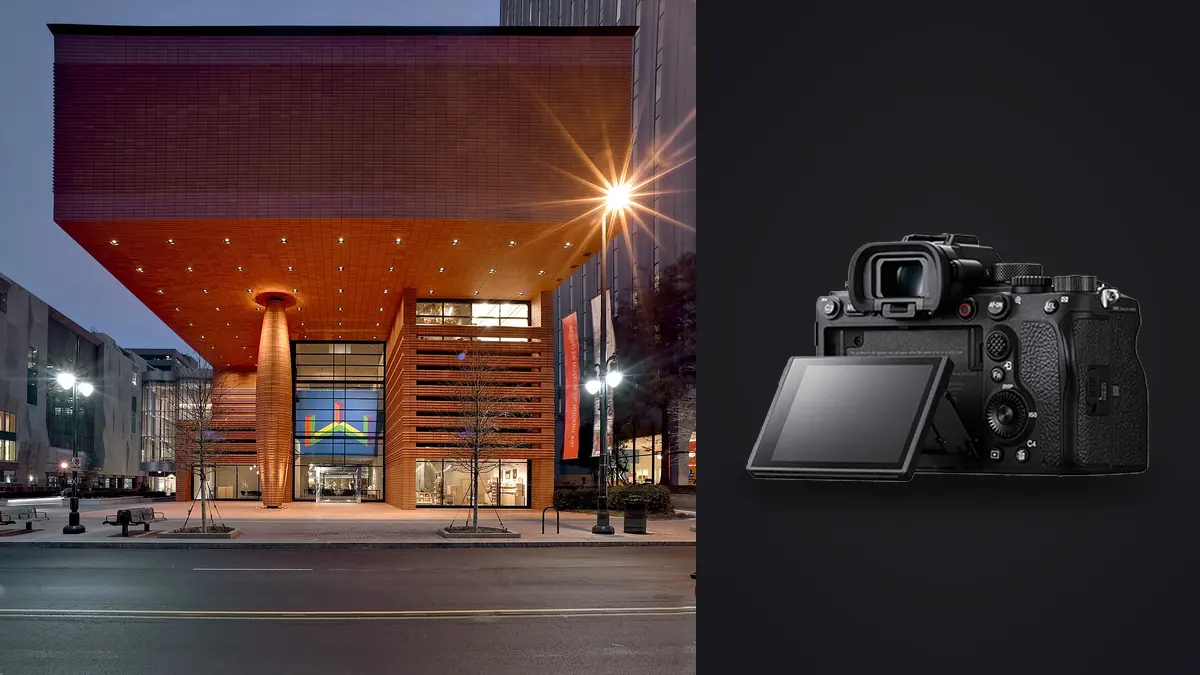
The tilting rear screen, not the EVF, for low tripod work. It's not a fully articulating screen the way some competitors offer, which is a real limitation for portrait-orientation low shots, but for the low, wide-angle tripod setups that dominate interior work (knee height, looking slightly up to keep verticals honest) the tilt is enough and saves a lot of crouching.
The lens problem nobody selling you an A1 mentions
Sony has no native tilt-shift lens. Canon has three excellent TS-E options; Nikon has PC lenses; Sony shooters doing serious architecture either correct perspective entirely in post from a rectilinear wide (the 16-35mm GM II is the default choice, and it's excellent, sharp into the corners by f8) or adapt a Canon TS-E 24mm II with a manual adapter and lose autofocus, metering convenience, and about half a stop of edge performance in the process. I've done both. For 90% of interior and exterior architecture work, correcting in post from the 16-35mm is genuinely fine and faster; the case for the adapted tilt-shift is narrow: extremely tall interior verticals (church naves, atriums) where you're fighting enough keystone that post-correction starts eating real resolution from the frame edges, or exterior elevations where you want front-to-back focus without stopping down into diffraction territory.
The 12-24mm GM is the other lens that earns a place in the bag for tight rooms, though at 12mm the barrel distortion on straight ceiling lines needs a careful hand in post; I don't reach for it unless the room genuinely won't fit in a 16mm frame from a sensible standing position.
Exposure strategy for the light you actually get in real interiors
Almost no interior job gives you one clean light source. You get daylight through windows, tungsten table lamps, LED cove lighting, and sometimes a strobe you brought to fill a dark corner, all in the same frame. The table below is roughly what I default to for each situation before adjusting on site.
| Lighting situation | Bracket count | Shutter approach | Notes |
|---|---|---|---|
| Bright window wall, dim interior | 5-shot AEB, 1.5 EV steps | Base exposure for interior, let window blow past +2 EV | Window detail comes from the top of the bracket; don't try to save it in a single frame |
| Mixed tungsten + daylight, no strobe | 3-shot AEB, 1 EV steps | Meter for midtones, WB bracket at 500K steps | Blend in post rather than chase a single "correct" white balance in camera |
| Evening, ambient practicals only | 1-2 frames, no bracket | ISO up to 3200 before touching shutter below 1/8s on tripod | Dynamic range is naturally lower at night; brackets mostly waste time here |
| Static room, print-catalogue delivery | Single pixel-shift sequence | Base ISO 100, remote trigger, no HVAC vibration | Only worth it when nothing in frame can move for the full capture window |
| Daylight + strobe fill in a dark corner | 2 frames (ambient, ambient+flash) | 1/200s sync, flash gelled to match window temp | Electronic shutter has sync limitations past 1/200s; don't fight it, just plan around it |
The instinct on a first architecture job is to bracket everything at maximum range "just in case." I did that for about a year and it mostly produced huge SD cards full of frames I never opened. A tighter, situation-specific bracket produces fewer files that are each more likely to be usable, which matters more than it sounds like once you're back at a laptop at 11pm trying to find the one frame per composition that's actually sharp and correctly exposed.
Pixel Shift Multi Shooting: worth the hassle sometimes, not always
The A1 offers 4-shot and 16-shot pixel shift modes, composited afterward in Sony's Imaging Edge Desktop software into files that can run past 199 megapixels in the 16-shot case. It sounds like an obvious win for architecture, where absolute detail resolution matters for large prints or heavily cropped catalogue use. In practice it's a narrower tool than it's marketed as.
| 4-shot mode | 16-shot mode | |
|---|---|---|
| Effective resolution | ~50MP, color-accurate | Up to ~199MP composite |
| Capture time | ~1 second total | Several seconds, tripod must be rock solid |
| Best use on an interior job | Static room, moderate print size | Hero shot for a lobby or facade going to large-format print |
| Practical limitation | Minimal | Any movement (HVAC-driven curtain sway, a ceiling fan, changing daylight) ruins the composite |
| Post-processing | Composite in Imaging Edge, then edit normally | Same, but file sizes push into gigabyte-scale TIFFs |
My honest read after using it on a dozen or so jobs: 4-shot is close to free, low risk, and worth defaulting to on any static composition. 16-shot is a specialty tool for the handful of hero shots per project that are actually going to a billboard or a large lobby print, not something to run on every room. It also means an extra composite step outside your normal RAW pipeline, which is one more place a file can get lost or mislabeled if you're not disciplined about naming.
Where the real time goes after you leave the property
On that nine-room hotel job I came home with just under 3,100 RAW files. Nine rooms at three to four compositions each, five-shot brackets on most of them, plus two 16-shot pixel-shift heroes and a stack of detail shots the client asked for on the spot (tile work, a custom staircase rail, the restaurant pass). Shooting that took a day and a half. Sorting it took longer than the shoot itself for the first two hotel jobs I did this way, mostly because I was scrolling through near-identical bracket sets in Lightroom trying to spot which frame in each five-shot sequence actually had crisp focus on the far wall versus which one had a barely-there front-element wobble from someone walking past on the floor above.
That's the part of an architecture workflow nobody puts in the camera review. The A1's files are gorgeous and the shoot itself is fast because the camera gets out of the way. The bottleneck is a laptop at the end of a long day trying to separate "sharp" from "almost sharp" across a few thousand near-duplicate frames, all of which look fine at thumbnail size.
This is the specific problem I moved onto imagic for. It runs the sharpness and focus scoring locally on the machine, no upload, which matters when you're editing client interiors that sometimes include people's homes or unreleased commercial spaces you don't want touching a cloud service. It groups the bracket sequences and near-identical angle repeats into clusters automatically, so instead of eyeballing five frames per composition across nine rooms I'm looking at nine ranked groups and picking the top-scored frame from each, then dropping the rest without opening them individually. On that hotel job it took the sort-and-cull stage from most of an evening down to under an hour, and the files that got picked were, more often than not, actually the sharpest one in the bracket, not just the one I happened to click first out of fatigue.
The second piece that's specific to repeat architecture clients is apply_my_style, the custom AI preset trained on your own past edits rather than a generic film-emulation LUT. Hotel and real estate clients want a consistent look across a whole property, and across repeat bookings over a year. Training the preset on a batch of rooms already graded to the client's taste, then applying it as a starting point on every new bracket, can cut a real chunk of the color-grading pass down to spot corrections rather than starting from zero on every image. It's not magic and it doesn't replace judgment on tricky mixed-light frames, but as a first pass across a couple hundred nearly-final selects it's a meaningful time save, and it's the kind of workflow change that actually shows up in how many jobs you can take in a month. If you're doing the sort-and-grade math on your own shoot volume, the culling piece is worth reading up on separately (how AI photo culling actually works goes into the scoring mechanics), and there's a broader rundown of workflow cuts like this one at 10 tips for a faster photo workflow.
What I'd tell someone deciding between the A1 and a cheaper body for this specific genre
If architecture and interiors are the only thing you shoot, the A1 is not the obvious pick on price alone; a Sony A7R V gets you more resolution (61MP) for meaningfully less money, with no burst-speed premium you don't need for static tripod work. Where the A1 earns its price for this genre specifically is the combination: silence for occupied spaces, dynamic range that holds window light more often than not, pixel-shift when a hero shot needs it, and enough buffer and card-slot redundancy that a paid client job doesn't ride on a single card. If you're already shooting other genres (events, sports, video delivery on the side) where the A1's other strengths pay for themselves, it's an easy body to justify for interiors too. If interiors are the whole business, run the numbers against the A7R V first.
Frequently Asked Questions
Is 50 megapixels actually necessary for real estate and hospitality interior work, or is it overkill for web delivery?
For straightforward MLS listing photography delivered at web resolution, it's overkill; a 24-26MP body is plenty. It stops being overkill the moment a client wants large-format lobby prints, heavy crops for social content pulled from a single master frame, or a portfolio piece that might get licensed for print later. I'd rather have the resolution sitting unused in most files than need it on the one shot that ends up on a 6-foot lobby print and not have it.
Can you get clean, corrected verticals on architecture shots without owning a tilt-shift lens?
Yes, for the large majority of interior and exterior work. Shoot level with the electronic level engaged, use a rectilinear wide like the 16-35mm GM II, keep the composition roughly centered rather than pointing sharply up or down, and correct the remaining keystone in post. It only breaks down on extreme verticals like double-height atriums or church interiors shot close, where post-correction starts eating too much resolution from the frame edges to be worth it.
Does Pixel Shift Multi Shooting work handheld or in occupied rooms with foot traffic?
No. Both modes need a locked-off tripod and a completely static scene for the full capture window (roughly a second for 4-shot, several seconds for 16-shot). A person walking through the frame, a curtain moving from an HVAC vent, or a flickering light source will produce visible ghosting or misalignment artifacts in the composite. It's a tool for empty, still rooms only.
How do you avoid ending up with thousands of near-duplicate bracket frames to sort through after a multi-room shoot?
Two habits help more than any camera setting: keep brackets tight and situation-specific rather than defaulting to a wide safety bracket on every frame (see the exposure table above), and use a culling tool that scores actual sharpness and focus per frame rather than relying on thumbnail scrubbing. That second part is the difference between an hour of sorting and an evening of it once you're past a few dozen compositions in a single job.