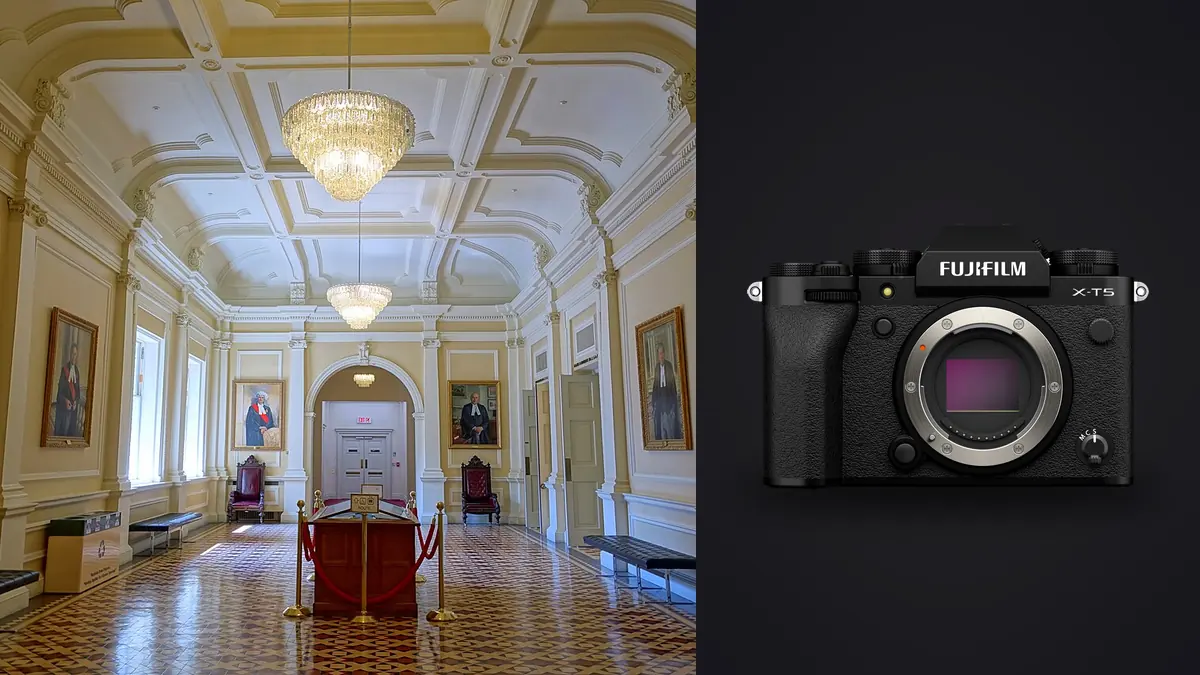
I started shooting interiors and small commercial buildings with a Fujifilm X-T5 about eight months ago, mostly because I already owned three X-mount lenses and didn't want to sink four figures into a new mount just to chase a full-frame sensor. What I found surprised me: the crop sensor, the one thing everyone warns you about for architecture work, turned out to be the least of my problems. The bigger adjustments were around glass selection, how Fujifilm's pixel shift mode actually works outside the camera, and how to keep color consistent across forty rooms shot under three different light sources. This is what I've learned running the X-T5 as a working tool on real estate and small commercial interior jobs, not a lab test.
The APS-C Trade-off Nobody Mentions Up Front
Every article about architectural photography assumes you're shooting full frame with a tilt-shift lens, because that's how the genre developed on Canon and Nikon bodies. The X-T5's APS-C sensor has a 1.5x crop factor, which means a full-frame 16mm lens (already about as wide as most people go before geometry gets ugly) only gets you to roughly 24mm equivalent framing on the X-T5. To match the field of view real estate and interior shooters expect, you need to go much wider on the native focal length, which is exactly why Fujifilm built the XF8-16mm F2.8. On paper that's a 12-24mm full-frame equivalent, wide enough for most rooms, but it's also a lens with a bulbous front element that can't take filters, so you lose the option of a polarizer to knock down glare off polished floors or window glass. That's a real trade-off you don't hit on a full-frame body with a 16-35mm and an 82mm filter thread.
The upside of the smaller sensor shows up in weight. My full kit, body plus the 8-16mm, 16-55mm, and a small L-bracket, comes in under 2.5kg. On stairwell shoots and multi-floor walkthroughs where I'm carrying a tripod up and down for six or seven hours, that difference is not trivial.
Pixel Shift Multi-Shot Is Not What Most People Think It Is
The X-T5's headline resolution feature is Pixel Shift Multi-Shot, which moves the sensor in half-pixel increments across 20 exposures and can, in theory, produce a 160-megapixel composite. This gets described online as an in-camera 160MP mode, and that's wrong in a way that matters for a working shoot. The camera captures the 20 frames, but the merge happens afterward in Fujifilm's Pixel Shift Combiner desktop software, tethered or from a card, not on the camera itself. You need a completely static subject and a locked-down tripod, because any movement across those 20 frames, a curtain shifting in HVAC airflow, a shadow moving as clouds pass, ruins the composite with tearing artifacts.
For interiors this is genuinely useful for exactly one situation: a hero shot of a still, well-controlled room going into a large print or a magazine spread, where you have five minutes to let the space settle and nobody is walking through frame. For a standard 25-room listing shoot on a deadline, I don't use it. The time cost of locking down each room, running the sequence, and processing the merge later doesn't pay off against a clean 40MP RAW file shot at f/8, which is already more resolution than most listing platforms or print sizes will ever use.
Base ISO and the Sensor You're Actually Shooting Most of the Time
Base native ISO on the X-T5 is 125, not 100 or 200, which is a small thing but changes your exposure math slightly if you're coming from another system. For interior work at f/8 to f/11 on a tripod, I'm almost always at ISO 125 anyway, so it rarely matters, but it's worth knowing before you start bracketing exposures and wondering why your numbers look off compared to a full-frame body's native base.
Glass: What Actually Earns Its Place in the Bag
I've cycled through four lenses on interior and small commercial jobs. Here's how they've actually performed, not how they're marketed.
| Lens | Full-frame equivalent | Max aperture | Weight | Where it earns its keep |
|---|---|---|---|---|
| XF8-16mm F2.8 R LM WR | 12-24mm | f/2.8 | 805g | Small bathrooms, tight stairwells, dramatic exterior approach shots |
| XF10-24mm F4 R OIS WR | 15-36mm | f/4 | 410g | General room-to-room coverage, has a 72mm filter thread for a polarizer |
| XF16-55mm F2.8 R LM WR | 24-84mm | f/2.8 | 655g | Material close-ups, fixture detail, vignette shots for a listing gallery |
| Laowa 9mm F2.8 Zero-D | 13.5mm | f/2.8 | 215g | Extremely cramped closets and utility rooms, but manual focus and manual aperture only |
The 10-24mm is the lens I reach for on 80% of a walkthrough because it's half the weight of the 8-16mm, takes filters, and has optical stabilization that helps when I'm scouting handheld before setting the tripod. The 8-16mm comes out specifically for stairwells and small bathrooms where I need the extra width the 10-24mm can't give me, and I accept the filter limitation because those shots rarely need a polarizer anyway (there's usually no exterior glare to cut in a windowless bathroom).
One honest gap: Fujifilm has never made a native tilt-shift lens for the X mount. If you learned architectural work on a Canon TS-E or a Nikon PC lens and lean on front-standard shift to keep verticals parallel without cropping, that workflow doesn't exist natively here. You either correct keystoning in post (which costs you resolution at the edges of the frame) or adapt a manual tilt-shift lens from another mount and lose autofocus and most electronic communication with the body. For a lot of interior and real estate work this doesn't matter much since perspective correction in software is fast and the crop loss is minor at 40MP, but it's a real consideration if you're doing precise elevation shots for an architecture firm's portfolio where every vertical line needs to be dead straight without cropping into the composition.
Dynamic Range on a Bright Window Wall
The recurring exposure problem in interior photography is a room with a bright window wall and a dim interior, sometimes an eight or nine stop spread between the exterior view and the far corner of the room. The X-T5's sensor handles about 12-13 stops of usable dynamic range at base ISO in 14-bit RAW, which gets you close on a lot of rooms but not all of them. My actual workflow is a three-frame bracket, 0/-2/+2, on every setup where there's a visible window in frame. For rooms with no exterior light source competing against interior lighting, I skip the bracket and shoot a single RAW, since there's nothing to blend.
Fujifilm's D-Range Priority modes can pull additional shadow and highlight detail from a single frame, but I've found the difference over a properly exposed bracket set isn't worth relying on for any work where the file needs to hold up at full resolution in a magazine spread. It's a fine tool for a quick single-frame save, not a replacement for bracketing when the client is paying for the shot.
Weather Sealing and the Half of the Job That Happens Outside
Every interior job tends to include exterior shots, the front elevation, the approach, sometimes a rooftop or courtyard. The X-T5 is weather sealed at the body and the WR-rated lenses I listed above carry the same rating, which matters more than people expect on shoots that get rescheduled around weather and then happen anyway because the deadline didn't move. I've shot exteriors in light rain and in temperatures below freezing on a rooftop terrace shoot in January without issue. That's not a dramatic feature, but it's the difference between packing up and finishing the job.
Sorting What the Camera Actually Produces
A full interior shoot, bracketed sets across 20-30 rooms plus detail shots and a couple of pixel-shift sequences for hero rooms, generates a lot of near-identical frames. Three bracketed exposures per setup, sometimes two attempts at a setup because someone walked through frame the first time, adds up fast across a large property. Going through that by eye in a folder is slow, and it's the part of the job I've automated the most.
I run the card through imagic before I touch anything in my editor. Its local sharpness and focus scoring flags which frame in a tripod-bracket set is actually the crispest (useful even at f/8 on a tripod, since a gust from an HVAC vent or a slightly late shutter release can still soften a frame you'd otherwise assume was fine), and the duplicate and burst clustering groups the near-identical takes from a room I shot twice so I'm not scrolling past six versions of the same corner making the same call three times. Because it runs entirely on my machine with no cloud upload, that matters here in a way it might not for a landscape shoot: a lot of these properties are unlisted, and the last thing anyone wants is unlisted interiors sitting on a server before the listing goes live. If you're building out a culling routine around a similar volume of files, the workflow tips in 10 tips for a faster photo workflow cover more of the habits that compound over a full shoot day.
Keeping Color Consistent Across a Multi-Room, Multi-Light Shoot
The other recurring headache is color. A single property can have tungsten ceiling fixtures in the kitchen, daylight pouring through the living room windows, and LED strip lighting under kitchen cabinets, all in the same walkthrough. Getting a consistent, neutral (or consistently warm, depending on the client's brand) look across every room without spending an hour per file is the actual bottleneck once the shoot itself is done.
What's worked for me is training imagic's apply_my_style feature on a batch of interiors I'd already graded by hand the way I wanted them, the white balance corrections, the shadow lift, the slight warmth I use on wood tones. Running new sets through that preset gets me most of the way to a finished look automatically, and I spend my actual editing time on the handful of frames per room that need a manual tweak instead of starting from zero on every file. It's not a substitute for knowing how to grade a room, more a way of not re-deriving the same decisions forty times in one afternoon. If you're setting up a similar per-client or per-project preset, the guide to photo color grading is a reasonable starting point for the fundamentals before you start training a preset around your own edits.
Where It Fits and Where It Doesn't
For real estate, small commercial interiors, and portfolio work for architecture firms that doesn't require perfectly uncropped tilt-shift verticals, the X-T5 has been a genuinely good tool: light enough to carry all day, weather sealed enough to not worry about a rescheduled exterior shoot in bad weather, and with more resolution than most delivery formats need. Where it falls short is large-format architectural print work where a client specifically wants uncropped, shift-corrected verticals straight out of the lens, since that workflow still belongs to full-frame systems with native tilt-shift glass. For the volume of interior and small commercial work I actually shoot, that gap hasn't come up often enough to justify a second system.
Frequently Asked Questions
Do I need a tilt-shift lens to shoot architecture on the X-T5?
Not for most interior and real estate work. Fujifilm doesn't make a native tilt-shift lens for the X mount, so if you need it you're adapting a manual lens from another system and losing autofocus. For everyday walkthroughs, correcting keystoning in post at 40MP holds up fine; it's really only an issue for large-format prints where a client wants zero cropping on corrected verticals.
Is 40 megapixels enough resolution for real estate and interior listings?
Yes, comfortably. Most listing platforms compress images well below what a 40MP file can hold, and even large magazine spreads or double-page print layouts sit within what a well-exposed 40MP RAW can deliver. Pixel Shift Multi-Shot exists for the rare case where a single hero image is going into a very large print, not for standard listing work.
How does Pixel Shift Multi-Shot actually work for interior shots?
The camera captures 20 frames with the sensor shifting in half-pixel steps, then you merge them afterward in Fujifilm's separate Pixel Shift Combiner software, not in-camera. It requires a completely static scene and a locked tripod; any movement in the room during the sequence, a curtain, a shifting shadow, will show up as artifacts in the merged file. It's a tool for a controlled hero shot, not a general-purpose mode.
What's the best all-around lens for interior work on the X-T5?
The XF10-24mm F4 R OIS WR covers most rooms, takes filters, and is light enough to carry all day. Reach for the XF8-16mm F2.8 only when a specific room, usually a small bathroom or a tight stairwell, needs wider framing than the 10-24mm can deliver.