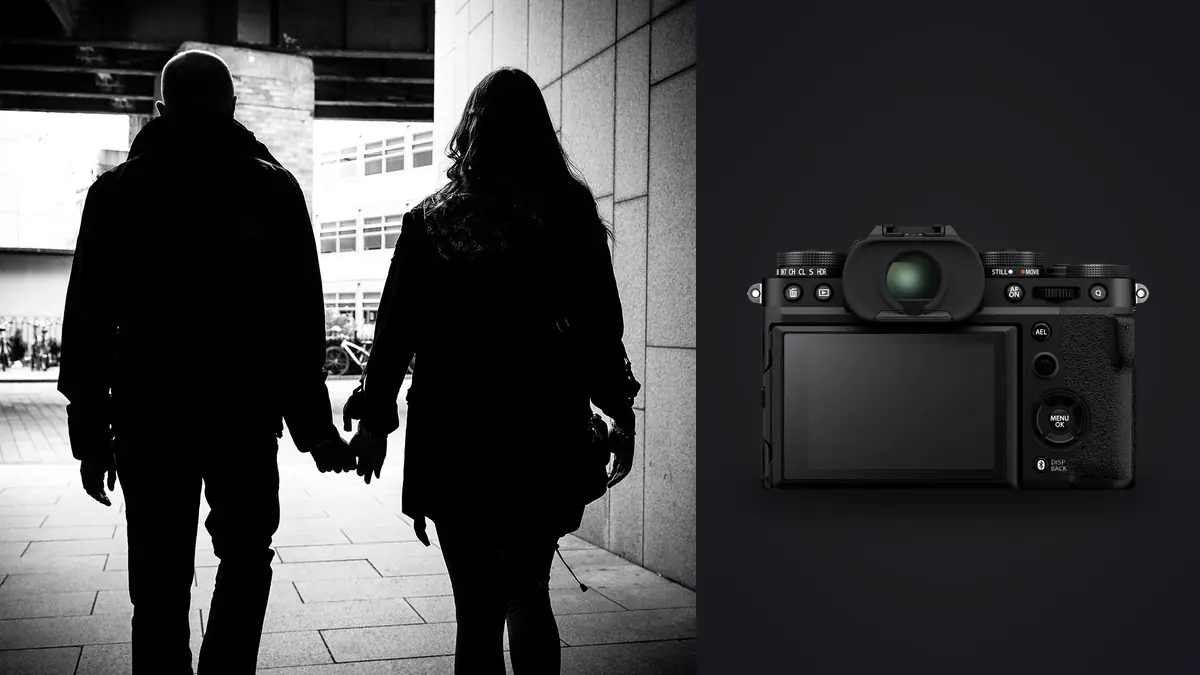
The Fujifilm X-T5 wasn't really built with street photographers in mind first. That job usually goes to the X100 line, or the X-Pro before it, with its rangefinder-style hybrid viewfinder. But over the past year and a half the X-T5 has quietly become the body a lot of documentary shooters reach for when they need one camera that can cover a wedding ceremony in the morning, a protest march in the afternoon, and a quiet sit-down portrait that evening. I've carried mine through night markets in Chiang Mai, a week documenting a fishing cooperative on the Portuguese coast, and more town hall meetings than I'd like to admit. This is what actually matters about the camera once you take it off the spec sheet and put it to work.
Handling: the dials save you more than the sensor does
The single biggest reason the X-T5 works for street work has nothing to do with resolution. It's the physical control layout. Shutter speed, ISO, and exposure compensation all live on top-plate dials you can set by feel, without waking the camera up or diving into a menu. When you're following someone across a street and the light changes from open shade to direct sun in four steps, being able to nudge the ISO dial with your thumb while the viewfinder stays glued to your eye is worth more than another stop of dynamic range.
The body is small but not fiddly. At roughly 557 grams with a battery and card, it disappears under a jacket in a way a full-frame body with a battery grip never will. The grip itself is shallower than the X-T4's, which some people who came from Canon or Nikon DSLRs complain about, but for street work a deep grip usually just means more camera printing through your clothing when you're trying to look like a tourist instead of a photographer.
The joystick for AF point selection is one of those small things that stops mattering to you once you've used it for a week and then becomes infuriating the moment you pick up a camera without one. For documentary work where your subject moves through frame and you're recomposing constantly, being able to walk the focus point around with your thumb, without taking your eye off the viewfinder, changes how fast you can react.
The 40 megapixel question
The X-T5 jumped from the 26 megapixel sensor in the X-T4 to a 40 megapixel back-illuminated X-Trans sensor, and that's the spec everyone argues about for street and documentary use. My honest take after a lot of shooting: it's genuinely useful, but not for the reason Fujifilm markets it.
Nobody needs 40 megapixels of resolution for an Instagram post or even most magazine spreads. What you do get is room to crop hard after the fact, which matters when you're shooting from the hip or through a gap in a crowd and can't frame perfectly in the moment. I've saved frames that would have been unusable at 24 megapixels because I could crop a badly composed street shot down to the interesting third of the image and still print it at a reasonable size.
The cost is real, though. RAW files run 70 to 90 megabytes uncompressed, and the buffer clears noticeably slower than it did on the X-T4 when you're shooting bursts of a fast-moving scene, a market vendor tossing produce, kids running through a fountain, that kind of thing. If you shoot mechanical shutter continuous high, you'll hit the buffer limit faster than the spec sheet suggests once you're past a dozen or so uncompressed RAW frames in a row. I switched to compressed RAW for anything I know will involve bursts and haven't looked back.
There's also a rolling shutter quirk worth knowing about if you lean on the electronic shutter in dense street scenes: fast-moving subjects crossing the frame, a cyclist, a car, can skew slightly because the 40 megapixel sensor reads out slower than lower-resolution sensors. It's not dramatic, but if you're chasing decisive-moment timing with vehicles or bikes in frame, keep half an eye on it.
Film simulations that actually hold up in documentary work
Fujifilm's film simulations get talked about like a gimmick by people who haven't shot a documentary project with them, but they change your workflow in a real way: you can shoot JPEG-committed and walk away from a shoot with images that need almost no color grading, which matters enormously when you're filing same-day or working through a week-long assignment with limited evening hours.
| Film Simulation | Character in practice | Where I reach for it | What to watch for |
|---|---|---|---|
| Classic Chrome | Muted, slightly desaturated, cool shadows | Overcast street work, muted urban color | Can look flat under harsh midday sun |
| Classic Neg | Punchy shadows, shifted color casts, grittier feel | Documentary work with mixed light, market scenes | Skin tones can go slightly cool or magenta |
| Acros (+R filter) | Deep contrast black and white with fine grain | Protests, funerals, anything that needs weight | Loses detail in deep shadow if underexposed |
| Provia (Standard) | Neutral, closest to a clean baseline | Client work needing accurate color later | Feels flat straight out of camera, needs a grade |
| Nostalgic Neg | Warm highlights, faded amber tone | Golden hour street scenes, portraits with warmth | Wrong choice for cool, blue-hour city light |
My default for documentary work is Classic Neg with the highlight tone pulled down a notch and grain set to weak. It gives files a documentary feel straight out of camera that doesn't scream "filter" the way some presets do. But I still shoot RAW alongside the JPEG on anything that might need real correction later, a habit that becomes important once you're trying to keep a consistent look across a body of work shot over weeks rather than a single afternoon.
Lenses that keep up with a moving subject
The X-T5's body is only half the story. Street and documentary work lives or dies on whether your lens is small enough to carry all day and fast enough to focus without hunting in a doorway or a dim market stall.
| Lens | Full-frame equivalent | Weight | Best for |
|---|---|---|---|
| XF 27mm f/2.8 R WR | ~41mm | 84g | All-day carry, near-invisible on the body |
| XF 23mm f/2 R WR | ~35mm | 180g | Classic documentary field of view, fast focus |
| XF 35mm f/2 R WR | ~53mm | 170g | Portraits within a scene, isolating a subject |
| XF 18mm f/1.4 R LM WR | ~27mm | 370g | Environmental context, low light interiors |
| XF 16-55mm f/2.8 R LM WR | ~24-84mm | 655g | Assignments needing framing flexibility over discretion |
If I'm being honest about what actually rides on the camera most days, it's the 23mm f/2. It's small, it focuses fast even in low light, and the field of view forces you close enough to a scene that the images have a documentary presence rather than looking shot from a safe distance. The 27mm pancake is what goes on when I want the camera to look like nothing at all, useful in situations where a bigger lens changes how people behave around you.
Working quietly without losing the frame
One thing that genuinely matters for candid documentary work is how much noise the camera makes. The X-T5's mechanical shutter has an audible clack that isn't loud exactly, but it's noticeable in a quiet room, a courtroom, a place of worship. Switch to electronic shutter and it goes completely silent, which is either a gift or a liability depending on the situation. I've used silent mode during a memorial service where any sound would have been intrusive, and I've also had moments where the total silence meant a subject had no idea I'd taken a dozen frames of them, which raises its own ethical questions about consent that every documentary photographer has to sit with individually.
The rolling shutter issue mentioned earlier is worth remembering here too. Silent shutter and fast-moving subjects don't always play nicely together at 40 megapixels, so for anything with real motion I still default to the mechanical shutter and accept the small amount of noise.
Stabilization and low light, the underrated part
The in-body stabilization rated at up to 7 stops doesn't get talked about as much as resolution or film simulations, but it's changed how I shoot indoor documentary scenes, community halls, back rooms of restaurants, places with terrible fluorescent lighting where you don't want to push a strobe into the room and change the mood. I can regularly hand-hold at a quarter or half a second and get sharp frames of static or slow-moving subjects, which means I can keep ISO down and preserve shadow detail instead of pushing to 6400 and eating the noise.
That said, IBIS doesn't freeze a moving subject. It stabilizes camera shake, not subject motion, so for anyone walking through a dim room you're still choosing between a faster shutter speed and higher ISO, or accepting a bit of motion blur that can actually read as intentional in a documentary context.
From a full card to a usable edit
A week of street and documentary shooting on the X-T5 at 40 megapixels adds up fast, often 2,000 to 3,000 frames including bursts, near-duplicates from working a scene from three or four angles, and outright misses where a subject blinked or turned away. Sorting that manually after a long shoot day is where a lot of the actual exhaustion of this kind of work happens, not the shooting itself.
This is the part of the workflow where I actually rely on imagic. It runs entirely on the machine, nothing gets uploaded anywhere, which matters a lot when you're carrying frames from a sensitive assignment, a protest, a court case, someone's home, and don't want that material touching a cloud server before you've had a chance to review and clear it yourself. It scores sharpness and focus locally and groups burst sequences and near-duplicate frames together, so instead of scrubbing through forty nearly identical frames of the same handshake or the same street crossing, you're looking at the two or three that are actually sharp and well-timed.
The other piece that's saved me real time is the apply_my_style feature, which trains on edits you've already made rather than shipping a fixed preset. After I've graded a batch of Classic Neg style street shots the way I want them, I can point it at a new set of RAW files from a different day and get a starting edit that already leans toward my own color habits instead of a generic look I then have to fight with. It's not magic and it doesn't replace judgment on the images that matter most, but for the bulk of a 2,000-frame take it cuts hours off the editing side. If you want more detail on how that kind of local scoring actually works under the hood, we've written about it separately at how AI photo culling works, and there's a broader rundown of workflow habits worth adopting at 10 tips for a faster photo workflow.
Where the X-T5 actually falls short
None of this means the camera is perfect for the job. The screen is tilt-only, not a full vari-angle, which Fujifilm did on purpose to keep the body compact and to satisfy photographers who found the X-T4's flip-out screen awkward for stills work. For street shooting I mostly agree with that choice, a tilt screen is enough for waist-level candid framing and doesn't add bulk. But for documentary work where you're sometimes shooting selfie-style interview setups or working from awkward angles at a protest, the lack of a forward-facing flip really is a limitation, and I've had to fall back on guessing the frame more than once.
Autofocus tracking, while much improved over the X-T4, still isn't as sticky as what you get from Sony's flagship bodies when a subject is moving erratically through a crowd. For posed portraits or subjects walking at a normal pace it locks on fine. For a kid sprinting through a market or a fast, chaotic scene, I've had more missed frames than I'd like, and I've learned to switch to zone AF rather than trusting subject tracking blindly in genuinely chaotic street scenes.
Battery life is fine but not generous, I typically get 400 to 450 real-world frames per charge when chimping the screen between shots, which for a full documentary day means carrying at least two spares. And at current pricing the X-T5 sits close enough to used full-frame options that some photographers will reasonably ask whether the smaller sensor and system are worth it over a secondhand Sony or Canon body. For me the answer is still yes, mostly because of size and the dial-based handling, but it's a fair question to sit with before buying in.
Frequently Asked Questions
Is 40 megapixels actually useful for street and documentary work, or is it just a spec sheet number?
It's genuinely useful for cropping recovery on imperfectly framed candid shots, less useful as raw output resolution since almost nobody prints or publishes at full size. The trade-off is larger files, slower buffer clearing on long bursts, and a mild rolling shutter effect on fast subjects when using the electronic shutter. If you rarely crop and shoot mostly posed or slow-moving scenes, the older 26 megapixel sensor in the X-T4 or X-T3 is arguably the more practical choice and considerably cheaper secondhand.
Does the tilt-only screen hurt candid shooting compared to a fully articulating one?
For classic waist-level or low-angle candid street shooting, no, a tilt screen does the job fine and keeps the body thinner. Where it hurts is in documentary situations needing a forward-facing view, interview-style setups, vlogging-adjacent work, or awkward angles at events where you can't get your eye to the viewfinder. If that's a regular part of your work, it's worth handling the camera in person before buying.
Which single Fujifilm lens should I start with for street photography on the X-T5?
The XF 23mm f/2 R WR is the most versatile starting point: fast enough in low light, small enough to carry all day, and a field of view close to what most documentary photographers consider a natural working distance. If size is the priority above everything else, the XF 27mm f/2.8 is nearly invisible on the body, though the slower aperture shows in dim interiors.
How do I deal with the sheer volume of near-duplicate frames after a long day of street shooting?
Manually scrubbing through thousands of burst frames is the single biggest time sink in this kind of work. Running the take through imagic's local culling first, which clusters bursts and near-duplicates and scores sharpness and focus without uploading anything, cuts a multi-hour sort down to a review of the handful of frames actually worth grading. It won't replace your editorial judgment on which frame tells the story best, but it removes the drudgery of getting there. Pricing details for the app are on the pricing page if you want to see how it fits a documentary workflow.