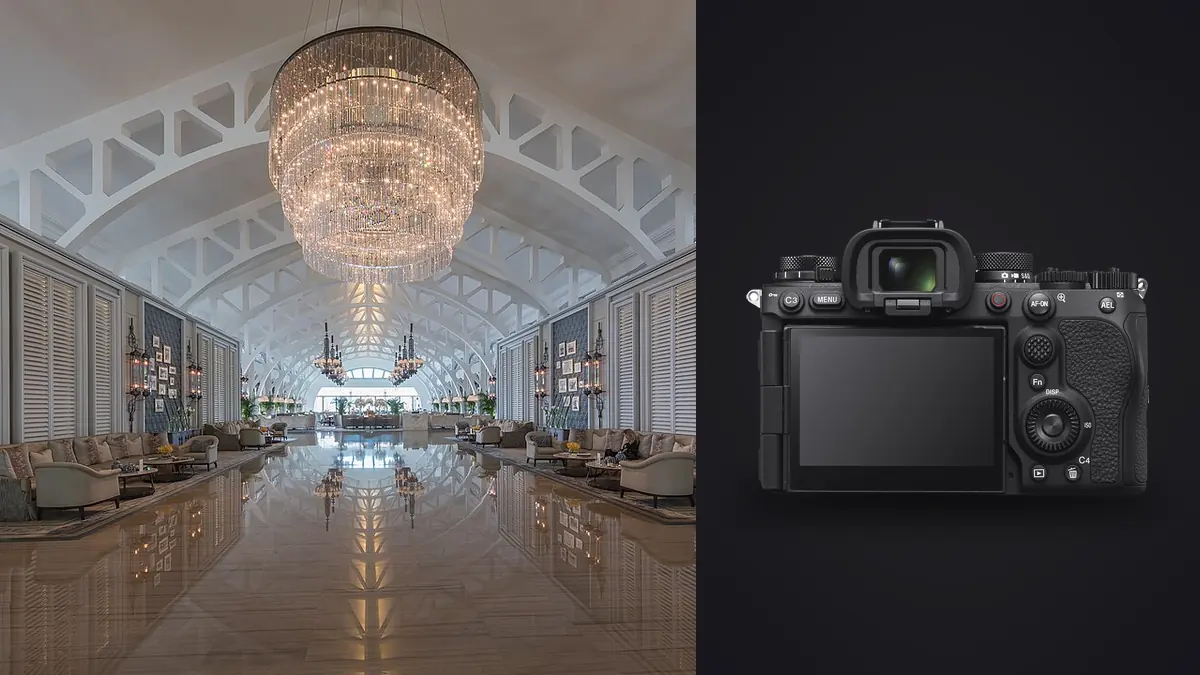
I picked up a Sony A9 III last spring expecting to dislike it for interior and architectural work. It's a camera built for photographers chasing a puck across ice at 120 frames a second, not for someone with a tripod, a spirit level, and a hallway that won't fit into one frame without the walls leaning like they're drunk. Six months and roughly forty finished interior jobs later, I still think it's the wrong first camera for most architectural photographers to buy. But there are two or three things this sensor does that nothing else in Sony's current lineup does, and for a specific slice of interior work they've genuinely changed how I shoot.
The global shutter isn't for panning, it's for lighting you don't control
Sony sold the A9 III on its global shutter eliminating rolling shutter distortion, useful if you're panning with a sprinter or shooting a golf swing at 1/32,000th. Almost none of that matters on an architecture shoot. You're on sticks, the room isn't moving, and nobody cares whether a doorframe would have warped under a rolling readout because it never would have anyway.
What does matter, and what nobody put on the box, is that a global shutter reads every pixel at the same instant, so it cannot band under flickering light. Interiors are full of dimmable LED downlights, cheap fluorescent tubes in back-of-house areas, and retail track lighting running on PWM dimmers, and every one of those sources pulses faster than you can see but slow enough to show up as horizontal bands in a photo shot at the wrong shutter speed. On a conventional sensor you either hunt for a "safe" shutter speed by trial and error, or you turn on anti-flicker shooting and accept a slower burst rate and a bit of shutter lag while the camera scans for the flicker frequency before it fires. I've had an A7 IV produce visible banding in a furniture showroom lit entirely by dimmed LED panels, at a shutter speed that looked perfectly reasonable on the histogram until I zoomed into the ceiling.
With the A9 III I stopped thinking about it. Any shutter speed, any dimmer setting, no banding, no anti-flicker delay eating into the moment. For video walkthroughs under mixed practical lighting, which is most of them, that alone has saved me from re-shoots.
24.6 megapixels is the real sticking point
Here's the trade nobody mentions when they're excited about frame rates: the A9 III tops out at 24.6 megapixels, roughly 6000 by 4000 pixels. Architectural photography leans on resolution more than most genres because you're routinely cropping to fix converging verticals, straightening a hand-held safety shot, or squaring up a composition that didn't quite work from the only spot you could physically stand. Take a 15 percent crop to kill perspective distortion on a tight stairwell shot and you're down to something like 5100 by 3400 pixels. That's still plenty for a website, a PDF brochure, or an Instagram carousel. It gets tight if a design firm wants a 24x36 inch print or a magazine wants a bleeding double-page spread.
I keep an A7R V in the bag specifically for shoots where I know large prints are coming. For anything destined for screens, listing sites, or slide decks, the A9 III's file size has never actually held me back, and the smaller RAW files move through culling and export noticeably faster at the end of a long shoot day.
How the common Sony bodies stack up for this work
| Body | Resolution | Base ISO / rough DR | Flicker-free stills | Flash sync | Best fit here |
|---|---|---|---|---|---|
| A9 III | 24.6 MP | ISO 250, ~11.5 stops | Yes (global shutter) | Up to 1/80,000s | Mixed practical lighting, strobe-heavy shoots, video walkthroughs |
| A7R V | 61 MP | ISO 100, ~14 stops | No (anti-flicker mode only) | 1/200s mechanical | Large prints, magazine work, wide dynamic range rooms |
| A7 IV | 33 MP | ISO 100, ~13.6 stops | No | 1/250s mechanical | General-purpose interiors on a tighter budget |
| A7C R | 61 MP | ISO 100, ~14 stops | No | 1/250s mechanical | High resolution in a smaller body for travel-heavy portfolios |
Dynamic range is the other line item worth sitting with. Global shutter sensors give up some stops compared to a conventional stacked design, and interiors are exactly the scenario that punishes a narrower range: a bright window next to a shadowed corner in the same frame. I bracket more aggressively with the A9 III than I ever did with the A7R V, usually three or five exposures a stop apart instead of three at two-thirds, to make sure the highlight recovery in the window isn't fighting the sensor as much as the scene.
Flash sync without the high-speed sync tax
This is the feature that actually changed my lighting kit. Every conventional Sony body syncs a strobe mechanically at 1/200 or 1/250 of a second. Go faster and you need High Speed Sync, which chops the flash pulse into a train of smaller bursts timed to the shutter's travel, and that costs you a stop and a half to two stops of usable power depending on the flash. On a bright day, shooting into a wall of windows, you end up needing two or three heads just to overpower daylight through glass at a fast enough shutter speed to keep the sky and lawn from blowing out.
The A9 III has no mechanical curtain to outrun. It syncs strobes at any shutter speed the camera offers, all the way to 1/80,000th, with none of the power penalty. I can shoot a sunlit living room at 1/2000 to pull the exterior view back into a reasonable range, drop in a single strobe bounced off the ceiling to fill the interior evenly, and get full flash output doing it. One head instead of three, and a lighter case to carry between rooms. The one caveat: cheap manual flashes with long flash durations can smear at the very top of that range, so I still test a unit before trusting it on a job, and I keep my sync speed closer to 1/2000-1/4000 rather than chasing the theoretical ceiling.
Lenses that actually earn a spot in the bag
The 16-35mm f/2.8 GM II covers most rooms with minimal distortion and handles corner sharpness well enough that I rarely need to stop past f/8. For tight bathrooms and small offices where even 16mm feels cramped, the 20mm f/1.8 G is smaller, lighter, and cleaner in the corners than you'd expect from a fast prime that price. Sony still doesn't make a native E-mount tilt-shift lens, which is the one real gap for anyone doing architecture seriously. The workaround most people I know have landed on is the Laowa 15mm f/4.5 Zero-D Shift, a fully manual lens that lets you shift the image circle to correct converging verticals in-camera instead of cropping and stretching in post. It's slow to work with, manual focus and manual aperture on every shot, but on a job where the client wants dead-straight verticals straight out of camera, it earns the extra ten seconds per frame.
Where the culling pile gets out of hand
Interior jobs generate a genuinely absurd number of files. Bracket three to five exposures per composition for an HDR blend, shoot four or five angles per room, multiply that across a full house or an office suite, and you can easily land at 1,000-1,500 RAW files by the end of a single day. Because the A9 III can burst at up to 120 frames a second, a moment of hesitation on the shutter button turns into a folder full of near-duplicate frames sitting right next to your deliberate exposure brackets, and at a glance they look identical.
This is where I stopped sorting by hand. I run everything through imagic before I touch Lightroom: its local sharpness and focus scoring flags the sharpest frame out of each burst, and its duplicate and burst clustering groups the bracket sets automatically instead of me squinting at five thumbnails trying to remember which was the -1 stop and which was the +1. Everything happens on the machine, nothing gets uploaded anywhere, which matters more than people expect on this kind of work. Pre-launch commercial interiors and unlisted high-end residential properties are often covered by an NDA before the shutter ever clicks, and a cloud-processing step is a hard no for some of these clients regardless of how good the tool is. If you want the mechanics of how that local scoring actually works, we've written about it separately in how AI photo culling works.
The other piece that's saved real hours is the apply_my_style preset. I trained it on a batch of my own graded interior edits, and now a fresh set from a shoot that started under morning light and ended under afternoon light gets a consistent starting grade applied automatically, instead of me manually matching white balance and contrast room by room at 11pm. It's not a replacement for finishing touches on the hero shots, but it kills the tedious middle third of the edit. Paired with a faster culling pass up front, the whole workflow change is closer to what we lay out in our notes on speeding up a photo workflow than anything specific to this camera. And because imagic is a one-time purchase rather than a subscription, it fits the way freelance architecture work actually bills: a tool you own outright for project after project, not a monthly line item.
Where I'd skip it
If you're starting out and budget is the constraint, don't make the A9 III your first architecture camera. The A7R V gives you more than double the resolution and better dynamic range for two thousand dollars less, and neither the flicker immunity nor the flash sync ceiling will matter until you're regularly running into the specific problems they solve. The A9 III makes sense if you already own one for sports or events and want to justify a second body, or if your interior work specifically involves difficult practical lighting or strobe-heavy setups often enough that the sync speed pays for itself in gear you don't have to rent or carry.
Frequently Asked Questions
Do I need a tilt-shift lens to shoot architecture with the A9 III?
Not strictly. You can correct converging verticals in post from a standard wide-angle shot, and most software handles it well up to a point. A shift lens like the Laowa 15mm f/4.5 Zero-D gets you a cleaner result with more usable resolution at the edges of the frame, since you're not stretching pixels to straighten lines, but plenty of working photographers skip it entirely and correct in post without clients ever noticing the difference.
Does the global shutter actually matter if I'm always on a tripod?
The distortion-elimination side of it, no, not really, since a static tripod shot was never going to suffer rolling shutter skew in the first place. The flicker immunity is the part that matters regardless of whether the camera is moving, because it's about the light source pulsing, not the camera panning. If you're shooting under dimmed LEDs or fluorescent tubes, that benefit is there whether you're handheld or locked down.
Is 24.6 megapixels enough for architectural print work?
For web galleries, listing sites, social content, and standard client decks, yes, comfortably. For large-format prints, tear sheets, or double-page magazine spreads where you also need cropping room for perspective correction, it gets tight, and I'd reach for a higher-resolution body like the A7R V instead.
Can the A9 III handle interior video walkthroughs for real estate listings?
Yes, and this is honestly where the flicker immunity shows up most often, since video is far less forgiving of banding than a single still frame. Mixed practical lighting that would produce a visible pulse on a rolling-shutter sensor at typical video shutter speeds simply doesn't band on this sensor, which has made walkthrough footage in furnished interiors noticeably less fussy to shoot.
The A9 III earns a spot in my bag for maybe one job in five, the ones with difficult practical lighting or a strobe-heavy setup where its two real advantages actually solve a problem I'd otherwise be working around. For the other four, I still reach for the body with more pixels. Buy the camera that fixes the specific headache you actually have, not the one with the flashiest spec sheet.