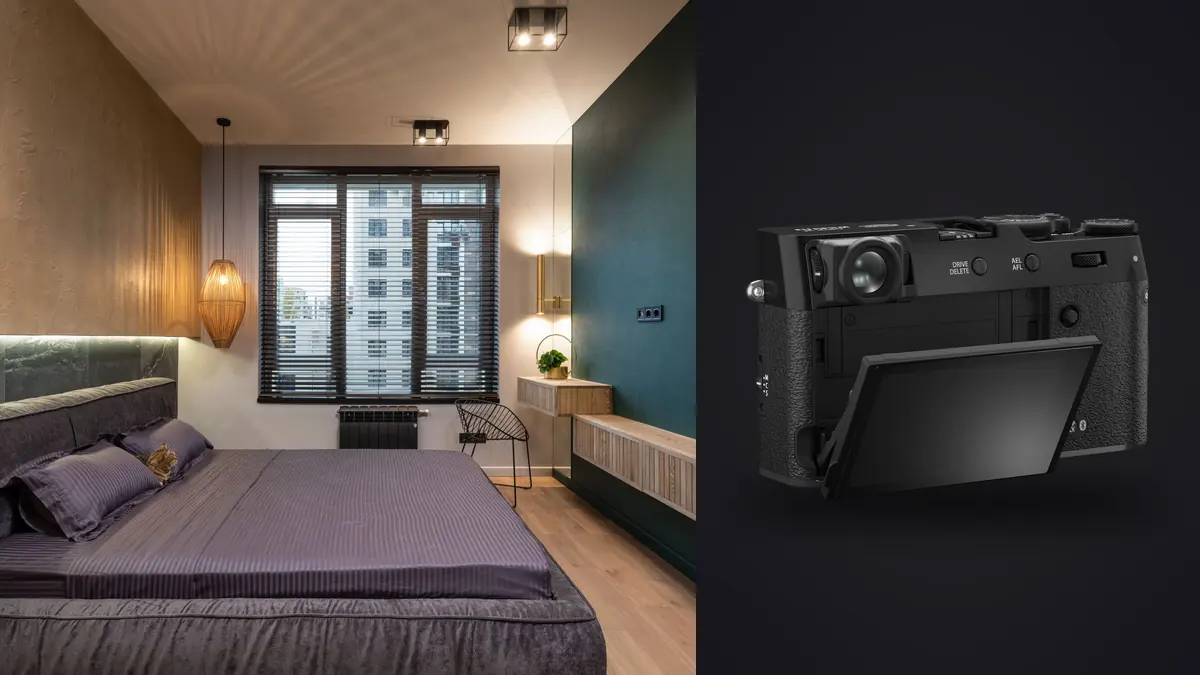
A reliable Fujifilm X100VI boudoir and intimate portraiture RAW Workflow is a chain of decisions, not a preset applied after the card is full. Capture settings determine which detail survives, file organization protects the evidence, selection identifies the frames that answer the brief, and development prepares those frames for a defined destination. This guide keeps those stages connected so a correction in one stage does not create an avoidable problem in the next.
The X100VI combines a 40.2 megapixel APS-C sensor with a fixed 23mm f/2 lens, a roughly 35mm full-frame angle of view, in-body stabilization, a leaf shutter, and one UHS-I SD slot. It suits environmental portraiture and a small working footprint, but its fixed moderate-wide view requires careful camera distance. Privacy and proportion control matter more than its compact appearance.
Translate the assignment into file requirements
Define the result before choosing a Fujifilm X100VI RAW setting. Record the final image count, likely crop ratios, largest output, color space, delivery format, metadata requirements, and whether the photographs must work as a sequence. For boudoir and intimate portraiture, also identify the visual facts that technical scoring cannot infer, such as subject identity, gesture, spatial accuracy, garment continuity, species behavior, or the order of an event. These criteria become the basis for the edit.
Write the consent, pose boundaries, wardrobe plan, coverage, retouching level, proofing method, file-retention period, and portfolio permissions before capture. Decide whether the wide environmental context is part of the visual language or whether tighter portraits are required. The fixed lens cannot become a short telephoto, so align the shot list with its perspective instead of promising every conventional boudoir framing from one position.
| File | Purpose | Handling rule |
|---|---|---|
| RAF original | Reversible camera evidence | Keep unchanged |
| Review derivative | Fast comparison or proofing | Label as a derivative |
| Working edit | Adjustment and version history | Keep linked to its source |
| Delivery export | Use in the approved destination | Build to a written specification |
Capture RAW files that remain editable
Use manual exposure under controlled light and a modest drive setting that captures expression changes without producing an excessive private file set. The leaf shutter can support flexible flash timing, but the actual trigger, flash duration, aperture, and light output still need a complete test. Protect bright skin and pale fabric, keep the built-in ND filter state intentional, and do not use stabilization as a substitute for subject-appropriate shutter speed.
Place face or eye detection on the intended subject, then confirm the nearer eye at full resolution. Hair, lace, foreground sheets, mirrors, and backlight can compete with detection. At close camera distances, the fixed lens can exaggerate near features, so move back and reframe before treating a perspective issue as a focus problem. Check hands and garment details when they are part of the brief.
Make a representative test with the Fujifilm X100VI under the actual light, then inspect the intended focus plane, subject movement, brightest color channel, darkest important texture, and frame edges at full resolution. A bright rear display can hide clipping, while a small preview can disguise motion or focus error. Stabilization can reduce camera movement, but it cannot stop a moving boudoir and intimate portraiture subject. Subject recognition can help acquisition, but it cannot decide which subject matters.
Assign separate jobs to lens, position, and light
The 23mm lens works best when the room, pose, and camera height are designed together. Keep faces and limbs away from stretched corners, use environmental lines deliberately, and avoid moving extremely close for a tight facial crop. The digital teleconverter or later crop changes framing but not capture perspective, and it reduces available pixels. Plan a second camera if the job requires a classic long-lens look.
Record a neutral reference whenever the Fujifilm X100VI boudoir and intimate portraiture lighting changes materially, and leave that frame beside the photographs it describes. The reference should establish a starting point rather than erase an intentional cast. Protect important highlights with the histogram and channel warnings instead of relying on screen brightness. RAW latitude can reshape recoverable tones, but it cannot recreate texture after a channel is fully clipped.
Preserve the RAW sequence during ingest
The X100VI has one card slot, so there is no in-camera RAW mirror. Use tested media, keep exposed cards controlled, and make two verified copies immediately after the session. Separate lighting and wardrobe changes with neutral marker frames that contain no sensitive names. Store RAF masters, proofs, and finals in access-controlled folders, and avoid unapproved cloud synchronization or automatic photo-library imports.
JOB_CODE/
  PURPOSE_BOUDOIR_AND_INTIMATE_PORTRAITURE/
  01_CAMERA_ORIGINALS/
    CAMERA_CARD_001/
  02_VERIFIED_COPY/
  03_REVIEW/
  04_WORKING_EDITS/
  05_EXPORTS/
  06_DELIVERY_NOTES/
Copy each Fujifilm X100VI boudoir and intimate portraiture card or storage unit as a complete, uniquely named folder. Record the expected file count, create a second independent copy, and verify both before returning media to use. Keep separate camera folders until duplicate filenames, clock offsets, and sequence boundaries are resolved. Review files and exported JPEGs should never sit where they can be mistaken for the only RAF master.
imagic supports Fujifilm RAF and keeps culling and non-destructive edits on the local computer. It does not offer cloud proofing, layered retouching, or generative fill, so private proofing and detailed portrait cleanup require separate tools governed by the same consent and access plan.
Cull by sequence before judging isolated frames
Group the Fujifilm X100VI photographs by action, pose, bracket, lighting setup, location, or composition before assigning selects. Remove obvious accidents from the working view first, including unintended releases, blocked frames, unrecoverable clipping, focus on the wrong plane, and duplicates with no independent value. Use a reversible reject status rather than deleting originals. The second pass can then compare technically viable alternatives against the boudoir and intimate portraiture brief.
Review one pose and lighting sequence at a time for expression, eye focus, hand shape, body line, fabric tension, edge stretching, mirror reflections, and whether the image respects the agreed boundary. Closed eyes may be expressive rather than defective. Limit access to accidental and outside-boundary frames, and follow the written retention policy instead of allowing every private capture to persist indefinitely across devices.
imagic can score sharpness, exposure, closed eyes, and composition while grouping bursts and near-duplicates on the local Windows or macOS computer. In this Fujifilm X100VI boudoir and intimate portraiture RAW Workflow, those results are an ordered review aid, not an editorial verdict. Privacy-sensitive files stay on the machine, and culling changes a status rather than deleting the camera original. Human review still decides meaning, consent, continuity, and intentional technical departures.
Develop the master in a stable order
Begin RAF development with a gentle profile and set white balance from the actual light. Protect luminous skin and reflective fabric, then shape contrast without removing shadow direction. The high-resolution APS-C file can show fine pores, hair, and textile detail, so use noise reduction and sharpening selectively. Correct lens behavior before judging a corner pose, but do not expect software to reverse perspective created by shooting too close.
Apply broad corrections before local ones in the Fujifilm X100VI boudoir and intimate portraiture set. A practical order is input profile, white balance, exposure, highlight and shadow placement, tone curve, color, lens correction, noise treatment, and capture sharpening. Revisit earlier controls after a major profile or exposure change. Judge sharpening at an appropriate magnification and inspect both a critical detail and a smooth area, since settings that clarify an edge can also turn noise or skin texture into a distraction.
Control color without erasing the scene
Compare face, torso, hands, and reflected skin under mixed window, lamp, and flash light. Establish one dominant balance, then use restrained local correction where different sources cross the body. Preserve approved wardrobe and set color. Keep black-and-white interpretations as separate versions, and avoid a global skin correction that removes deliberate room warmth or shifts neutral fabric into an unwanted tint.
Build adjustment groups from real Fujifilm X100VI boudoir and intimate portraiture capture conditions rather than applying one correction to the entire job. A new room, weather state, stage act, light source, lens, or exposure method can justify a new baseline. Synchronize controls that should match, then inspect the first, middle, and last keeper in every group. Crop, aggressive recovery, local masks, and subject-specific cleanup generally need individual confirmation.
Keep brackets, bursts, and composites traceable
Group small expression and pose changes as one X100VI sequence, then select the strongest complete frame. Do not combine face, hands, or body from different moments unless the subject agreed to that retouching scope. Version any composite separately and retain its source mapping. Review JPEGs should carry no broader access rights than the private RAF files from which they were made.
Any Fujifilm X100VI boudoir and intimate portraiture composite or multi-frame result should remain traceable to all of its components. Normalize shared settings before alignment or blending, preserve unused edge area until geometry is final, and inspect seams at meaningful detail. If a frame was captured at a different time or exposure for a foreground, window, background, or moving subject, keep that distinction in the working notes and disclose it when the destination's editorial rules require disclosure.
Run quality control at image and set level
Inspect each approved Fujifilm X100VI boudoir and intimate portraiture photograph at three scales. Full image view reveals composition and tonal balance, a practical output view reveals how the destination will look, and a critical detail view reveals focus, motion, noise, halos, dust, and masking defects. Then compare the set as a sequence. White point, black placement, saturation, crop logic, and sharpening should feel coherent without forcing unlike lighting conditions into an artificial match.
- Source check: confirm every edit points to the intended RAF original.
- Technical check: inspect focus, motion, clipping, noise, lens correction, and composite edges.
- Editorial check: confirm subject identity, sequence meaning, consent, and requested exclusions.
- Consistency check: compare neighboring keepers under the same capture condition.
- Output check: open a rendered file outside the editing view before delivery.
Export for the stated destination
Deliver only approved images through the agreed secure channel, with filenames and metadata that avoid unnecessary personal or location information. Check that contact sheets, alternates, coordinates, and working notes are not included. Create web and print outputs separately, confirm access with the recipient, and apply the agreed retention or deletion schedule to proofs and temporary copies after acceptance.
Set dimensions, profile, bit depth, compression, metadata, naming, and output sharpening for the Fujifilm X100VI boudoir and intimate portraiture files from the delivery note. JPEG suits many web and gallery uses, while TIFF can preserve more information for a print or downstream retouching stage. Keep a full-resolution approved master when future derivatives are likely. Verify pixel dimensions and embedded profile, open representative files, and compare the delivered count with the approved selection.
The desktop photo workflow explains local processing boundaries, the single-photo editor offers a focused derivative workflow, and the AI & Technology collection connects this process to related photography systems. These references support the Fujifilm X100VI plan, but the written boudoir and intimate portraiture brief remains the authority for the job.
Use a final RAW Workflow checklist
- Write the purpose, crop, output, sequence, and privacy requirements.
- Confirm RAF, compression, card role, focus method, and shutter behavior.
- Make a focus, motion, highlight, and color-reference test under working light.
- Keep each card or storage unit intact inside a unique camera-original folder.
- Create and verify two independent copies before reusing media.
- Group related Fujifilm X100VI frames before comparing technical and editorial value.
- Normalize global development by real capture condition, then inspect exceptions.
- Preserve every required component of a bracket, stack, burst, or composite.
- Render to the delivery specification and inspect files outside the editor.
- Archive the originals, adjustment records, approvals, and export recipe.
Frequently asked questions
Should every Fujifilm X100VI boudoir and intimate portraiture photograph be recorded as RAW?
RAW is appropriate for the Fujifilm X100VI boudoir and intimate portraiture job when it needs recoverable white balance, highlight control, substantial tonal work, or a durable editing master. A JPEG-only choice can be reasonable for a controlled immediate use, but it should be tested against the actual output and kept clearly identified as the camera-rendered source.
Can automated scoring choose the final boudoir and intimate portraiture selection?
No. Scoring and duplicate grouping can narrow technically repetitive Fujifilm X100VI boudoir and intimate portraiture files, but they do not know which moment, subject, relationship, garment, behavior, or spatial fact answers the brief. A photographer or editor must make the final editorial choice.
When is the Fujifilm X100VI RAW Workflow complete?
The Fujifilm X100VI boudoir and intimate portraiture process is complete when approved images have been rendered to specification, opened and checked, counted against the selection, delivered through a verified copy, and archived with the RAF originals and adjustment records. An edit that has not survived output verification is still unfinished.